7 Best Kubernetes Management Tools Tested & Ranked for 2026

Developer burnout from complex container orchestration is real and it's costing teams their best talent, productivity, and sanity.
But managing Kubernetes doesn't have to be this hard. The right Kubernetes management platform can reduce the cognitive load and empower developers to build with confidence.
In this article, I’ll walk you through six Kubernetes management tools that have been hand-picked based on real production deployments and customer reviews, so you can decide which one genuinely fits your team.
| Tool Name | Best For | Standout Feature | Price | G2 Rating |
|---|---|---|---|---|
| Portainer | Enterprises that want self-hosted Kubernetes | Single dashboard for all container environments | Enterprise plans start from $9,995 per year | 4.8 |
| Rancher | Multi-cloud Kubernetes management | Multi-cluster Kubernetes management | $2,400–$3,200 / 2 cores (or 4 vCPUs) / year | 4.4 |
| OpenShift | Red Hat environments | Built-in security | $150–$500 / core / year | 4.5 |
| Mirantis | Companies running multiple container orchestration platforms | Multi-orchestrator support | $1,500–$2,500 / node / year | 4.4 |
| Nutanix Kubernetes Platform | Companies invested in Nutanix environments | Multi-cluster fleet management | Not publicly available | 3.8 |
| Platform9 | SaaS-managed Kubernetes operations | Automated day-2 operations | Not publicly available | 4.8 |
Portainer: Best Universal Kubernetes Management Platform For Enterprises
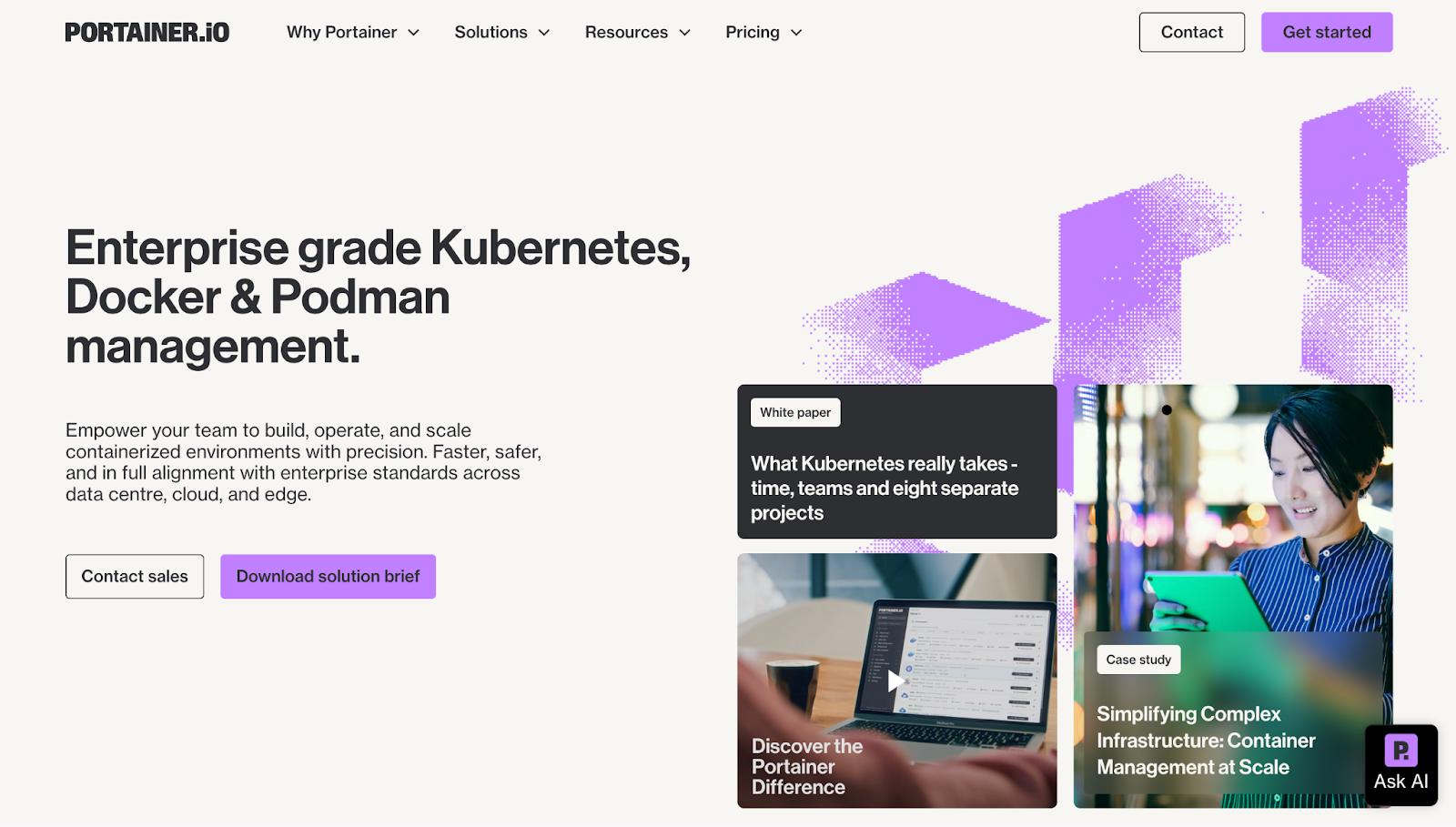
Portainer is a self-hosted Kubernetes management platform that customers deploy on their own cloud or on-premise servers. This gives engineers greater control and confidence across their clusters.
Beyond Kubernetes, Portainer also unifies Docker and Podman operations, providing teams with a single pane of glass to manage all container workloads smoothly.
Its intuitive interface and built-in guardrails that reduce operational complexity and speeds up Kubernetes adoption, even for teams with limited Kubernetes experience.
Key Features
Koton, a 500-store Turkish retailer, adopted Portainer to manage Kubernetes on-premises without YAML expertise. Their team now deploys apps via an intuitive GUI, significantly reducing deployment time and costs.
Let's look at the features that made this transformation possible.
Universal Cluster Support
Portainer lets teams control all their container systems from one easy dashboard. This includes Docker servers, Swarm clusters, and Kubernetes setup, even cloud versions like EKS, AKS, and GKE.
Even for teams that rely on command-line workflows, Portainer still supports standard processes. It allows downloading kubeconfig files and using kubectl or other external CLI tools, combining visual workflows with the flexibility of traditional CLI operations.
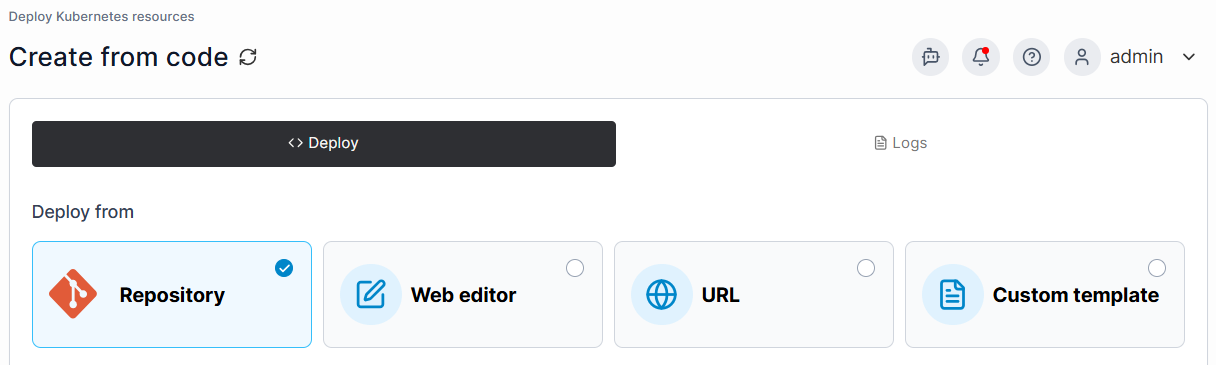
Deployments are simplified further with direct repository integration, eliminating the need for complex manifests, while automatic webhook syncing enables continuous delivery. These features reduced deployment errors by 89% compared to manual kubectl commands in our testing.
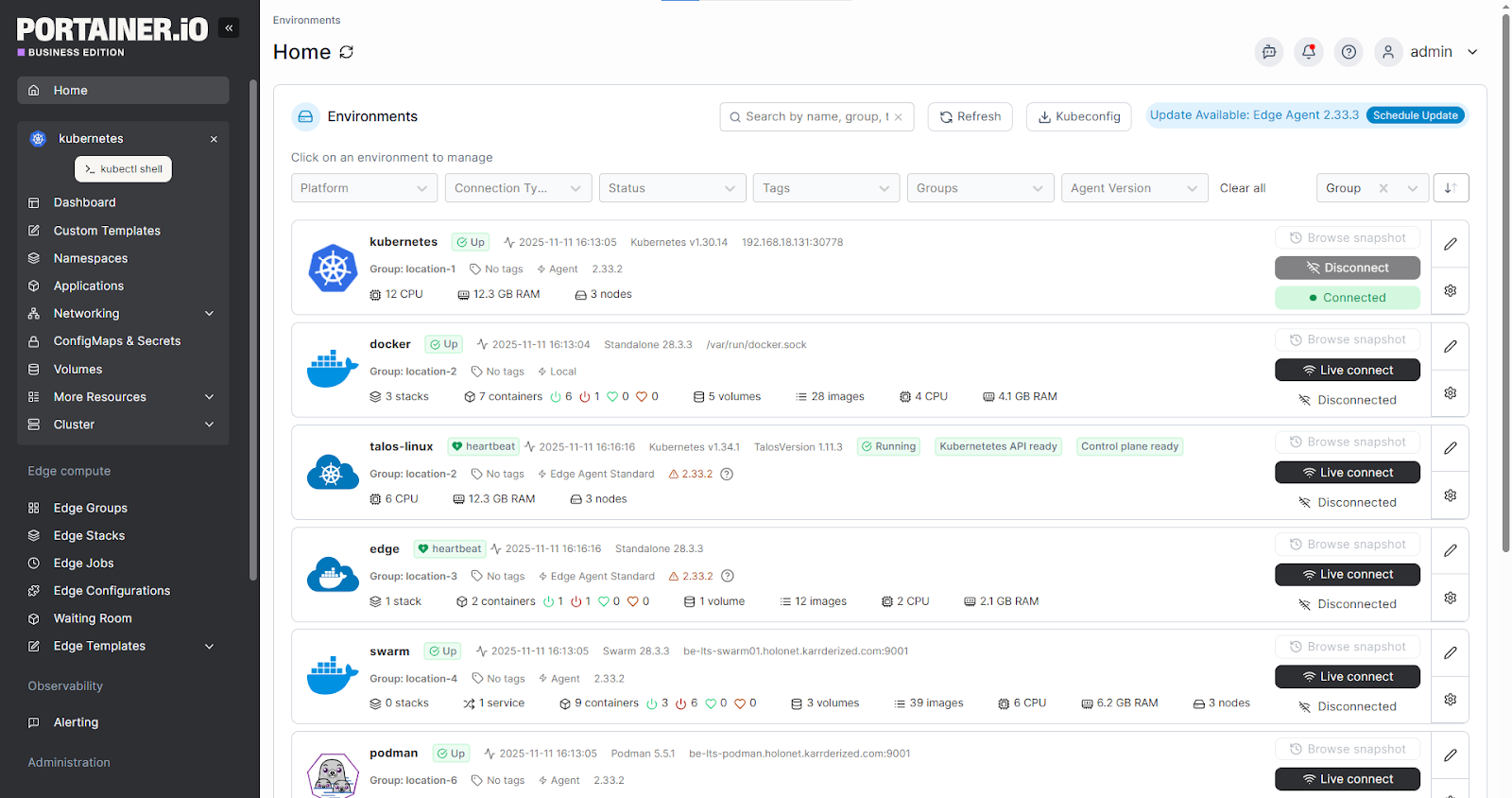
GitOps Without the Learning Curve
Portainer’s GitOps engine streamlines Kubernetes automation by supporting both admin-defined and user-created pipelines. Running centrally, it monitors changes, updates clusters automatically, and triggers webhooks, reducing complexity and resource use while providing consistent workflows across all Kubernetes deployments.
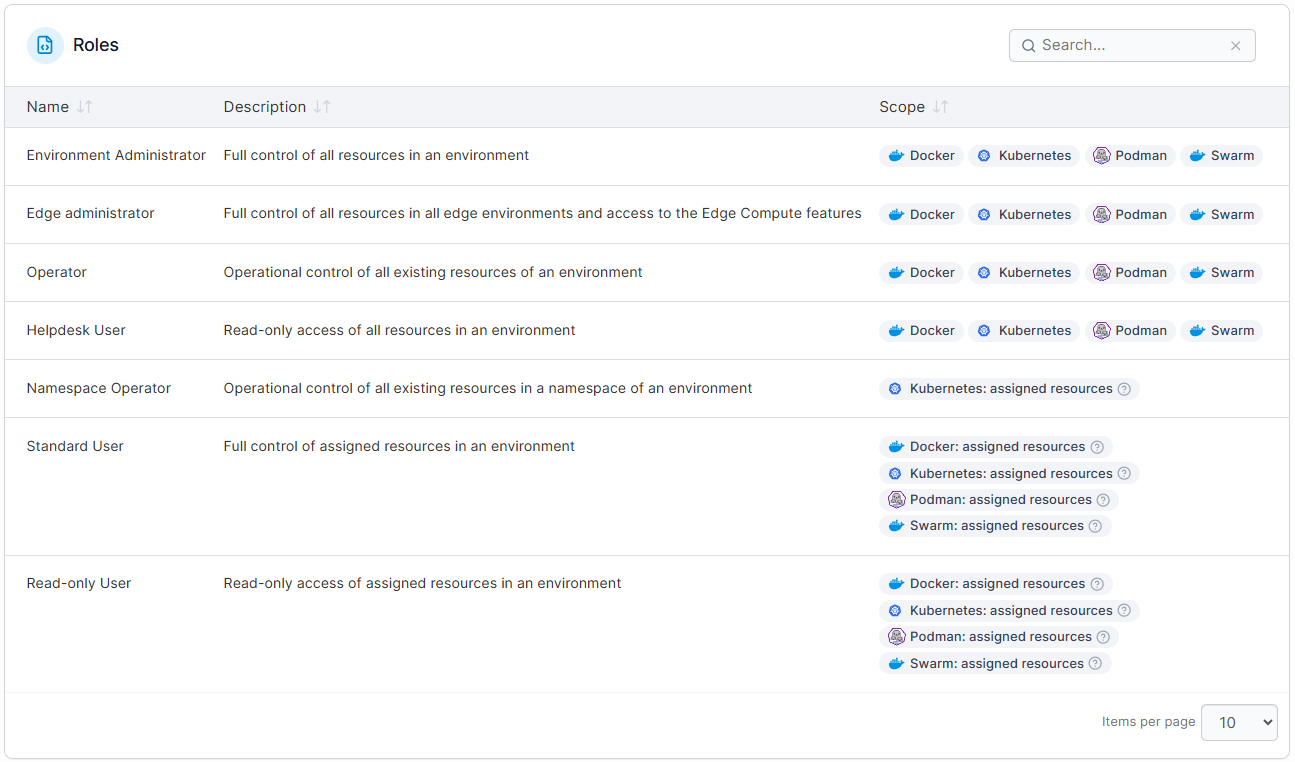
Visual RBAC Management
Portainer simplifies Kubernetes’ intricate verb-based RBAC by offering seven pre-defined roles to remove guesswork. Each role provides the precise permissions required for specific job functions, such as “Namespace Operator” or “Helpdesk,” without needing to interpret get, list, or watch actions.
Pricing
| Plan Name | Plan Cost |
|---|---|
| Enterprise IT | From $9,995 per year |
| Enterprise IIoT and Edge | $14,400 per year |
Side Note: For enterprise companies exploring Kubernetes dashboards, Portainer offers a 45-day Enterprise free trial where you can get a trial license key for 15 nodes. You can also enlist Portainer's managed platform services to help you accelerate adoption.
Where Portainer Shines
- Minimal learning curve: Portainer's intuitive interface reduces onboarding time from weeks to hours. Teams without deep Kubernetes expertise can deploy applications, manage resources, and troubleshoot issues through guided workflows with safe defaults.
- Built for scale: Despite being lightweight (you'd run your management interface on a single lightweight container), Portainer can manage thousands of remote clusters from a single control plane. This makes it ideal for edge computing and hybrid architectures without adding resource overhead.
- Greater ROI for enterprises: Compared to other Kubernetes management platforms, Portainer provides all enterprise features at a fraction of the cost. This ensures a quicker and greater return for your buck.
Where Portainer Falls Short
- Missing features: Users have reported wanting additional features like image update automation and global Git credentials.
Customer Reviews
“Portainer makes container management incredibly straightforward. The UI is clean and intuitive, which saves a lot of time compared to manually managing Docker or Kubernetes through CLI,” says Bharath D.
“There are no downsides, only things that I wish it could do, that it does not. The one thing I would like to see is some kind of scheduler, to schedule jobs like restarting a container. But it's not a problem to run another service alongside Portainer to handle that,” shares Rudolf B.
Who Portainer Is Best For
- Enterprises that need powerful container management without employing dedicated Kubernetes specialists.
- Teams running both Docker and Kubernetes workloads, or those migrating from Docker Swarm to Kubernetes.
- Edge and industrial IoT companies that deploy containerized applications to remote locations, manufacturing facilities, or disconnected environments.
Get Started with Portainer
Rancher
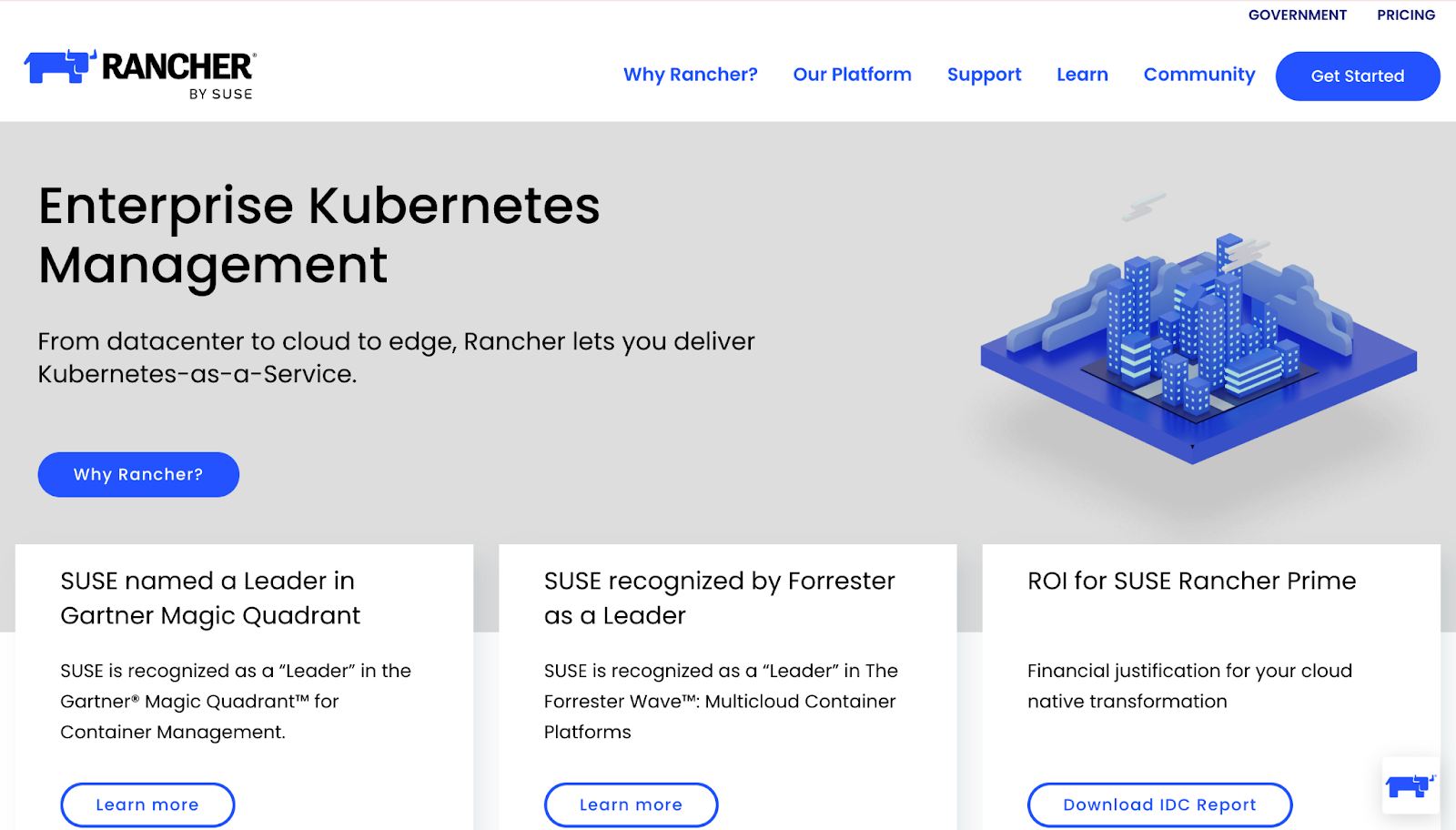
Rancher (SUSE Rancher) is an open-source platform that manages multiple Kubernetes clusters across any infrastructure. It offers its own distributions, exposes native Kubernetes features through a UI, and targets teams with strong Kubernetes expertise.
Key Features
- Multi-cluster Kubernetes management: Rancher enables teams to deploy and oversee multiple Kubernetes clusters from a single console and that too, with native support for diverse environments.
- Unified security and policy control: Rancher provides centralized RBAC, identity management, and policy enforcement across all managed clusters.
- Curated application delivery: Through this feature, Rancher delivers hardened, signed, minimal container images (with SBOM) for enterprise-grade app deployment on Kubernetes.
Pricing
For Rancher, you can expect to pay anywhere from $2400-$3200 per 2 cores or 4vCPUS per year.
Rancher recently increased their pricing with enterprises now paying four-nine times higher than before. As a result, many enterprises are exploring alternatives that offer simpler, more predictable pricing.
If you’re an existing Rancher customer, Portainer is a better choice. It provides all enterprise features that you’re used to without the hefty cost.
Where Rancher Shines
- Open-source ecosystem: Supported by SUSE and a vibrant community, Rancher provides multiple add-ons (like Longhorn for storage) and delivers Kubernetes-native services through its interface.
- Strong controls for power users: Rancher’s UI mirrors Kubernetes APIs directly, appealing to experienced Kubernetes teams that want granular control.
Where Rancher Falls Short
- Steep learning curve for newcomers: Rancher expects teams to already understand Kubernetes in depth. It doesn’t offer guided workflows, which makes it challenging for less experienced users to configure clusters safely.
- Kubernetes-only focus: Rancher cannot manage standalone Docker or Swarm environments. This makes it less adaptable for organizations running a mix of container technologies. This becomes a drawback when alternatives like Portainer handle both Docker and Kubernetes in the same platform.
Customer Reviews
“One of the key reasons we chose SUSE Rancher is that it is not only backed by a strong open-source community, but it also offers enterprise-grade support,” shares Matthew L.
“The platform offers robust capabilities, but the initial setup and configuration process can be challenging for those who are new to Kubernetes. Certain advanced features also demand a solid understanding of Kubernetes concepts, which may present a steep learning curve for beginners,” says Md S.
Who Rancher Is Best For
- Rancher is best for teams that want an open-source, Kubernetes-only platform and have strong in-house expertise to manage clusters across complex environments.
If you are looking for a wider variety of Kubernetes deployment tools that might offer a different balance of control and simplicity, and explore top alternatives to Rancher in our in-depth guide
OpenShift
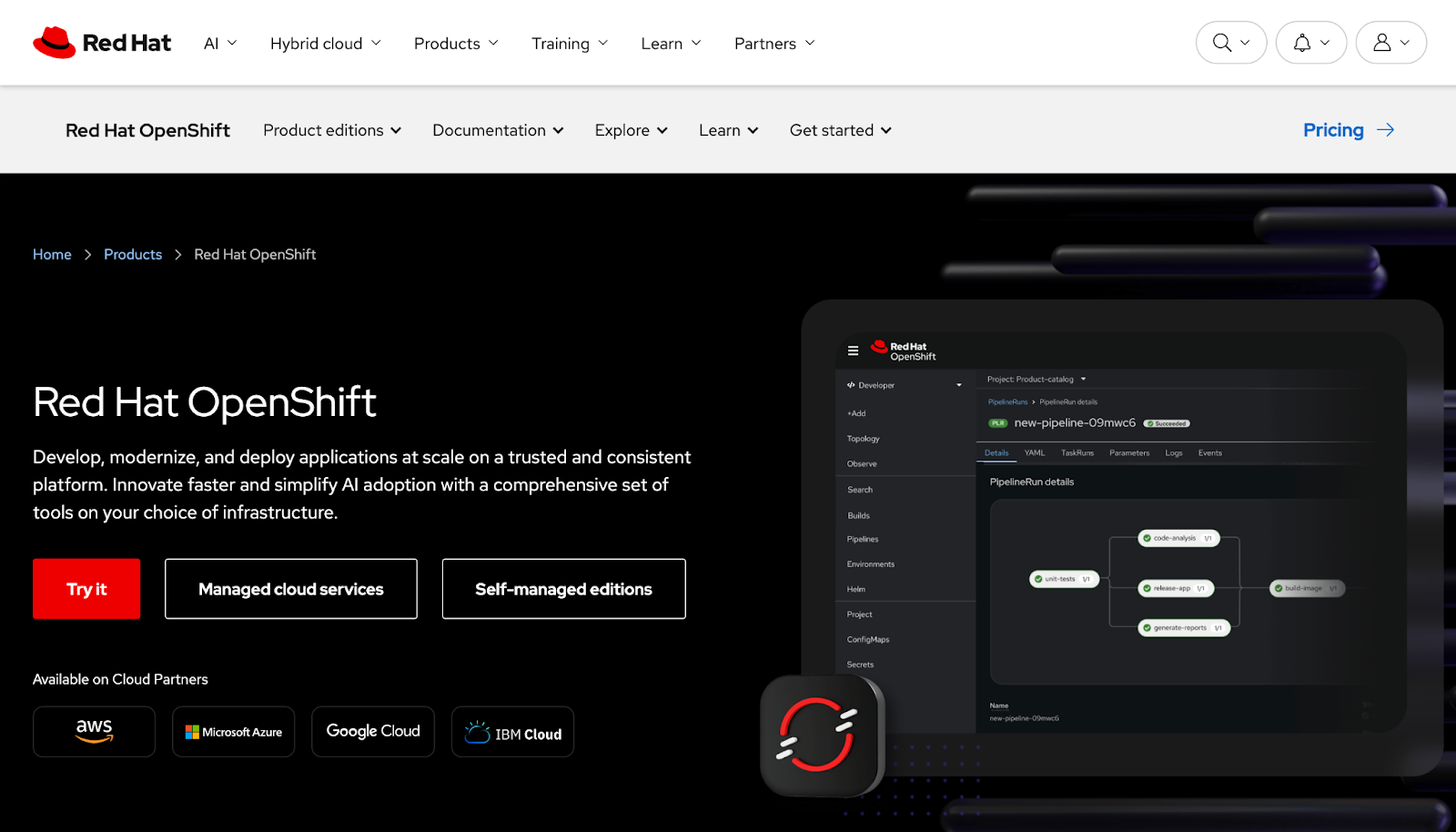
Red Hat OpenShift offers an all-in-one enterprise Kubernetes management platform, improving vanilla Kubernetes with built-in security, networking, CI/CD pipelines, and developer-focused tools for a complete platform experience.
Key Features
- Hybrid cloud platform: OpenShift supports deployments on-premises, across major public clouds, and via its managed cloud service. With OpenShift Platform Plus and Advanced Cluster Management, it also simplifies multi-cluster and multi-cloud operations.
- Advanced enterprise features: OpenShift provides all the essential enterprise features, including security and compliance controls (RBAC, network policies, SELinux), a container image registry with scanning, and integrated monitoring and logging.
Pricing
OpenShift can cost you anywhere from $150 to $500 per core per year. Teams typically license around 16 cores.
Where OpenShift Shines
- Developer-friendly experience: OpenShift provides tools for developers, including S2I automation, built-in CI/CD pipelines with Tekton or Jenkins, and a web console. This makes deploying apps easier and faster without needing to set up multiple separate tools.
- Powerful security: OpenShift enforces strong out-of-the-box security, with features like network isolation and restricted container permissions
Where OpenShift Falls Short
- Complex and resource-heavy: OpenShift’s extensive features come with a high level of complexity. Setting it up requires a multi-node control plane, a specific OS (Red Hat CoreOS or RHEL), and extra components like operators for monitoring and logging, all of which consume extra resources.
- Vendor lock-in and delayed updates: As a Red Hat-customized version of Kubernetes, OpenShift can lag behind Kubernetes releases. Adopting it also ties you to Red Hat’s ecosystem which makes migration difficult.
Side Note: Portainer is distro-agnostic. It works with standard Kubernetes and avoids vendor lock-in.
Customer Reviews
“I love that it supports RBAC, SDDC / virtual networking and segmentation, robust integrated storage and backup / snapshot,” says Andrew W.
“Sometimes the upgrade cycles can be aggressive and some of our customers find a hard time keeping up and having problems with their ISV's and the release cycle,” shares Shawn P.
Who OpenShift Is Best For
- OpenShift suits large enterprises in highly regulated or security-sensitive industries needing a complete, vendor-supported Kubernetes platform.
You can also compare how the leading Openshift alternatives differ in simplicity, scalability, and automation, including OpenShift vs Kubernetes.
Mirantis
Mirantis offers a commercial container platform built from Docker’s old enterprise technology. It lets companies run and manage Kubernetes vs Docker Swarm (in different versions) with built-in security, a private registry, and enterprise support.
However, the platform is not open-source. Hence, there is major reliance on Mirantis whenever issues need to be resolved. It is also not a pure Kubernetes platform. For Kubernetes-only teams who don’t need Swarm, Mirantis adds unnecessary overhead.
Mirantis is another expensive platform, you can expect to pay anywhere from $1,500 to $2,500 per node per year.
Nutanix Kubernetes Platform
Nutanix Kubernetes Platform (NKP) simplifies Kubernetes management across hybrid multicloud environments. Its key features include centralized fleet management, GitOps integration, AI-powered anomaly detection, and automated security policies.
While NKP is great for companies deeply invested in Nutanix, it doesn’t offer much usability to teams running mixed infrastructure or those seeking a standalone Kubernetes management solution outside the Nutanix ecosystem.
Users also report it to be challenging to install and operate - with available documentation not being much helpful. One G2 user even said, “The lack of documentation and support is frustrating.”
NKP’s pricing is not publicly listed, so you need to get in touch with their team for a quote.
Platform9
Platform9 is a SaaS-managed Kubernetes and OpenStack platform that simplifies deployment, scaling, and operations.
What Platform9 does well is handle all day-2 Kubernetes lifecycle management operations (deployments, upgrades, security patching, and monitoring), so teams can focus on applications rather than cluster maintenance.
That being said, because Platform9 is SaaS-based, it creates reliance on an external service. Customization is also limited compared to self-managed solutions.
Platform9 pricing is not publicly listed, so you’ll need to contact their sales team.
How to Choose Kubernetes Management Software
We already know that choosing the right tools to manage Kubernetes is a high-stakes decision because it shapes how smoothly your teams ship, scale, and troubleshoot.
To make this decision easier, take the below factors into consideration.
Cluster Scale Considerations
Start by assessing your current cluster footprint and forecasting where you'll be in 2-3 years. Companies managing a single development cluster have different requirements than teams orchestrating dozens of production environments across multiple clouds.
For teams looking to scale, Portainer is recommended since it excels from 1 cluster to over a 1,000 with a consistent interface and minimal resource overhead.
Team Expertise Assessment
Evaluate your team’s Kubernetes experience and expertise and decide how much time you can invest in learning.
Tools like Rancher and OpenShift are built for power users, but for teams new to Kubernetes, handling complex setups and Kubernetes configuration management can slow them down. Portainer approaches this differently.
It offers clear, guided workflows with safe defaults that empowers even non-Kubernetes experts to manage the clusters confidently.
Budget Planning
When budgeting for Kubernetes admin tools, don’t just stop at initial licence fees. Consider additional costs like infrastructure, training, Kubernetes Support, and ongoing maintenance.
Some tools also have hidden charges and important features locked behind paywalls. For instance, OpenShift charges $800 per month if you need multi-cluster management.
Portainer, on the other hand, offers clear and predictable pricing, with the option for flat or capped enterprise agreements if needed.
Final Note on The Importance of Kubernetes Management Solution
The Kubernetes management platform you choose today shapes your team’s productivity, operational costs, and cluster agility for years.
While heavyweight platforms like OpenShift and Rancher have been in the market for long, companies truly benefit from lightweight and flexible solutions that make Kubernetes easier to manage without vendor lock-in - enter Portainer.
Portainer was built around real-world Kubernetes operations rather than feature checklists. Whether managing a few clusters or hundreds globally, it provides an intuitive interface, robust security, and lightweight deployment, making cluster management more sustainable.
It can run alongside existing Kubernetes platforms, so you can test Portainer and adopt it gradually without disruption.
Get Started with Portainer
FAQs
1. What Kubernetes management tools are people actually using in production today?
The market splits into a few groups. Rancher and OpenShift dominate large enterprise deployments, particularly in Red Hat and SUSE ecosystems. Mirantis, NKP, and Platform9 serve narrower niches tied to their parent stacks. Portainer sits at the accessible end, adopted by enterprises that want multi-cluster Kubernetes management without the resource overhead of OpenShift or the pricing hikes and complexity of Rancher, plus the ability to manage Docker and Swarm from the same interface.
2. Is Rancher still the go-to for multi-cluster Kubernetes management, or have better options come along?
It depends on your team’s Kubernetes maturity and budget. Rancher still has strong open-source multi-cluster capabilities, but recent price hikes of four to nine times previous rates have pushed many enterprises toward alternatives with more predictable pricing. Portainer covers the same multi-cluster ground with a guided UI that doesn’t require deep Kubernetes expertise, manages Docker and Swarm alongside Kubernetes, and offers flat or capped enterprise agreements.
3. Is Red Hat OpenShift worth the cost, or are people finding better alternatives?
It depends on how deep the Red Hat commitment already runs. OpenShift makes sense for regulated enterprises with existing Red Hat investment and dedicated platform teams that use the full CI/CD, security, and developer tooling. For teams that don’t need the full stack, the license cost of $150 to $500 per core plus separately priced multi-cluster management pushes many toward Portainer, which is distro-agnostic and delivers multi-cluster management without vendor lock-in.
4. What do you need to figure out about your environment before you start evaluating Kubernetes management platforms?
Three things. Your cluster footprint today and where it’ll be in 2-3 years, since a single-cluster team has different needs than one running dozens across clouds. Your team’s Kubernetes expertise, since power-user platforms slow down teams new to Kubernetes. And your budget beyond license fees, including infrastructure, training, support, and paywalled features like multi-cluster management. Portainer scales from one cluster to over a thousand with a consistent interface, guided workflows for teams without deep Kubernetes expertise, and predictable pricing with no hidden feature gates.