
Share this post
According to a report published by Global Market Insights, the global edge computing market is expected to grow from $21.4 billion in 2025 to $28.5 billion in 2026 (a CAGR of 28%).
And for good reason. Edge computing is the backbone of real-time applications, low-latency systems, and modern distributed architectures.
In this article, we’ll break down the 5 best edge computing platforms in 2026, including features, pricing, and real customer reviews to help you choose the right fit for your workloads.
TL;DR: Check out this table comparing all tools at a glance.
1. Portainer: Best for Container Management in Edge Computing
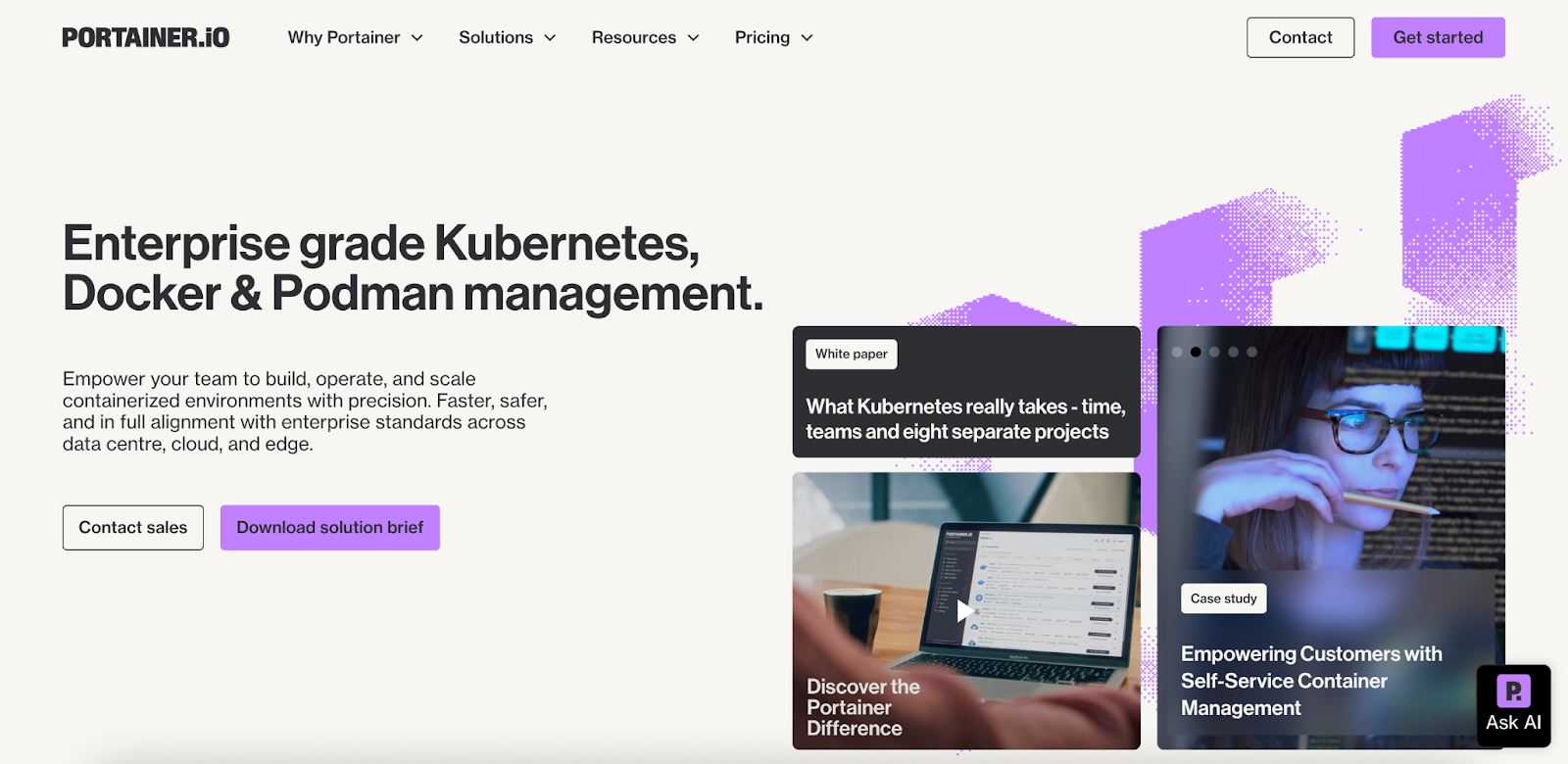
Portainer is a lightweight and secure control plane that simplifies how teams deploy and manage containerized workloads across distributed edge environments.
It supports Docker, Kubernetes, Swarm, and Podman, giving organizations flexibility to use whichever container platform fits their edge environment.
In an edge architecture, Portainer acts as the orchestration and lifecycle management layer for software-centric workloads such as microservices, data pipelines, and inference engines. It removes the overhead of custom tooling and provides a predictable interface that works reliably even in low-connectivity or air-gapped environments.
Key features
Let’s look at the top Portainer features that matter most for edge environments:
Edge Agent for Remote and Offline Environments
Portainer’s Edge Agent gives DevOps and platform teams reliable control over devices behind firewalls or with unstable connectivity. It queues jobs when a device is offline and completes them once the device reconnects.
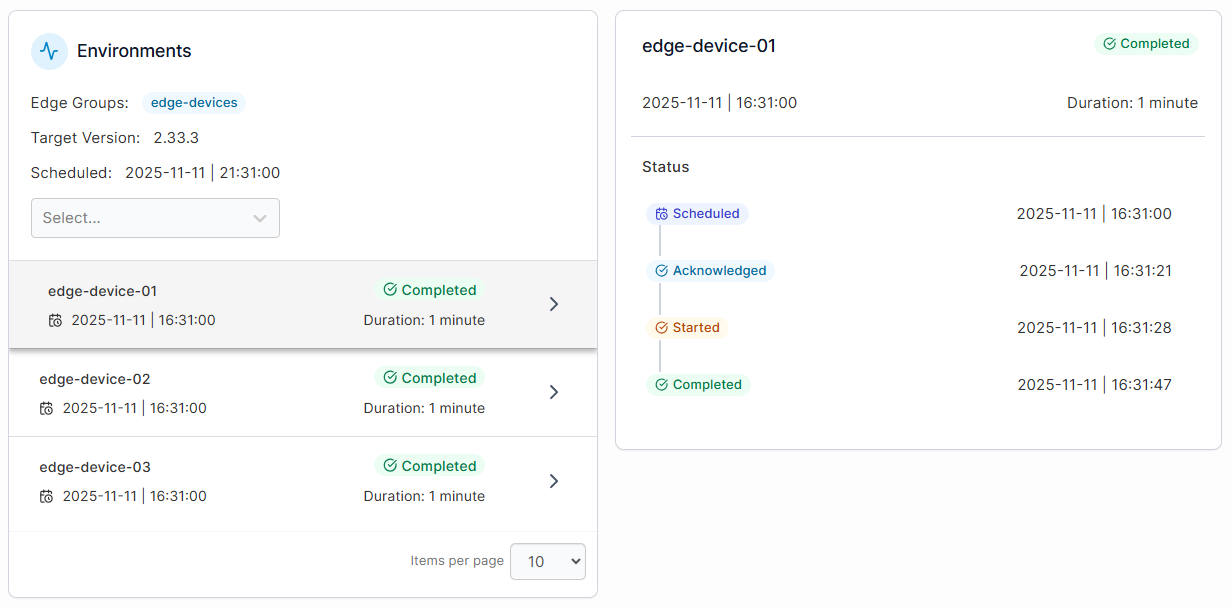
This makes Portainer suitable for factories, fleets, and industrial locations where stable networking isn’t always guaranteed.
Portainer also supports Edge Stacks, Edge Jobs, and Edge Configurations, so teams can easily deploy and update workloads across several sites without any on-site access.
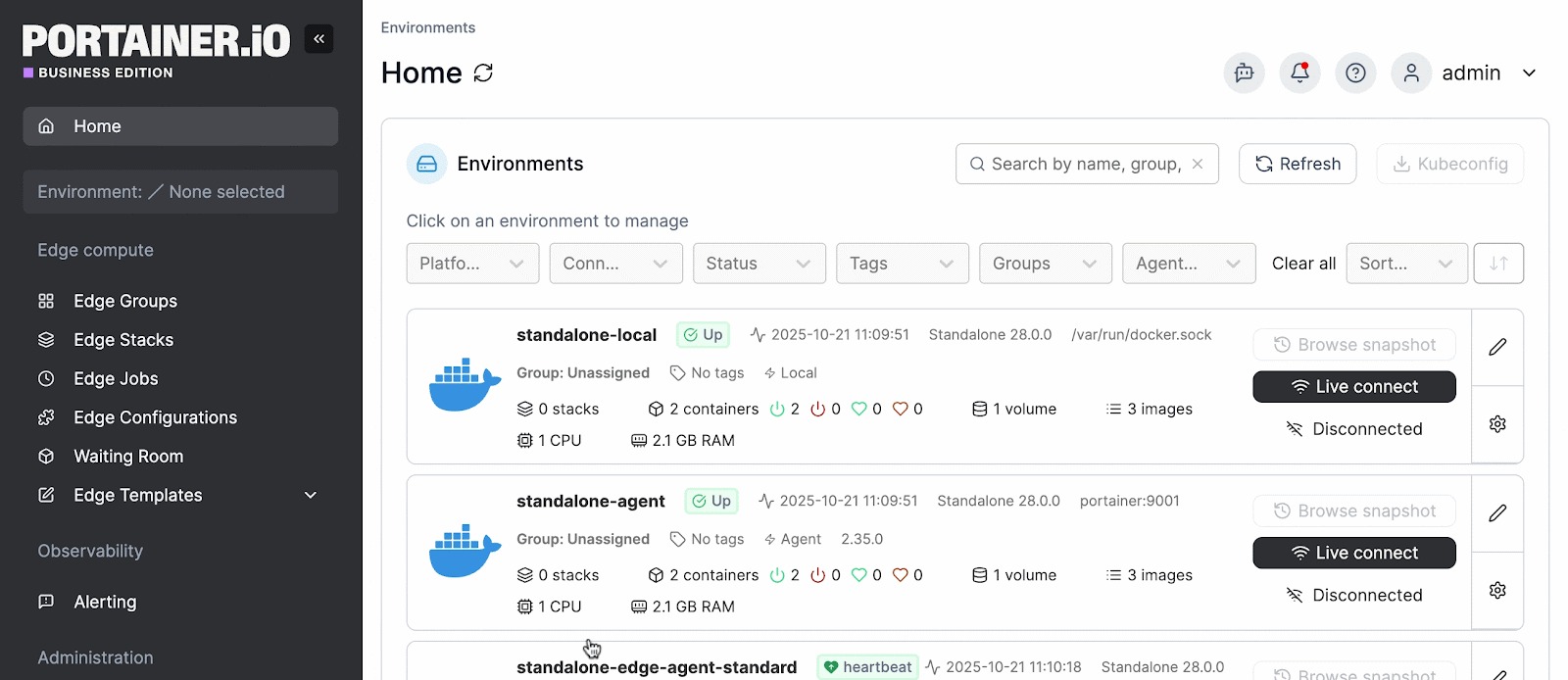
Multi-Runtime Management in One Interface
Portainer connects to Docker, Kubernetes, Swarm, Podman, and ACI. This allows teams to manage mixed environments without switching tools or maintaining separate workflows.

Plus, with Portainer’s dashboard, they can see what’s running across all sites and keep operations consistent. This flexibility also makes Portainer a top option for teams evaluating Kubernetes management tools or alternatives to platforms like Rancher or OpenShift.
Secure, Policy-Driven Access Control
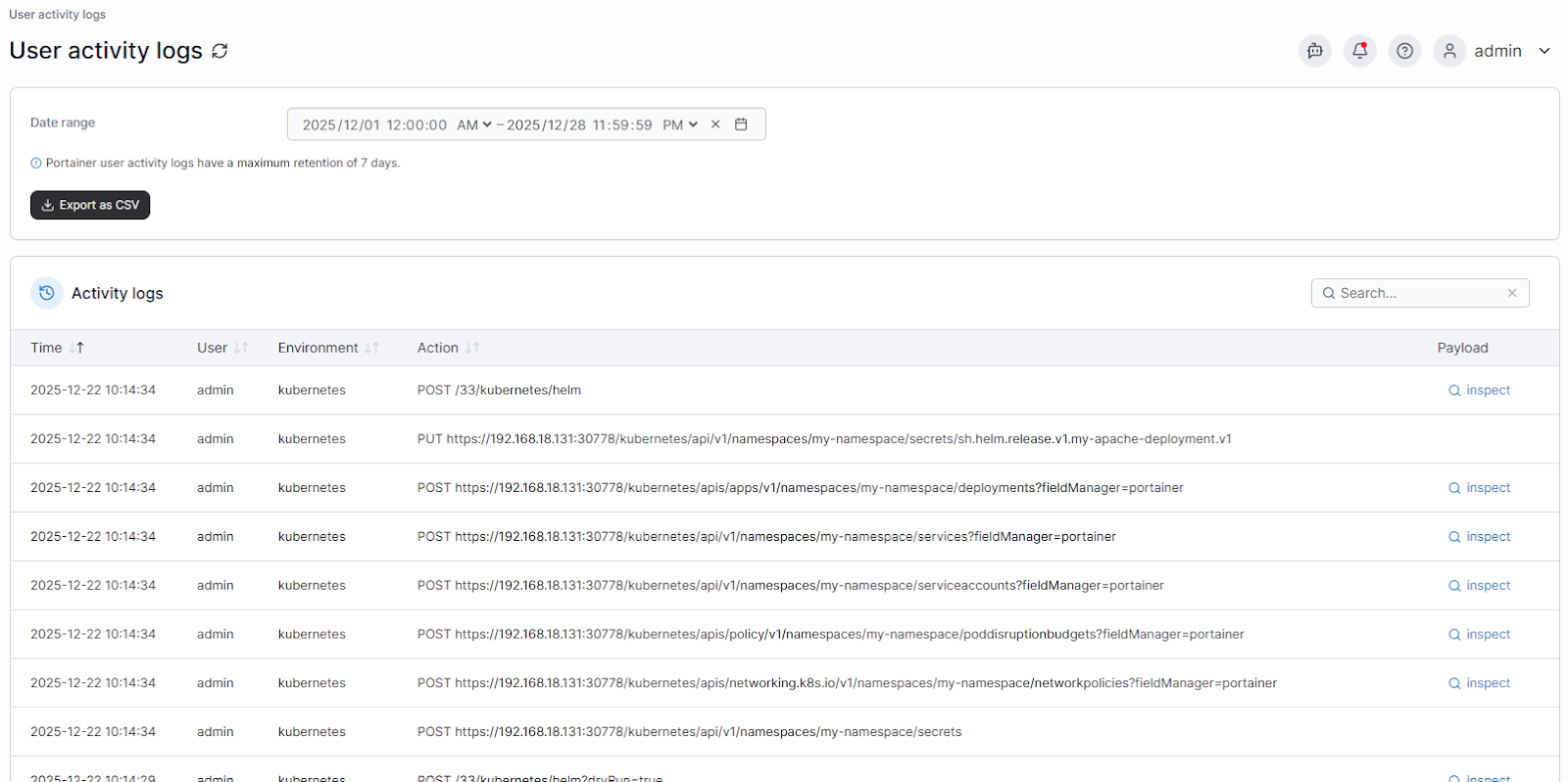
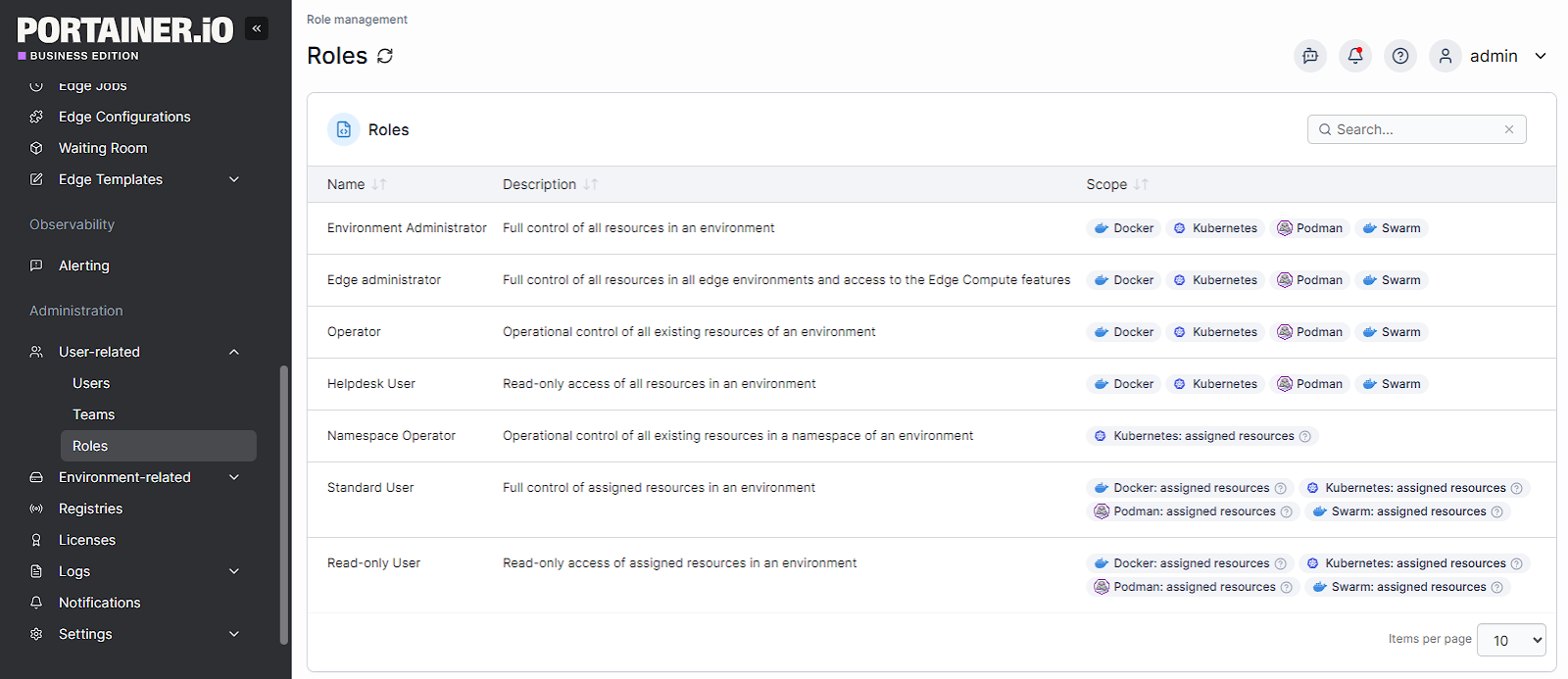
Portainer gives teams control over who can access specific edge environments and what actions they can perform. You can assign roles to users and teams, set guardrails around sensitive resources, and limit changes at remote sites.
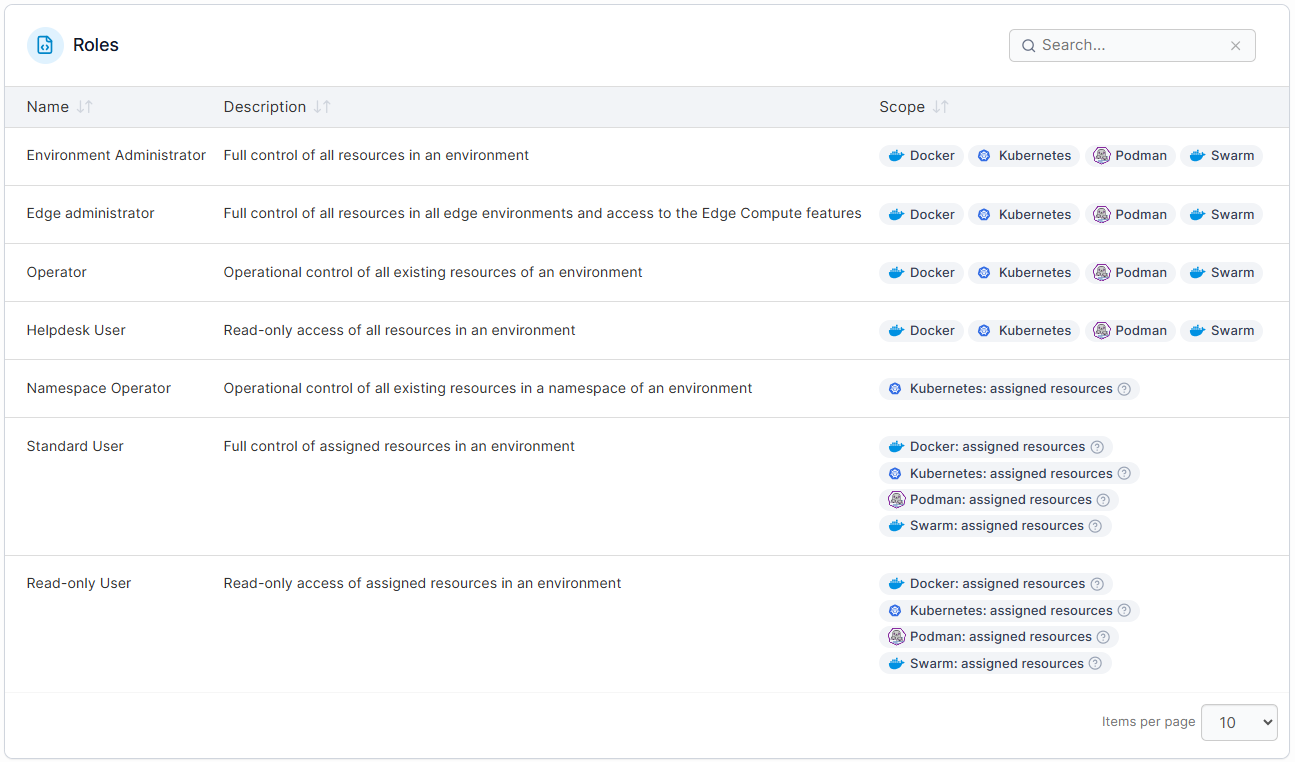
Features such as RBAC, Security Constraints, and detailed authentication and logs help organisations maintain strong governance and meet internal compliance requirements.
Pricing
For complete plan details and volume-based options, visit Portainer’s Industrial and IoT pricing page.
Where Portainer shines
- Lower operational burden for edge teams: Portainer takes away the day-to-day overhead of managing distributed environments. Teams spend less time troubleshooting connectivity issues, maintaining scripts, or juggling multiple platforms. You can also sign up for its managed platform service to reduce support load and speed up rollout timelines.
- Faster onboarding across mixed skill levels: Because Portainer replaces complex CLI workflows with predictable, visual interfaces, new team members can become productive quickly.
- Consistent operations across every site: Portainer enforces the same standards, deployment patterns, and access rules across all environments, regardless of runtime or location.
Where Portainer falls short
- Not a full end-to-end edge IoT platform: Portainer handles container orchestration and edge lifecycle management extremely well, but organisations that need device provisioning, sensor data ingestion, or full IoT telemetry pipelines will need additional tooling in their stack.
- Limited value for teams without containerised workloads: Portainer shines when applications are packaged as containers. Teams running legacy binaries, VMs, or non-container workloads at the edge won’t benefit as much and may need broader infrastructure management tools.
Customer reviews
“Container, image and network management are all easier with Portainer. Coupled with the ability to add multiple edge agents. It's a fantastically versatile product,” says a user in Information Technology and Services.
“Portainer has been really helpful for me to manage Docker without always relying on the command line. The web interface is clean and easy to understand, and it saves me time when deploying or checking containers. I also like that I can see logs and stats in one place. Overall, it simplified my workflow a lot and gave me more confidence working with containers,” shares a user in Program Development.
Who Portainer is best for
- Platform and DevOps teams: Teams that need a consistent way to manage containerized workloads across remote or mixed-runtime environments.
- Industrial and edge operators: Organisations running distributed sites like factories, fleets, retail locations, or field equipment, where connectivity is limited and on-site expertise is minimal.
- IT leaders standardising operations: Companies looking to unify Docker, Kubernetes, Swarm, Podman, or ACI under one control plane to reduce tooling complexity and improve governance.
2. Azure IoT Edge
Azure IoT Edge extends Azure cloud services to edge devices, allowing workloads to run locally while syncing with the cloud when needed. It’s well-suited for organisations running AI models, analytics, or IoT pipelines that rely on Azure’s ecosystem.
Key features
- Modular workload deployment: Azure IoT Edge lets teams package logic, AI models, and analytics workloads as modules and deploy them directly to edge devices through the Azure portal.
- Built-in ML and analytics support: Teams can run AI inference, time-series analytics, and event processing at the edge using Azure Cognitive Services and Azure Stream Analytics.
- Automatic cloud sync and device twin management: Each edge device maintains a digital twin in Azure, which makes it easier to track device state, push configuration updates, and recover from failures.
Pricing
Azure IoT Edge itself has no licensing cost; the core runtime is free and open-source. However, it requires Azure IoT Hub for device management, and that service is billed based on message volume and throughput. Pricing for IoT Hub’s Standard tier starts at around $25/month.
Where Azure IoT Edge shines
- Deep integration with Azure services: Organisations already using Azure for IoT, data, or ML get a seamless extension to their existing workflows.
- Strong tooling for AI at the edge: Teams can deploy ML models, cognitive services, and analytics pipelines without building custom runtimes.
Where Azure IoT Edge falls short
- Steep learning curve and operational complexity: Setting up and managing Azure IoT Edge requires deep technical expertise across cloud services, IoT protocols, and security, which can slow onboarding for teams.
- Debugging and documentation gaps: Troubleshooting edge workloads and device-side issues can be challenging.
- Cost and management overhead at scale: While the runtime is free, IoT Hub pricing, data flows, and firmware or deployment operations can become expensive and time-consuming.
Customer reviews
“There is a learning curve at first going back and forth between documentation and product so you set up things right the first time,” says John P.
“Azure IoT Edge is relatively expensive when compared to the competition, also takes some learning.” shares a user in the Information Services.
Who Azure IoT Edge is best for
- Azure-first organisations: Teams already using Azure IoT Hub, Functions, Synapse or AI services.
- Enterprises running AI or analytics at the edge: Ideal for workloads that need low-latency inference and periodic cloud sync.
3. SUSE Edge Suite
SUSE Edge is an enterprise-grade edge computing platform designed for organisations running Kubernetes at scale across industrial, telco, and regulated environments. It provides a full-stack approach to edge infrastructure by combining a hardened Kubernetes distribution, lifecycle management, and edge-focused tooling on a single SUSE-supported platform.
Key features
- Purpose-built for constrained edge environments: Optimised for rugged, resource-limited edge locations, with low-footprint components and deterministic performance for industrial and telco use cases.
- GitOps-based lifecycle automation at scale: Uses GitOps to automate deployment and updates across OS, Kubernetes, and applications.
- Security-first edge operations: Includes immutable infrastructure, built-in hardening, and runtime security controls.
Pricing
SUSE does not publicly list pricing for its Edge Suite. Costs vary based on deployment size, number of clusters, support level, and environment type.
Where SUSE Edge shines
- Built for large-scale, mission-critical edge deployments: SUSE Edge is designed for environments where uptime and stability matter more than speed of experimentation.
- End-to-end lifecycle management: It manages the full edge stack, from OS to Kubernetes to applications, using GitOps and centralised tooling to operate thousands of distributed clusters.
- Strong security and validation model: With an immutable OS and continuous validation testing, SUSE Edge fits environments with strict compliance and risk requirements.
Where SUSE Edge falls short
- Higher operational complexity: Running and maintaining SUSE Edge assumes strong Kubernetes and platform engineering expertise, which can slow adoption for smaller or leaner teams.
- Enterprise-focused pricing and tooling: SUSE Edge is positioned for large organisations, making it less accessible for early-stage edge initiatives.
{{article-cta}}
Customer reviews
“The initial setup and configuration can be complex, especially for teams new to edge computing. Some advanced features may require deep technical knowledge to fully utilize,” shares Md S.acc
Who SUSE Edge is best for
- Telecom and industrial operators: Organisations running large, distributed edge footprints across factories, networks, or critical infrastructure.
- Highly regulated enterprises: Teams that need validated security, long-term support, and controlled upgrade paths.
Looking to improve Industiral IoT device management? Check out our detailed article on the 5 best Industrial IoT Platforms in 2026.
4. AWS IoT Greengrass
AWS IoT Greengrass brings AWS cloud capabilities to edge devices so applications can run locally while staying connected to AWS services. It’s designed for organisations that want to process data close to where it’s generated, reduce latency, and continue operating even when cloud connectivity is limited.
Key features
- Local execution of cloud workloads: AWS IoT Greengrass enables Lambda functions, containers, and custom applications to run directly on edge devices, without relying on constant cloud connectivity.
- Tight integration with AWS services: Greengrass integrates with AWS IoT Core, IAM, CloudWatch, and other AWS services, which simplifies security, monitoring, and lifecycle management for AWS users.
Pricing
AWS IoT Greengrass has no upfront licensing fees. Costs are based on the AWS services it uses, including IoT Core messaging, Lambda execution, data transfer, and storage. Pricing scales with device count, message volume, and workload usage.
Where AWS IoT Greengrass shines
- Strong fit for AWS-first organisations: Teams already using AWS can extend familiar services and security models to edge environments without adopting new platforms.
- Scales well for large device fleets: AWS tooling makes it easier to manage thousands of edge devices from a central control plane.
Where AWS IoT Greengrass falls short
- Steep learning curve: Greengrass is highly technical and often requires deep familiarity with its architecture and documentation to configure correctly. This complexity extends to the security layer as well, since AWS container security across ECS, EKS, and Fargate involves a shared responsibility model that teams need to understand before deploying workloads at the edge.
- Performance limits on constrained devices: Running multiple workloads on resource-limited edge hardware can affect performance.
- Integration complexity beyond AWS services: Integrating Greengrass with non-AWS platforms or device-side software can require additional effort and custom setup.
Customer reviews
“I like the way it is that comprehensive and we don't need to use any other service for deployment and programming. Also customer support is very good,” shares Dipesh S.
“One downside of AWS Greengrass is the learning curve associated with it, to be able to use it to its full potential, we need to understanding it completely,” says Mohammed B.
Who AWS IoT Greengrass is best for
- AWS-centric organisations: Teams already building on AWS IoT Core, Lambda, and related services.
- Large-scale IoT deployments: Use cases involving many devices that need reliable local processing.
5. Google Distributed Cloud Edge
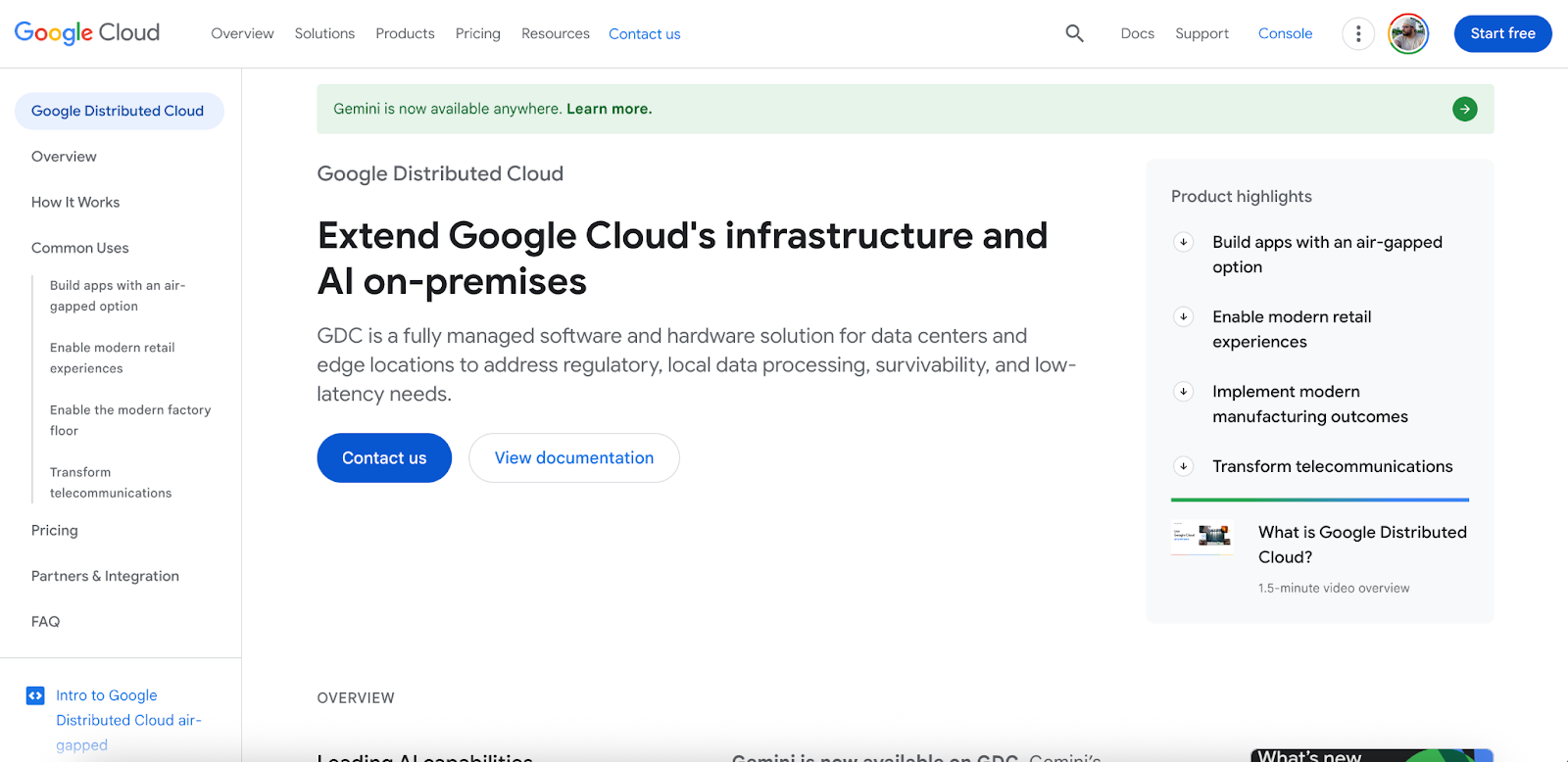
Google Distributed Cloud Edge brings Google’s cloud infrastructure and Kubernetes capabilities closer to where data is generated. It’s designed for environments that require low latency, data locality, or strict regulatory controls, such as telecom networks and highly regulated industries.
Key features
- Managed Kubernetes at the edge: Google Distributed Cloud runs Kubernetes-based workloads at edge locations, using the same core APIs and tooling as Google Kubernetes Engine (GKE).
- Integrated security and policy controls: Google provides built-in security features, policy enforcement, and lifecycle management to help teams operate edge workloads.
Pricing
Google Distributed Cloud pricing varies by deployment model, hardware configuration, and commitment term. Connected edge deployments start at around $415/node/month, while larger or air-gapped enterprise deployments typically require custom quotes.
Where Google Distributed Cloud Edge shines
- Strong fit for telecom and latency-sensitive use cases: The platform is commonly used in network edge and 5G scenarios where performance and proximity to users matter.
- Consistency with Google Cloud tooling: Teams familiar with Google Cloud can extend existing workflows to the edge without adopting a new operational model.
Where Google Distributed Cloud Edge falls short
- Enterprise-only pricing and complexity: The platform is designed for large organisations, and pricing is excessive for smaller or experimental edge deployments.
- Less flexible outside Google’s ecosystem: Teams not already using Google Cloud may face a steeper learning curve and integration effort.
- Policy management can become complex at scale: Managing security and safety policies across large on-prem edge deployments can require extra effort as environments grow.
Customer reviews
“Initial networking configuration is complex and there is some documentation gaps for some advanced use case,” says a user in the manufacturing industry.
“Deployment and management can sometimes be complex, especially for organizations new to hybrid cloud or edge computing,” shares a user in the manufacturing industry.
Who Google Distributed Cloud Edge is best for
- Telecom and network operators: Organisations running 5G, MEC, or latency-sensitive edge services.
- Google Cloud-centric enterprises: Teams looking to extend existing Google Cloud operations to the edge.
How to Choose the Best Edge Computing Platform
When evaluating edge computing platforms, focus less on vendor names and more on how the platform fits your workloads and environments. Understanding edge orchestration can also help clarify what to look for before diving into specific tools. Here are the features you should look for:
1. Centralised management across edge locations
Edge environments become difficult to scale when deployments and updates are handled on a site-by-site basis. A strong platform should let teams deploy, monitor, and update workloads centrally, even when locations are remote or intermittently connected.
Portainer supports this through a single control plane that keeps edge operations predictable without custom scripts or manual intervention.

2. Support for the runtimes you actually use
Most edge deployments aren’t uniform. Different locations often use different container runtimes or orchestration setups due to hardware constraints or legacy decisions. The right platform should work with those realities instead of forcing a one-size-fits-all model.
Portainer stands out here by managing Docker, Kubernetes, and mixed environments through a single interface, which helps teams avoid tool sprawl.
3. Operational simplicity for real-world teams
Edge platforms shouldn’t assume every operator is a Kubernetes expert. In many organisations, edge environments are managed by DevOps, IT, or operations teams who need visibility and guardrails.
Platforms that prioritise usability, access controls, and visual workflows reduce risk and speed up adoption. Portainer’s UI-driven approach and role-based access controls make it easier for mixed-skill teams to operate edge infrastructure safely.
Simplify Your Edge Computing Management with Portainer
Managing edge computing today means dealing with distributed locations, mixed runtimes, limited connectivity, and teams with varying levels of platform expertise. The real challenge isn’t running workloads at the edge, but keeping deployments, access, and updates consistent with reliable container management software.
Portainer gives teams a single control plane to manage containerised edge workloads without rebuilding their stack. For organisations running Kubernetes at the edge, this makes it a strong choice for enterprise environments.
If you want to see how this works across real edge environments, book a demo with the Portainer team.