6 Best Container Management Software & Platforms (2026 Reviewed)

Choosing the best container management platform can be overwhelming, especially when every platform claims to refine deployment and simplify Kubernetes. We have made the process easier for you.
In this guide, we will compare 6 of the best container management platforms and explain why Portainer stands out as the premium option.
Here's a quick overview of every option before we explore each tool in depth.
| Name | Best for | Standout Feature | Pricing | G2 Rating | Capterra Rating |
|---|---|---|---|---|---|
| Portainer | As an all-round enterprise container management platform | Multi-environment support (K8s, Docker, Podman, ACI) | $9,995/year | 4.8★ | 4.6★ |
| Rancher | Multi-cluster Kubernetes governance | Centralised policy & access management | $2,400–$3,200 (2 cores or 4 vCPUs/year) | 4.4★ | 4.3★ |
| Red Hat OpenShift | Enterprise & regulated workloads | Integrated security, Operators & CI/CD | $150–$500/core/year | 4.4★ | 4.5★ |
| Mirantis Kubernetes Engine (MKE) | Secure, legacy Docker-to-K8s environments | Hardened, FIPS-ready security stack | $1,500–$2,500/node/year | 4.4★ | 4.0★ |
| Nutanix Kubernetes Platform (NKP) | Hybrid, multi-cluster Kubernetes across Nutanix | Hybrid deployment flexibility (public cloud, on-prem, edge) | Custom Price | 3.8★ | n/a |
| Google Kubernetes Engine (GKE) | High-performance, autoscaling workloads | Managed control plane with advanced autoscaling | Charges based on usage | 4.5★ | n/a |
1. Portainer: Best All-Round Container Management Platform
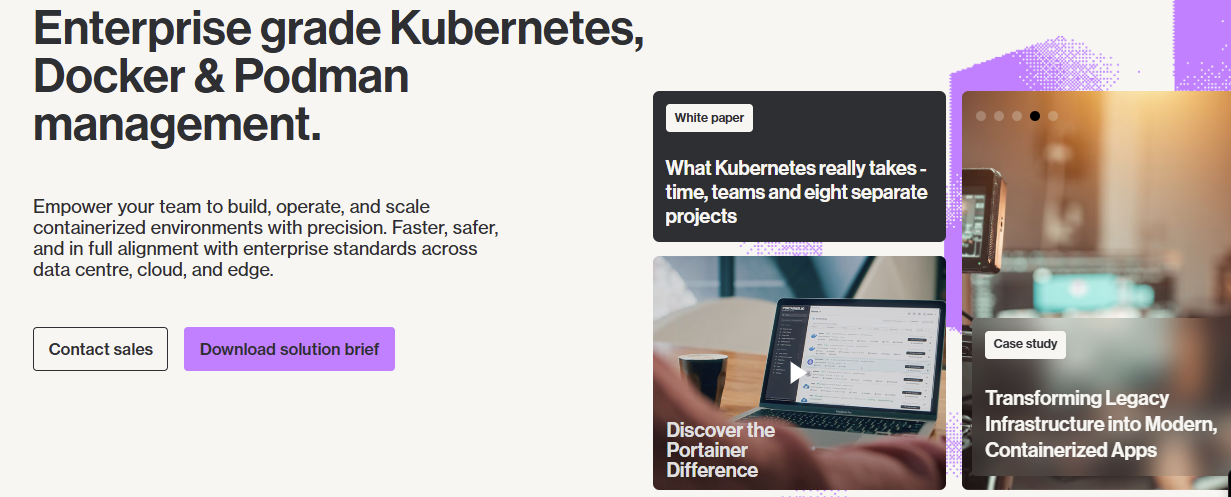
Portainer is a self-hosted Kubernetes management tool designed to manage 80% of your operational demands that you face daily, from a single, user-friendly interface. This is without the vendor lock-in and complexity present in legacy platforms.
Portainer runs on the customer’s own infrastructure, making it ideal for organizations that value flexibility and security, and those avoiding unnecessary reliance on cloud or vendor-specific systems. It also ships with secure-by-default settings, an intuitive web UI for managing deployments, and a single control plane.
Key Features
Portainer’s practical capabilities give you a consistent way of working, without the hurdles of troubleshooting or navigating between dashboards. Here are Portainer’s standout features offering the most value across skill levels and various environments.
Multi-environment Cluster Management
Portainer supports a broad range of container technologies within a single interface. It allows you to register and consistently manage Kubernetes, Podman, Docker Swarm, Docker Standalone, and ACI.
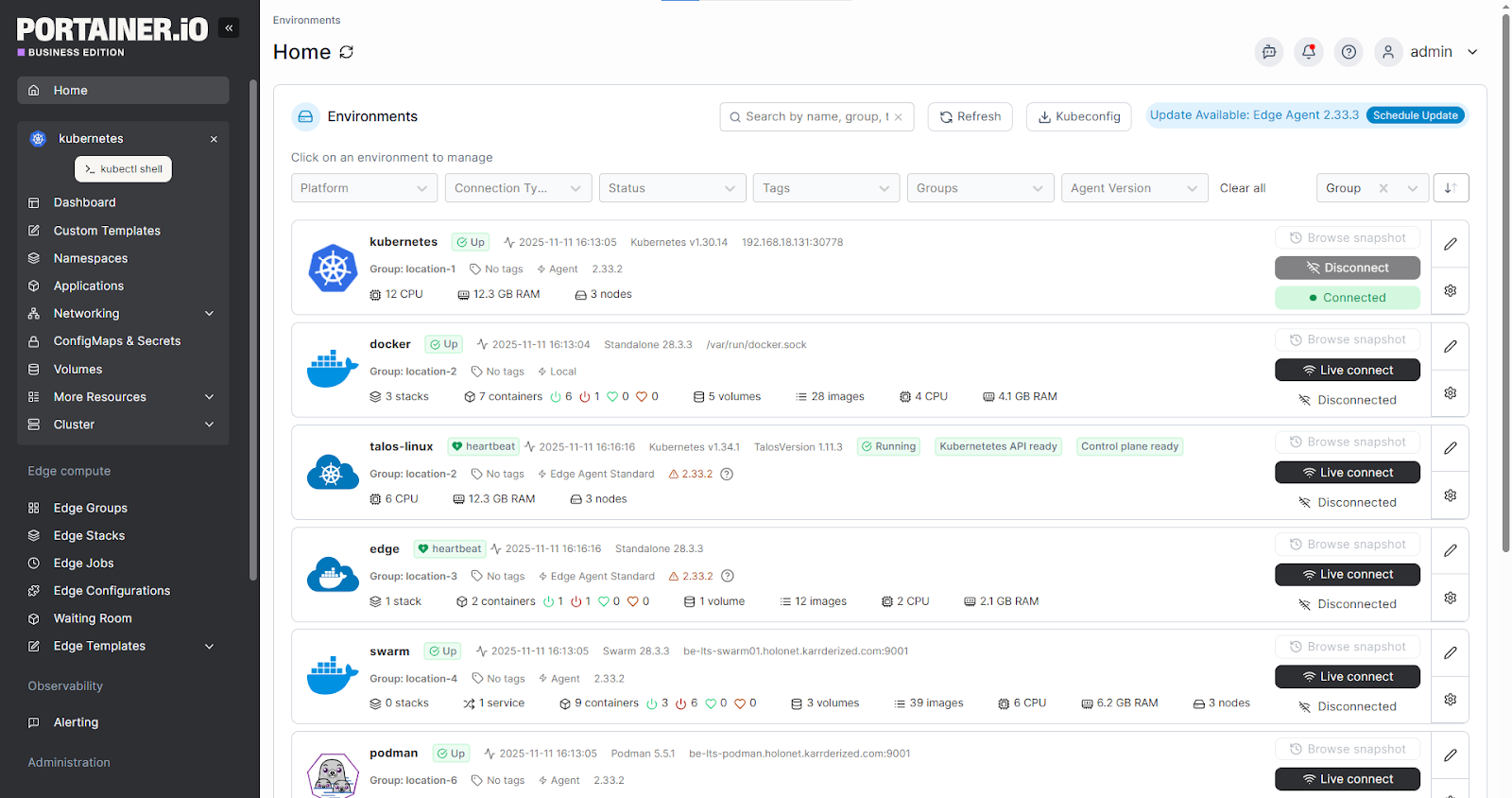
It is this uniqueness that sets Portainer apart. Other platforms may not support this complete range of environments within a single installation and unified interface.
Rapid Time to Value
Setting up Portainer is quick and straightforward. You only need to install Portainer BE, and you are done.
This means you can start managing your workloads right after container deployment, even if you are new to containerization. Such swift onboarding allows your team to focus on shipping work through a streamlined DevOps container workflow rather than wasting valuable time troubleshooting configuration steps.
Free From Provider Lock-in
Portainer efficiently works on any Kubernetes distribution. This safeguards your team from being bundled into a particular vendor ecosystem, especially when your long-term infrastructure strategy changes.
Note: Despite building its reputation on Docker, Portainer is Kubernetes-first. Enterprises use it as their primary control plane for multi-cluster Kubernetes environments at scale, while still benefiting from the same intuitive interface and RBAC.
Portainer is self-hosted. Which means you are in control of your environment, and you stay aligned with stringent compliance or security policies.
Lower Total Cost of Ownership
Portainer is comparatively more affordable than legacy platforms. Portainer is 50% less expensive than most solutions on the market, without sacrificing on user experience. A recent study notes that Portainer has minimal overhead to the host infrastructure, in addition to other benefits. It offers enterprise-grade security, RBAC, and governance minus the heavy lift and cost of platforms like OpenShift or Rancher.
If you are looking for a cost-effective enterprise-level container management platform with strong management capabilities, then Portainer fits the bill.
By reviewing Portainer's platform and cost comparison, you can evaluate potential savings or deployment costs against other enterprise platforms.
Pricing
| Enterprise IT | $9,995/year |
Where Portainer Shines
- Easy adoption for new teams: If you are just starting on your container journey and want a direct, guided interface, then Portainer is an ideal choice. It has a lower learning curve and gives you confidence as you scale your operations.
- Unified management: Portainer gives you a single, consistent interface across all your Kubernetes clusters and also supports Docker and Podman environments. It streamlines day-2 operations without forcing you to replace the platforms or runtimes you already rely on, so you can standardize management while keeping your existing infrastructure intact.
- Support for mixed environments: Whether you operate clusters built on Kubernetes (AKS, EKS, GKE, Rancher and OpenShift), Swarm, ACI, Podman, or Docker, Portainer helps you manage them all
- Edge and IIoT: For Industrial and edge use cases, Portainer’s Edge Agent and async capabilities let you manage thousands of remote devices under the same UI
Where Portainer Falls Short
- Covers most needs but not every scenario: Portainer easily and efficiently covers more than 80% of your daily functionality. However, in some cases, you may need to use additional tooling alongside Portainer.
- No fully hosted SaaS option: Since Portainer is self-hosted, teams that prefer a fully vendor-managed cloud control panel may lean towards a SaaS alternative.
Customer Reviews
Portainer has an average of 4.8 star ratings on G2 and 4.6 on Capterra.
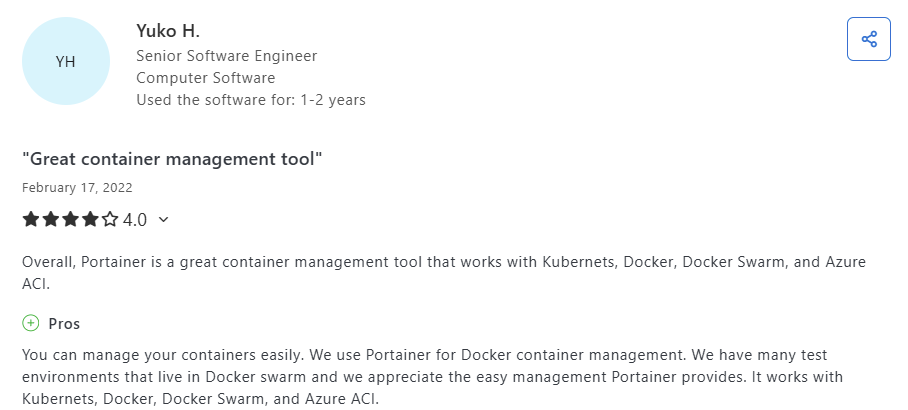
Yuko, a senior software engineer, praises how great Portainer works with Kubernetes, Docker, and beyond, and appreciates “the easy management Portainer provides. It works with Kubernetes, Docker, Docker Swarm, and Azure ACI.”
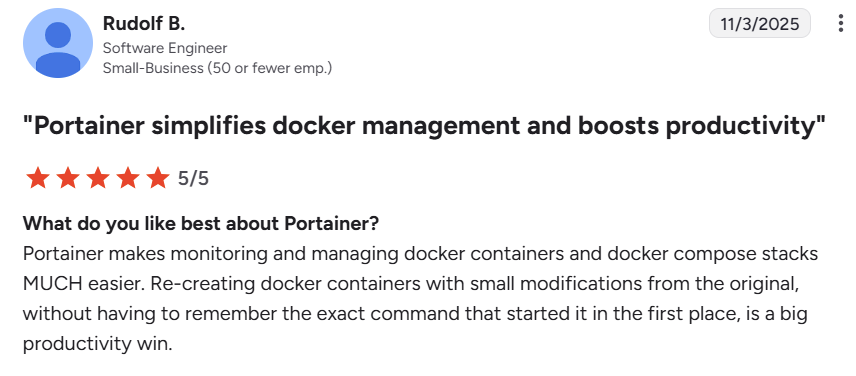
Another reviewer notes that Portainer simplifies the monitoring and management of Docker containers and composite stacks, a great productivity win.
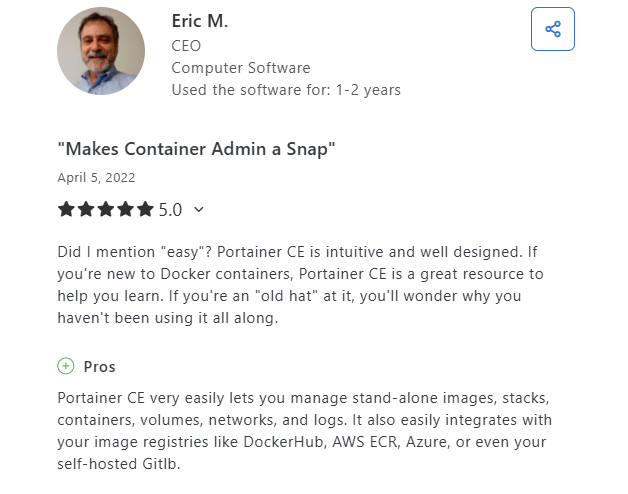
In addition, the CEO of a computer software company praises how well-designed and intuitive Portainer CE is. He added, “It also easily integrates with your image registries, and you can manage standalone images, containers, stacks, and more.:
In a Reddit discussion on thoughts on Portainer, users highlight the ease of using Portainer for container management by simplifying status and log tracking. One user notes that “If you are new to Docker, Portainer will give you the sanity check.”
Who Portainer is Best for
- Teams managing mixed environments: Suitable for engineering groups managing Docker, Kubernetes, and Podman across mixed environments.
- Teams avoiding vendor lock-in: For enterprises that value control without complexity, not those avoiding control altogether. Portainer is not for those who want their infrastructure fully abstracted, over-customized, or locked to a single vendor.
- Teams without deep Kubernetes specialization: Portainer allows them to manage technical container environments with ease. This helps enterprises maintain consistent operations even when expertise is spread across roles.
Portainer in Action
2. Rancher: Suited for Teams That Measure Scale, Not Efficiency
Rancher is an open-source platform built for teams that deploy Kubernetes as a service. It supports developing, importing, and cluster management across Azure, GCP, AWS, and on-premises.
Key Features
- Built-in security and policy tooling: You get access to policy templates that allow for authentication via SAML, AD, and LDAP.
- Cluster provisioning tools: Supports cloud-management Kubernetes and K3s, RKE, and RKE2.
- Centralized Kubernetes management: Gives you unified control for multi-cluster management across systems and clouds.
- Multi-cluster governance: Allows global role-based control and cluster templates for standardized container orchestration.
Pricing
| Typical Cost (USD) | $2,400–$3,200 (2 cores or 4 vCPUs/year) |
Where Rancher Shines
- Deep integration with SUSE tooling: Fits companies with an existing SUSE ecosystem.
- Strong for Kubernetes-first teams: Only works when every workload runs on a Kubernetes platform with governance needs across clusters.
- Multi-cluster management: Offers multi-cluster management, RBAC, and lifecycle management for Kubernetes, similar to Portainer’s capabilities.
Where Rancher Falls Short
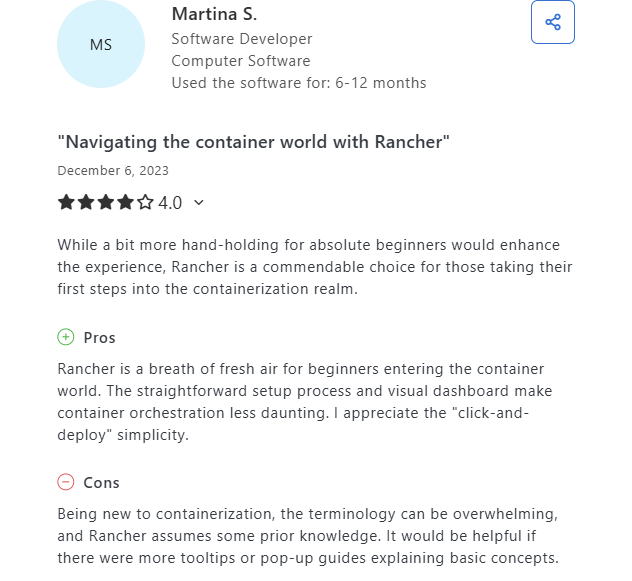
- Higher complexity for new teams: More complex and resource-heavy to deploy and maintain. Portainer wins on simplicity, speed, and cost-efficiency.
- Kubernetes-first focus and rising cost burden: Rancher price hike from node-based to vCPU-based licensing leads to a dramatic cost hike for teams.
Pro tip: Portainer is your light-weight alternative, especially if you want a centralized Kubernetes management platform, without being tied to a vendor-specific ecosystem. Besides, Portainer works on OpenShift clusters, offering you flexibility without affecting existing platforms.
Who Rancher is Best For
- Kubernetes-focused platform teams: Suitable for organizations running all of their workloads on Kubernetes
- Teams already using SUSE tools: Best fit for companies with an existing SUSE ecosystem
If Rancher isn’t the right fit, exploring Rancher alternatives could surface a better match.
3. Red Hat OpenShift: Good for Companies With Unlimited DevOps Budgets
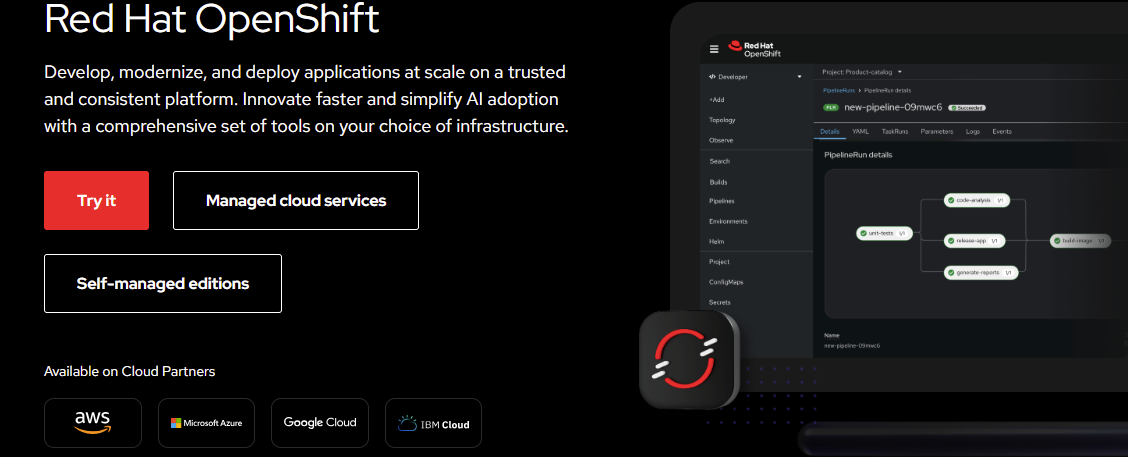
Red Hat OpenShift is a platform built to deploy production-grade Kubernetes with solid container security and certified components. It offers built-in CI/CD, operators, image registries, and developer workflows.
Key Features
- High-scale security model: Contains built-in image signing, SELinux hardening, security scanning, and compliance baselines.
- Built for large enterprises: Full-stack platform targeting large enterprises with integrated DevOps tooling.
- Automated cluster operations: Its operator framework allows for policy execution, upgrades, and lifecycle management.
Pricing
| Typical Cost (USD) | $150–$500/core/year Typical: 16 cores |
Where Red Hat OpenShift Shines
- Fully integrated development experience: Operators and pipelines make it ideal for large organizations looking for an opinionated platform.
- Broad enterprise support: Augmented by Red Hat’s network, training, and documentation platforms.
Where Red Hat OpenShift Falls Short
- Heavy and complex to adopt: Requires significant infrastructure investment and Red Hat ecosystem lock-in.
- Strong vendor opinionation: Relies on Red Hat’s tooling, reducing teams’ flexibility, especially those who prefer a vendor-neutral strategy.
Pro tip: Portainer is your light-weight alternative, especially if you want a centralized Kubernetes management platform, without being tied to a vendor-specific ecosystem. Besides, Portainer works on OpenShift clusters, offering you flexibility without affecting existing platforms.
Customer Reviews
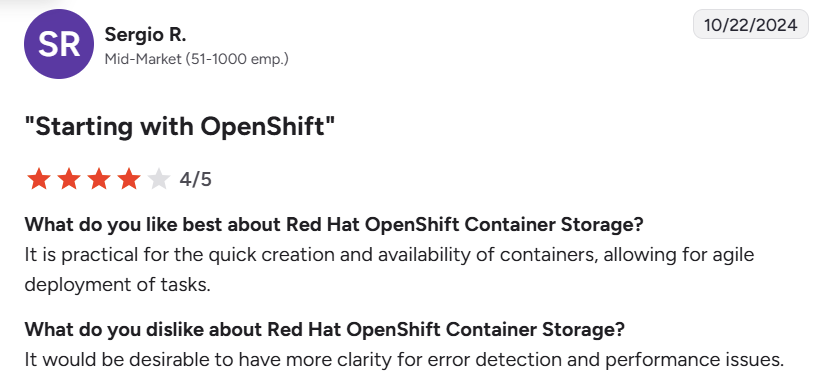
Besides its performance issues, a user commends OpenShift’s prompt creation and availability of containers.
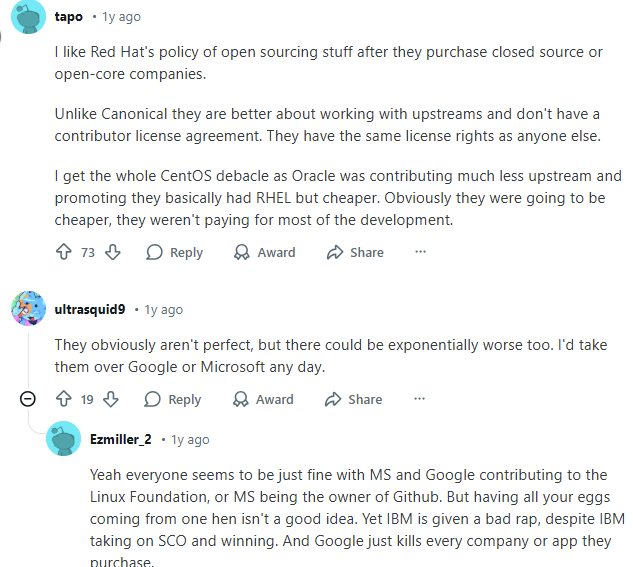
Here’s a sample Reddit discussion offering insights into Red Hat’s use case.
Who Red Hat OpenShift Is Best For
- Highly regulated enterprises: Suitable for organizations with stringent security baselines, compliance, and audit-focused environments
- Red Hat–aligned organizations: fit for teams already standardized on Red Hat workflows and products.
- Large engineering teams: Ideal for companies that require integrated developer tooling and full-stack automation.
Here’s a look at other platforms positioned as Openshift alternatives.
4. Mirantis Kubernetes Engine (MKE): Suited for Enterprises Stuck in the Docker Days
Mirantis Kubernetes Engine is built for organizations that require fortified security, compatibility with legacy Docker enterprises, and lifecycle automation.
Key Features
- Hardened security stack: You get access to image scanning, FIPS-certified elements, and kernel hardening.
- Integrated Lens platform: Offers a bundle lens with strong Kubernetes visibility and troubleshooting potential.
- Easy to use: Used by individual developers or small teams for cluster management.
- Legacy Docker Enterprise support: Preserves Docker Enterprise and Docker Swarm compatibility, allowing you to migrate paths gradually.
Pricing
| Typical Cost (USD) | $1,500–$2,500/node/year |
Where MKE Shines
- Security-first design: Suitable for defense and highly controlled organizations that must comply with specified defense standards.
- Legacy platform migration: Provides a migration pathway from Docker or Swarm workloads.
- Managed lifecycle services: MKE lets you combine backup, upgrade, and policy tooling, minimizing the time you spend maintaining clusters.
Where MKE Falls Short
- Reliance on multiple tools: You may need to combine MKE with other consoles like Portainer for full observability.
- Limited container runtime diversity: Although MKE supports Kubernetes and Swarm clusters, its support falls short of mixed container environments. Still, Swarm clusters are only supported in their legacy MKE 3 and not the current MKE 4 product, limiting your flexibility.
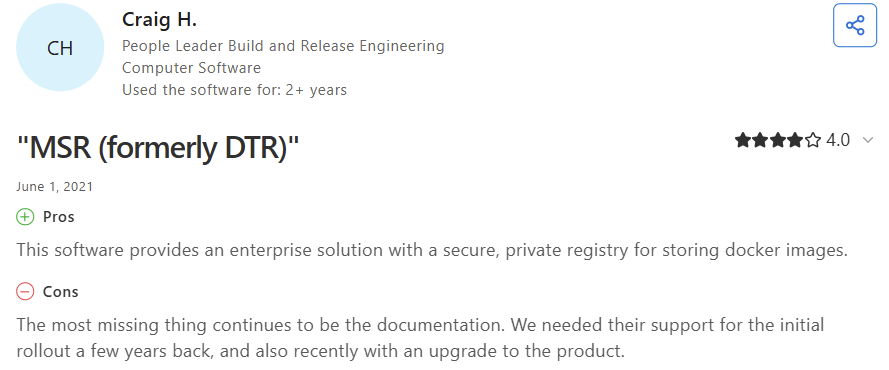
Customer Reviews
Who MKE Is Best For
- Companies with legacy Docker Enterprise: Allows for easy migration from Swarm and older workloads.
- Compliance-driven organizations: Suitable for teams requiring hardened clusters and stringent audit demands
5. Nutanix Kubernetes Platform (NKP): For Nutanix-Centric Enterprises
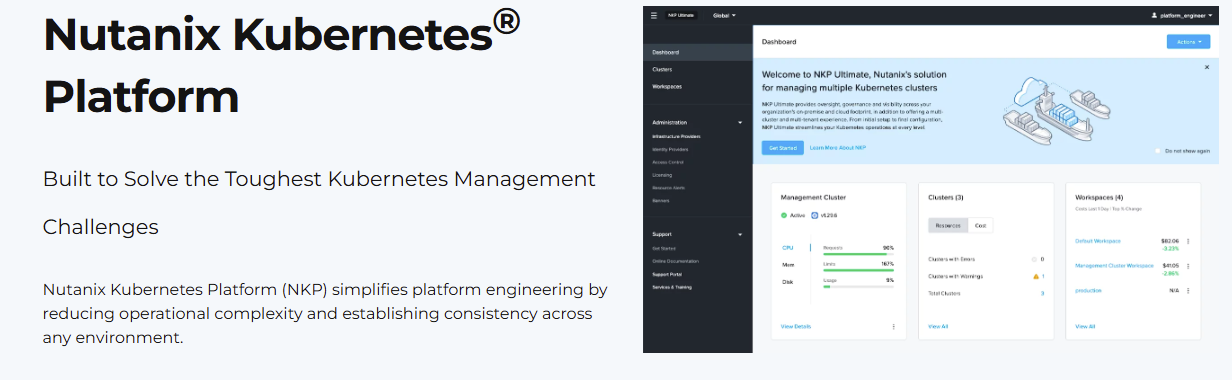
NKP is built for enterprises running Nutanix infrastructure but can also be deployed on public cloud, on-prem or edge environments. It extends the Nutanix Cloud Platform with Kubernetes cluster lifecycle management, hybrid deployment options, and platform-level governance. NKP operates as a full enterprise Kubernetes platform, which means you still need solid Kubernetes expertise to manage and operate it effectively.
Key Features
- Hybrid and multi-cloud cluster lifecycle management: NKP supports Kubernetes deployments in the public cloud, on-prem, or at the edge.
- Policy, governance, and security: Controls that prevent configuration drift and that meet security hardening guidelines.
- Observability and operations tooling: Infrastructure and application tracking, logging, and integration with various container monitoring tools for centralized operational dashboards. The platform highlights observability as a primary capability.
Pricing
NKP is priced on either the number of physical CPU cores or vCPUs. Contact the sales team for a quote.
Where NKP Shines
- Nutanix-centric estates: Suitable when you already run Nutanix infrastructure and want Kubernetes integrated into that stack.
- Hybrid/edge scenarios: Designed to manage clusters across on-prem, clouds, and edge sites from a single control plane.
- Enterprise governance needs: Support policy implementation, audit, and a hardened security posture.
Where NKP Falls Short
- Platform operator skill required: You need to invest in platform engineering and Kubernetes expertise to operate NKP at scale.
- Operational footprint and maturity trade-offs: Since NKP delivers a full enterprise stack, it may be heavier than simpler management UIs and require time to onboard and tune.
💡 Pro tip: If you want quick operational onboarding and a more refined way to manage Kubernetes across environments, try Portainer. It has a lightweight and more intuitive management layer that connects directly to your existing clusters. You can standardise day-2 operations faster, without the platform engineering effort typically required for full-stack Kubernetes platforms.
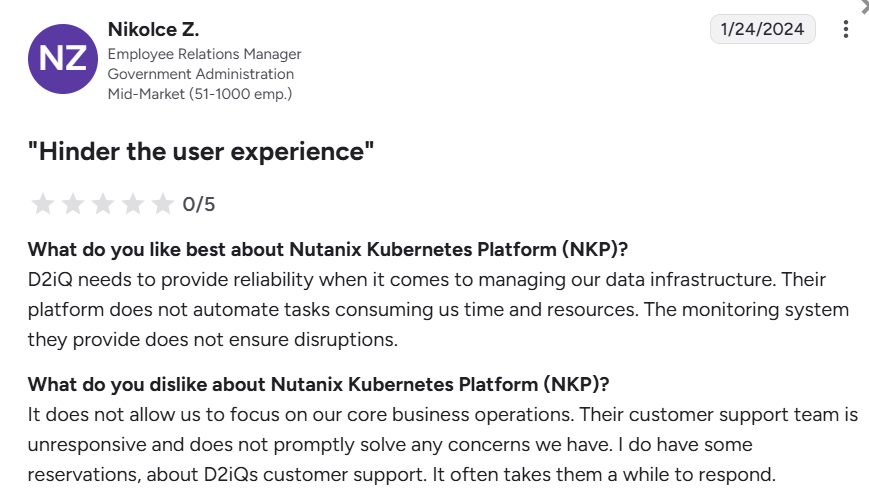
Customer Review
Who NKP Is Best For
- Nutanix-first enterprises: Teams already invested in Nutanix Cloud Infrastructure and want Kubernetes deeply integrated into their existing environments.
- Mature platform engineering teams: Teams with solid Kubernetes expertise that can operate and tune a complete enterprise platform at scale.
6. Google Kubernetes Engine (GKE): Best When Multi-Cloud Isn’t an Option
Google Kubernetes Engine is developed on Google’s deep operating containers and offers intense automation, autoscaling, and solid default security. Preferred by organizations developing high-traffic applications or global services.
Key Features
- Fully managed Kubernetes control interface: Offloads your operational work, especially if you prefer a cloud-managed experience
- Integration with Google Cloud services: Helps you consolidate your workloads within Google’s ecosystem
Pricing
| Typical Cost (USD) | Charges based on usage |
Where GKE Shines
- Fast autoscaling: Ideal for services that encounter uncertain or global traffic.
- Integration with Google Cloud’s ecosystem: Suitable if you already depend on Google Cloud tools.
Where GKE Falls Short
- Higher long-term costs: When autoscaling, you may experience higher resource consumption if your workloads are not optimized.
Why You Should Use a Container Management Platform in 2026?
Running containers across development, staging, or production needs a reliable mechanism to keep everything on track.
Here’s how a container management platform can become helpful:
- Unify how you run containers: A management platform service gives you a consistent way to deploy, track, and manage your workloads.
- Minimize operational gaps: If you struggle with scattered scripts, unclear ownership, or manual processes, a container management software is your solution. The software fills these unspoken gaps by centralizing your workflows and eradicating unnecessary hurdles.
- Strengthen security and control: Policy implementation, central RBAC, audit trails, and image controls make it easier to secure your environment across regions and teams.
- Expand confidently: A container management platform is ideal for augmenting clusters running outside traditional data centers, including IoT environments and remote sites. Platforms like Portainer provide the reliability and security your industrial environment demands.
Our Guide on Choosing the Best Container Management Platform for 2026
Choosing the best container management platform begins by understanding how it aligns with your daily operations. Here are the central capabilities to assess as you compare the platforms:
Multi-environment Support
A premium platform like Portainer should unify mixed environments with consistent visibility and workflows. This prevents tool sprawl and helps you stay productive even as your infrastructure changes.
As a self-hosted enterprise-level container management platform, Portainer efficiently handles this by supporting Kubernetes, Podman, Docker, and ACI within one interface.
Operational Cost Efficiency
Explore each platform and evaluate how it affects your operational spending, especially if you are managing several clusters. The optimal platform should keep costs predictable and reduce your maintenance load.
Portainer helps you cut costs without compromising on the key capabilities and control you need from a leading container management platform in 2026.
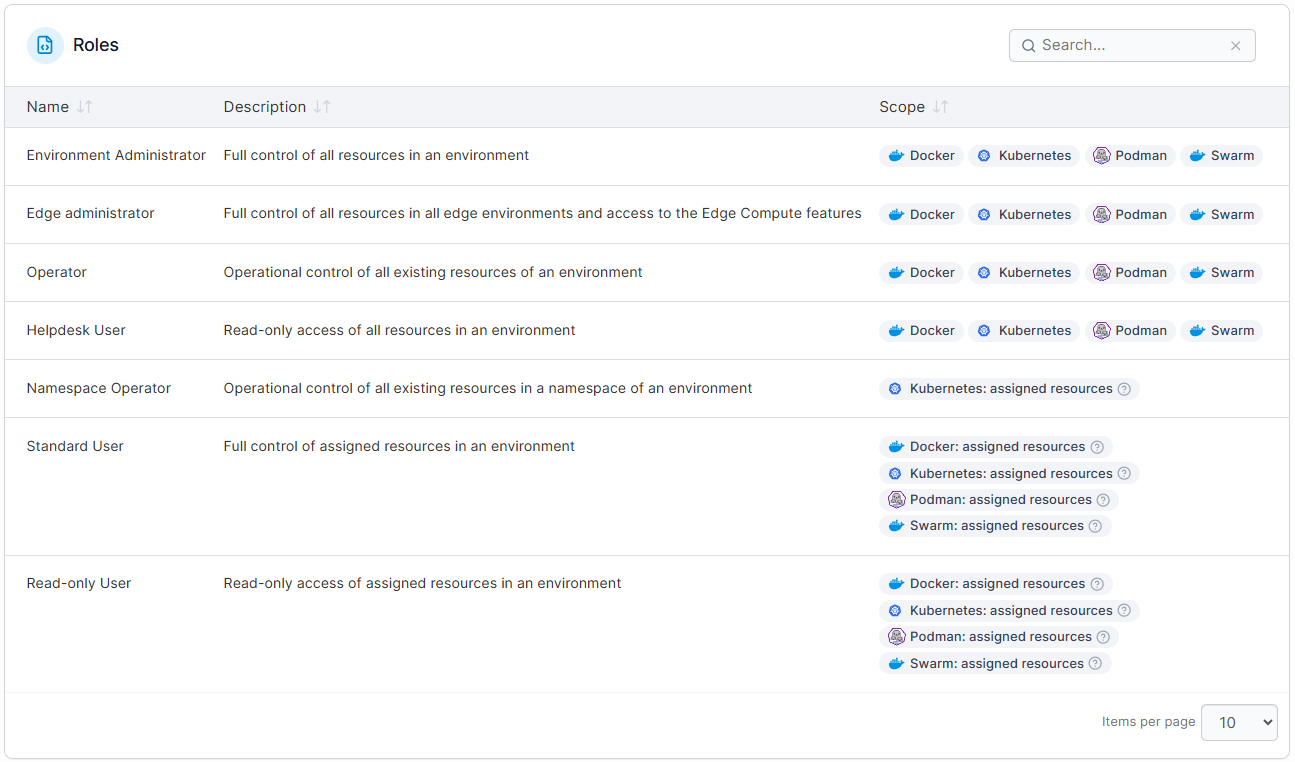
Clear Access Control and Governance
The right platform should make it easy for you to assign permissions, maintain compliance, and prevent misconfigurations without unnecessary friction.
Managing Edge Environments
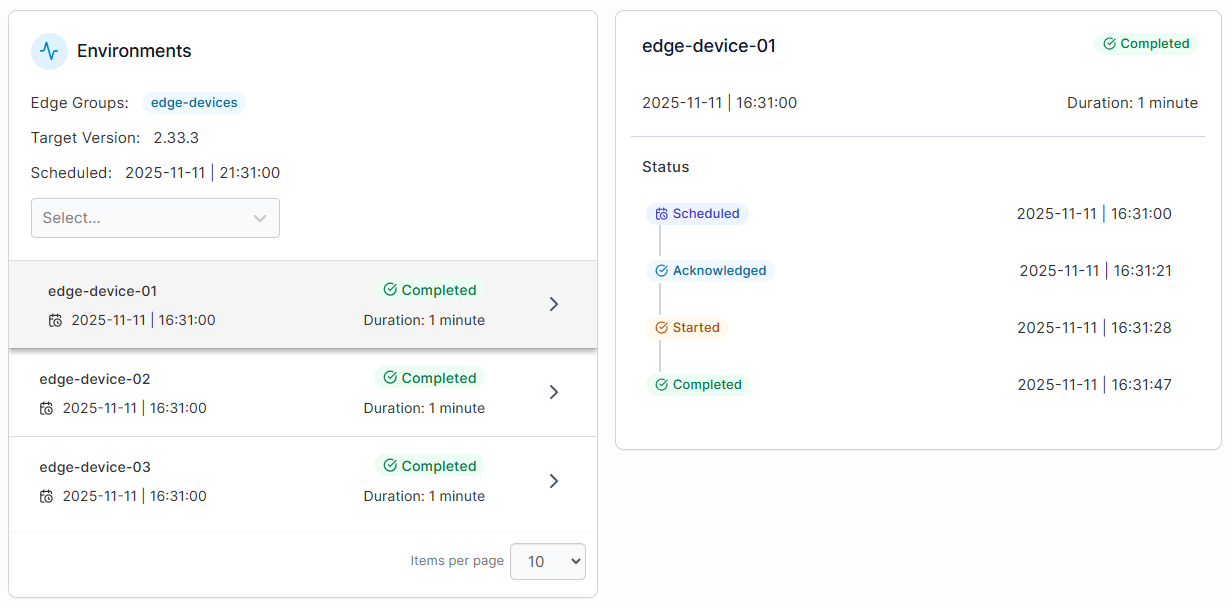
The chosen container management software should make it easy for you to deploy updates, monitor rollout status, and ensure the health of each device.
Portainer excels in this by giving you clear visibility into updates across each edge node and device group.
Why Teams Choose Portainer for Container Management in 2026
Teams often deal with complex Kubernetes setups, inconsistent tooling and environments that grow faster than they can standardize them.
Portainer helps by giving them a consistent, self-hosted interface to manage containers across Kubernetes, Podman, Docker, and edge environments without extra overhead or lock-in. It keeps their day-to-day work predictable and makes it easier to coordinate tasks across environments.
If you are looking for all of these features, including simplicity and flexibility, then Portainer is the perfect choice for you.
Book a free demo now and explore Portainer in action.
Portainer in Action