Top 9 Container Orchestration Platforms In 2026 (Expert Picks)

Let's break down different orchestration and management platforms and help you choose the right combination for your stack.
Container Orchestration Platforms
Container orchestrators run and coordinate container workloads. They handle scheduling, scaling, and basic lifecycle operations across your infrastructure, making decisions about where workloads should execute, how they should scale, and how they recover from failures. They include:
| Platform | Best For | Standout Feature | Capterra Rating | G2 Rating |
|---|---|---|---|---|
| Kubernetes | Large-scale, multi-service deployments | Most widely adopted open-source orchestrator with a large ecosystem | - | 4.6/5 |
| Docker Swarm | Lightweight, Docker-native clustering | Built directly into Docker Engine with minimal configuration | - | 4.1/5 |
| HashiCorp Nomad | Mixed workloads (containers + non-containers) | Single lightweight binary that handles diverse workload types | 4.0/5 | 4.1/5 |
Kubernetes
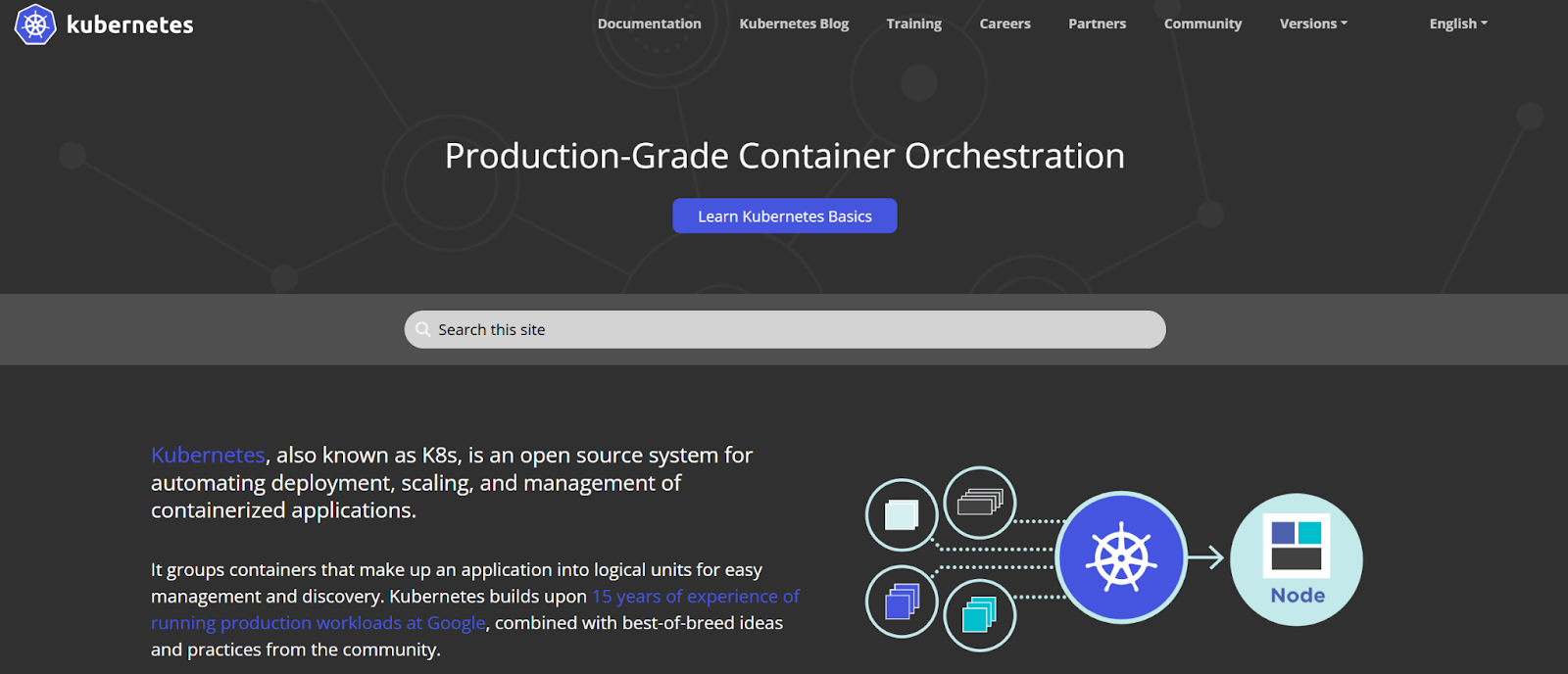
Kubernetes, originally developed by Google, is the most widely adopted open-source container orchestrator. It schedules workloads and balances resources, but to start running applications, you need complementary tools for networking, storage, and cluster services, unless you're using a fully managed service like GKE.
Note: Enterprise teams often layer Portainer on top of Kubernetes to manage clusters more efficiently, leveraging the single interface for multi-environment operations. Read how to add a Kubernetes environment now.
Key Features
- Advanced auto-scaling: Kubernetes orchestration tools automatically adjusts resources through Horizontal Pod Autoscaler (HPA) that scales pod replicas based on CPU, memory, or custom metrics, and Vertical Pod Autoscaler (VPA) that optimizes resource requests and limits for individual pods
- Massive ecosystem: With thousands of tools, extensions, and integrations, Kubernetes supports virtually any workflow, from service meshes like Istio to monitoring solutions like Prometheus
Pricing
Kubernetes is open-source and free.
Where Kubernetes Shines
- Production-grade orchestration: Kubernetes handles the most demanding workloads with features like rolling updates and canary deployments that keep your services running during updates
- Resource optimization: Through bin packing and efficient scheduling, Kubernetes maximizes cluster resource utilization while maintaining application performance requirements
Where Kubernetes Falls Short
- Steep learning curve: Kubernetes requires a deep understanding of networking concepts, storage abstractions, and security models before they can start managing production clusters confidently
- High operational overhead: Managing production Kubernetes demands expertise in certificate management, backup and recovery, cluster upgrades across versions, and troubleshooting distributed system failures
Customer Reviews
"It needs a lot of resources to operate, which can sometimes make it costly," says Divyanshu A.
"Kubernetes has a steep learning curve, especially for teams new to containerization or distributed systems. It's powerful, but not beginner-friendly," according to Rajat P.
Who Kubernetes is Best For
- Mid-sized enterprises with dedicated DevOps teams: Organizations that can invest in Kubernetes expertise and benefit from its advanced features and scalability
- Cloud-native applications: Development teams building microservices architectures that require sophisticated service-to-service communication, dynamic scaling, and resilience patterns
Docker Swarm
Docker Swarm is Docker's native clustering solution that's already built into Docker Engine. It transforms a single machine into a swarm manager that can orchestrate containers across multiple nodes, handle service delivery, and manage load balancing.
💡 Pro tip: You can also deploy Portainer's Agent to your Swarm manager node to see your Swarm appear in the environment list alongside any Kubernetes, EKS, Rancher, or OpenShift clusters you're managing.
Key Features
- Native Docker integration: Docker Swarm integrates seamlessly with the Docker CLI, allowing teams to use familiar commands to manage clustered environments
- Built-in load balancing: The built-in ingress routing mesh ensures requests reach healthy containers, even as services scale up or down
- Automatic service discovery: Swarm DNS automatically assigns unique DNS names to services, enabling containers to discover and connect to other services without manual IP address management
Pricing
| Docker Swarm (Open Source) | Free |
|---|---|
| Docker Business (with Swarm support) | Varies by team size |
Note: Docker Swarm itself is free to use in production as part of the open-source Docker Engine.
Where Docker Swarm Shines
- Lightweight footprint: Swarm requires minimal resources compared to Kubernetes, which may work for smaller clusters and resource-constrained environments
- Rolling updates: Deploy application updates gradually across the swarm with configurable update parallelism and failure thresholds, minimizing downtime and enabling automatic rollback if issues occur.
Where Docker Swarm Falls Short
- Limited ecosystem and tooling: Docker Swarm lacks the extensive third-party integrations and operational tools available in other platforms, often requiring teams to seek out external container security tools and monitoring solutions to maintain visibility.
- Basic scheduling capabilities: Swarm's scheduling lacks advanced placement controls like node affinity, pod affinity, and taints and tolerations, which limit optimization for complex workloads
- Minimal ongoing development: Swarm has not received active feature development recently, raising concerns about long-term viability and evolution alongside container ecosystem advancements
Customer Reviews
"Compared to more robust orchestration platforms like Kubernetes, Docker Swarm has a more limited feature set. It may not offer the same level of advanced functionalities, customizability, or ecosystem integrations as some other container orchestration tools," says a verified user on G2:
Who Docker Swarm is Best For
- Docker-first environments: Teams already standardized on Docker and want native Kubernetes orchestration without introducing new tools
- Small to medium deployments: Teams with simpler workloads and that don't need the advanced features found in complex Kubernetes management tools
HashiCorp Nomad
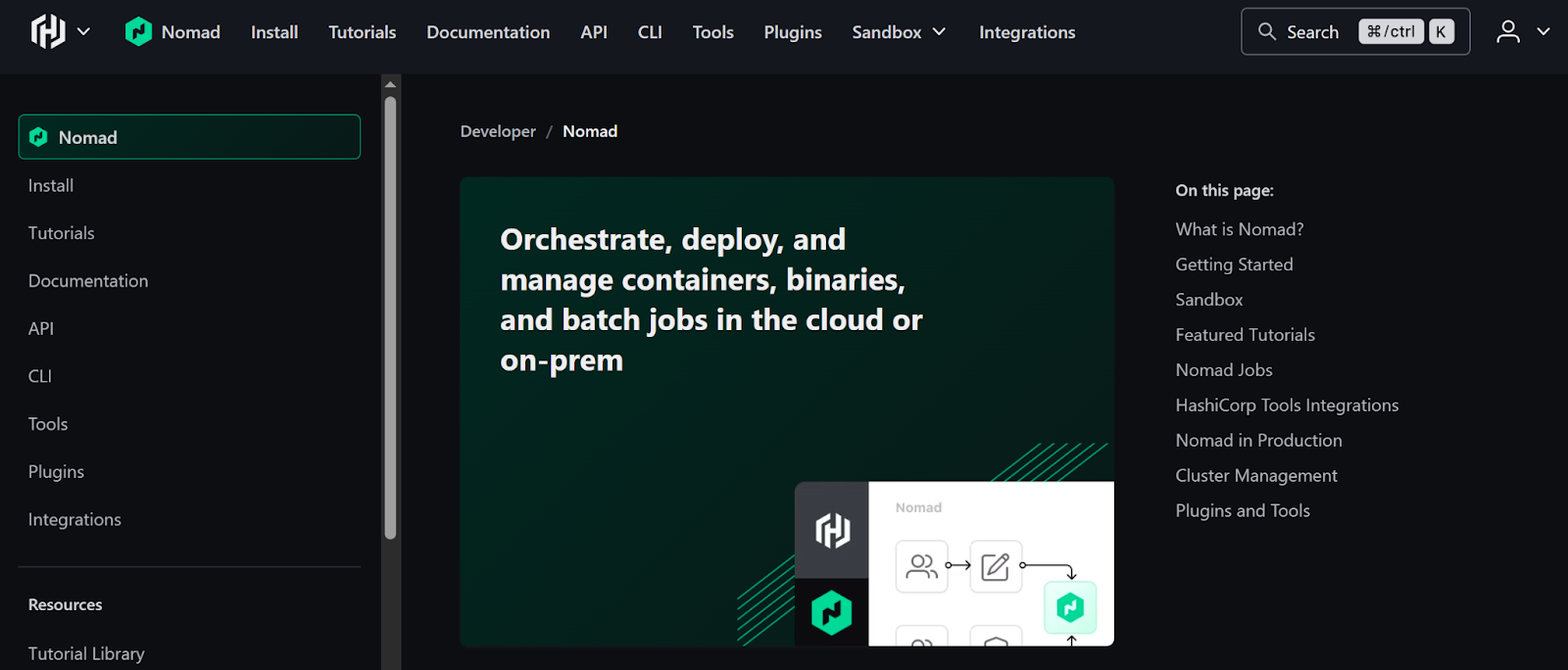
Unlike Kubernetes or Docker Swarm, Nomad is a standalone, native orchestrator that doesn’t rely on an external container runtime ecosystem to operate. It schedules and runs containers, VMs, and legacy workloads through a single lightweight binary, without requiring cluster add-ons, CRDs, or a control-plane stack.
Key Features
- Multi-workload support: Nomad orchestrates containers (Docker, Podman), non-containerized applications (executables, Java JARs), and virtual machines (QEMU) in the same cluster
- Single binary simplicity: Runs as a single 35MB binary with no external dependencies, which makes installations and upgrades easier
- Efficient resource utilization: Uses bin packing algorithms to optimize resource allocation, scheduling thousands of containers per second, and scaling to clusters of 10,000+ nodes in production environments
Pricing
| Open Source | Free |
|---|---|
| Enterprise | Contact sales |
Where Nomad Shines
- Workload flexibility: Run containerized and non-containerized applications together, bringing orchestration benefits to legacy systems without costly rewrites
- HashiCorp ecosystem integration: Seamlessly integrates with Consul for service discovery and Vault for secrets management, thus delivering complete infrastructure automation for organizations already using HashiCorp tools. It also works well alongside other modern deployment automation tools to streamline your entire release pipeline.
Where Nomad Falls Short
- Container-specific features: Nomad lacks Kubernetes-native constructs like StatefulSets, DaemonSets, and Jobs, so teams migrating container-first architectures may need to rebuild deployment patterns
- Smaller ecosystem: The third-party tool ecosystem offers limited monitoring integrations, security scanners, and pre-built operators
Customer Reviews
"There are not as many developed systems globally to date, resulting in less community experience and support," says Paul R.
Who Nomad is Best For
- Organizations with diverse infrastructure: Teams managing heterogeneous workloads across virtual machines, containers, and standalone binaries who need unified orchestration without containerizing everything
Orchestration Management Platforms
These platforms layer on top of orchestrators like Kubernetes and Docker, offering more control and operational tooling across clusters without replacing the orchestrator or existing teams. Here are the best options:
| Platform | Best For | Standout Feature | Capterra Rating | G2 Rating |
|---|---|---|---|---|
| Portainer | Enterprises requiring all-round orchestration management | Manages Kubernetes, Docker Swarm, Docker Standalone, Podman, and ACI from a single interface | 4.6/5 | 4.8/5 |
| Rancher | Enterprise multi-cluster Kubernetes management | Centralized management of multiple Kubernetes clusters with policy enforcement | 4.3/5 | 4.4/5 |
| Red Hat OpenShift | Enterprise Kubernetes with full-stack automation | Integrated CI/CD, security, and developer tools | 4.4/5 | 4.5/5 |
| Azure Kubernetes Service (AKS) | Microsoft Azure-native Kubernetes | Free control plane with deep Azure integration | 4.6/5 | 4.4/5 |
| Google Kubernetes Engine (GKE) | Google Cloud-native Kubernetes | Autopilot mode for hands-free cluster management | - | 4.5/5 |
| Amazon ECS | AWS teams wanting orchestration without managing Kubernetes | Deep AWS integration with serverless Fargate option | 4.8/5 | 4.3/5 |
Portainer: Best for Unified Multi-Orchestrator Management For Enterprises
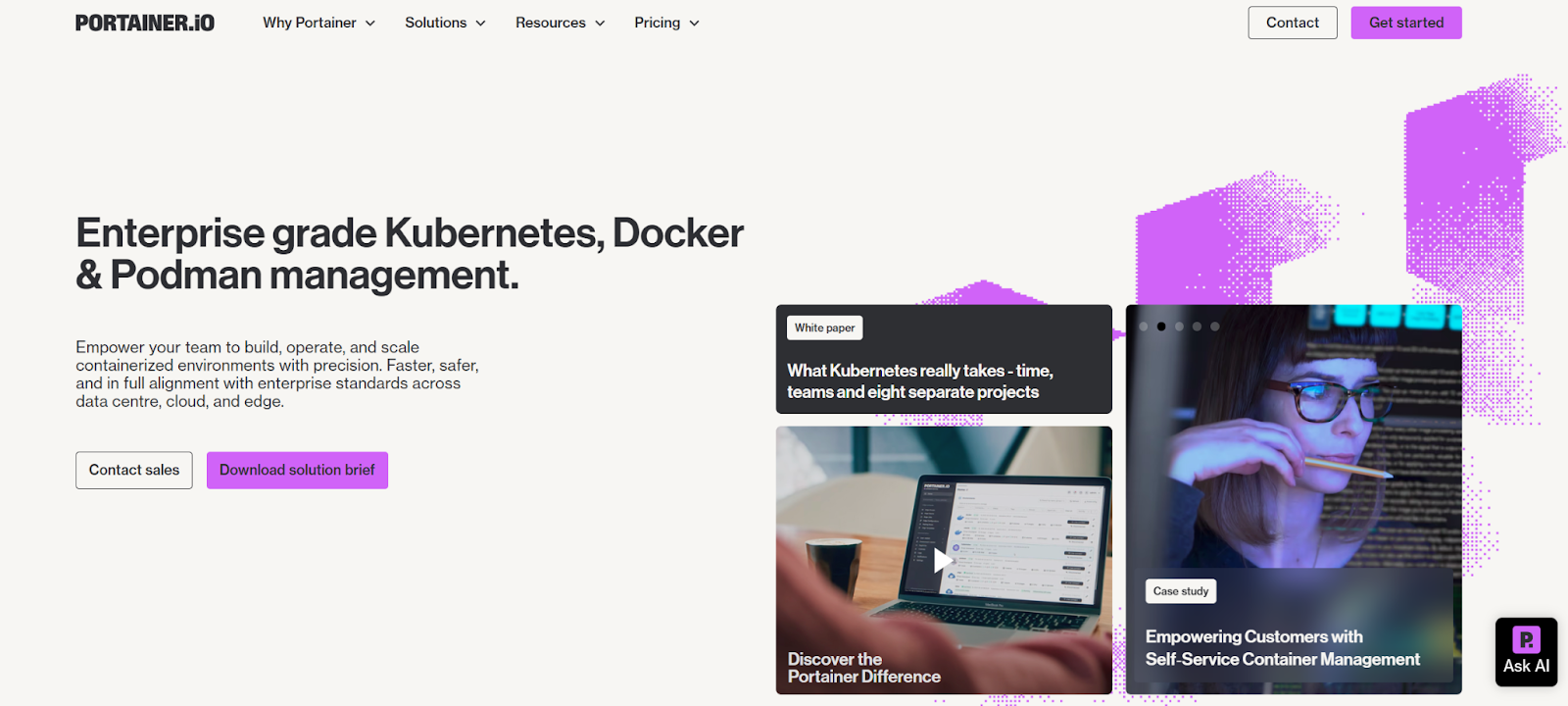
Portainer is a self-hosted container & orchestration management platform that centralizes governance, RBAC/SSO, GitOps, and operational control across Kubernetes, Docker Swarm, Docker Standalone, Podman, and ACI environments, whether deployed in cloud, on-prem, air-gapped, or edge infrastructure.
Built for enterprise platforms and operations teams, Portainer handles orchestration operations such as workload deployment, service updates, configuration, access control, and Day-2 lifecycle tasks from one interface, regardless of which orchestrator is underneath. It streamlines Kubernetes configuration management alongside daily operational tasks without requiring complex manual setups.
"Portainer makes managing containers easy and stress-free. It's such a simple but yet powerful tool that I would recommend anyone to use for managing their container instances," says Nicholas W.
Key Features
Portainer delivers the foundational capabilities to operate containers across diverse infrastructure without vendor lock-in.
- Multi-orchestrator management: You can manage Kubernetes, Docker Standalone, Docker Swarm, Podman, and Azure Container Instances from a single installation, eliminating the operational overhead of maintaining multiple control planes
- Self-hosted: DDeploy Portainer's management interface as a lightweight container in your infrastructure, whether that is on-premises, air-gapped, or in the cloud. Great if you have strict security frameworks, run air-gapped environments, or need support for edge orchestration across distributed sites.
- Ease of use: Since Portainer runs as a lightweight container, teams get productive immediately with guided workflows that let them deploy applications, manage namespaces, and troubleshoot issues without always writing YAML or memorizing kubectl commands.
Note: Portainer installs fast. You run a Helm command on your Kubernetes cluster to deploy the Portainer management container, then log in to your Portainer Server to create a user and connect to environments. You can still use CLI tools like kubectl and download kubeconfig files through Portainer if you prefer command-line access or use external tools that require it.
Pricing
Pricing scales based on the number of nodes you manage.
| Plan | Description | Pricing |
|---|---|---|
| Enterprise | For organizations managing critical workloads across hybrid environments that need built-in security and 24/7 support | $9,995/year |
Note: Get 15 nodes, valid for 45 days, to test Enterprise on a larger environment with the Extended Free Trial.
Where Portainer Shines
- Managing multiple orchestrators: Eliminates tool sprawl by managing Kubernetes and other environments from a single control plane
- Secure, controlled environment: Portainer's self-hosted architecture runs entirely within your infrastructure with zero external dependencies, delivers automatic RBAC, and integrates with external authentication providers
- Ease of use: Portainer bridges the Kubernetes expertise gap through guided workflows that abstract container operations into intuitive interfaces, so you can deploy applications and manage namespaces without writing YAML
Note: Portainer does not replace expert teams, but instead, offers faster time to value, reduces operational headaches, and maintains consistency across environments.
Where Portainer Falls Short
- Scope limitation: Portainer fully manages 80% of container operations; however, specialized or advanced use cases that fall outside this scope would require supplementary third-party tooling
- Workflow deficiency: Lacks native support for highly specific automation workflows, such as deeply integrated secret rotation logic
Tip: If you want expert support managing your container platform, Portainer offers managed platform services to set you up without friction.
Customer Reviews
"The best thing about Portainer is the vast amount of data available for your containers in an easy to understand format. You can check if your containers are running, view logs, start, stop, check if your images are up to date or not, from the Portainer dashboard. It makes my life so simple. The interface is very good." Tushar G.
After adopting Portainer, Machina saved 80 minutes daily per engineer (95% efficiency gain), reclaiming $340K annually in productivity.

"As a DevOps professional, I find it to be an amazing tool. I have used it for different projects, and I'm extremely happy with how easy it makes running everything I need." a verified G2 reviewer.
"In my opinion, the best thing about Portainer is the ease of use. We are a pretty small team, so for everyone to be able to jump in and set up or monitor containers with just a quick introduction, has made our work much easier and efficent." Oscar Eduardo C.
Who Portainer is Best For
- Enterprise platform teams: Organizations managing multiple Kubernetes clusters across hybrid cloud and on-premises infrastructure who need unified operations without vendor lock-in
- Regulated industries: Financial services, healthcare, and government organizations that need self-hosted solutions for compliance and data sovereignty
- Mid-sized organizations: Companies with lean DevOps teams that need enterprise-grade container management without hiring dedicated Kubernetes specialists
See why enterprises choose Portainer for security and accessibility.
Portainer in Action
SUSE Rancher
Rancher manages orchestration by centralizing the full Kubernetes cluster lifecycle, provisioning, upgrades, security policy enforcement, fleet deployments, and monitoring across many clusters. It does not replace Kubernetes as an orchestrator, but manages the orchestration layer by standardizing how clusters operate and how workloads are deployed.
Tip: Teams that already operate in Rancher can also layer Portainer on top to get a unified view of all their clusters and environments, without changing their underlying infrastructure.
Key Features
- Application catalog and Helm integration: Deploy pre-configured applications across multiple clusters through Rancher's app catalog using Helm charts
- Centralized multi-cluster management: Create, import, upgrade, and monitor multiple Kubernetes clusters from a single dashboard, supporting any CNCF-certified distribution
- Enterprise security and compliance: Integrates with identity providers (Active Directory, LDAP, Okta) and provides fine-grained RBAC controls for all clusters
Pricing
| Community (Open Source) | Free |
|---|---|
| Rancher Prime | $2,400–$3,200 / 2 cores / year |
Note: SUSE recently changed Rancher's pricing from node-based to CPU/vCPU-based models, significantly increasing costs.
Where Rancher Shines
- Multi-cluster visibility: You can manage hundreds of Kubernetes clusters from a single console, regardless of where they're deployed
- Flexibility: Supports any CNCF-certified Kubernetes distribution, giving you freedom to choose the best option for each environment
Where Rancher Falls Short
- Learning curve for advanced features: Rancher adds abstraction layers on top of Kubernetes, requiring teams to learn both Rancher-specific concepts (projects, cluster templates, fleet) and underlying Kubernetes primitives
- Price issues: Organizations upgrading to higher-core-count processors now face 4-9x cost increases without gaining additional functionality, forcing difficult conversations about TCO and platform alternatives
Customer Reviews
"Certain advanced features also demand a solid understanding of Kubernetes concepts, which may present a steep learning curve for beginner," says Md S.
"The initial setup can feel complex for teams who are new to kubernetes," shares Swapnil S
Who Rancher is Best For
- Infrastructure and platform engineers: Teams focused on cluster provisioning and control, who need to manage dozens or hundreds of Kubernetes clusters across hybrid cloud and on-premises infrastructure with centralized lifecycle management and policy enforcement
Red Hat OpenShift
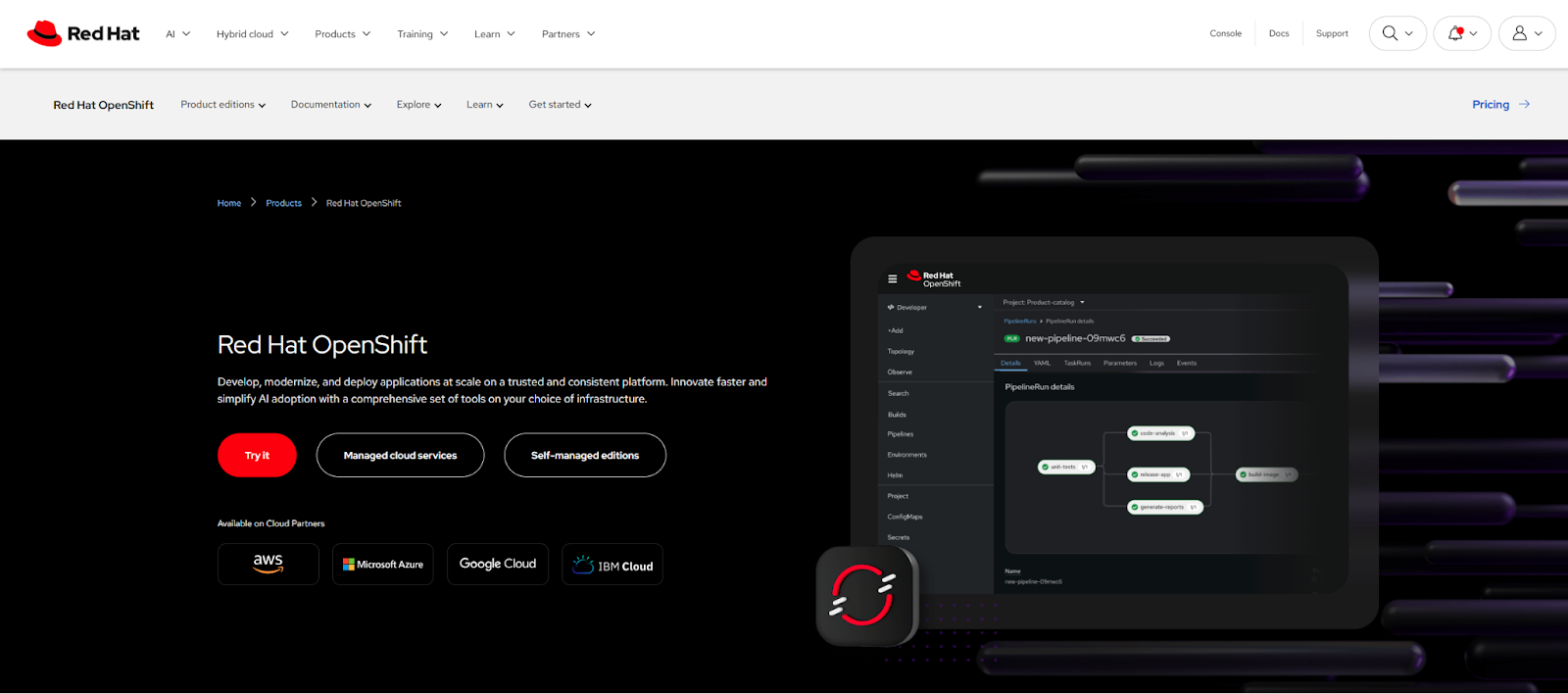
Red Hat OpenShift is an enterprise Kubernetes management platform that combines cluster management with orchestration governance, giving platform teams opinionated controls over application lifecycles. It provides an integrated Kubernetes distribution with built-in CI/CD, routing, container security, and policy layers that govern how workloads are deployed, scaled, and operated. Pricing typically ranges from $150–$500 per core per year.
Learn more about the platform in our detailed OpenShift vs Kubernetes article.
Azure Kubernetes Service (AKS)
AKS manages the Kubernetes control plane for you, automating key orchestration responsibilities such as upgrades, node repair, and integration with Azure networking and identity services. It gives teams governance controls over how workloads are deployed and maintained.
Google Kubernetes Engine (GKE)
GKE manages orchestration by running and maintaining the Kubernetes control plane, taking responsibility for cluster scheduling, workload scaling, node availability, and orchestration behavior. Google also adds governance capabilities like Autopilot mode, workload policies, auto-provisioning, and integrated observability to manage orchestration at scale.
Amazon ECS
Amazon ECS is AWS's native container orchestrator, but with a fundamentally different architectural approach from other orchestrators like Kubernetes or Docker Swarm.
If you're running workloads on ECS or other AWS services, it's worth reviewing AWS container security practices alongside your orchestration setup.
Rather than using modular, pluggable components, ECS delivers a tightly integrated, fully managed control plane built specifically for AWS that schedules tasks, maintains service state, manages networking, performs health checks, and handles scaling across EC2 or Fargate.
Why Use a Container Orchestration Platform?
Automated Failover
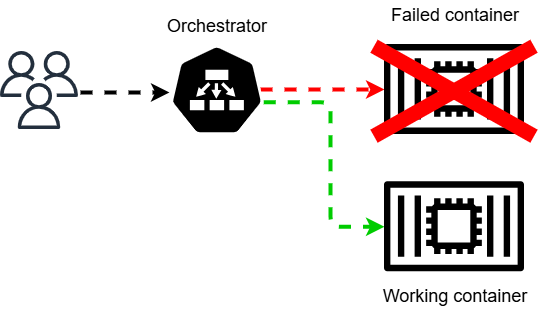
Container orchestrators detect container failures within seconds and automatically restart them on healthy nodes. Without orchestration, teams must monitor containers manually and write custom scripts to handle failures, creating operational toil that scales poorly.
Resource Optimization
Container orchestration reduces infrastructure costs through efficient resource allocation and automated workload distribution.
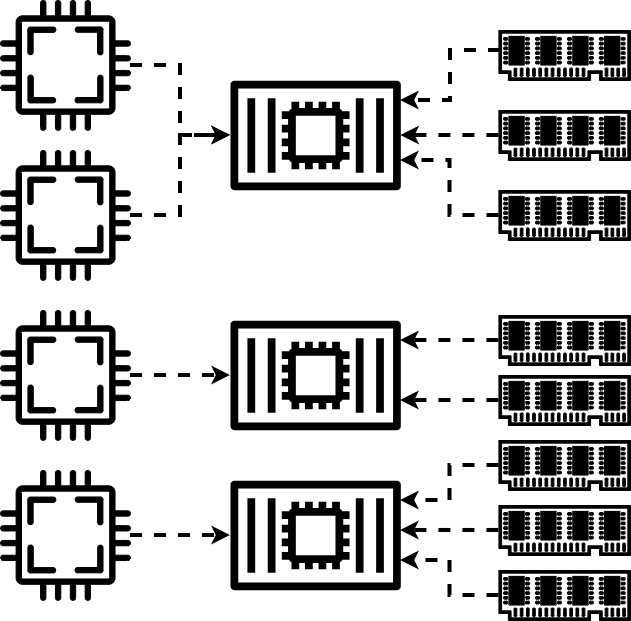
For example, Procter & Gamble expects 80% operations efficiency gains as they use Kubernetes to containerize manufacturing execution systems across 100 global sites with Portainer.
Zero-Downtime Deployments
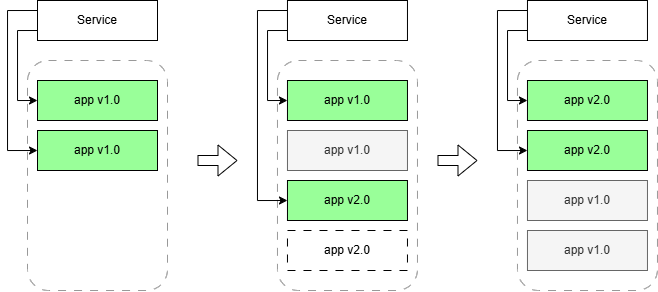
You need rolling updates that replace containers gradually while maintaining availability. Automated rollbacks restore previous versions instantly, critical when downtime costs $300,000/ hour for mid-sized organizations.
How to Choose the Best Container Orchestration Platform
Here are factors to consider before selecting the best container management platform for 2026:
Multi-Orchestrator Support
If your team is running separate clusters, they waste time switching between dashboards. Each additional console multiplies context switching overhead, increases the chance of configuration drift, and requires separate authentication systems and access controls.

But instead of switching between orchestrators, Portainer lets you set up and manage Kubernetes, Docker, ACI, and Podman environments from one interface.
Self-Hosted vs. Managed
When you choose an orchestrator like Kubernetes, you can either use a managed Kubernetes service or a self-hosted management platform. Managed Kubernetes services run the control plane on vendor infrastructure, requiring internet connectivity and external dependencies.
However, with Portainer's self-hosted model, you deploy the management interface in your own infrastructure, which meets strict compliance requirements for air-gapped and regulated environments.
If you're evaluating build versus buy decisions, Portainer's dashboard delivers Kubernetes management with complete data sovereignty.
Team Expertise Requirements
Kubernetes expertise costs around $150K annually per engineer and requires months of training.
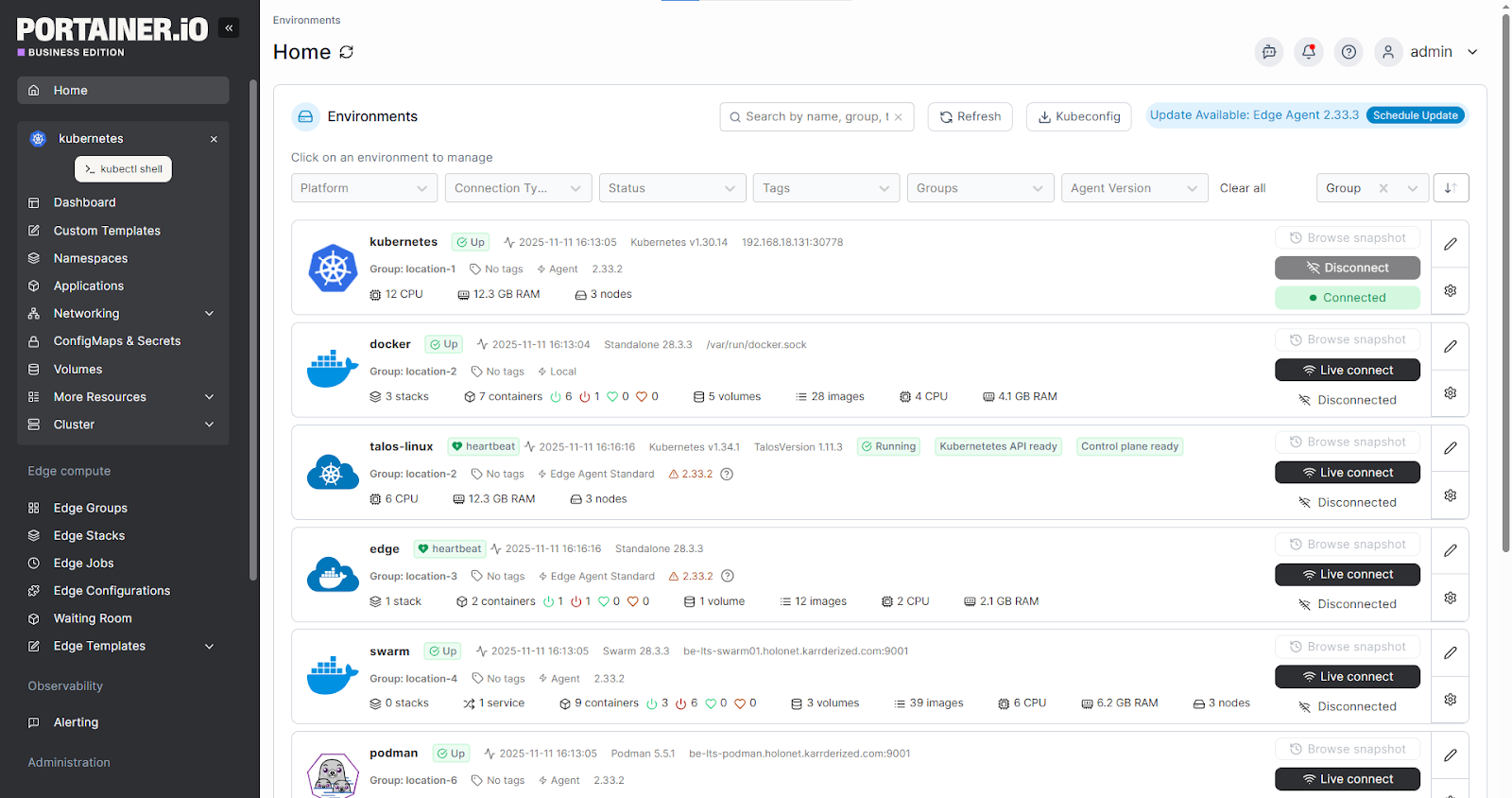
With Portainer, you can reduce onboarding time and let existing infrastructure teams manage containers with guided workflows and role-based access that match their current skill level.
Licensing Models
When you use an orchestrator like Kubernetes, consider the cost of managing it effectively. Management platforms that offer CPU-based licensing get costly as infrastructure scales.
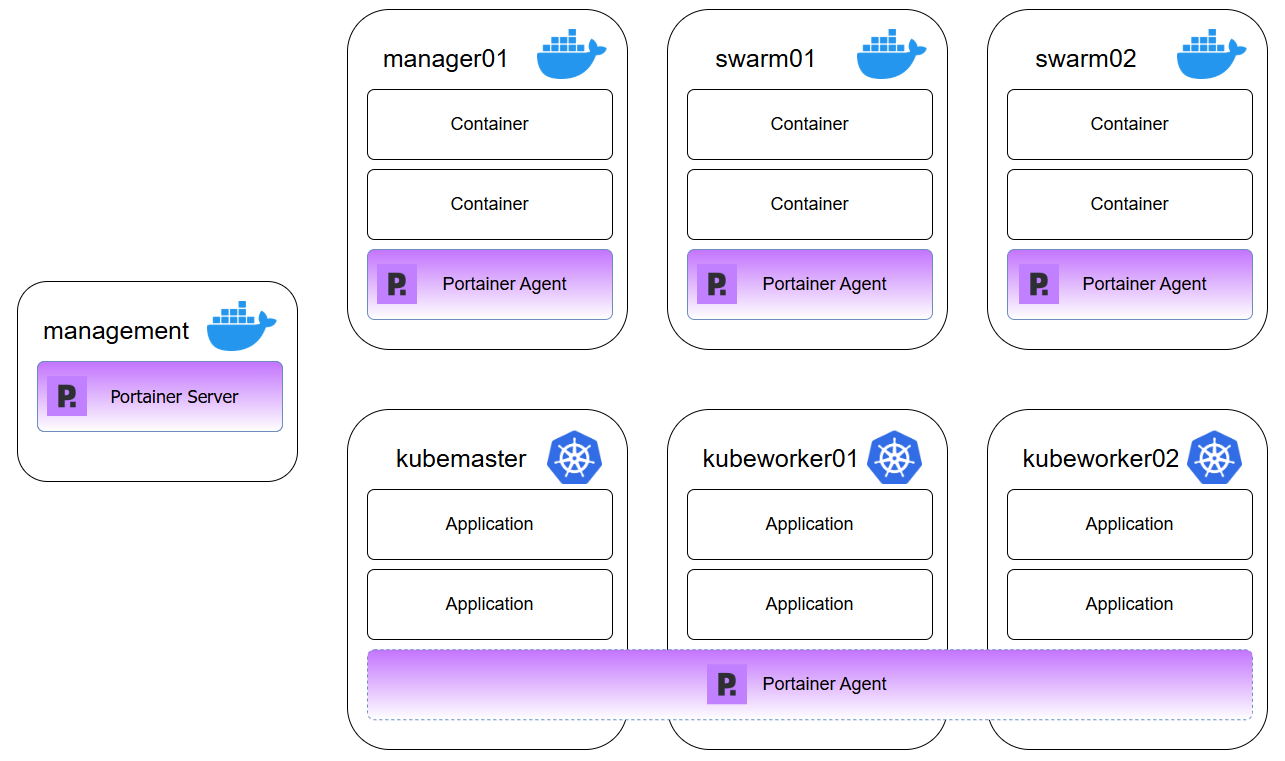
However, Portainer offers per-node licensing, ensuring predictable pricing regardless of cores per node, which prevents budget surprises as you add more powerful hardware.
Why Teams Choose Portainer
Container orchestration is essential at scale, but most platforms lock you into steep learning curves or unpredictable costs.
Portainer delivers unified multi-orchestrator management from one interface, letting your existing teams manage Kubernetes, Docker Swarm, Docker Standalone, ACI, and Podman through guided workflows. You get predictable per-node pricing as you scale, which is typically 50% less expensive than alternatives.
Schedule a demo to discuss your orchestration challenges, see how Portainer can manage your containers, and receive a trial license with implementation guidance.
Portainer in Action