Kubernetes Orchestration & Management Tools in 2026

Kubernetes already orchestrates workloads. However, the real challenge is in production. For that, teams layer on tools like Helm for deployments, Prometheus for monitoring, and GitOps platforms for delivery.
Unfortunately, this stack creates fragmented workflows, limited visibility, and mounting operational overhead. And that prompts a hard question:
Should you keep stitching tools together or adopt a unified platform that centralizes day-to-day Kubernetes management?
This guide breaks down both approaches. Ultimately, you’ll have your answer and the right tool(s) to use.
Let’s start from the top.
Kubernetes orchestration vs. Kubernetes management
Kubernetes schedules workloads, maintains desired states, scales applications, and recovers from failures. But once clusters move into production, teams still need answers to practical questions like:
- What’s running across all clusters right now?
- Who has access to what, and why?
- How are applications deployed and updated consistently?
- How do teams monitor health, enforce policies, and reduce operational risk?
This is where Kubernetes management comes in. It covers everything around orchestration:
- Deployment workflows
- Visibility
- Access control
- Governance and ongoing operations
Most teams fill these gaps by adding tools on top of Kubernetes. Below is what the stack looks like.
A typical Kubernetes management stack
Each tool solves a specific problem, but rarely the whole picture.
Helm
Helm is the go-to tool for packaging and deploying applications on Kubernetes. Its charts make deployments repeatable and versioned, which works well in CI/CD pipelines. While Helm is a leader in this space, it is often used alongside other Kubernetes deployment tools to manage complex application lifecycles.
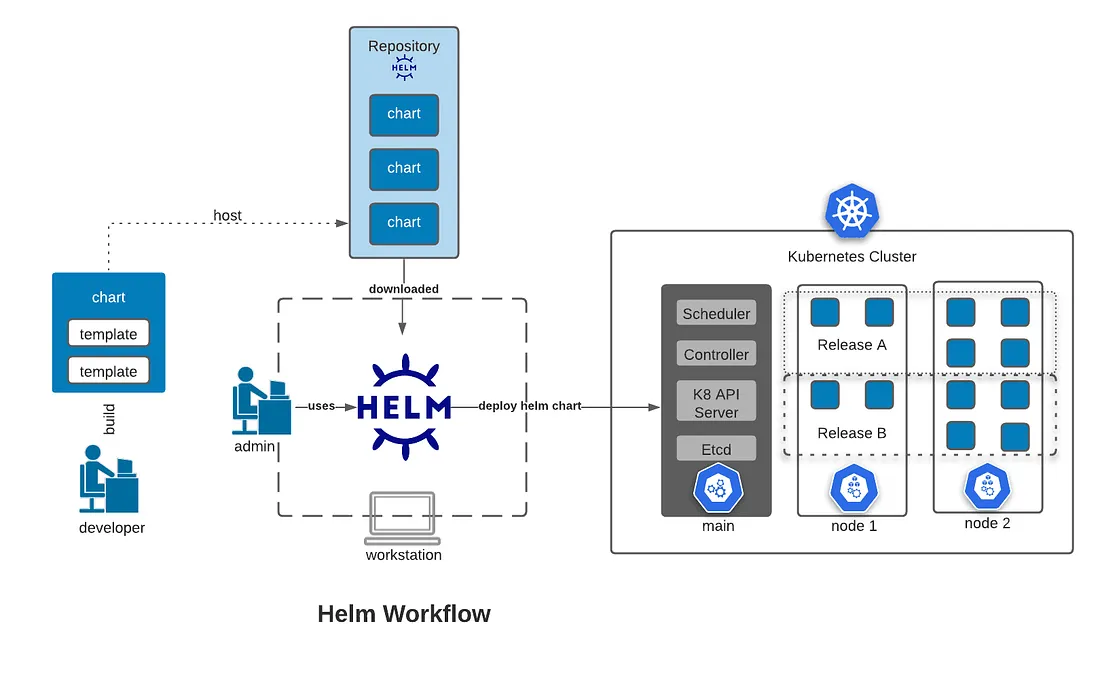
Helm Workflow. Source.
The tradeoff, however, is visibility and governance. Helm focuses on releases, not on who deployed what, where it’s running, or how access is controlled across clusters.
Prometheus
Prometheus gives teams deep visibility into cluster and application metrics. It’s flexible and widely adopted for alerting and performance monitoring.
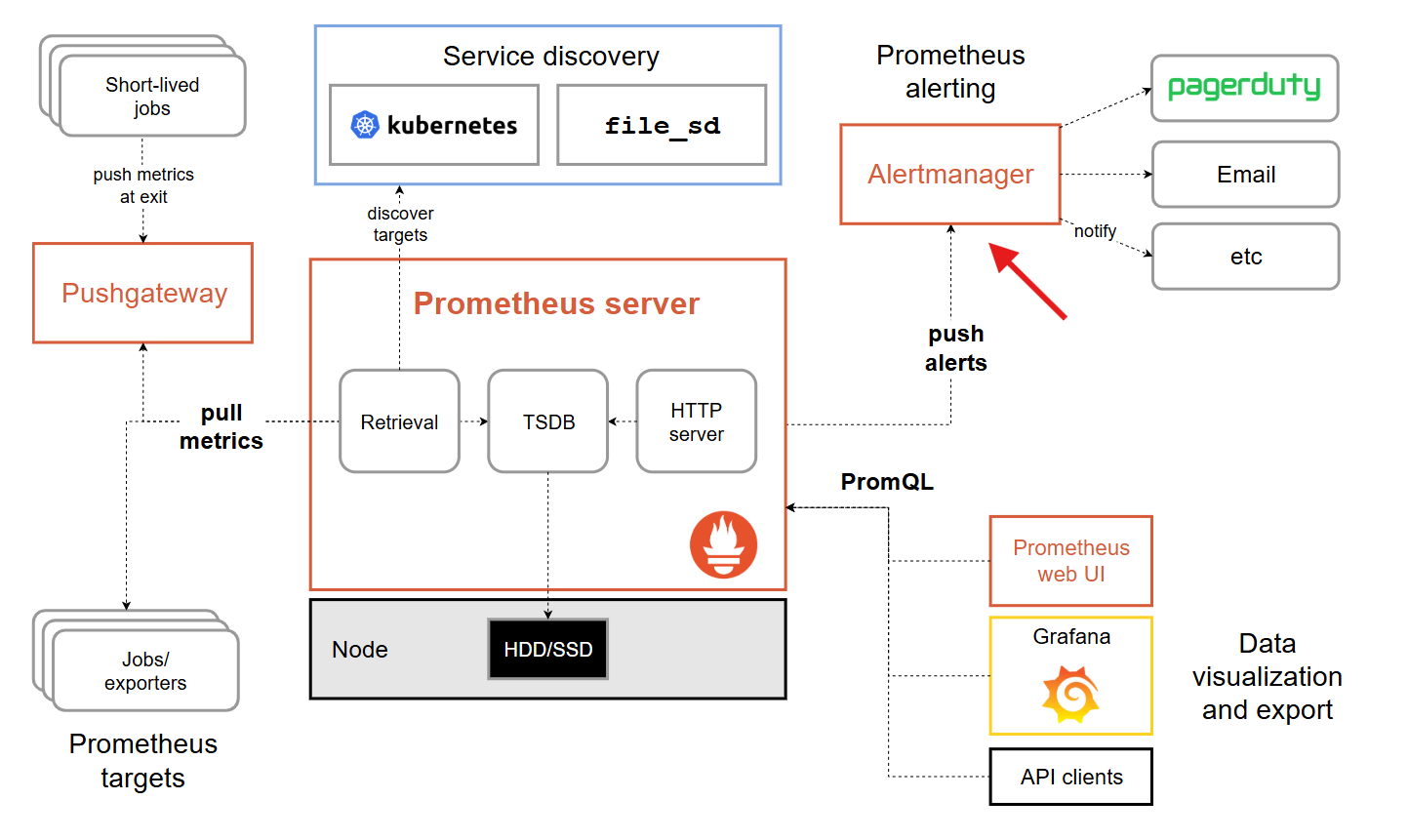
Prometheus overview showing the Alertmanager. Source.

But Prometheus is operationally heavy. Teams must manage scaling, storage, alert noise, and integrations. Besides, it still doesn’t help with deployments, access control, or remediation.
GitOps (Argo CD / Flux)
GitOps tools, like Argo CD and Flux, bring declarative delivery and drift control to Kubernetes. They help with consistency and auditability.
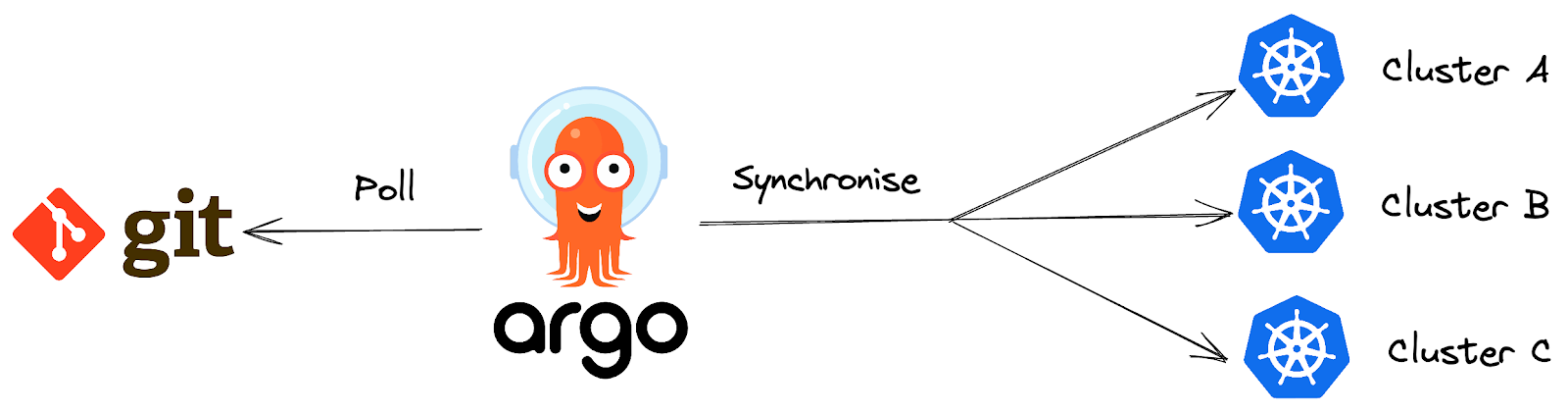
Argo CD sync flow. Source.
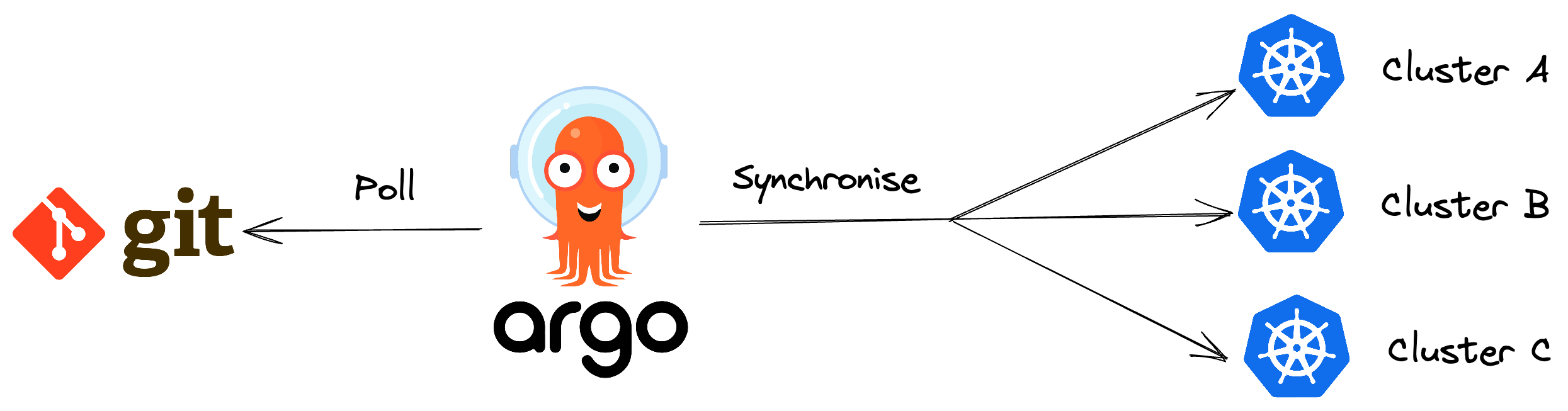
However, the downside is the workflow complexity. GitOps adds another system teams must configure, secure, and operate. It increases the learning curve for day-to-day operations.
For a deeper look at how these tools stack up against a management platform, see our detailed comparison of Portainer vs. Argo CD vs. Flux CD.
The hidden cost of stitching tools together
Individually, tools like Helm, Prometheus, and GitOps platforms work well. The problem shows up when you rely on all of them at once.
- Each tool comes with its own UI, workflows, and mental model. Engineers jump between dashboards to deploy, monitor, troubleshoot, and roll back changes. Context gets lost, and simple tasks take longer than they should.
- Access control is often inconsistent. Permissions are managed differently across tools. This makes it difficult to enforce least privilege or understand who can do what in production.
- Ownership becomes unclear. When something breaks, it’s not always obvious whether the issue sits with deployment tooling, monitoring, or the cluster itself. Over time, this fragmentation becomes costly, increasing cognitive load and turning Kubernetes operations into ongoing toil.
A unified platform addresses these gaps.
The unified platform approach: why?
It replaces the multiple point solutions with a single operational layer on top of Kubernetes. With that, you get centralized:
- Cluster and workload visibility
- Access control and governance
- Routine operational tasks
This model works best if you prefer operational clarity and consistency over deep customization. It is for organizations that run multiple clusters, support multiple teams, or operate in regulated environments.
So, what platform should you use? Below is a list of the best Kubernetes management platforms in 2026.
3 best Kubernetes management platforms compared
TL;DR: The 3 Kubernetes unified platforms at a glance
| Tool | Best for | Standout feature | Pricing | G2 rating |
|---|---|---|---|---|
| Portainer | Teams that want simpler day-to-day Kubernetes operations | Centralized management and governance layer for Docker & Kubernetes environments | Enterprise subscriptions start at $9,995/year | 4.8/5 (283 reviews) |
| Rancher | Enterprises managing multiple Kubernetes clusters | Centralized UI for hybrid and multi-cluster management | Free (OSS); paid enterprise support | 4.4/5 (118 reviews) |
| Nutanix Kubernetes Platform | Large enterprises running hybrid or on-prem fleets | Policy-driven Kubernetes lifecycle with built-in storage | Enterprise pricing (request-based) | 3.8/5 (11 reviews) |
1. Portainer: Best for Fast, Secure Kubernetes Management Across Environments
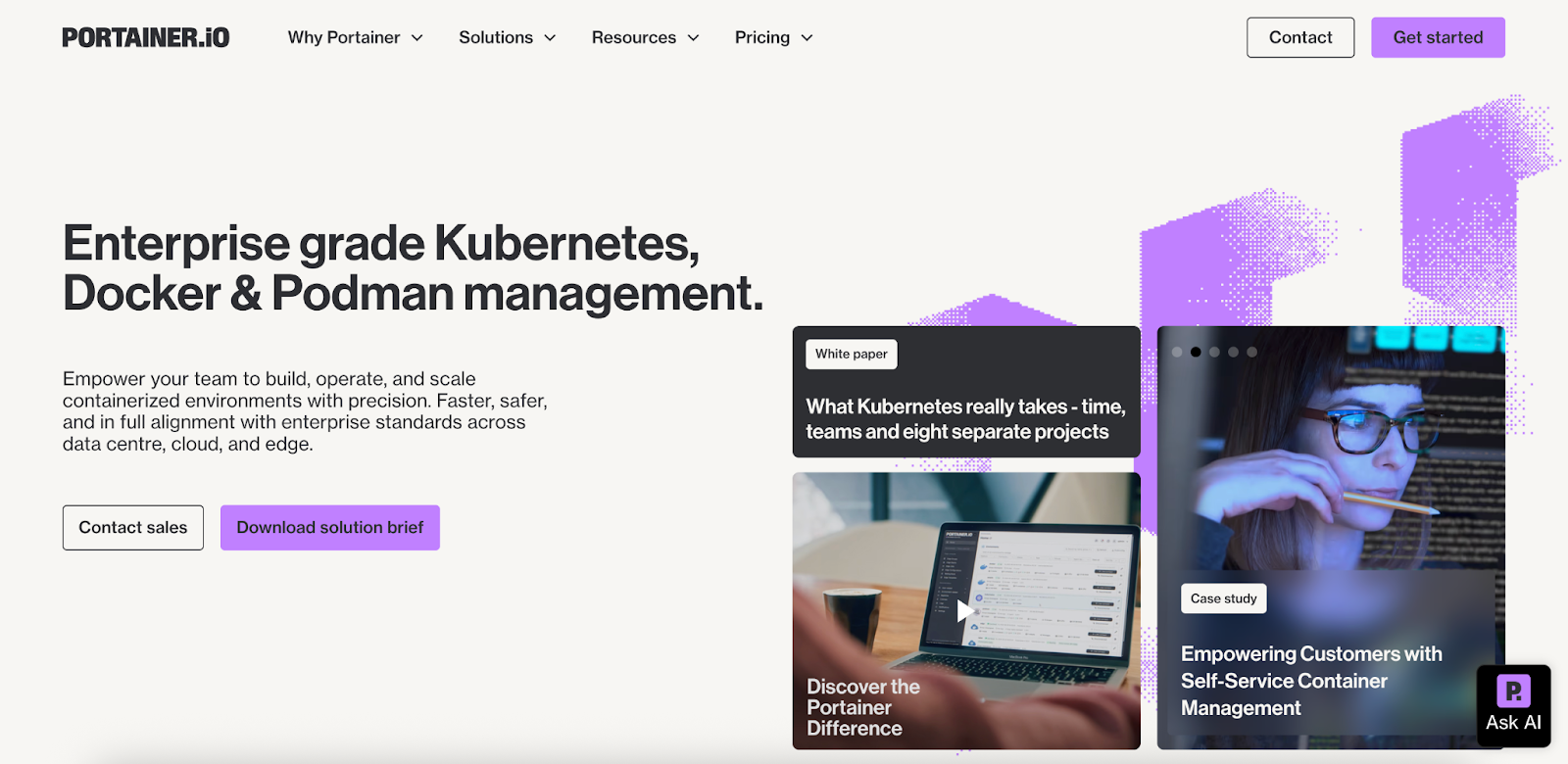
Portainer is a self-hosted container management platform. In other words, it operates container environments; it doesn’t replace the orchestrators behind them. It sits on top of Docker, Kubernetes, and Podman to provide a centralized control plane.
Instead of handling orchestration itself, Portainer helps teams manage clusters, users, and workloads more consistently across on-prem, cloud, and edge environments. And it does all that without adding more YAML, custom scripts, or operational overhead.
Key features
These features reduce day-to-day Kubernetes friction and strengthen security and governance:
1. Centralized multi-cluster management
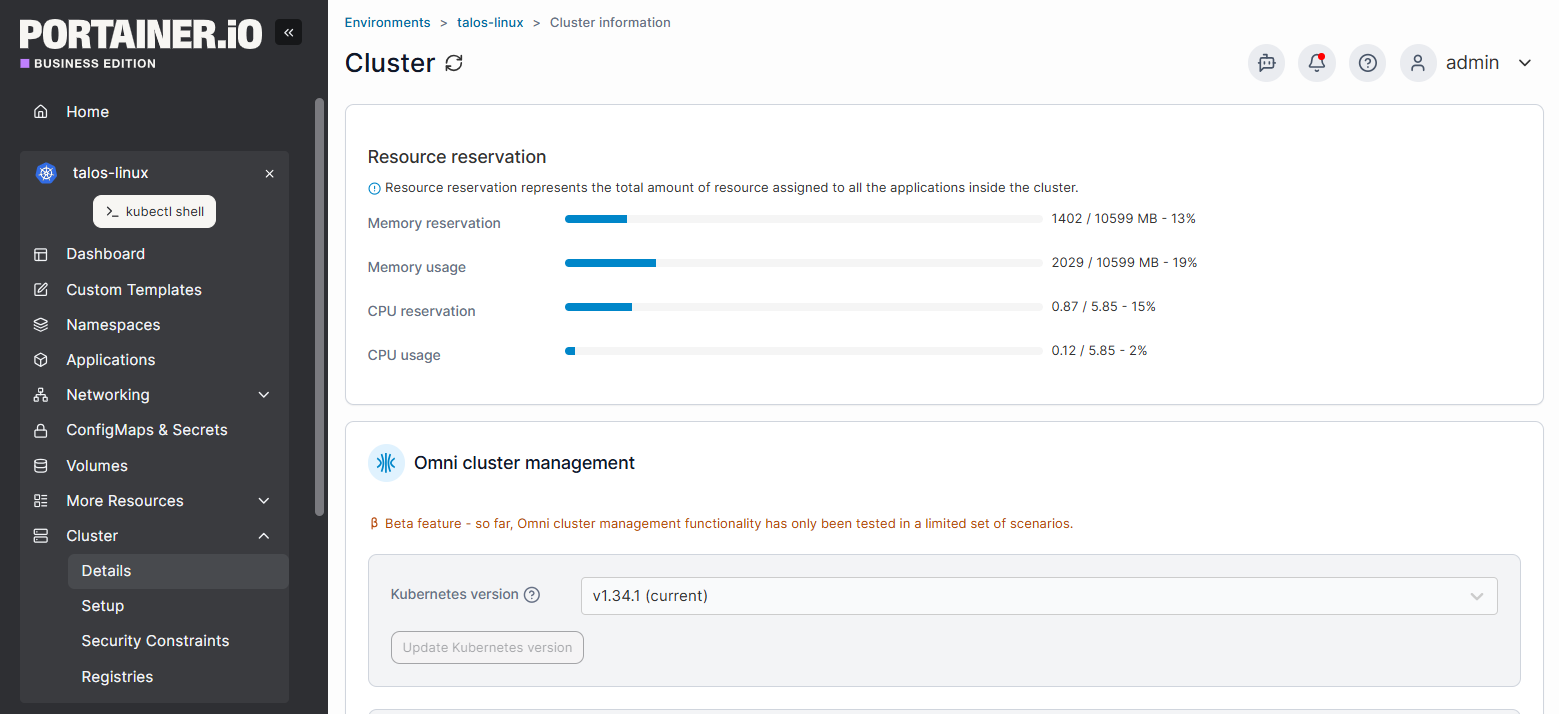
Portainer gives teams a single pane of glass to manage all multi-cluster Kubernetes. This means that operators can consistently:
- Group environments
- Control access
- Manage workloads
That makes it ideal for managed platform services and distributed teams.
2. Secure access with enterprise-grade RBAC
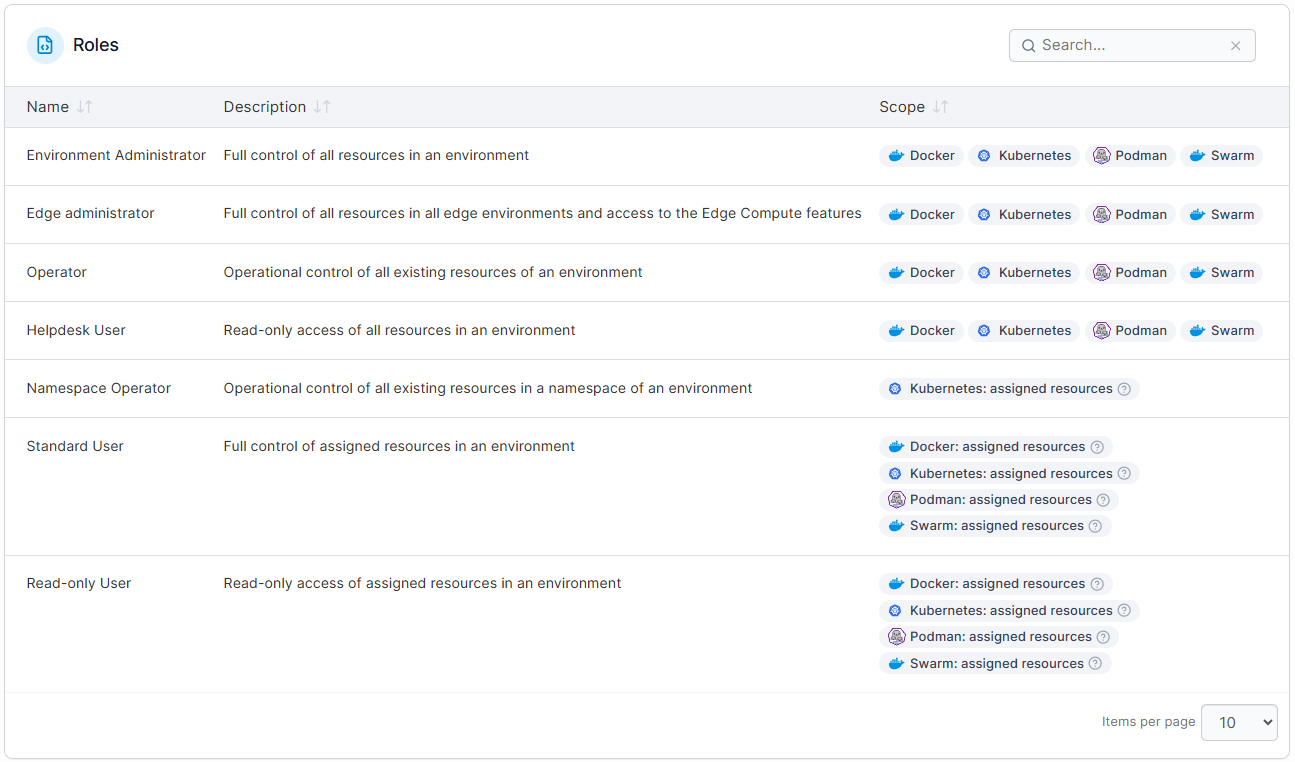
Portainer’s role-based access control helps teams delegate operations without over-permissioning. This reduces risk while enabling platform teams to support multiple internal users and projects at scale.
3. Simplified Kubernetes operations
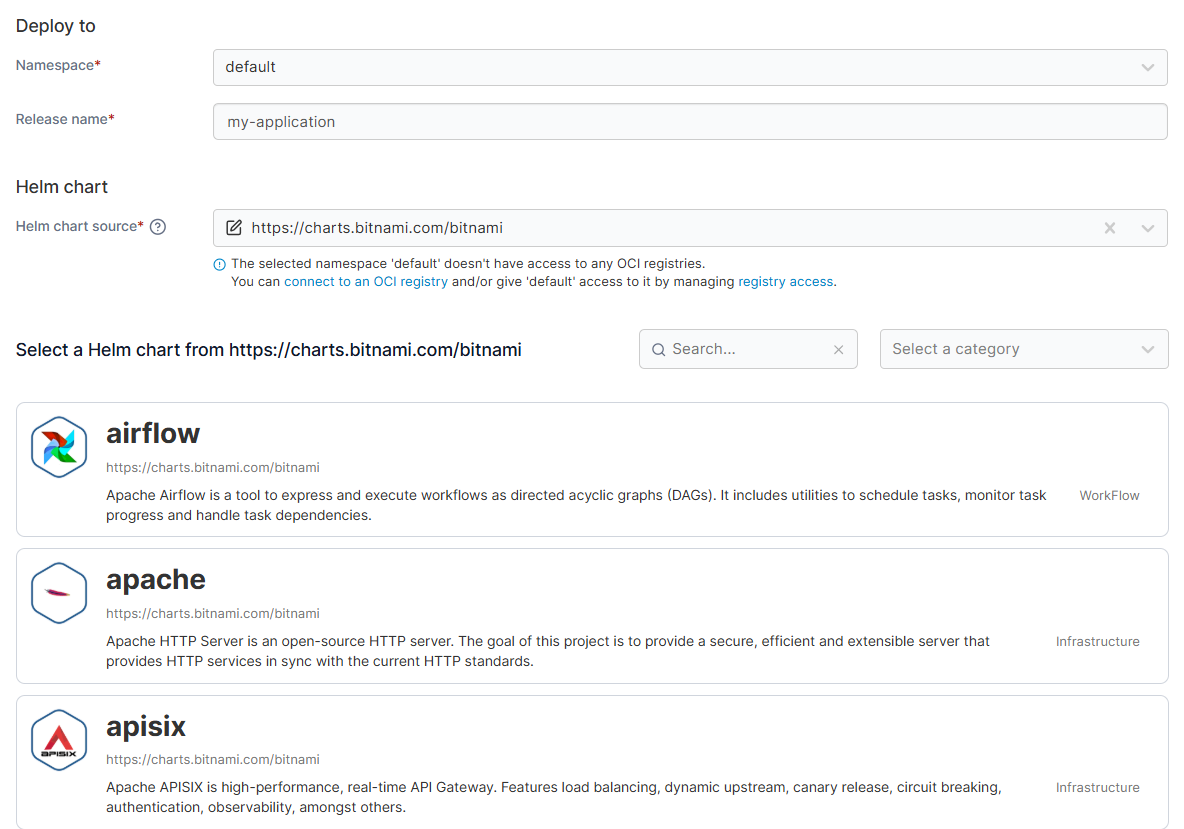
Portainer streamlines common Kubernetes operational tasks, such as workload visibility, access control, and lifecycle management, through a centralized UI. This way, teams spend less time wrestling with tooling and focus on keeping clusters stable and compliant.
Pricing
| Plan | Pricing |
|---|---|
| Enterprise IT | Flexible pricing based on your environment’s needs |
| Edge / IIoT | Flexible pricing for edge-scale deployments |
For more plan details and node-based options, visit Portainer’s Enterprise Pricing page.
Where Portainer shines
- Operational clarity at scale: Centralized visibility across clusters reduces blind spots and speeds up incident response.
- Strong governance without friction: Enterprise-grade Kubernetes RBAC and auditability fit regulated environments.
- Broad environment support: Works across on-prem, cloud, and edge, including industrial and IoT scenarios.
Where Portainer falls short
- Not a deep replacement for CLI power users: Teams that prefer CLI-driven workflows exclusively may find the UI unnecessary.
- Enterprise focus: Advanced features and support are priced for teams that value governance and scale over lowest cost.
Customer reviews
Users consistently highlight Portainer’s usability and visibility:
- One G2 reviewer notes it “makes managing Kubernetes and Docker far more approachable for the whole team.”
- Another user adds that “the UI simplifies complex container operations and offers great visualization tools for monitoring and managing services, networks, and volumes.”
Who Portainer is best for
- Platform & DevOps teams that need centralized Kubernetes (and Docker) control across environments.
- Enterprise IT & regulated teams who require secure access, governance, and auditability.
- Distributed or edge operations that involve managing clusters beyond a single data center.
Book a demo to see how Portainer streamlines day-to-day Kubernetes operations across your environments!
2. Rancher
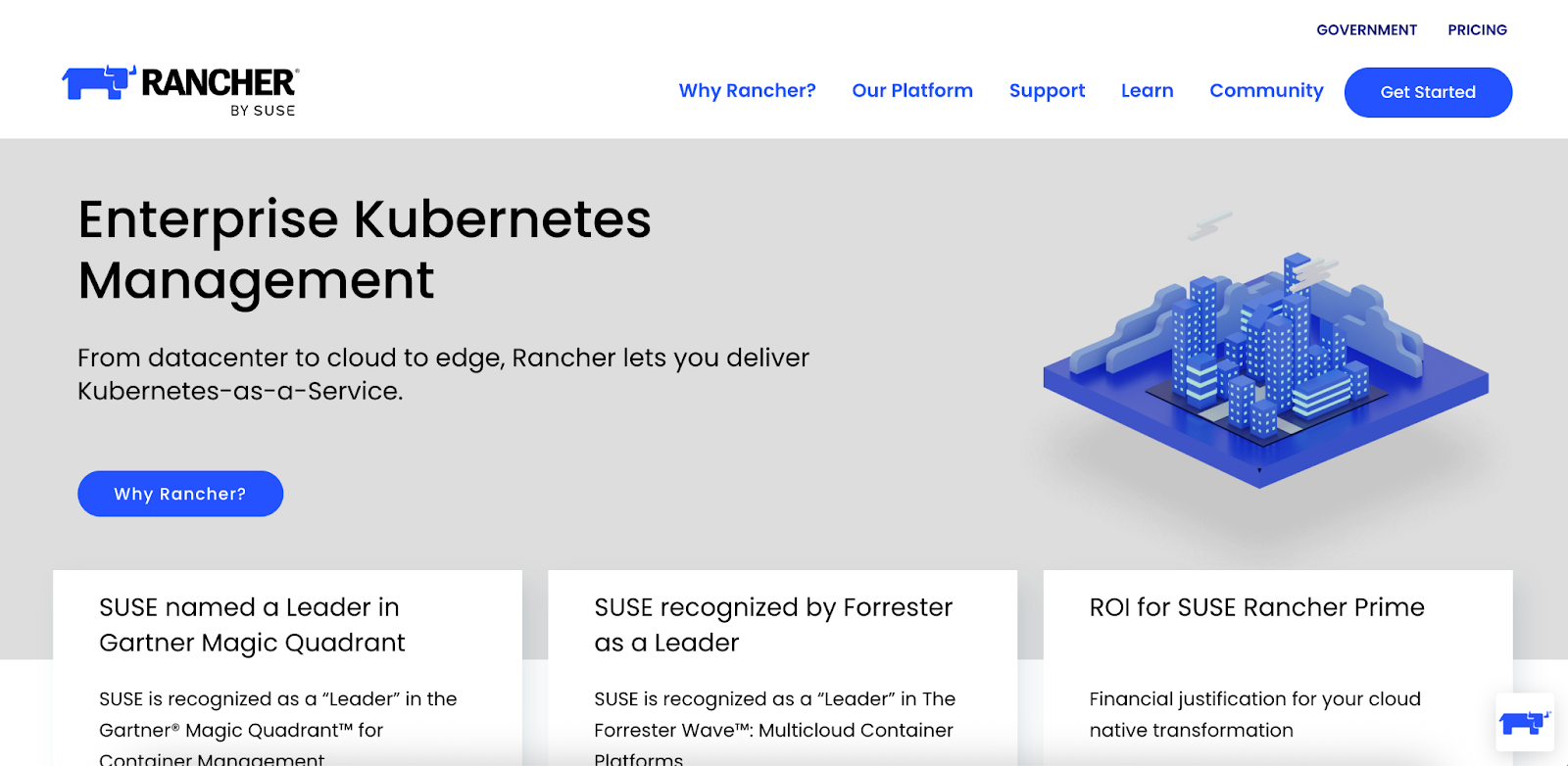
Rancher is an enterprise-focused Kubernetes management platform designed to operate and secure multiple clusters across on-prem, cloud, and edge environments. It’s often used by large organizations that need centralized control and policy enforcement. However, it comes with added operational complexity.
Key features
- Multi-cluster management: Manage, monitor, and operate multiple Kubernetes clusters from a single control plane.
- Integrated security & policy controls: Enforces cluster policies, access rules, and compliance standards across environments.
- Broad Kubernetes distribution support: Works with upstream Kubernetes and managed services across cloud and on-prem setups.
Pricing
| Plan | Price |
|---|---|
| Open source | Free |
| Enterprise support | Paid (quote-based via SUSE) |
Where Rancher shines
- Enterprise-scale governance: Strong policy and security controls for large Kubernetes estates.
- Hybrid and multi-cloud support: Designed to manage clusters across diverse infrastructures.
- Vendor-backed ecosystem: Supported by SUSE with long-term enterprise roadmaps.
Where Rancher falls short
- Operational complexity: Rancher introduces an additional management layer on top of Kubernetes. This increases setup effort, upgrade risk, and day-to-day maintenance, especially for smaller or less specialized teams.
- Steeper learning curve: To run Rancher effectively at scale, teams often need deep Kubernetes and Rancher-specific expertise. This drags onboarding time and dependency on senior engineers.
- UI and workflow overhead: While powerful, Rancher’s interface and workflows can feel heavy for routine tasks, making Rancher alternatives like Portainer more efficient for everyday operations.
Check out the head-to-head comparison of Rancher vs. Portainer!
Customer reviews
Users praise Rancher for streamlined K8 management at the enterprise level.
- This G2 user said, “I value the centralized management that Rancher offers for multiple Kubernetes clusters, along with its intuitive user interface and robust role-based access control (RBAC) features. Rancher simplifies the process of scaling applications, and its integration with CI/CD pipelines contributes to more efficient deployment workflows.”
However, there are criticisms around the setup.

Who Rancher is best for
- Large enterprises that manage many Kubernetes clusters across hybrid or multi-cloud setups.
- Security-focused organizations that prioritize strict policy enforcement and governance.
3. Nutanix Kubernetes Platform (NKP)
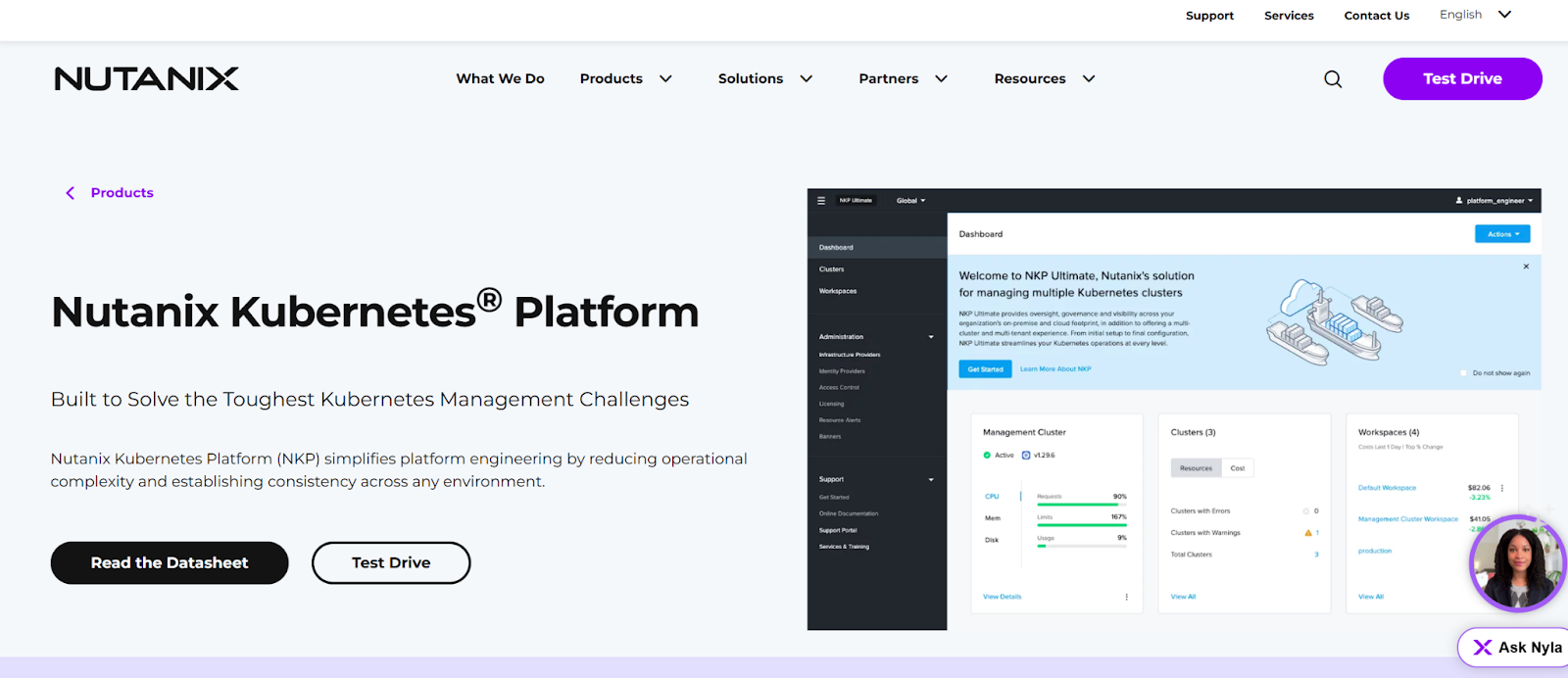
Nutanix Kubernetes Platform is a full-stack Kubernetes management platform built for enterprises running Kubernetes on-prem, in private cloud, or across hybrid environments.
NKP tightly integrates Kubernetes with compute, storage, and networking. This makes it appealing to organizations that want Kubernetes as part of a broader infrastructure strategy. But some users have reservations.
Key features
- Integrated Kubernetes lifecycle management: Deploys, upgrades, and manages Kubernetes clusters with enterprise-grade controls and policies.
- Built-in infrastructure integration: Deeply integrates Kubernetes with Nutanix storage, networking, and virtualization for unified operations.
- Hybrid and multi-cloud support: Operates consistently across on-prem, private cloud, and public cloud environments.
Pricing
| Plan | Pricing |
|---|---|
| Enterprise platform | Quote-based (core-based pricing tiers) |
Where Nutanix Kubernetes Platform shines
- Enterprise infrastructure alignment: Ideal for organizations already standardized on Nutanix infrastructure.
- Strong hybrid and on-prem support: Designed for regulated or latency-sensitive workloads that can’t rely on public cloud alone.
- Policy-driven operations: Centralized governance for clusters, workloads, and infrastructure.
Where Nutanix Kubernetes Platform falls short
- High cost and commitment: Pricing and licensing make it less accessible for small or mid-sized teams.
- Vendor lock-in: Best value comes when fully invested in the Nutanix ecosystem.
- Operational weight: The platform can feel heavy if Kubernetes management is the primary need rather than full-stack infrastructure control.
Customer reviews
Users like NKP as a one-stop datacenter OS.
- This reviewer puts it simply, “We can add as many services on top of the core OS, and it won’t budge. Another great feature is that the whole source code is open source, so we can peek into or change the code according to need.”
Negative feedback often mentions the lack of documentation.

Who Nutanix Kubernetes Platform is best for
- Large enterprises that run Kubernetes as part of a broader private or hybrid cloud strategy.
- Infrastructure-led IT teams that standardized on Nutanix compute and storage.
- Regulated industries that require strict control, performance predictability, and on-prem deployment.
How to Choose a Kubernetes Unified Platform
Use these criteria to evaluate the platforms that can scale with your operations.
1. Day-to-day operational visibility
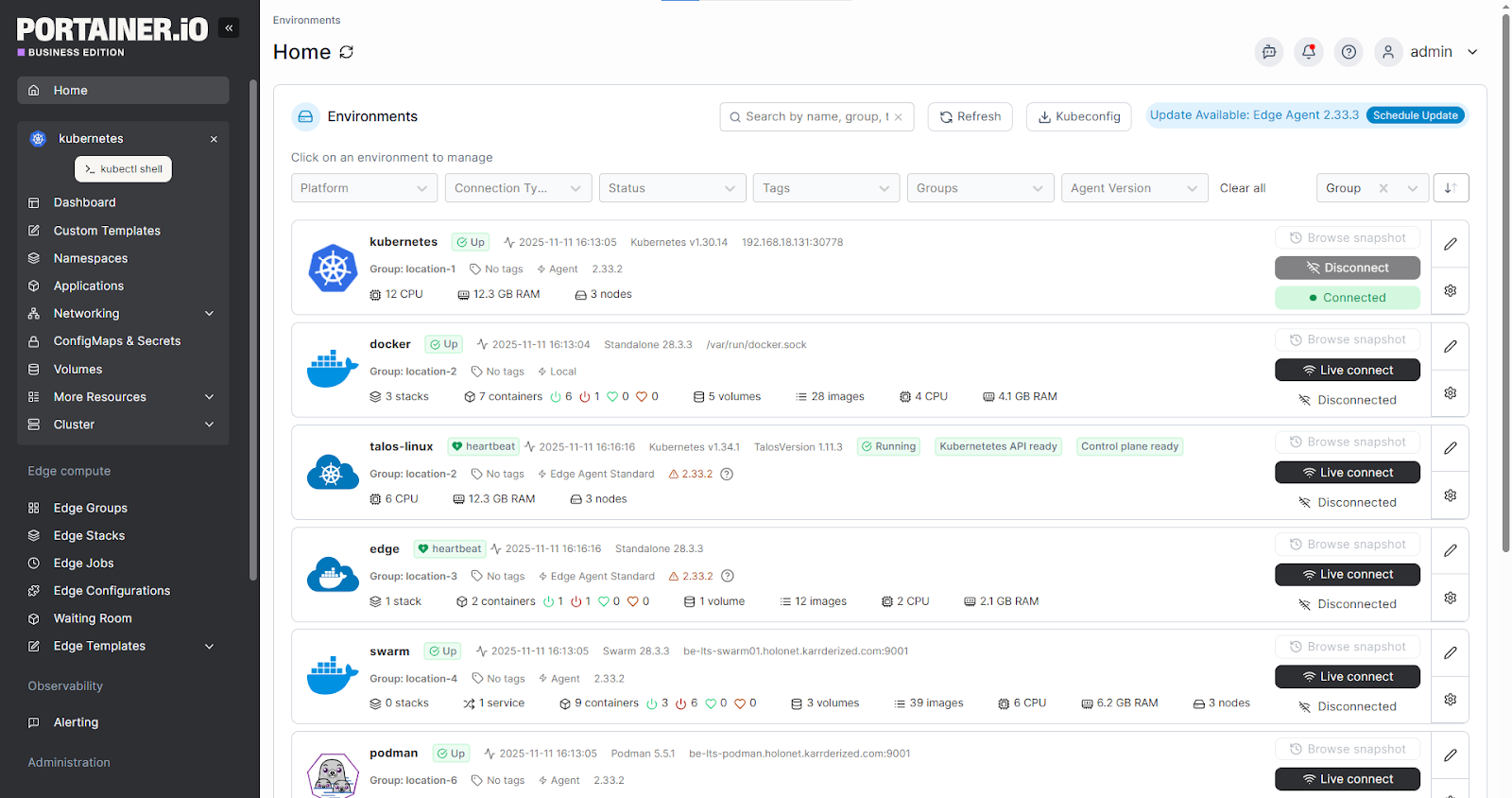
Kubernetes rarely fails loudly. Without centralized visibility, teams struggle to see what’s running, where it’s deployed, and why something broke. Your Kubernetes management tooling should provide a single view across clusters and environments to reduce blind spots and speed up troubleshooting.
Portainer does this with a unified UI for workloads, clusters, and environments.
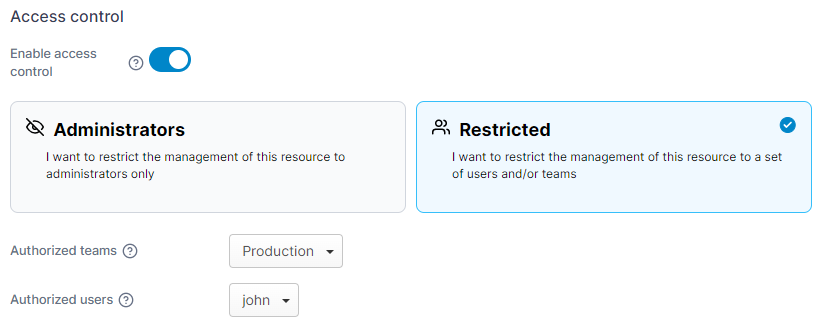
2. Access control and governance at scale
As more teams interact with Kubernetes, unmanaged access becomes a risk. Look for tools with strong role-based access control and clear governance.
Portainer combines fine-grained RBAC with simple user and team management. This helps teams delegate access without losing control.
3. Operational simplicity across environments
Many Kubernetes tools add complexity through YAML sprawl and steep learning curves. Prioritize tools that work consistently across on-prem, cloud, and edge environments and reduce operational overhead.
Portainer provides a consistent management layer on top of Kubernetes, making day-to-day operations a breeze.
Book a demo to see how it works!
Bring Your Kubernetes Environments Under Control with Portainer
Running Kubernetes shouldn’t mean more tools and toil. Any of the three unified platforms in this guide can help.
But... while Rancher and Nutanix offer multi-cluster scale and infrastructure-integrated Kubernetes management, Portainer adds operational simplicity.
So, if your priority is clear visibility and secure access across environments, Portainer is the ideal fit.
Book a demo now to manage Kubernetes environments and operations in one place!