What Is Kubernetes Orchestration: Tradeoffs & Management Advice

Kubernetes orchestration often sounds abstract until you start operating it, and it becomes your daily challenge.
At its core, Kubernetes orchestration coordinates containers so applications stay running as conditions change. This guide breaks down how it works, where many teams struggle, and how Kubernetes orchestration management helps in real-world environments.
What Is Kubernetes Orchestration?
Kubernetes orchestration is the automated coordination of containers across multiple machines to maintain a desired application state. In practice, Kubernetes orchestration handles where containers run, how many copies stay online, and what happens when a container crashes. The goal stays simple: maintain the desired state without manual intervention.
Think of orchestration in Kubernetes like a restaurant manager during dinner rush. The manager doesn’t just assign one server to all tables or hope customers find their own seats. Instead, they continuously watch table capacity, redistribute servers when sections get busy, and immediately replace anyone who calls in sick.
In day-to-day operations, container orchestration with Kubernetes focuses on:
- Placing containers on available machines
- Scaling workloads up or down based on demand
- Restarting failed containers automatically
- Keeping applications reachable during updates
Side note*: Kubernetes does all of this through configuration files and APIs. A* container orchestration management platform like Portainer adds a visual layer on top, making these behaviors easier to understand, audit, and control without memorizing YAML or CLI commands.
How Kubernetes Orchestration Works
Here’s a conceptual walkthrough of how Kubernetes orchestration plays out:
1. Declaring Desired State
Every Kubernetes orchestration flow starts with a declared outcome. This includes how many copies of an application should run, what resources it needs, and how it connects to other services.
This approach exists to remove guesswork during operations. Instead of operators making real-time decisions under pressure, Kubernetes compares what is running to what is expected.
It also eliminates the brittle scripting that plagued earlier deployment systems. Instead of writing bash scripts, modern teams use a Kubernetes deployment strategy to declare the end state and allow the system to handle the heavy lifting.
2. Scheduling Workloads Across Nodes
Once you define the desired state, Kubernetes assigns containers to physical or virtual machines in the cluster. The scheduler evaluates available resources on each node (CPU, memory, disk) and places containers where they fit best.
This process prevents the common problem of overloading some servers while others sit idle. A GitHub issue in the Kubernetes repository described a user with nine pods and three nodes. He allocated one node to five pods and assigned one pod to the other. As a result, some of the machine’s resources will be fully occupied, while some nodes have a lot of resources.
The scheduler also respects constraints. When a database container requires SSD storage or a compliance workload must run in a specific data center, Kubernetes honors those requirements during placement. You define the constraints; the platform handles the logistics.
3. Running and Monitoring Container Health
After scheduling, Kubernetes doesn’t just start containers and walk away. The platform actively monitors each container to verify it’s actually working, not just running.
Health checks come in two forms:
- Liveness probes: detect when a container has crashed or frozen, triggering an automatic restart.
- Readiness probes: determine when a container is ready to receive traffic, preventing requests from hitting services that are still initializing.
Without readiness probes, Kubernetes routes traffic immediately, causing connection errors for users. With proper health checks, traffic only flows when the application confirms it’s ready.
See Portainer in Action
4. Scaling Based on Demand
Kubernetes adjusts the number of running containers in response to load changes. When CPU usage crosses a threshold or request queues grow too long, the platform automatically starts additional replicas. When demand drops, it scales back down.
This happens without engineers watching dashboards or manually triggering deployments. For instance, an online retailer experienced 20x normal traffic during Black Friday sales. With Kubernetes autoscaling configured, their platform automatically scaled from 5 to 100 instances during the sale, then back down once traffic returned to baseline.
The scaling responds to real metrics, not guesses about future traffic. You define target utilization levels (e.g., keep the CPU at 70%), and Kubernetes maintains those targets by adding or removing containers as needed.
5. Self-Healing Failed Components
When containers crash or nodes fail, Kubernetes automatically replaces them. A failed container gets restarted on the same node. A failed node triggers rescheduling of all its containers onto healthy nodes.
This recovery takes seconds or minutes rather than hours. Traditional setups often required someone to notice the failure, log into the server, diagnose the issue, and manually restart the service. Instead, Kubernetes detects failures through health checks and immediately takes corrective action.
The self-healing extends to stateful containers running databases or message queues. When a database container fails, Kubernetes starts a replacement and reattaches the persistent storage, preserving data across the restart.
6. Distributing Traffic to Healthy Containers
Kubernetes provides service types that route traffic to containers regardless of which node they’re running on or how many replicas exist. When multiple copies of a web service run on different servers, the service abstraction presents a single endpoint that load-balances across all healthy instances.
Kubernetes Orchestration vs Kubernetes Management
Many people often confuse orchestration with management. One runs workloads automatically. The other helps humans operate, secure, and understand what Kubernetes is already doing at scale.
Here’s how Kubernetes orchestration and management differ:
| Aspect | Kubernetes Orchestration | Kubernetes management |
|---|---|---|
| Primary role | Executes automated decisions | Improves human control and visibility |
| Core responsibility | Scheduling, scaling, self-healing | Configuration, access, monitoring, governance |
| Who it serves | The system | Platform teams and operators |
| Replaces Kubernetes? | This is Kubernetes behavior | No. It sits on top of Kubernetes |
| Typical outcomes | Apps stay running as defined | You avoid errors, drift, and blind spots |
Kubernetes orchestration is the core engine. Kubernetes management platforms don’t replace that engine; they provide dashboards, role-based access controls, application templates, and operational workflows that make Kubernetes more accessible to you without deep expertise.
Portainer, for example, functions as a management layer over Kubernetes clusters. You can deploy applications, manage namespaces, configure resource limits, and control access through a visual interface instead of writing YAML files and running kubectl commands. The underlying orchestration still happens through Kubernetes itself.
This distinction matters because some teams assume a management platform eliminates the need to understand Kubernetes fundamentals. Management tools reduce operational complexity, but Kubernetes is still responsible for workload orchestration.
Where Kubernetes Orchestration Becomes Hard
Let’s see some roadblocks in Kubernetes orchestration:
Configuration Complexity Multiplies with Scale
As clusters and workloads grow, managing them becomes more complex. Teams with multiple clusters or hundreds of microservices often hit visibility gaps and coordination issues during deployments or debugging.
For instance, Spotify’s platform team initially managed around 50 YAML files for their core services. Within two years, this grew to over 3,000 files across different environments, teams, and services. Painfully, writing Kubernetes configurations in YAML creates friction that compounds as deployments grow.
Finding and Retaining Kubernetes Expertise
Kubernetes has many concepts, and few engineers truly master them. A CNCF survey found that most organizations struggle to hire skilled Kubernetes practitioners, which slows deployment velocity and prolongs outages.
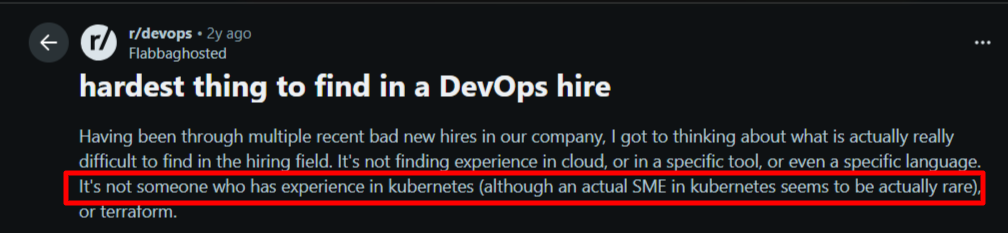
A Redditor also affirmed how rare it is to find someone with subject-matter expertise in Kubernetes.
Many organizations are left with a choice: invest months in training existing staff or compete for scarce talent in an overheated market. Both paths drain resources, and Kubernetes clusters still require daily management.
Configuration Sprawl and Drift
As applications and environments multiply, so do manifests, YAML files, Helm charts, and templates. This configuration sprawl increases the risk of drift between development, staging, and production.
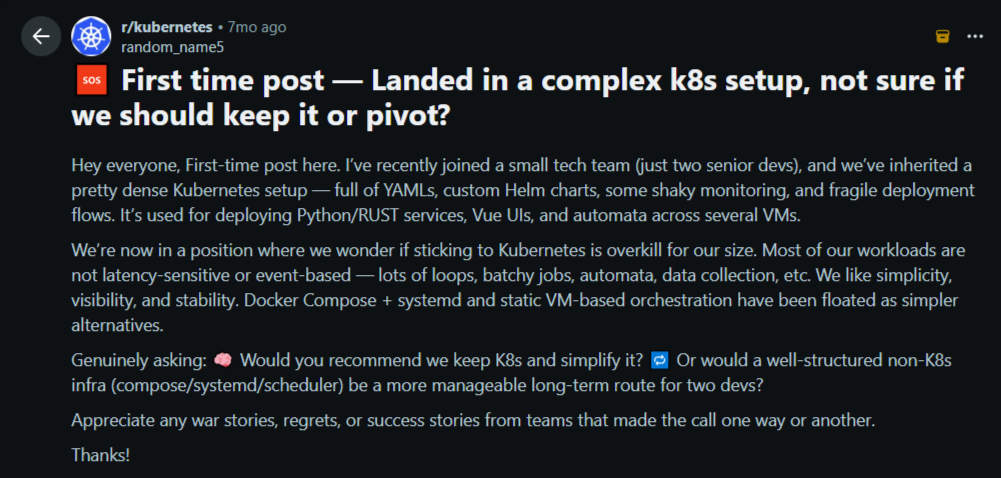
Misconfigurations often cause subtle failures that are hard to diagnose. One Reddit post captures this frustration as teams wrestle with dense, fragile configs that feel overwhelming for small teams.
Source: Reddit
Governance and Security Grow Harder
When multiple teams and clusters exist, enforcing consistent access, policies, and audit trails becomes complex.
Kubernetes governance requires intentional design of RBAC, quotas, and policies. Without this, your company will encounter permission chaos, compliance gaps, and difficulty proving control during audits.
Toolchain Overload and Context Switching
Many teams don’t just use Kubernetes, but juggle CI/CD tools, networking plugins, monitoring stacks, policy engines, and more. Correlating failures across this toolchain during an incident becomes a human problem rather than a system one.
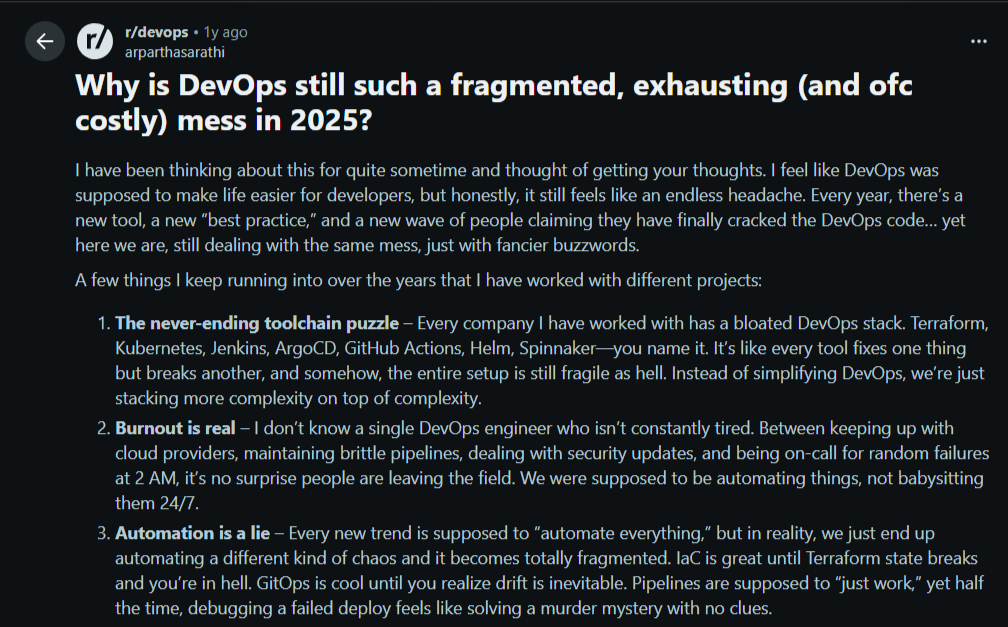
Here’s the reality: Most engineers just want a clear, unified context during incidents, but toolchain sprawl makes that difficult. This Reddit post validates this fact.
Source: Reddit
💡 Pro tip: These obstacles are not flaws in orchestration itself. They happen when organizations operate container orchestration at scale across multiple teams, with compliance constraints and evolving workloads. Acknowledging these challenges prepares you to choose the right tools, practices, and support for productive Kubernetes operations.
How Successful Teams Manage Kubernetes Orchestration in Practice
Follow these practices to manage Kubernetes orchestration effectively:
Add a Management Layer to Reduce Cognitive Load
As clusters grow, you need a clearer way to see and control what Kubernetes already orchestrates. Many introduce a Kubernetes orchestration management platform like Portainer as a visibility and control layer, not a replacement.
Portainer provides a web interface where your team can deploy applications, manage namespaces, configure resource limits, and set up RBAC policies without writing manifest files.
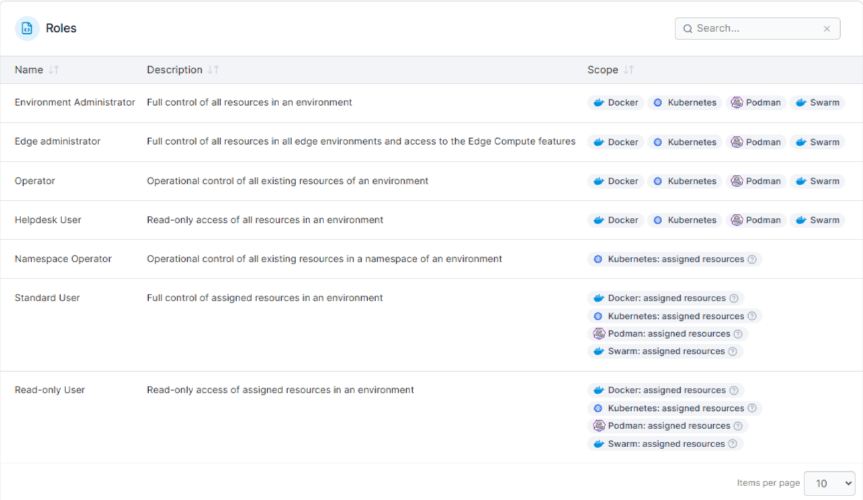
Many enterprise teams use Portainer to safely onboard developers, audit changes, and reduce errors from raw YAML edits. This matters most when Kubernetes is no longer a single team’s responsibility and becomes shared infrastructure.
Direct Control Through CLI Tools
Even with management platforms, many teams still rely on the CLI for deep inspection and advanced tasks. Engineers use it during incidents, debugging sessions, or when validating low-level behavior.
In practice, visual tools and the CLI coexist. One handles day-to-day operations and governance. The other supports edge cases and expert workflows.
Rely on Managed Kubernetes Services Where Possible
Datadog’s container report found that almost 90% of Kubernetes users rely on managed services from leading cloud providers like Amazon EKS, Google GKE, and Azure AKS.
Managed Kubernetes services handle control plane updates, node scaling, and infrastructure provisioning. Although your team still configures workloads and manages applications, the cloud provider maintains the underlying cluster infrastructure.
Side note*:* Portainer’s Kubernetes managed services team delivers services from experienced engineers who design, build, and operate your Kubernetes platform without requiring your internal team to become Kubernetes experts.
Introduce Git-Based Workflows Gradually
As environments grow, teams adopt GitOps patterns to manage change through version control. This practice improves traceability and reduces configuration drift.
Centralize Multi-Cluster Visibility
Once multiple clusters exist, context switching becomes expensive. You need to centralize visibility to understand what runs where, who changed what, and which environments need attention.
Centralized platforms provide unified access controls, deployment workflows, and monitoring across distributed infrastructure.
Best Kubernetes Container Orchestration Tools
Kubernetes orchestration engines and management layers work together, each solving a different part of the problem. That’s why you need these tools in your toolkits:
Portainer
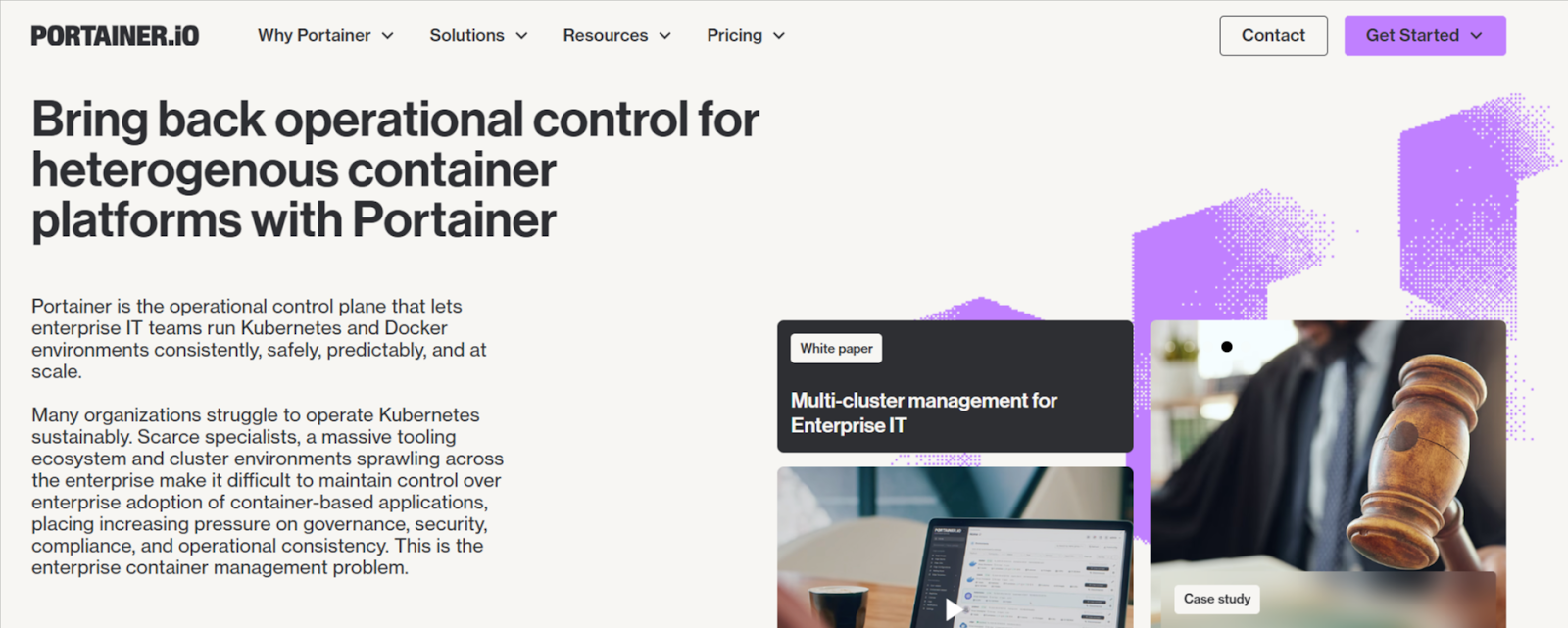
Portainer is not a Kubernetes orchestrator. Enterprise IT teams use it as a management layer that sits on top of Kubernetes to make orchestration easier to operate at scale.
As Kubernetes environments grow, raw APIs and CLI workflows become hard to govern. Portainer helps your team understand what Kubernetes is orchestrating by providing visibility into workloads, clusters, namespaces, and access controls in one place.
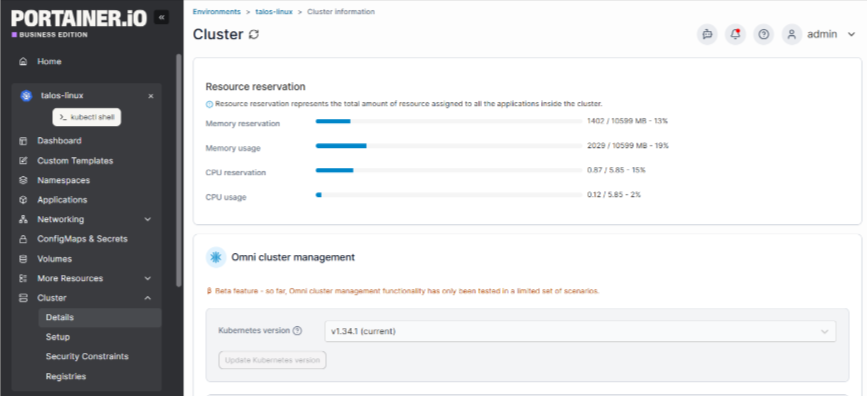
Portainer also works alongside managed Kubernetes services, GitOps workflows, and CLI-driven operations. This layered approach works well if you want orchestration to keep running automatically while your team members regain clarity and control.
Book a demo to see how enterprise teams use Portainer to manage their Kubernetes without burning out team members.
See Portainer in Action
Kubernetes
Kubernetes is the core container orchestration engine. It schedules containers, scales workloads, replaces failed components, and maintains the desired state you defined.
Kubernetes excels at automation and reliability. However, it does not focus on human workflows, governance, or usability. Most production environments pair it with additional tools to manage access, visibility, and day-to-day operations.
Docker Swarm
Docker Swarm offers a simpler container orchestration model built into Docker. You’ll value it if you run small clusters and have low operational overhead.
For teams deciding between simplicity and scalability, understanding the differences in performance, ecosystem, and features in a Docker Swarm vs Kubernetes comparison can clarify which platform best fits their needs.
Swarm lacks the ecosystem depth, extensibility, and scalability guarantees that Kubernetes provides. As environments scale or compliance requirements increase, you might need to migrate to Kubernetes for long-term orchestration.
Operate Kubernetes Efficiently Without Added Complexity
Running Kubernetes does not require adding more tools or forcing your team into expert-only workflows. Efficiency comes from clarity, guardrails, and shared understanding as environments scale.
If managing orchestration feels harder than it should, contact our technical sales team to learn how Portainer helps enterprises safely manage Kubernetes orchestration without replacing existing tools.