7 Best Kubernetes Managed Service Providers for 2026

When you search for the best Kubernetes managed service providers, you want to know how each service provider handles cost, support quality, scale, and real integration demands.
This guide gives you the direct answer by comparing the seven leading Kubernetes managed services providers and showing which one fits your needs. You will see where each service provider shines, where they fall short, and how they support real enterprise demands.
We’ll also cover how managed platforms compare to self-managed setups, as well as the factors to consider before choosing a Kubernetes managed service provider.
| Platform | Best for | Standout Feature | Starting Price | G2 Rating | Capterra Rating |
|---|---|---|---|---|---|
| Portainer | Enterprises that want expert Kubernetes management without losing platform control or developer self-service | Real platform engineers manage your clusters while your team continues deploying and operating workloads through Portainer | Contact the sales team | 4.8 | 4.6 |
| Red Hat OpenShift | Enterprises with strict compliance needs and existing Red Hat or cloud commitments | Vendor-operated Kubernetes with enterprise SLAs, compliance controls, and support for committed cloud spend | Contact the sales team for Kubernetes managed services | 4.5 | 4.4 |
| Mirantis Kubernetes Engine | Kubernetes-experienced teams that want managed operations without cloud provider lock-in | Cloud-agnostic managed Kubernetes built on upstream open source standards | Contact the sales team for Kubernetes managed services | 4.4 | 4.0 |
| Nutanix Kubernetes Platform | Organizations already standardized on Nutanix HCI running Kubernetes on-prem or in a private cloud | Deep integration between managed Kubernetes and Nutanix infrastructure for simplified operations | Contact sales | 3.8 | - |
| Google Kubernetes Engine | High-scale, cloud-native workloads | Industry-leading autoscaling and workload automation backed by Google’s control plane | Contact the sales team for Kubernetes managed services | 4.5/5 | - |
| Amazon Elastic Kubernetes Service | Large AWS-centric cloud architectures | AWS service integration with mature networking, IAM, and global scalability | Contact the sales team for Kubernetes managed services | 4.5/5 | - |
| Azure Kubernetes Service | Teams already using Microsoft Azure | Azure’s Kubernetes control plane | Contact the sales team for Kubernetes managed services | 4.4/5 | - |
Portainer: Enterprise-Focused Kubernetes Managed Services Provider
Portainer’s managed platform services go beyond software by pairing the Portainer platform with the Portainer team's hands-on expertise. Instead of leaving your team to figure out containerization, Kubernetes operations, and platform design on their own, Portainer Kubernetes managed service acts as a dedicated platform management partner.
Most importantly, you get real engineers who design, operate, and optimize your container platform, while still retaining full visibility and self-serve control through the Portainer application. This hybrid model bridges the gap between do-it-yourself tooling and fully outsourced services, making it easier to move from VMs to containers without losing operational ownership.
Key Features
Portainer managed platform services combine hands-on platform management with self-service access for your team. Here are some key features:
Platform Engineers as a Service
You work with experienced Portainer engineers who act as your platform managers. They design your Kubernetes setup, operate it daily, and continually improve it. This service feature removes the stress of running clusters without forcing you to outsource everything.
Self-Serve Access Through Portainer
While Portainer manages the platform, you still get self-service deployment and management of applications through the Portainer UI and APIs. Your developers keep their autonomy and speed. You avoid the bottleneck of having to ask an external team to make every change.
Multi-Environment Support Without Lock-In
Portainer works across on-prem, cloud, and hybrid environments, so you avoid provider lock-in. This flexibility allows you to move faster, reduce operational risk, and modernize your infrastructure with guidance from people who do this every day.
This design works well for customers who rely on Kubernetes-managed platform services when they need operational support without losing infrastructure ownership.
Universal Kubernetes Management
Portainer manages any CNCF-conformant Kubernetes distributions, including GKE, EKS, Red Hat OpenShift, and more. You also get native support for Talos clusters through the Sidero Omni integration, which streamlines provisioning and lifecycle tasks.
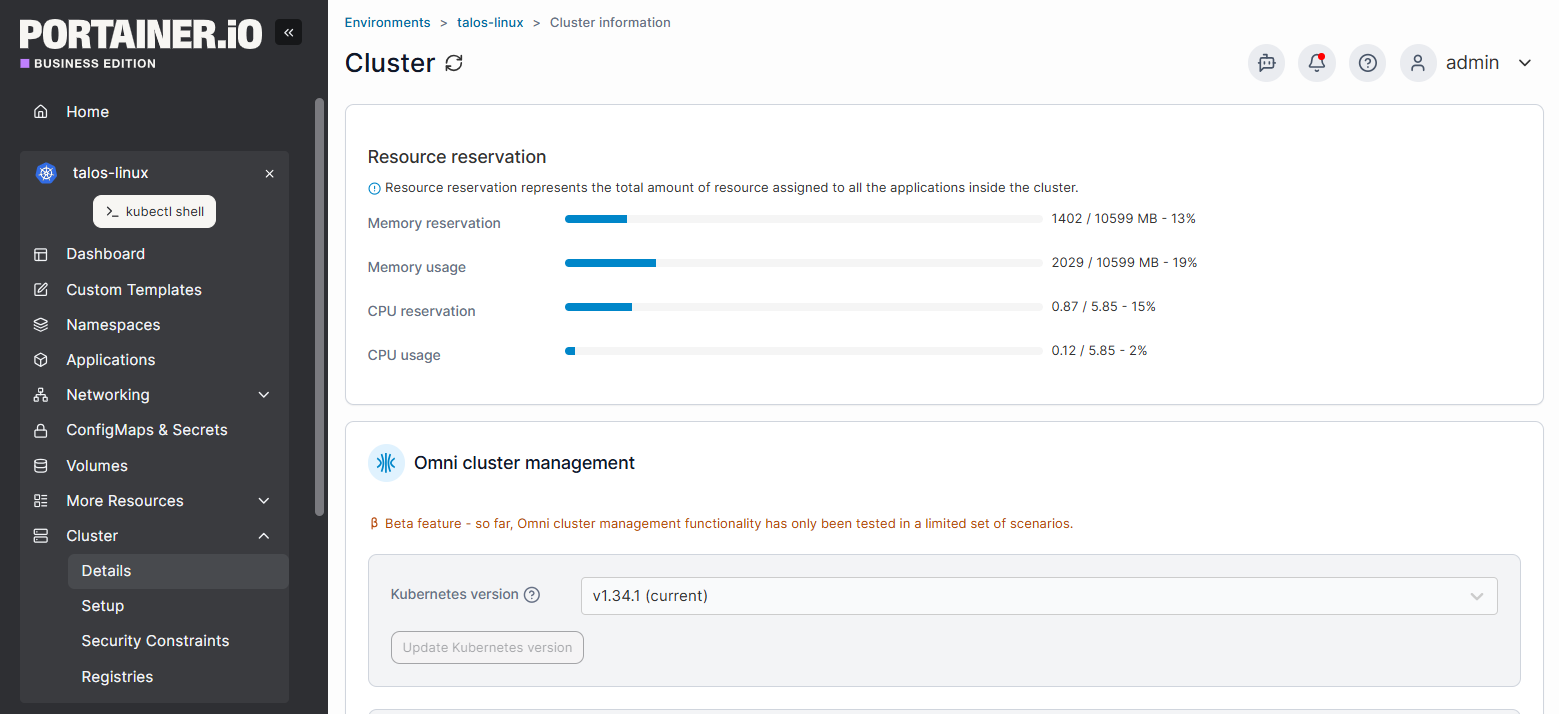
This flexibility gives you the freedom to scale Kubernetes without lock-in or a forced vendor path.
Contact our managed services team to see how our experienced Kubernetes engineers will design, build, and operate your Kubernetes platform with you.
Pricing
This plan puts the Portainer team at your service as your fractional Platform Engineering team (PlatformEngineering-aaS). We help you reach a 'capable’ level of platform and technical maturity fast, combining proactive guidance with expert, on-call support
| Plan | Pricing |
|---|---|
| Kubernetes Managed Services | Contact the sales team |
Where Portainer Shines
- You need real Kubernetes expertise, not just a platform: Portainer fits teams that want experienced platform engineers actively running their clusters. You avoid the trial-and-error that slows migrations and causes outages, while still maintaining full access to your environment through the Portainer UI.
- Provides control without a day two operational burden: Your team deploys and manages applications independently, while Portainer handles cluster design, upgrades, security, and reliability.
- No cloud provider lock-in: Portainer works across on-prem, cloud, and hybrid environments. You keep architectural freedom and can evolve your platform without reworking everything around a single vendor.
Where Portainer Falls Short
- Pure software-only Kubernetes teams: Teams with mature in-house platform engineering and a clear preference for tooling without external involvement may find Portainer Managed Platform Services unnecessary.
- One-click Kubernetes expectations: Enterprise teams looking for instant Kubernetes adoption through automation alone may not align with Portainer’s guided, engineer-led approach to building a stable platform.
- Deep single-cloud dependency: If you rely heavily on proprietary services from one cloud provider, you may prefer a cloud-native managed platform over Portainer’s infrastructure-agnostic model.
Customer Reviews
“Portainer worked alongside us from day one. They didn’t just provide a tool, but co-engineered the future with us.” Martin Brown, Software Architect, Cummins.
Procter and Gamble also partnered with Portainer to containerize Proficy as part of a broader cloud-native transition. They saw an operational efficiency of $4.3m, engineering efficiency of $1.3m, and 40% increase in productivity.
Who Portainer is best for
- Enterprises modernizing from VMs to containers: Teams needing expert guidance to migrate applications and adopt Kubernetes efficiently.
- Engineering teams without dedicated platform engineers: Organizations that want platform management handled while developers keep self-serve control.
- Businesses with multi-environment infrastructure: Teams requiring flexibility across on prem, cloud, or hybrid setups without vendor lock-in.
Contact the Portainer managed services team to build and operate a Kubernetes platform without the operational burden.
Red Hat OpenShift: Best for Enterprises That Need Kubernetes Operated Under Strict Compliance and SLAs
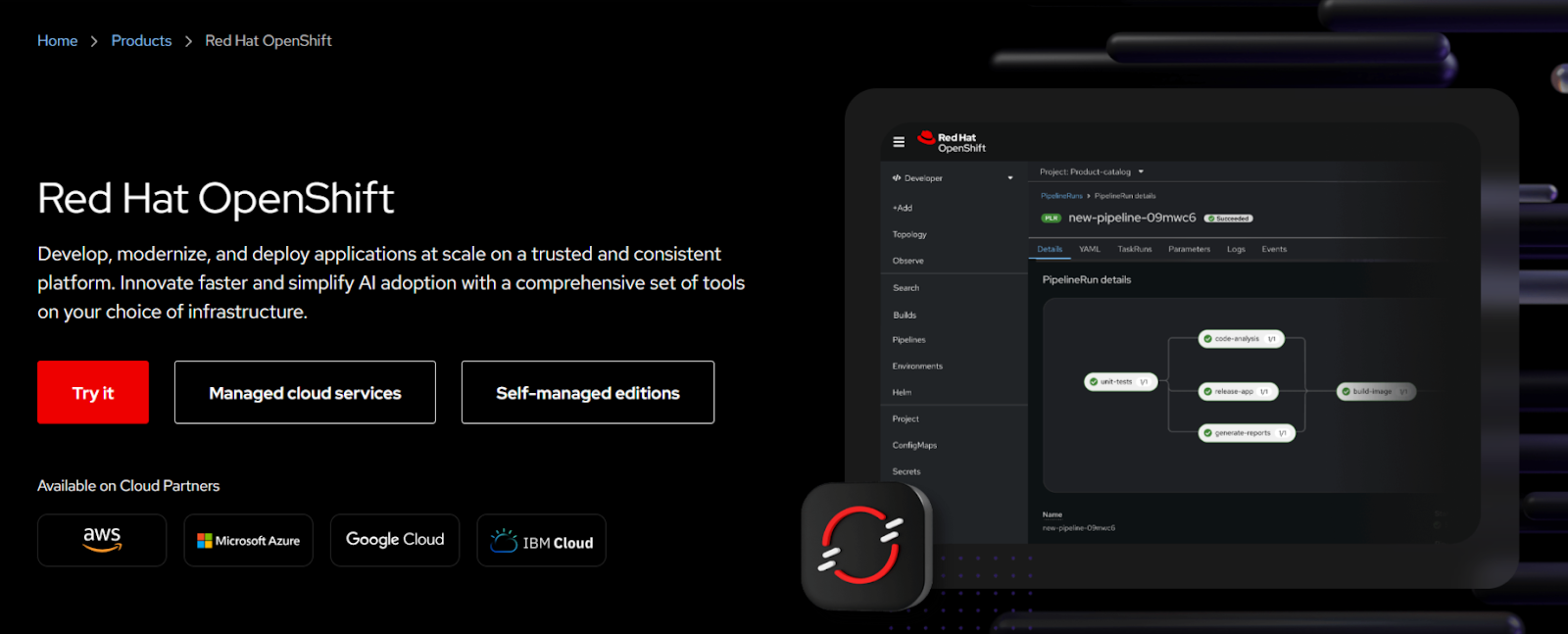
Red Hat OpenShift offers managed Kubernetes through two models: Red Hat–operated OpenShift Dedicated and jointly managed cloud services such as Red Hat OpenShift Service on AWS (ROSA) and Azure Red Hat OpenShift (ARO). Both managed services offload cluster operations to Red Hat while aligning with enterprise cloud strategies, compliance needs, and existing cloud commitments.
Key Features
- Red Hat–operated OpenShift Dedicated: Red Hat fully operates dedicated Kubernetes clusters, including provisioning, upgrades, monitoring, and availability.
- Jointly managed cloud services: ROSA and ARO run OpenShift as a managed service on AWS and Azure, operated jointly by Red Hat and the cloud provider.
- Enterprise SLAs and support: Managed services include defined SLAs, compliance support, and access to Red Hat Kubernetes specialists.
Pricing
| Plan | Pricing |
|---|---|
| Red Hat OpenShift Dedicated Pricing | Contact the sales team for Kubernetes managed services pricing |
Where OpenShift Shines
- Clear vendor accountability: Red Hat handles cluster availability and lifecycle management, reducing operational risk for internal teams.
- Strong alignment with cloud procurement: Managed OpenShift supports committed cloud spend and integrates cleanly into AWS and Azure billing models.
- Compliance-driven operations: Regulated organizations benefit from standardized controls and vendor-managed governance.
Where OpenShift falls short
- Limited operational flexibility: Core platform decisions and upgrade schedules follow Red Hat’s managed service model.

Source: Reddit
- Higher cost structure: Managed OpenShift pricing can increase quickly as environments scale.
- Less autonomy for platform teams: Teams wanting deep hands-on control may find the service restrictive.
Customer Reviews
“It makes the complicated parts of Kubernetes simple.” Joseph S.
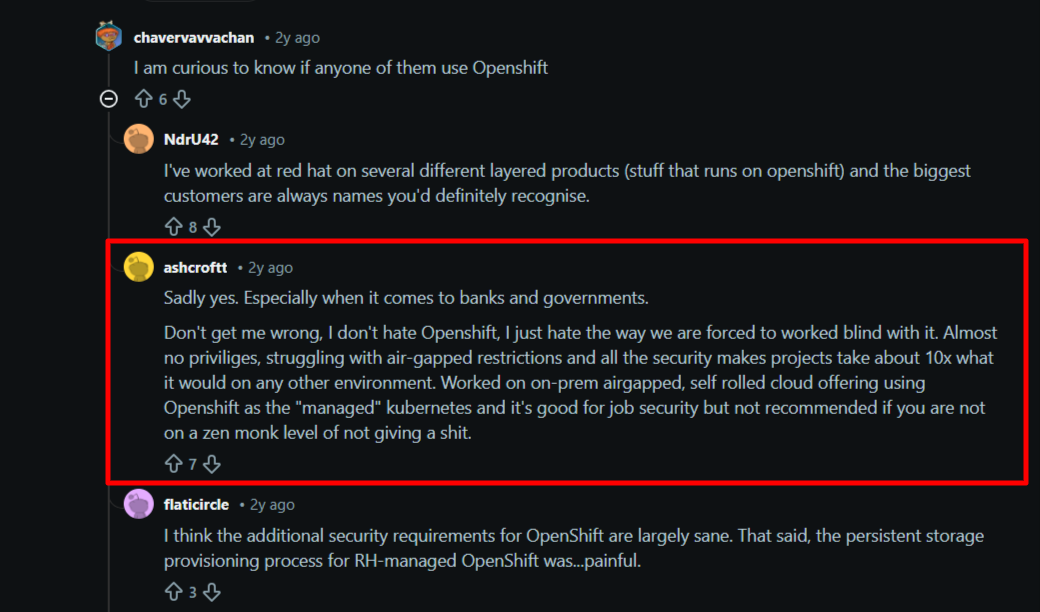
A Redditor asked whether large companies use managed Kubernetes or self-hosted Kubernetes. One comment highlighted the pros and cons of the OpenShift Kubernetes managed service.
Source: Reddit
Who OpenShift is best for
- Regulated industries: Teams needing vendor-operated clusters with compliance and SLA guarantees.
- Enterprises outsourcing Kubernetes operations: Businesses prioritizing vendor accountability over platform autonomy.
- Teams already standardized on Red Hat: Organizations using RHEL or other Red Hat products that want managed Kubernetes without introducing a new vendor or operating model.
Mirantis Kubernetes Engine: Best for Enterprises That Want Managed Kubernetes Without Cloud Provider Lock-In
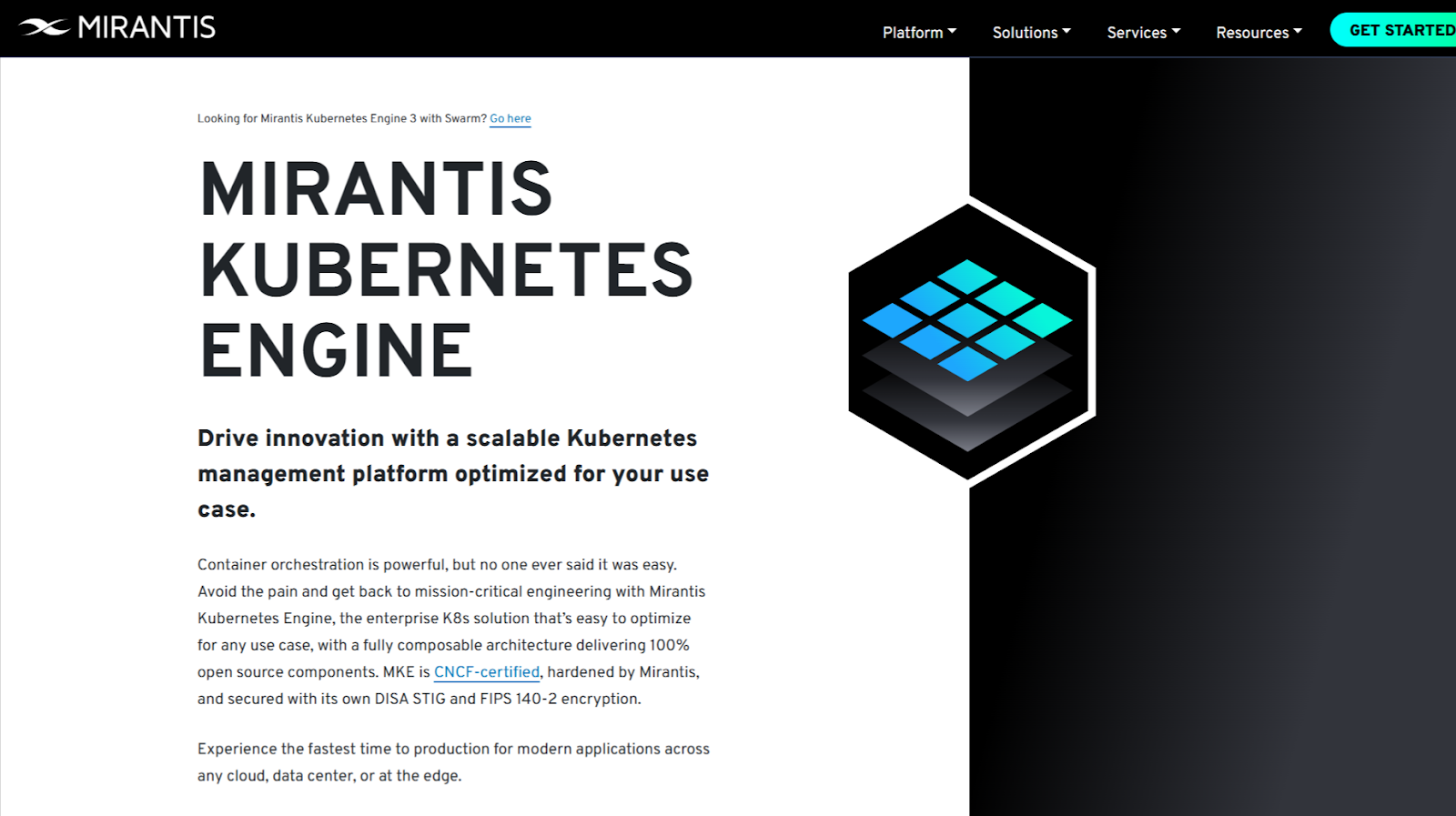
Mirantis Kubernetes Engine is a Kubernetes managed service provider built on the former Docker Enterprise stack. They provide managed Kubernetes services focused on open source, portability, and operational control.
Mirantis also operates and supports Kubernetes clusters across on prem, cloud, and hybrid environments, helping you run production Kubernetes without committing to a single cloud provider or proprietary platform.
Key Features
- Mirantis-operated Kubernetes clusters: Mirantis engineers design, deploy, and operate Kubernetes environments, covering upgrades, reliability, and core operations.
- Multi-environment managed services: Managed Kubernetes runs consistently across on-prem data centers, public cloud, and hybrid setups.
- Open-source-first approach: Mirantis builds its managed services around upstream Kubernetes and open standards, reducing long-term dependency risks.
Pricing
| Plan | Pricing |
|---|---|
| Self-managed or managed | Contact the sales team for Kubernetes managed services pricing |
Where Mirantis Shines
- Cloud-agnostic managed operations: Kubernetes clusters run without tight coupling to AWS, Azure, or Google Cloud services, preserving portability.
- Strong container operations experience: Deep roots in Docker and Kubernetes operations show in how Mirantis handles day-two management.
- Control for experienced teams: Managed services support teams that want Kubernetes run for them without heavy platform abstraction.
Where Mirantis Falls Short
- Less opinionated guidance for migrations: Teams moving from VMs or monoliths may need more hands-on architectural direction.
- Smaller enterprise ecosystem: Fewer bundled enterprise services compared to large cloud or Red Hat offerings.
Customer Reviews
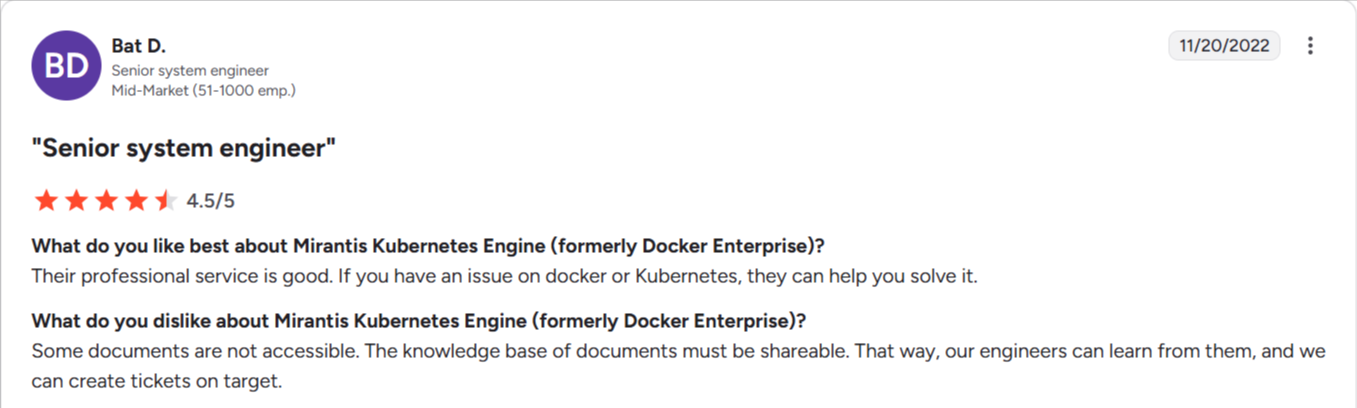
Source: Reddit
Who Mirantis is best for
- Enterprises avoiding cloud provider lock-in: Teams that need managed Kubernetes without dependence on proprietary cloud services.
- Organizations with existing container experience: Engineering teams comfortable with Kubernetes that want operations handled without losing control.
- Hybrid and on-prem focused businesses: Companies running Kubernetes outside hyperscaler-native environments.
See Portainer in action
Google Kubernetes Engine (GKE): Best for High-Scale, Cloud-Native Workloads
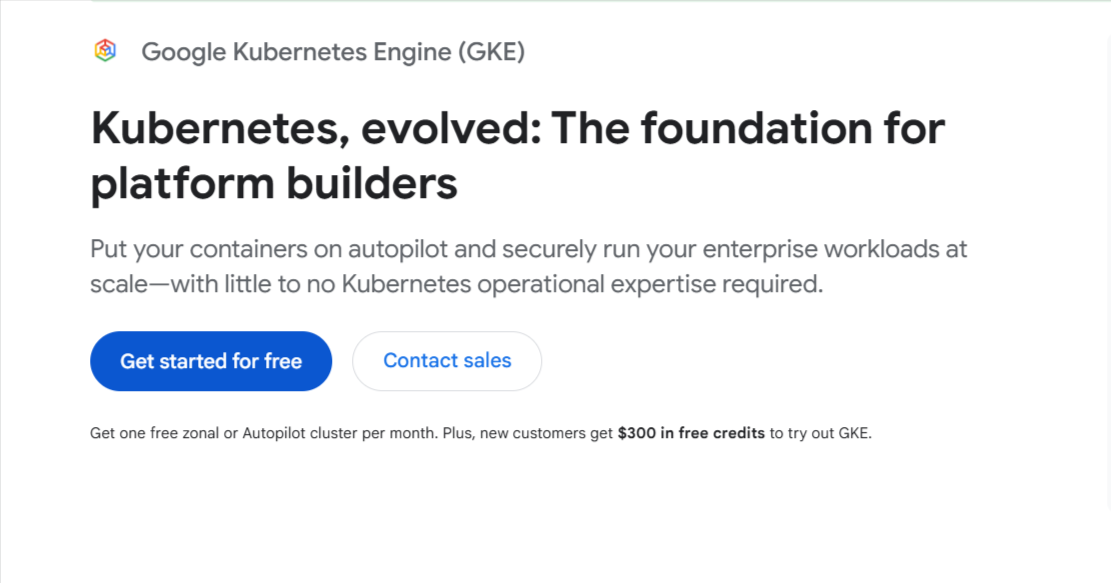
GKE delivers a production-ready Kubernetes environment with automated operations, strong reliability, and deep integration with Google Cloud. It shines in large-scale orchestration, advanced autoscaling, and consistent performance.
GKE works well for teams already standardized on GCP, but offers limited hands-on, context-aware human support (unless you switch to a premium support plan) and often encourages deeper dependence on Google-specific networking, IAM, and observability services. As a result, you may face higher switching costs compared to working with independent Kubernetes managed service providers that prioritize human-led operations and cross-platform portability.
Key Features
- Autopilot mode: Handles node provisioning and cluster ops for predictable efficiency.
- Vertical and horizontal autoscaling: Adjusts workloads based on demand.
- GKE security suite: Provides built-in policy controls and workload isolation.
- Global load balancing: Distributes traffic across regions for resilient performance.
Pricing
| Pricing |
|---|
| Contact the sales team for Kubernetes managed services pricing |
Customer Review
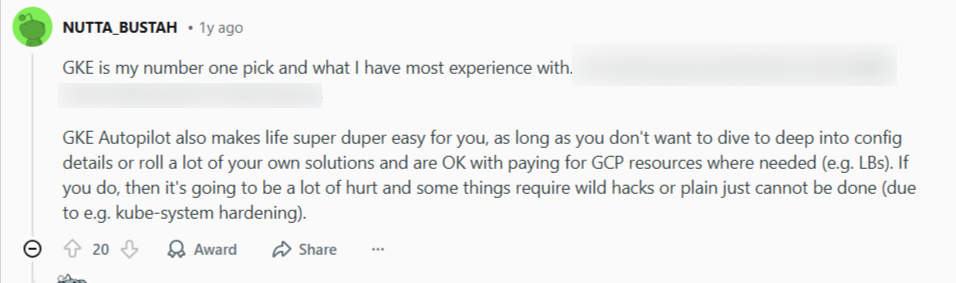
Source: Reddit
Nutanix Kubernetes Platform: Best for Enterprises Running Kubernetes on Hyperconverged Infrastructure
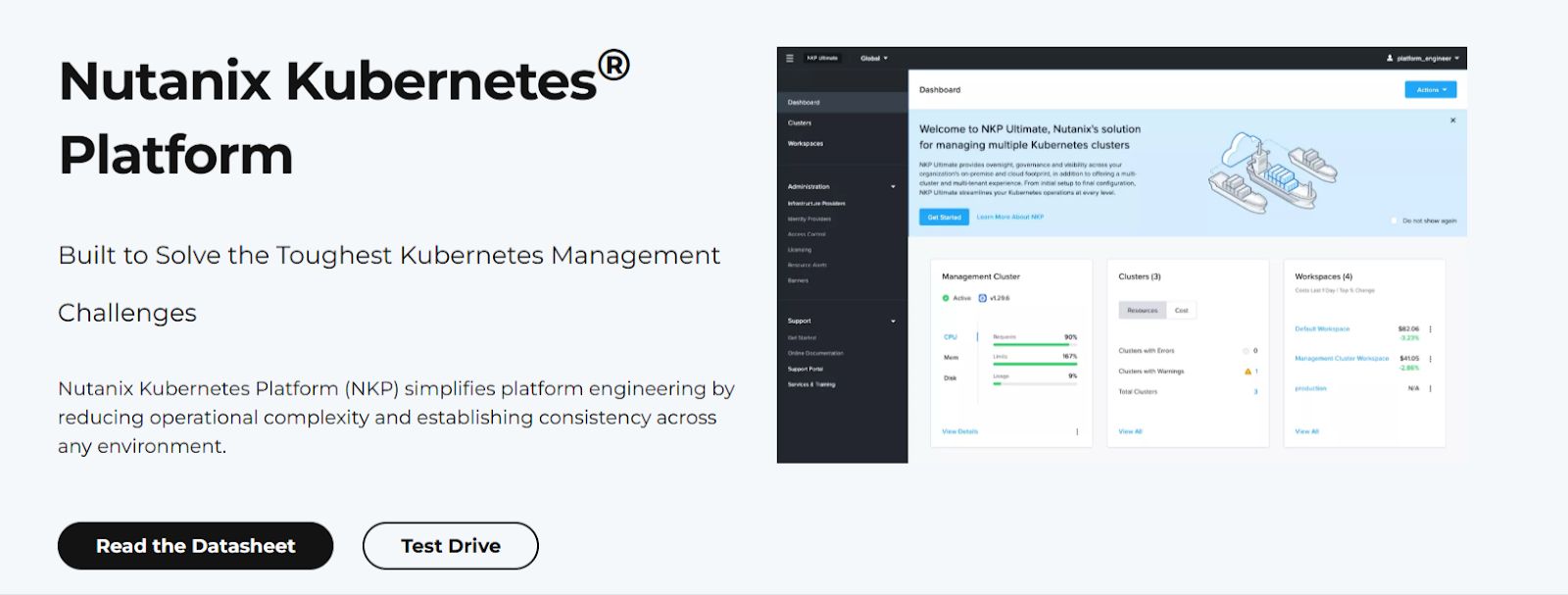
Nutanix Kubernetes Platform offers managed Kubernetes services tightly integrated with the Nutanix infrastructure stack. Nutanix operates and supports Kubernetes clusters primarily for organizations already running Nutanix HCI, helping teams adopt Kubernetes without redesigning their underlying infrastructure or operations model.
The managed service focuses primarily on Nutanix-centric environments, which can limit flexibility for teams pursuing broad multi-cloud or cloud-native Kubernetes strategies.
Key Features
- Nutanix-operated Kubernetes environments: Nutanix manages cluster deployment, upgrades, and core platform operations, reducing operational complexity.
- Deep integration with Nutanix HCI: Managed Kubernetes aligns with Nutanix storage, networking, and virtualization, simplifying infrastructure management.
- Enterprise support model: Nutanix provides centralized support for both infrastructure and Kubernetes services.
Pricing
| Description | Pricing |
|---|---|
| Pricing depends on the number of CPU cores | Contact the sales team |
Customer Review
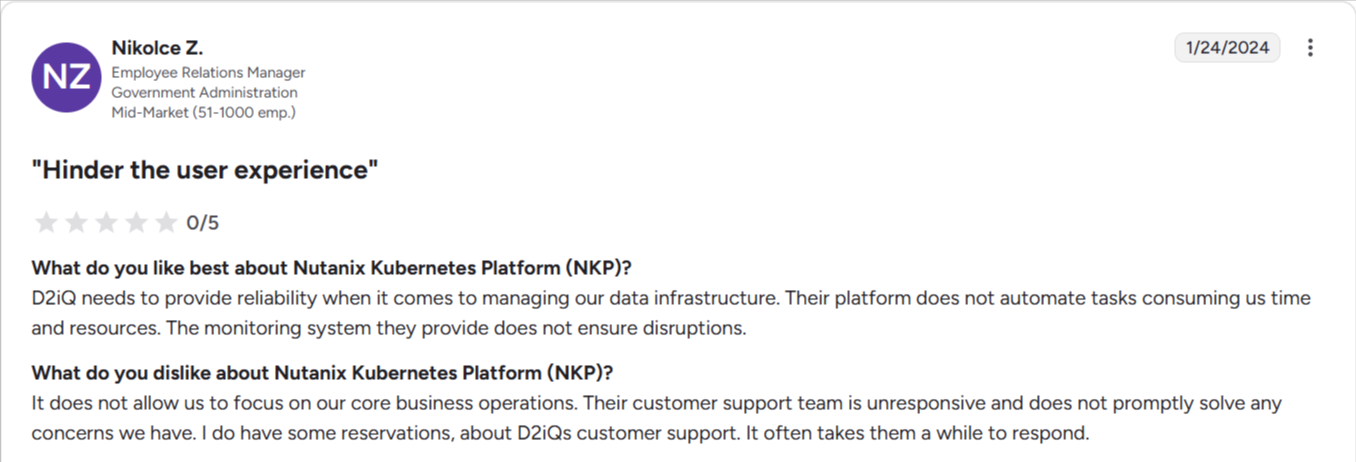
Source: G2
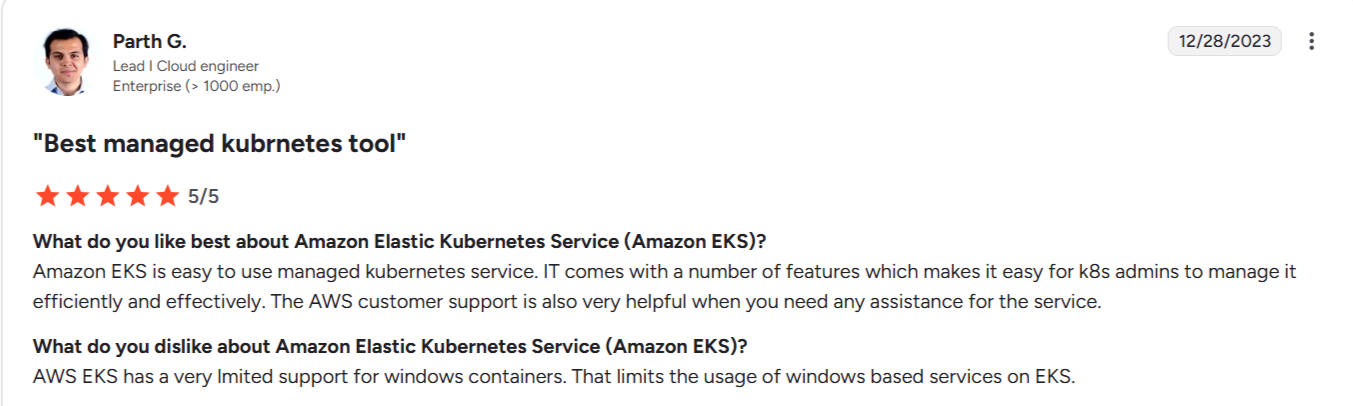
Amazon Elastic Kubernetes Service: Large AWS-Centric Cloud Architectures
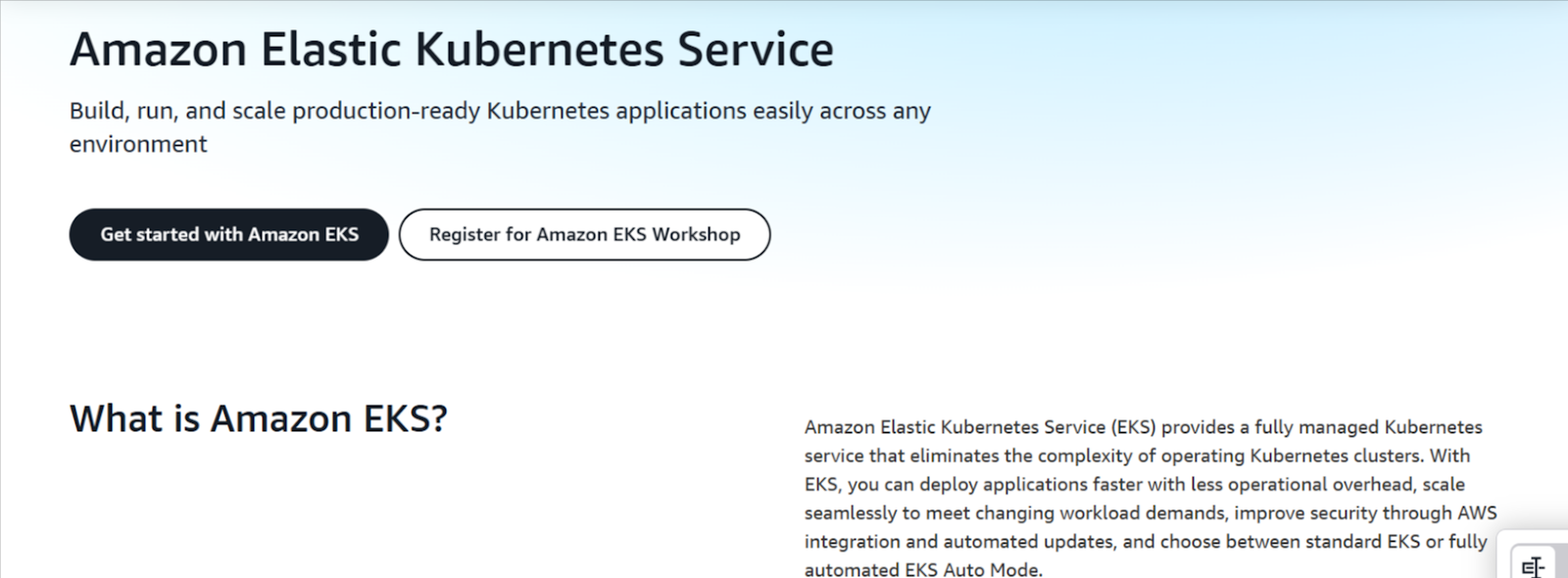
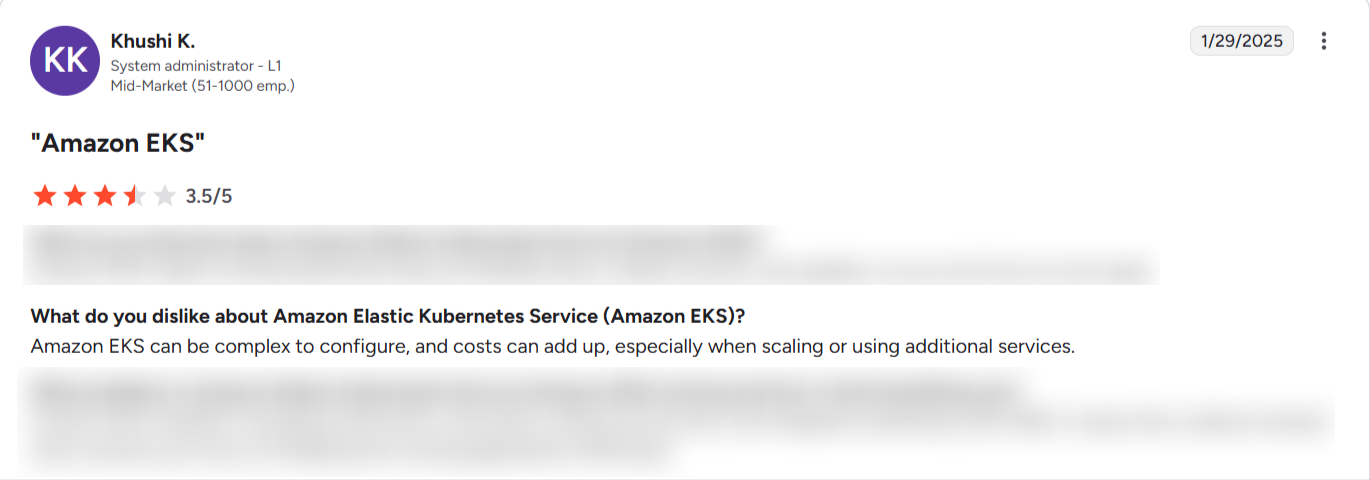
Amazon EKS delivers a stable, scalable control plane with deep AWS integration, strong security defaults, and support for EKS Fargate and Amazon EKS hybrid nodes. It’s a good option when workloads depend on AWS services and global availability, though costs rise at scale, and portability is limited outside the AWS ecosystem.
Also, EKS provides enterprise-grade reliability, but day-to-day Kubernetes expertise and operational context remain your responsibility.
Source: G2
Key Features
- Managed control plane: Automated upgrades and high availability.
- EKS Fargate: Runs pods without managing EC2 nodes.
- Amazon EKS hybrid nodes: Extends clusters to on-prem environments.
Pricing
| Pricing |
|---|
| Contact the sales team for Kubernetes managed services pricing |
Customer Review
Source: G2
Azure Kubernetes Service: Best for Teams Already Using Microsoft Azure
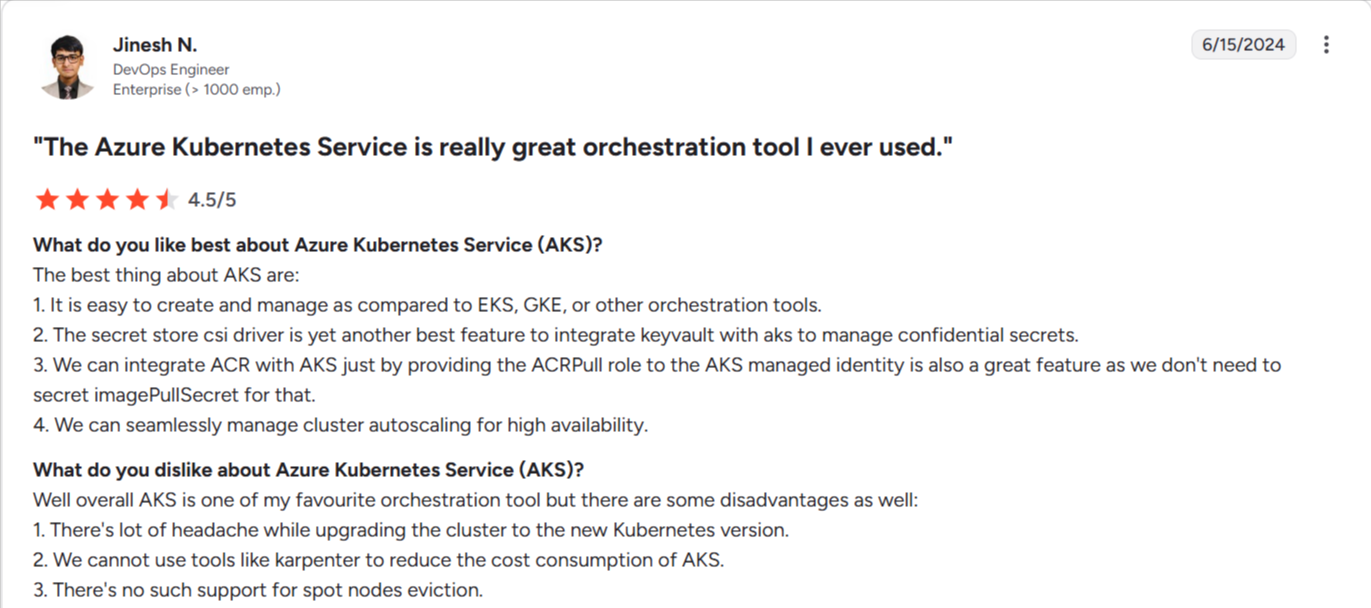
Azure AKS provides a streamlined Kubernetes control plane with strong identity integration, hybrid reach through Azure Stack HCI, and consistent governance via Azure Arc. It works for organisations already invested in Microsoft ecosystems and compliance needs.
Its shortcomings include regional reliability concerns, complex networking, platform lock-in, and rising costs as clusters scale.
AKS also offers a reliable platform support, but you’re responsible for operational expertise and ongoing cluster management.
Source: G2
Key Features
- AKS automatic operations: Handles control plane upgrades and repairs.
- Azure Stack HCI support: Extends AKS to on-prem environments.
- Azure Arc integration: Centralises policy, identity, and cluster governance
Note: AKS manages Kubernetes infrastructure, not Kubernetes operations such as node pools, upgrades, networking, and more.
Pricing
| Pricing |
|---|
| Contact the sales team for Kubernetes managed services pricing |
Managed vs Self-Managed Kubernetes: What’s the Difference?
Choosing between managed and self-managed Kubernetes depends on how much control and operational responsibility you want. Managed Kubernetes offloads the control plane and maintenance tasks, while self-managed Kubernetes gives you full ownership of configuration.
Let’s see more differences!
Managed Kubernetes Services
Managed Kubernetes services run and maintain the control plane for you. The provider manages upgrades, patches, availability, and essential infrastructure tasks. You focus on deploying workloads, setting policies, and configuring your Kubernetes environment without taking on the operational burden of managing cluster internals.
Self-Managed Kubernetes
Self-managed Kubernetes gives you full control over the platform but also full responsibility. Your team installs, scales, patches, monitors, and secures every part of the cluster.
This approach suits organisations that want deep customisation or strict control, but it requires more engineering effort than a managed Kubernetes service model.
Why Choose a Managed Kubernetes Service?
Using a managed Kubernetes service reduces the workload of running production clusters and helps your team deliver applications faster.
What else?
Lower Operational Overhead
A managed Kubernetes service handles control-plane stability, upgrades, and failovers, so your team can focus on workloads rather than platform upkeep. This cuts recurring maintenance time and reduces the risk of downtime caused by misconfigured clusters.
Faster and more Consistent Deployments
Managed platforms streamline provisioning with automated node scaling, built-in observability, and predictable cluster behavior. This shortens deployment cycles and helps teams release updates with less manual tuning or troubleshooting.
Stronger Default Security
Providers maintain hardened control planes, automated patching, and identity integrations that reduce common misconfiguration risks. You gain consistent security baselines without building a full stack of runtime policies, node hardening, and monitoring tooling on your own.
How to Choose the Right Kubernetes Managed Service
The best Kubernetes managed service balances reliability, cost, security, and everyday usability. Focus on the factors that shape long-term success, not just cluster provisioning:
Operational Simplicity
A strong managed service reduces daily complexity with clear dashboards, stable control planes, and predictable scaling. You want a platform that helps teams cut down troubleshooting time and manage workloads without heavy scripting or constant manual checks.
Security and Governance
Look for built-in identity controls, policy enforcement, audit visibility, and hardened runtimes. A managed service should reduce misconfiguration risks and support consistent governance across teams.
Multi-Cluster and Multi-Environment Control
Most organisations scale into hybrid setups across cloud, on-prem, and edge. A suitable managed service must handle cluster sprawl with centralized visibility and easy workload placement.
Empower Your Team with an Enterprise-Focused Kubernetes Managed Services Provider
Some teams need full platform stacks, while others want a lighter, more efficient path. Your team’s operational reality should determine which Kubernetes-managed service to choose.
If you want Kubernetes that works without overwhelming your team, Portainer’s Managed Platform Services delivers the expertise, guidance, and self-serve control you need. Teams with in-house platform engineers might prefer cloud-native platforms like GKE, EKS, or AKS, but enterprises seeking hands-on support and multi-environment flexibility find Portainer unmatched.
Contact the Portainer managed services provider team to see why enterprises choose them to stresslessly build and operate their Kubernetes platform.