5 Best Container Monitoring Tools in 2026: Features & More
Every day, you check container metrics, review logs, monitor cluster health, and track alerts across different tools. Truthfully, switching between dashboards wastes time and increases the risk of missing crucial issues that could lead to a container incident.
You need a container monitoring tool that provides real-time insights in one place, simplifies troubleshooting, and reduces operational overhead.
This guide breaks down the best container monitoring tools in 2026, highlighting key features, who each tool works best for, and pricing.
| Tool | Best for | Stand-out feature | Price starting point | G2 rating | Capterra rating |
|---|---|---|---|---|---|
| Portainer | Unified container management with built-in operational visibility for enterprise DevOps teams | Unified management, access control, and workload visibility across multi-cluster environments | $9,995/year | 4.8/5 | 4.6/5 |
| Prometheus | Engineering-focused teams needing deep metrics | Highly customizable metrics collection | Free/open-source | 4.5/5 | 4.3/5 |
| Datadog | Teams wanting a quick SaaS deployment | Full-stack observability with AI-driven alerts | Usage-based, starts at $15/host/month | 4.4/5 | 4.6/5 |
| Sysdig Monitor | Security-conscious or regulated environments | Advanced container runtime monitoring and Kubernetes compliance | Enterprise pricing, based on nodes and features | 4.5/5 | - |
| New Relic | Large enterprises needing full-stack APM | AI-powered anomaly detection with SaaS observability | Free tier / usage-based for enterprise | 4.4/5 | 4.5/5 |
Portainer: Best for Secure, Multi-Cluster Container Management at Scale
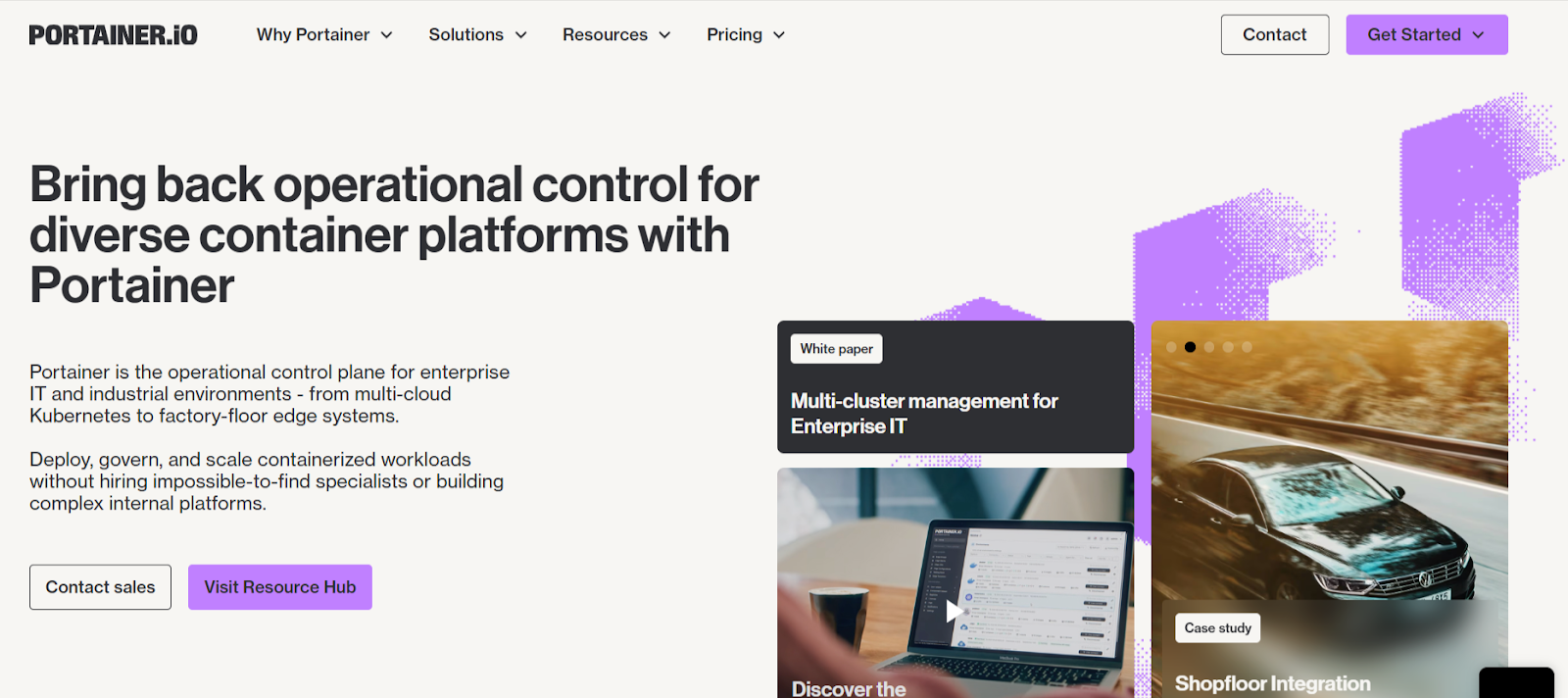
Portainer is a lightweight container management platform that runs as a single container and connects to your existing infrastructure. It provides a unified, secure way to manage your Docker and Kubernetes environments across on-prem, cloud, and edge.
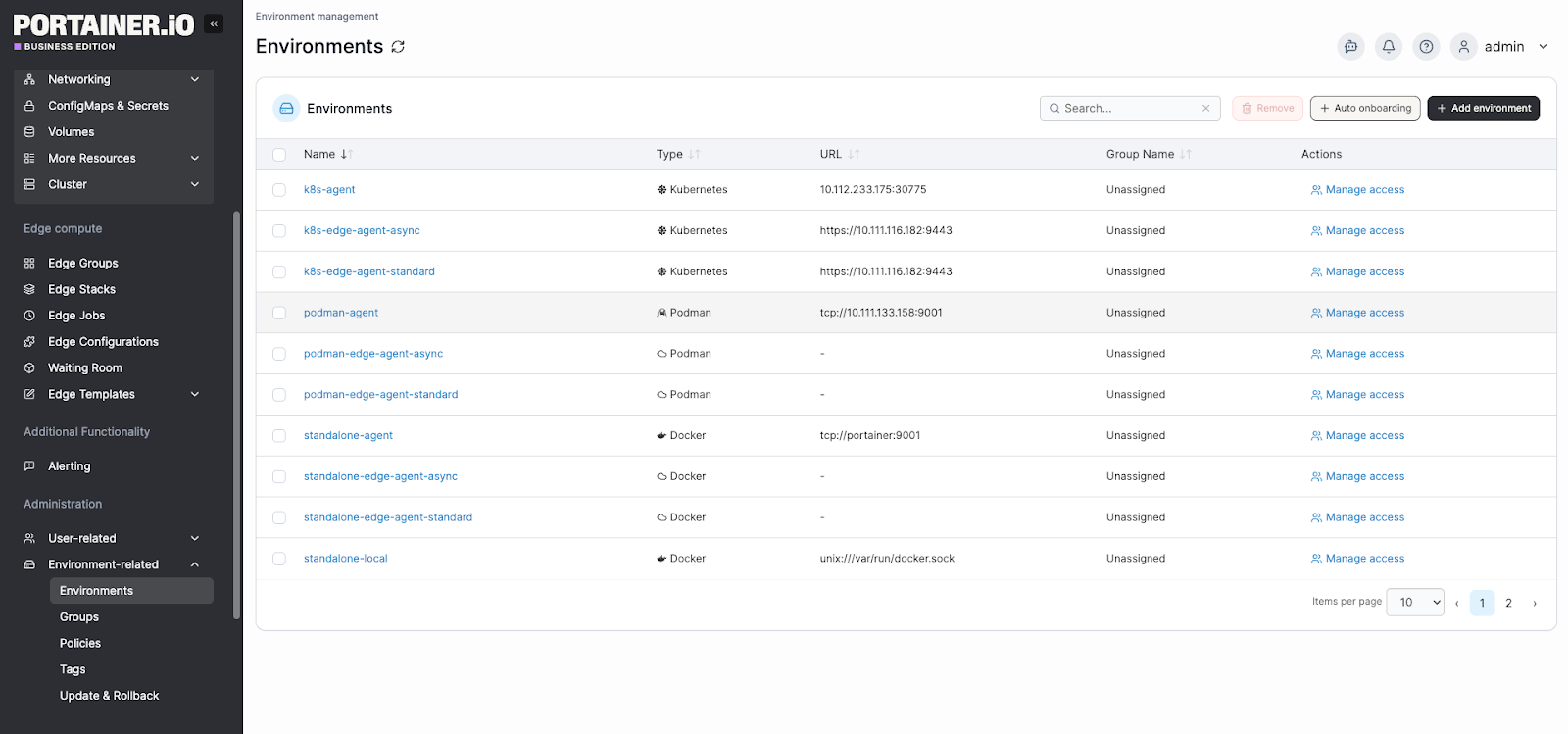
Unlike tools that focus solely on metrics, Portainer combines management, access control, and observability in one interface, without replacing CLI workflows or kubeconfig access. It also pairs naturally with dedicated observability tools like Prometheus or Datadog.
Key Features That Make Portainer Different
Below are three Portainer capabilities that matter most in real-world operation:
Centralized Multi-Cluster Visibility
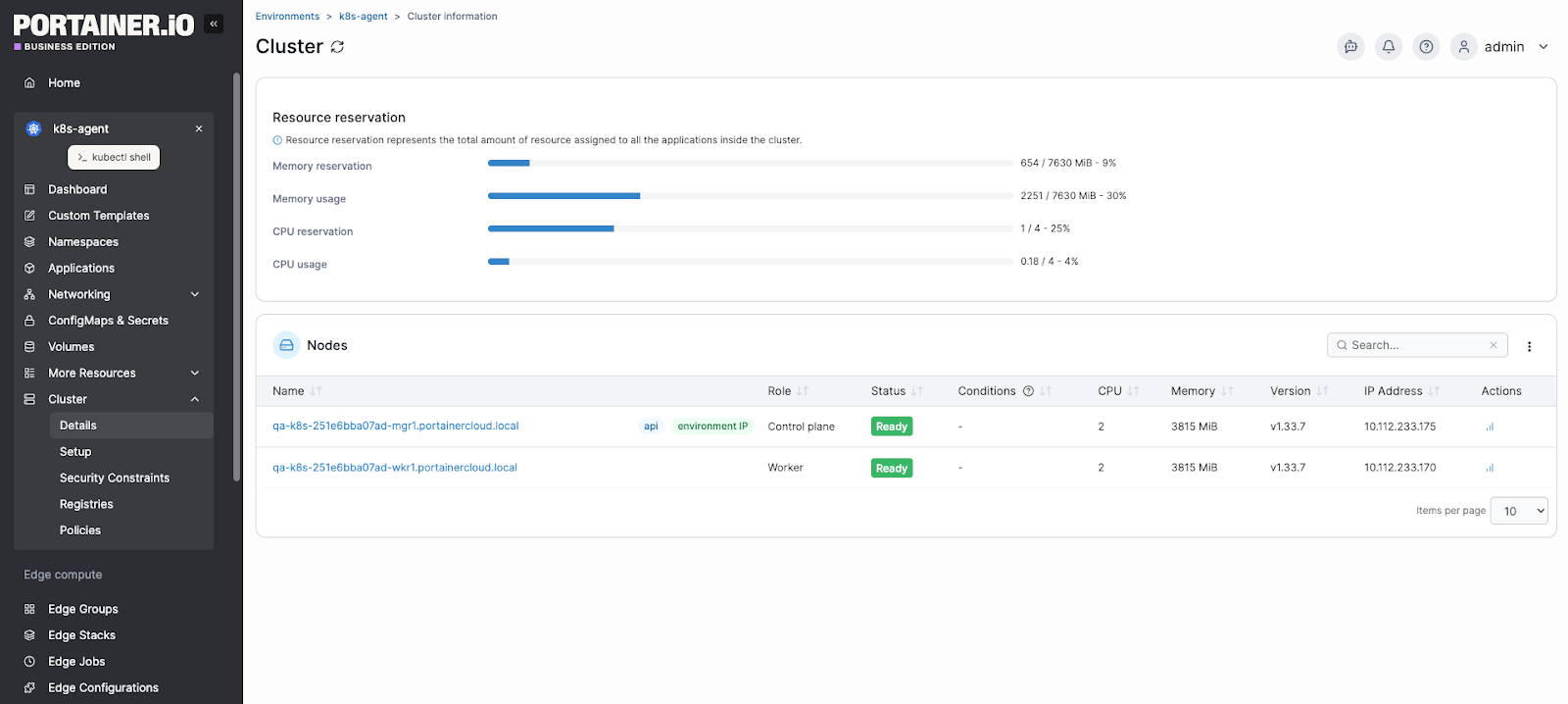
Portainer integrates with Docker, Kubernetes, and edge clusters through a single interface.
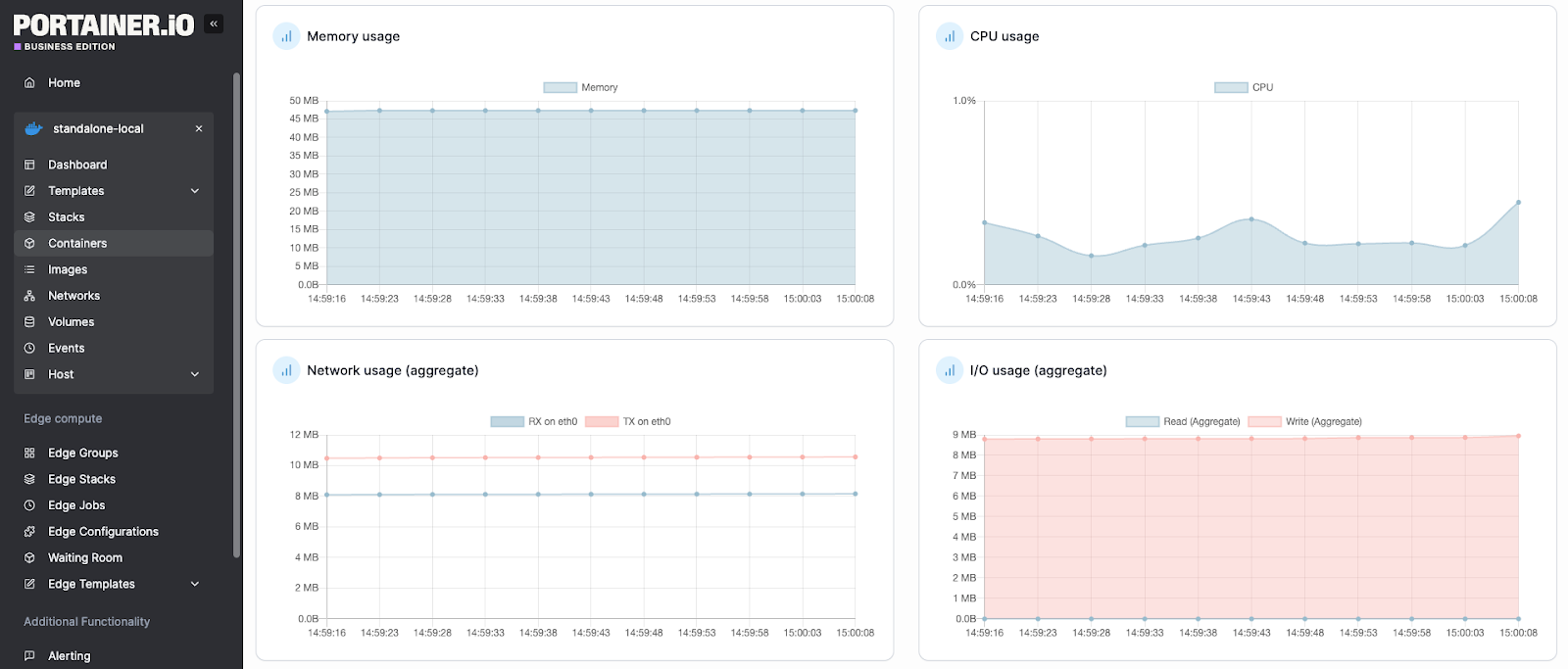
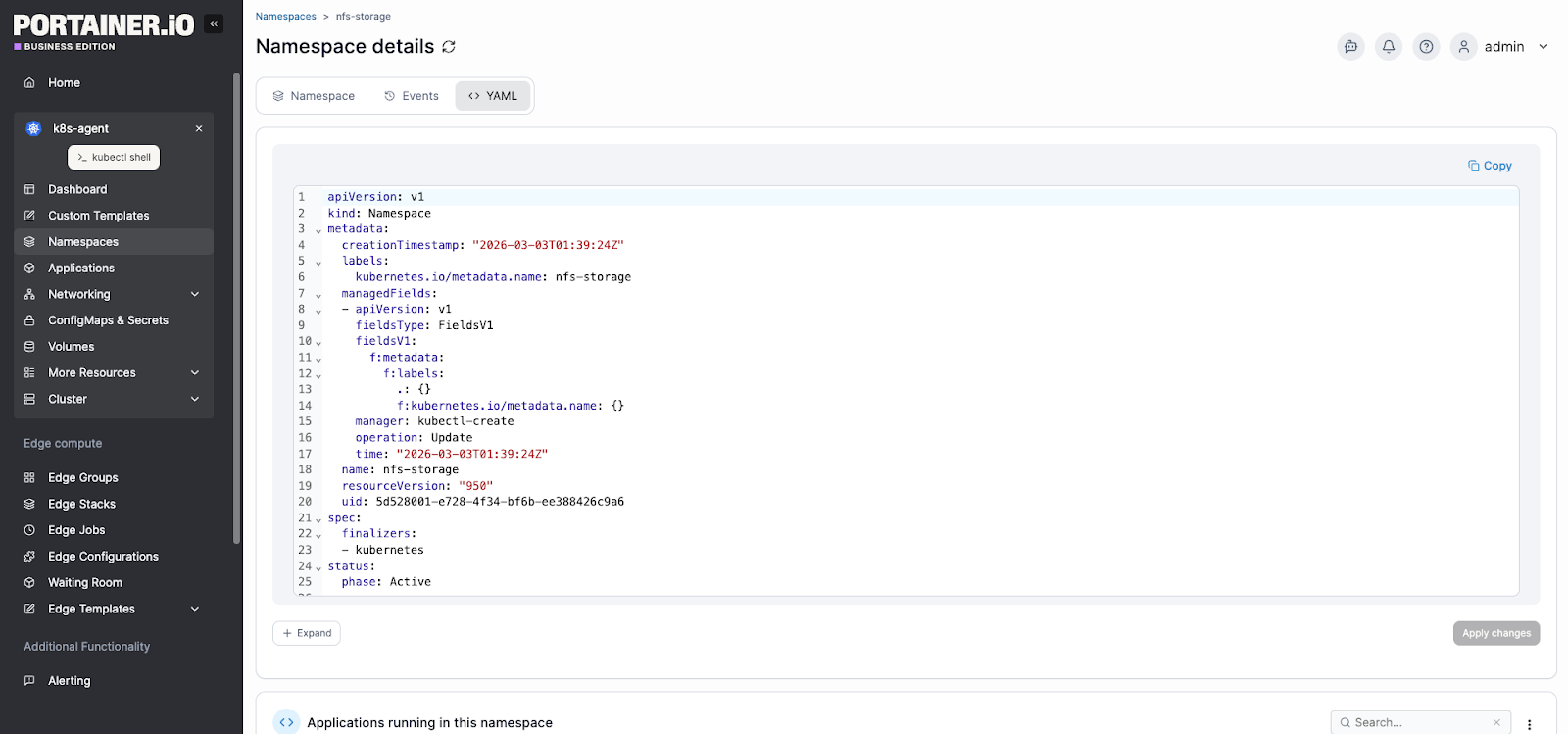
Most importantly, it displays your cluster health, running workloads, namespaces, and resource consumption on a single dashboard. This reduces troubleshooting time because you can see the full environment in seconds, rather than jumping between tools.
Granular Role-Based Access Control (RBAC)
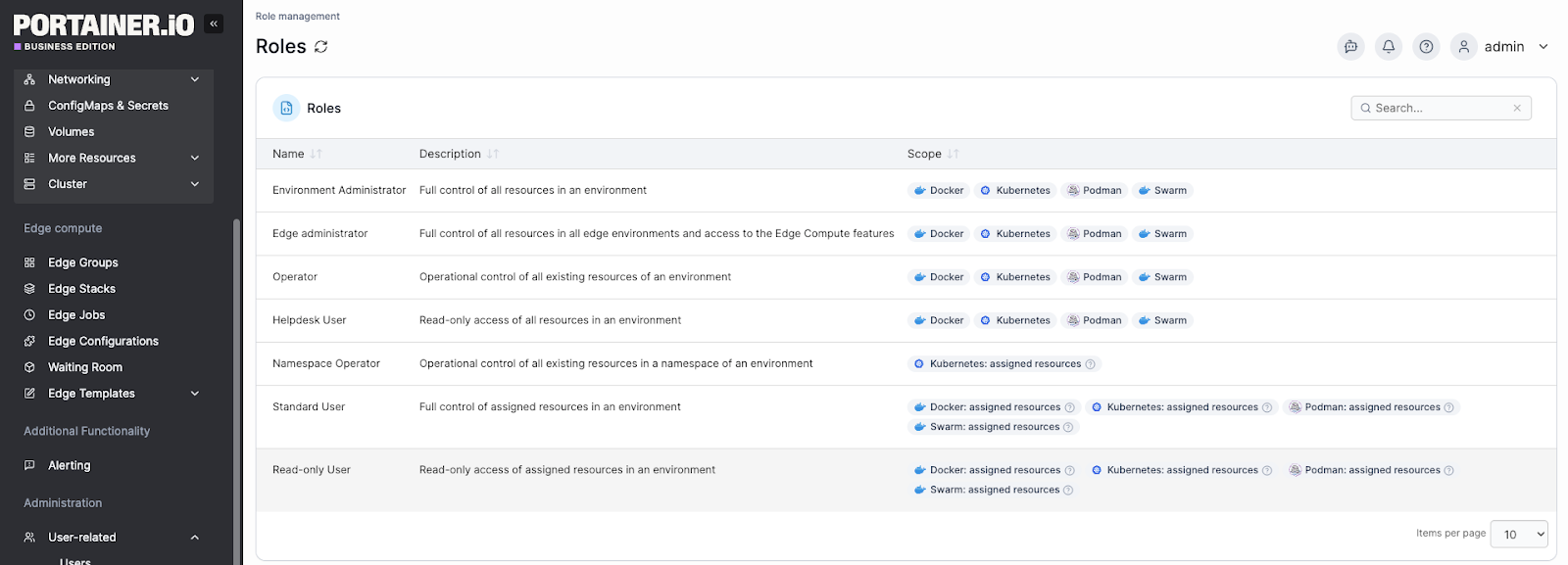
Portainer’s RBAC system allows admins to assign granular permissions across teams and environments. That means you can control who can deploy, modify, or view resources.
For organizations managing shared infrastructure, this makes it straightforward to enforce least-privilege access without custom scripting or external identity tooling. Teams that want to go further can also explore dedicated container security tools that work alongside Portainer for image scanning and runtime threat detection.
Live Container-Level Diagnostics for Faster Incident Response
From within the Portainer UI, you can stream live container logs, filter output, and even open a direct console into any running container.
For instance, when a workload slows down, you do not need to switch to separate container-monitoring tools or SSH into the nodes. You identify the exact container causing resource pressure and take action immediately.
See Portainer In Action
Pricing
| Plan | Description | Pricing |
|---|---|---|
| Enterprise | The plan comes with unified control across environments, built-in security, and 24/7 support | Starts at $9,995 yearly |
Note:
You can get an extended enterprise free trial |with 15 nodes to test the platform on a larger environment for 45 days.
Where Portainer Shines
- Easy container environment management: Portainer’s dashboard lets you monitor container health and stack status without complex setup. A G2 reviewer praised Portainer for making Docker and Kubernetes container tasks “visually intuitive” and easy to manage even without deep CLI expertise.
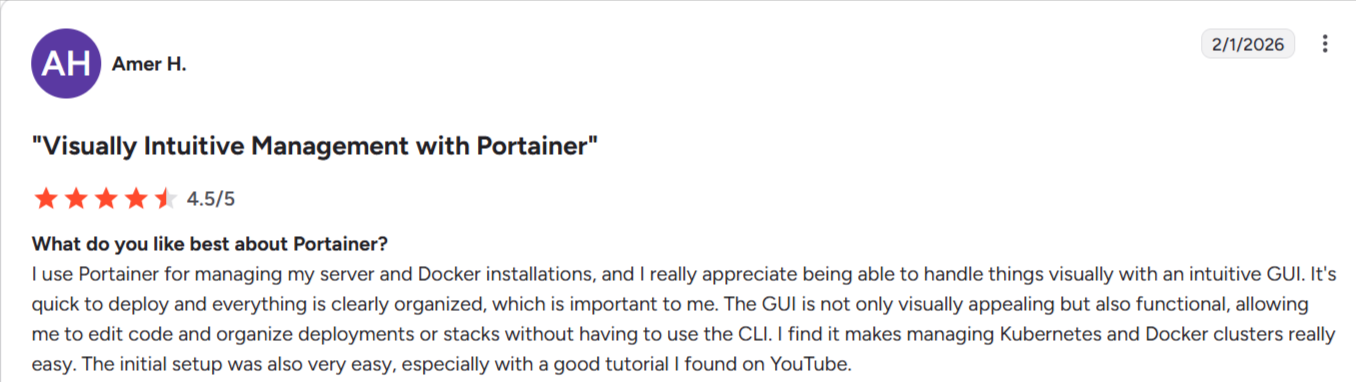
Image: Portainer G2 review on easy container management
- Deploying and monitoring in a single workflow: Portainer removes the need to switch between a deployment tool and a separate monitoring solution. Whether you want to spin up standard microservices or deploy AI apps, you can immediately track workload health, resource usage, and logs from the same interface.
- Getting up and running quickly: It differs from heavy monitoring platforms that require complex setup and configuration. Portainer is easy to set up. It installs in minutes and immediately shows workload health and resource usage.
Where Portainer Falls Short
- Limited advanced monitoring: Portainer’s built-in container monitoring system handles basic metrics but lacks the depth of full observability platforms like Prometheus + Grafana, which requires integrations with external tools.
- Scaling complexity: For very large enterprise deployments with strict compliance requirements, rich multi-tenancy, and deep security controls, Portainer may feel too lightweight without additional tooling layers.
Customer Reviews
“A lightweight web solution was required to handle the management of our own development servers running in-house solutions internally. One such platform that caught my attention was Portainer, which is way easier to set up than Rancher for simple Docker Standalone or Swarm environments, giving immediate visibility into the health of your containers for your entire team.” Senior Software Engineer review on Capterra.
“Portainer makes monitoring and managing Docker containers and Docker Compose stacks MUCH easier. Re-creating Docker containers with small modifications from the original, without having to remember the exact command that started it in the first place, is a big productivity win.” Rudolf B.
Who Portainer Is Best For
- DevOps and platform teams: Want a centralized container monitoring tool and management system without complex setup.
- SMBs and mid-size deployments: Need a lightweight solution to manage and monitor container estates without massive tooling overhead.
Contact our technical sales team now to empower your team with Portainer and efficiently monitor your containers.
Prometheus: Best for Deep, Metrics-Driven Container Monitoring
Prometheus is an open-source monitoring tool designed for dynamic environments such as Kubernetes. It focuses solely on collecting time-series metrics, alerting, and querying via PromQL.
Key Features
- Multi-dimensional time-series database: Stores metrics with labels such as pod, namespace, and container. This allows precise filtering when diagnosing performance issues.
- PromQL query language: Engineers can write complex queries to detect anomalies, track trends, or build custom alerts tailored to specific workloads.
- Kubernetes-native service discovery: Automatically detects pods and services as they scale. No manual target updates required.
- Alertmanager integration: Routes alerts to Slack, PagerDuty, or email based on severity rules defined by your team.
Pricing
Prometheus is free and open-source software under the Apache-2.0 license.
| Plan | Cost | Notes |
|---|---|---|
| Open-source | Free | Self-hosted. Infrastructure and maintenance are handled internally |
Costs come from infrastructure, storage, and operational overhead.
Where Prometheus Shines
- Deep Kubernetes integration: Automatically discovers and monitors pods in dynamic clusters.
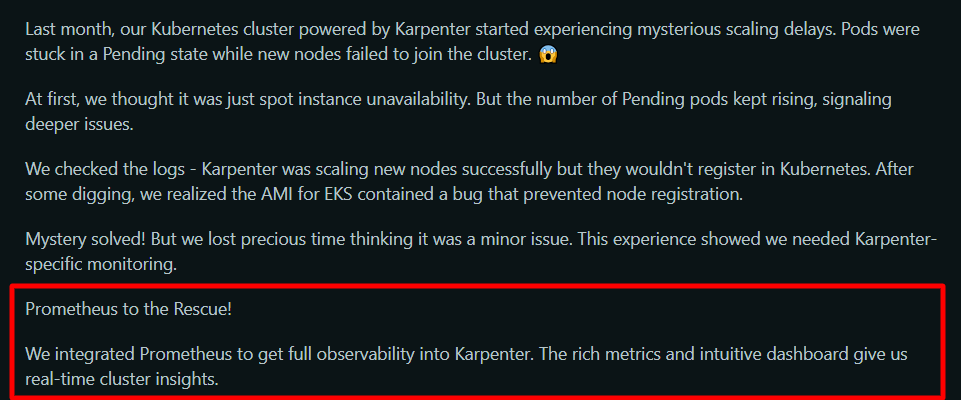
Image: A Reddit post on Prometheus Kubernetes monitoring capability
- Powerful querying capabilities: PromQL enables detailed metric analysis across thousands of containers.
- Strong ecosystem support: Integrates with Grafana for visualization and Alertmanager for alert routing.
Where Prometheus Falls Short
- Steep learning curve: Writing PromQL queries requires training. An industrial automation expert noted, “While Prometheus is a flexible tool, it can take some time to fully master PromQL, especially for users new to time-series databases.”
- No built-in visualization: Requires tools like Grafana for dashboards. Many users often mention that Prometheus alone does not provide in-depth UI dashboards.

Source: G2
- Operational overhead: Scaling storage for long-term metrics retention requires additional systems such as Thanos or Cortex.
Customer Reviews
“Prometheus excels in real-time monitoring and alerting for cloud-native and containerized environments. It’s highly efficient, easy to deploy, and integrates smoothly with popular tools like Grafana and Kubernetes.” A G2 reviewer
“Learning curve can be a bit challenging for new users, especially around using promql and understanding the metrics. Also in very large environments, and with metric data that has too many dimensions, performance can sometimes be a bit not upto mark.” Ibrahim D.
Who Prometheus Is Best For
- Platform engineers: Need full control over a scalable container monitoring software stack.
- Large Kubernetes environments: Require granular metrics, custom alerting rules, and a long-term observability strategy.
Datadog: Best for Full-Stack, Enterprise-Grade Container Observability
Datadog delivers deep visibility into Kubernetes and Docker without the need to build or maintain your own traditional monitoring stack. Unlike open-source container monitoring tools, it provides hosted storage, dashboards, anomaly detection, and alerting out of the box.
Key Features
- Container and Kubernetes monitoring: Automatically discovers containers, collects metrics, and maps service dependencies across clusters.
- Unified metrics, logs, and traces: Correlates container CPU spikes with application traces and logs in one timeline. This shortens root-cause analysis.
- Prebuilt dashboards and alerts: Includes ready-to-use Kubernetes dashboards and anomaly-detection rules—no manual dashboard building required.
- Security and compliance monitoring: Detects container runtime threats and configuration risks within the same platform.
Pricing
Datadog uses modular pricing based on products and host/container count.
| Plan | Starting price | Note |
|---|---|---|
| Free | $0/month | Core collection and visualization features |
| Pro | $15/host/month | Centralize your monitoring of systems, services, and serverless functions |
| Enterprise | $23/host/month | Advanced features and administrative controls |
| DevSecOps pro | $22/host/month | Secure your cloud resources and adhere to industry standards |
| DevSecOps enterprise | $34/host/month | Advanced risk and threat detection capabilities |
Where Datadog Shines
- End-to-end visibility: Datadog connects infrastructure, containers, and application traces in one interface.
- Minimal setup for Kubernetes: Users frequently mention that deploying the Datadog agent in Kubernetes takes minutes compared to building a Prometheus + Grafana stack.
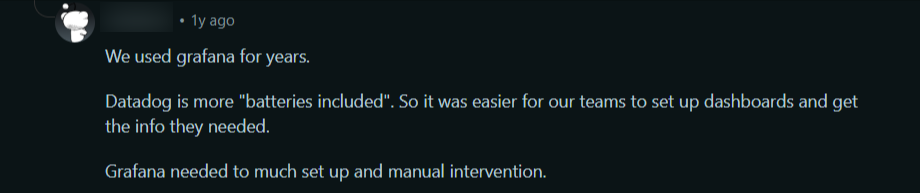
Source: Reddit
- Enterprise-ready dashboards: Prebuilt dashboards reduce time spent designing monitoring views.
Where Datadog Falls Short
- Cost at scale: Datadog charges per host, per container, and per feature, so bills rise quickly as environments grow. Many teams running hundreds of containers regularly report significant cost increases due to high-cardinality metrics and log ingestion. Reddit users regularly warn about cost growth in production clusters.
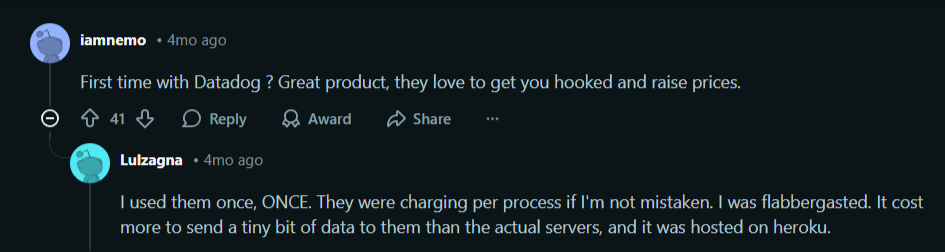
Image: Reddit discussion on Datadog’s cost at scale
- SaaS dependency: All monitoring data is sent to Datadog’s cloud. Organizations with strict data residency or air-gapped requirements may not be able to use it.
See Portainer In Action
Customer Reviews
“Datadog brings infrastructure, applications, logs, and security signals together in one place, which makes it much easier to understand what is really happening in an environment and to move quickly from detection to action. The correlation between metrics, traces, and logs is particularly valuable when diagnosing incidents, as it reduces guesswork and speeds up root cause analysis.” Gregory D.
“The biggest drawback is cost. Datadog becomes expensive very quickly—especially when log volumes grow or when you create many custom business metrics. Even with strict retention windows and log pipelines, the monthly bill requires constant governance.” Ajay V.
Who Datadog Is Best For
- Enterprise DevOps teams: Need full-stack observability across containers, infrastructure, and applications.
- Organizations without in-house monitoring expertise: Prefer managed container monitoring solutions over maintaining open-source stacks.
Sysdig Monitor: Best for Deep Kubernetes Performance Monitoring Without a Full Security Suite
Sysdig Monitor focuses solely on infrastructure and container monitoring, without the heavier security modules found in Sysdig Secure. It delivers Kubernetes-native visibility, Prometheus compatibility, and detailed workload analytics.
Key Features
- Kubernetes-aware metrics collection: Automatically maps metrics to clusters, nodes, namespaces, pods, and containers. This makes it easier to pinpoint performance bottlenecks inside dynamic Kubernetes environments.

Source: G2
- Prometheus integration: Supports PromQL and integrates with existing Prometheus exporters. Teams can reuse current monitoring setups instead of rebuilding dashboards.
- Prebuilt dashboards and alerts: Provides ready-made Kubernetes and container views, reducing manual dashboard configuration.
- Topology mapping: Visualizes service relationships to trace latency or resource issues across workloads.
Where Sysdig Monitor Falls Short
- Enterprise-focused pricing: Custom pricing may not suit small teams seeking low-cost Docker container monitoring tools.
- UI complexity: The depth of metrics and filtering options can feel overwhelming during initial onboarding. A user affirmed the interface complexity.

Image: Sysdig G2 review on interface complexity
- Less value outside Kubernetes: Teams running simple Docker-only environments may find the Kubernetes focus excessive.
New Relic: Best for Enterprises That Need Full-Stack Observability With Advanced APM
New Relic delivers an all-in-one observability platform covering infrastructure, applications, logs, browser performance, and distributed tracing.
Its key differentiator is deep APM combined with AI-powered anomaly detection, enterprise governance, and compliance features, all in a unified SaaS experience.
Key Features
- Full-stack observability: Monitors infrastructure, Kubernetes, applications, logs, and the user experience on a single platform.

Image: New Relic G2 review on single platform reliability
- Advanced APM: Provides code-level visibility, transaction tracing, and performance bottleneck detection.
- AI-driven alerts (Applied Intelligence): Reduces alert noise with anomaly detection and automated correlation.
- Kubernetes & cloud monitoring: Offers deep container insights, cluster health views, and workload performance tracking.
Where New Relic falls short
- Pricing complexity: Usage-based pricing (data ingest + user seats) can become difficult to predict. Many users complain that the tool’s cost increases as scale grows.

Image: New Relic G2 review on increased cost at scale
- Learning curve for advanced features: While powerful, configuring custom queries (NRQL) and alerts requires training.

Image: New Relic G2 review on steep learning curve
How to Choose the Right Container Monitoring Tool
You should consider visibility, control, cost predictability, and the operational burden your team can realistically manage when choosing a container monitoring tool.
Let’s break these points down properly:
Check Real-Time Container & Cluster Visibility
Oftentimes, you don’t struggle with collecting container health metrics, but with turning them into practical answers that prevent incidents. That’s why you need a tool that provides:
- Immediate container health status
- CPU/memory/network usage per container and per node
- Restart counts and failing workloads
- Namespace-level visibility
Portainer provides live container state, resource consumption graphs, and workload health directly in its UI, without requiring you to build dashboards first.
Book a demo to see how Portainer provides instant container-level visibility without building a monitoring stack from scratch.
Consider Operational Simplicity vs. Observability Engineering
Some platforms give you deep telemetry but require dedicated time to manage, tune, and scale them.
For instance, a common sentiment among DevOps teams and system administrators is that full observability stacks are powerful, but operationally demanding. Navigating the complexities of Kubernetes observability doesn't always require a heavy footprint, which is where Portainer's streamlined approach offers a middle ground.
Portainer doesn’t replace full observability stacks. Instead, it provides built-in container monitoring and health visibility within the same platform you already use for container management. That reduces context switching and infrastructure overhead.
Think About Cost Predictability as You Scale
Usage-based pricing models (common in SaaS observability platforms) often scale with log ingestion and metrics volume. Tools like Datadog and New Relic are known for scaling costs once clusters grow in production.
Before signing up for any platform, clarify:
- Is pricing ingestion-based or cluster-based?
- Will log volume spikes increase bills?
- Are visualization tools billed separately?
Portainer bases its enterprise pricing on managed nodes rather than ingestion volume. That makes budgeting more predictable compared to data-volume-driven observability tools.
Consider Adoption by Your Team
The most powerful container monitoring tool fails if your team avoids using it.
Get a tool with a clear UI, intuitive navigation, namespace and workload-level drill-down, and compatibility with kubectl and existing workflows.
Portainer supports kubeconfig and CLI workflows while offering a visual layer for faster inspection. That balance makes it easier for both experienced Kubernetes engineers and less specialized operators to work confidently.
Choose Portainer Enterprise to monitor your containerized workloads without building complex internal platforms.
Manage and Monitor Your Containers More Efficiently with Portainer
If your team is tired of juggling Prometheus, Grafana, kubectl, and separate access controls just to understand cluster health, it’s time to change gears.
Portainer brings container monitoring and management into a single interface, without forcing you to rebuild your stack.
Book a demo to see how it gives enterprises multi-cluster control without tool sprawl.