OpenShift vs Kubernetes: Differences & Who it is Best For in 2026

Both OpenShift and Kubernetes promise to make container orchestration manageable. But as clusters grow and teams multiply, one can introduce friction while the other increases operational risk.
When comparing OpenShift vs Kubernetes, the difference is clear: Kubernetes maximizes flexibility, while OpenShift enforces enterprise control.
This guide breaks down the fundamental differences, costs, and operational impacts, then shows which platform best fits your organisation and how to manage both reliably at scale.
OpenShift vs Kubernetes: Overview
| Category | OpenShift | Kubernetes |
|---|---|---|
| Best for | Regulated enterprises and large organizations needing enforced standards and vendor support | Engineering-led teams prioritizing flexibility, portability, and cost control |
| Stand-out feature | Security-first defaults with built-in governance | Full control over architecture and tooling |
| Pricing | Subscription-based, priced per core | Free to use, costs driven by infrastructure and operations |
| Pros | Strong security, integrated platform, enterprise SLAs | Flexible, cloud-agnostic, large ecosystem |
| Cons | Higher cost, restricted customization | Higher operational burden, no built-in support |
| Customer support | Vendor-backed support with SLAs, quality varies by escalation | Community-driven or optional third-party support |
| Feature: Security | Enforce SCCs, RBAC, and compliance controls by default | Security primitives require manual configuration |
| Feature: Ease of Use | Integrated web console and guided workflows | CLI-driven with optional third-party dashboards |
| Feature: Integrations | Certified, Red Hat–approved integrations | Broad CNCF and cloud-native ecosystem |
Who is OpenShift Best for?
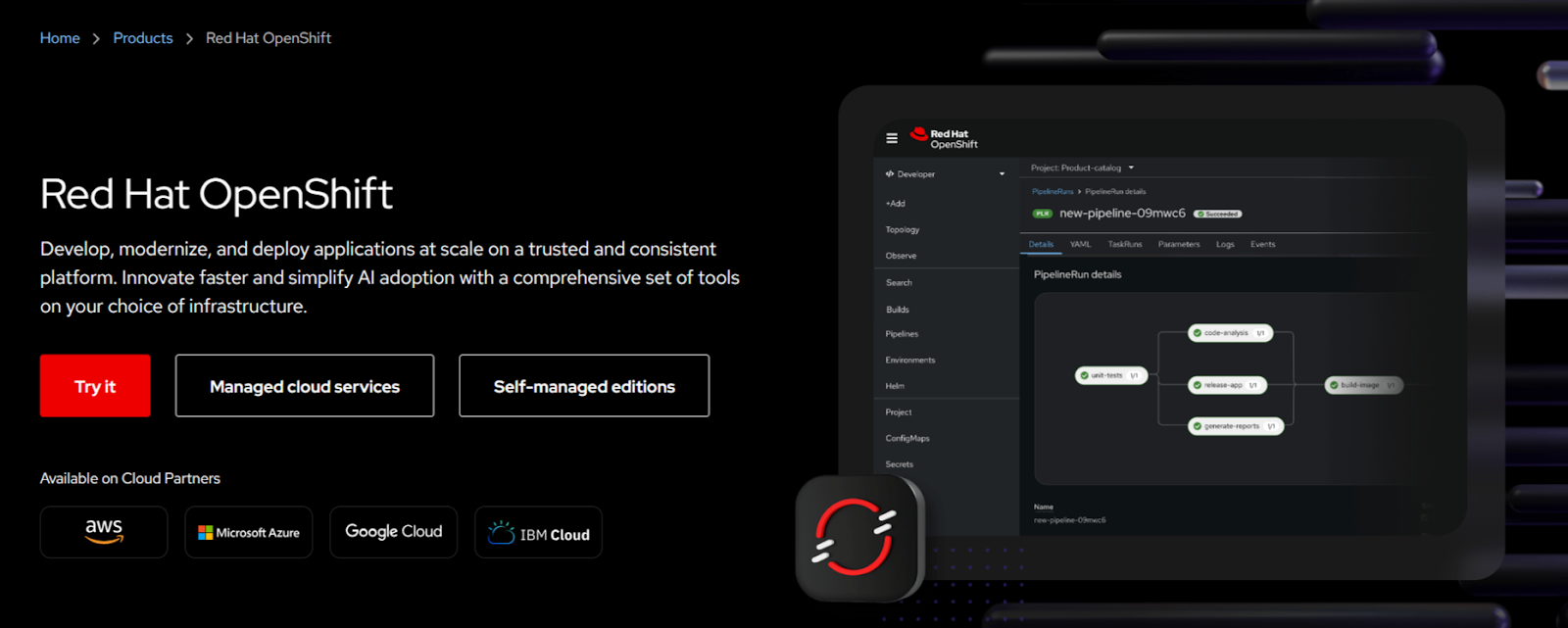
OpenShift works well for teams that need strong security, built-in governance, and enterprise support around Kubernetes. It provides access control, networking, and upgrades, which reduces the risk of misconfiguration as teams and workloads scale.
OpenShift is best for:
- Regulated enterprises running workloads with strict compliance requirements like PCI-DSS, HIPAA, or SOC 2
- Large platform teams that need enforced standards across many clusters and teams
- Organizations standardized on Red Hat tooling, support, and enterprise Linux
- Teams prioritizing security by default over developer freedom and customization
Who is Kubernetes Useful for?
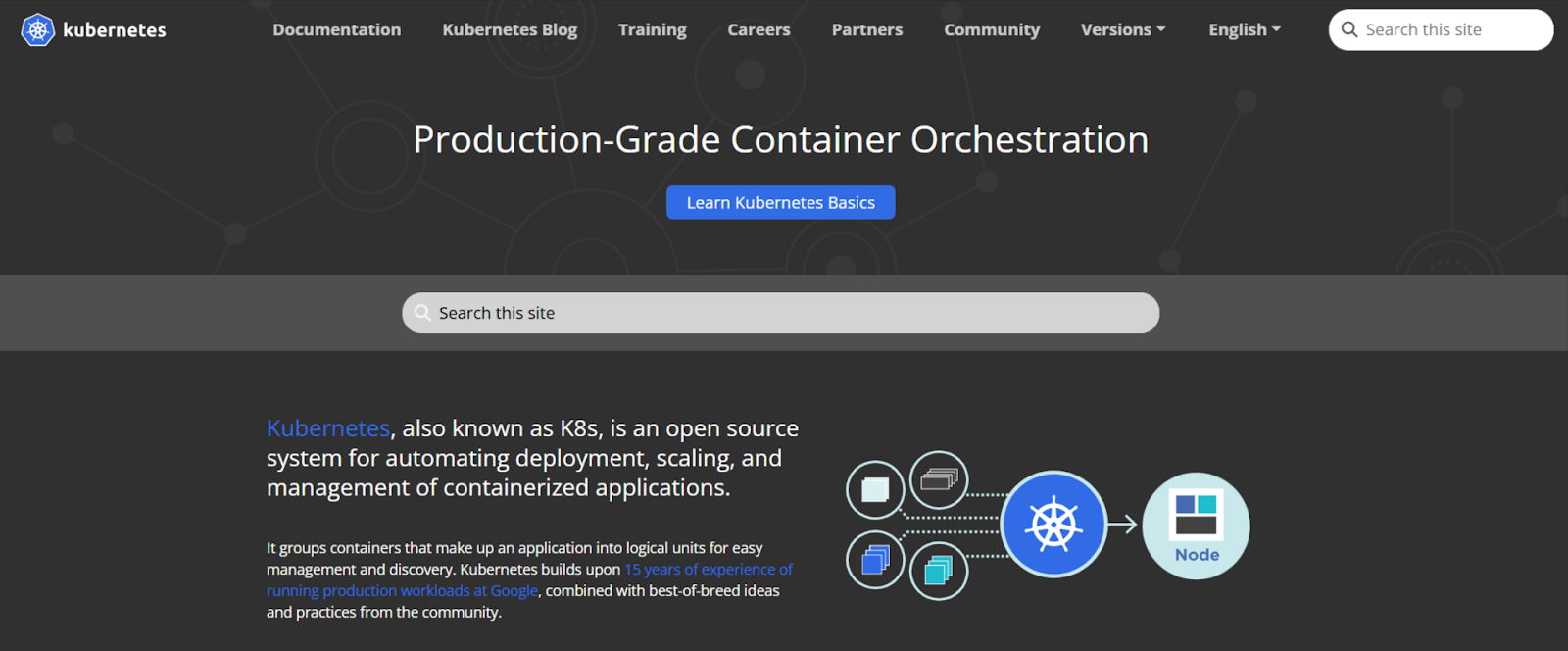
Kubernetes is best for teams that want full control over how they build, secure and operate their container platform. It provides the core orchestration primitives without enforcing opinions on architecture, tooling, security models, or workflows. These features make it a preferred option when flexibility, portability, and cost control matter more than bundled enterprise guardrails.
Kubernetes is best for:
- Engineering-led teams that want to design their own security, CI/CD, and networking stack
- Startups and scale-ups optimizing for speed, customization, and lower platform costs
- Multi-cloud and hybrid teams that need consistent Kubernetes orchestration across providers
- Organizations with in-house Kubernetes expertise willing to own day-2 operations and risk
Portainer: An Alternative
Portainer is a lightweight management platform for containerized environments that sits on top of existing clusters rather than replacing them. Enterprise teams use it alongside upstream Kubernetes or enterprise platforms like OpenShift to simplify cluster operations, access control, and governance.
Portainer helps standardize how your team interacts with Kubernetes across containerized environments, without changing how it works. This approach reduces operational overhead without locking your team into a specific distribution or cloud provider.
Portainer stands out by providing:
- Unified cluster management: Manage multiple Kubernetes clusters from a single interface without changing how those clusters are deployed or operated.
- Role-based access control: Define fine-grained permissions so teams access only the namespaces and resources they are responsible for.
- Visual management interface: Perform everyday operational tasks through a straightforward UI instead of relying entirely on CLI workflows.
- Policy and governance controls: Enforce consistent operational rules and guardrails across clusters without restricting Kubernetes flexibility.
- Distribution-agnostic support: Work seamlessly with upstream Kubernetes, OpenShift, and managed cloud services without vendor lock-in.
Contact our sales team to see how Portainer provides a lighter management layer that integrates with and simplifies your existing Kubernetes and OpenShift environments.
See Portainer in Action!
Further reading: Maximize Your OpenShift Investment with Portainer: Multi-Cluster Management Without the Premium Price Tag
Price
Pricing directly affects long-term operating cost, vendor dependency, and team structure. OpenShift charges for bundled enterprise capabilities and support, while Kubernetes shifts cost into infrastructure, tooling, and internal expertise.
Let’s get into more details.
OpenShift
| Plan | Description | Pricing |
|---|---|---|
| Platform Plus | Self-managed, cloud-managed | $150-$500/core/year |
OpenShift uses a subscription-based pricing model that bundles Kubernetes with enterprise features, support, and lifecycle management. Red Hat charges per core, which means costs scale quickly as clusters grow.
- Enterprise support included: Get vendor-backed support, security patches, and certified updates for production workloads.
- Bundled platform features: Pay for built-in CI/CD, image builds, registry access, monitoring, and security controls.
- Predictable compliance costs: Cover audits and regulated workloads without assembling third-party tools.
- Higher cost at scale: Absorb rising subscription fees as node count and CPU usage increase.
Kubernetes
Kubernetes itself does not have a licensing cost, but teams incur costs for infrastructure, tooling, and operational effort. The total cost depends heavily on how much responsibility your team keeps in-house versus outsourcing to managed services.
- No license fees: Run upstream Kubernetes without paying for the orchestration layer itself.
- Infrastructure-driven costs: Pay for compute, storage, networking, and control plane resources.
- Tooling flexibility: Choose and pay only for the security, observability, and CI/CD tools you actually need.
- Operational ownership required: Invest in skilled engineers to manage upgrades, security, and reliability.
Verdict
OpenShift costs more upfront but reduces internal effort by providing enterprise features and support. Kubernetes keeps licensing costs low but shifts responsibility to your team.
OpenShift wins for regulated, risk-averse organizations. Kubernetes wins when flexibility, cost control, and platform ownership matter more.
Ease of Use
Ease of use determines how quickly teams deploy applications, troubleshoot issues, and onboard new users. It also affects how much operational knowledge teams must carry as clusters scale. OpenShift and Kubernetes approach usability from very different starting points.
OpenShift
OpenShift provides a unified web console for application deployment, access control, networking, and cluster health, which reduces day-to-day reliance on CLI tools.
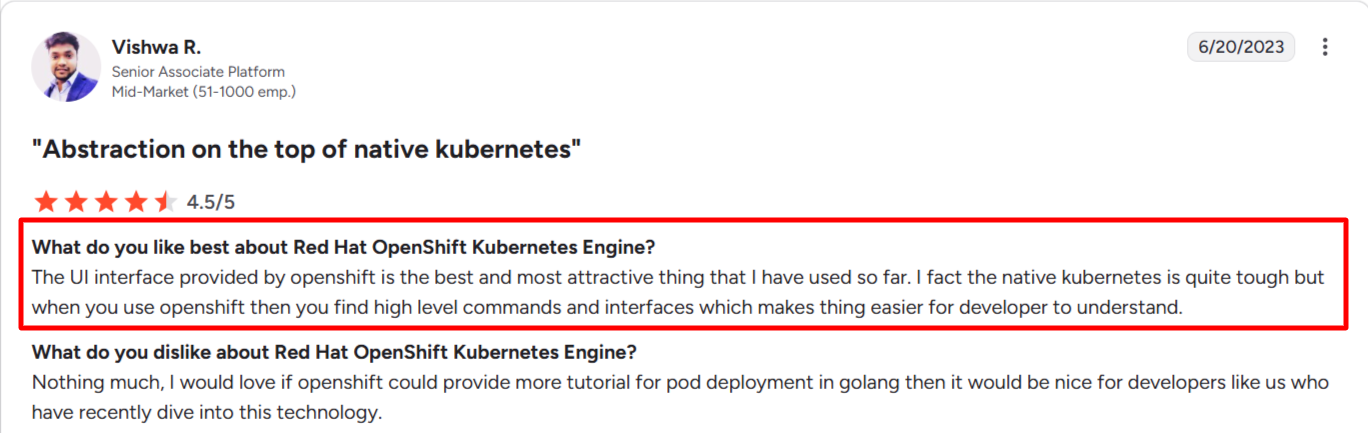
Source: G2
It also reduces guesswork by enforcing opinionated workflows, but those same controls introduce friction for less experienced users and require accepting restricted permissions.
- Integrated web console: Manage workloads, networking, and access through a centralized UI built for platform teams.
- Opinionated defaults: Enforce security and networking standards without manual configuration.
- Controlled developer workflows: Limit unsafe actions through enforced policies and security contexts.
- Steeper learning curve: Requires time to understand OpenShift-specific abstractions and restrictions.
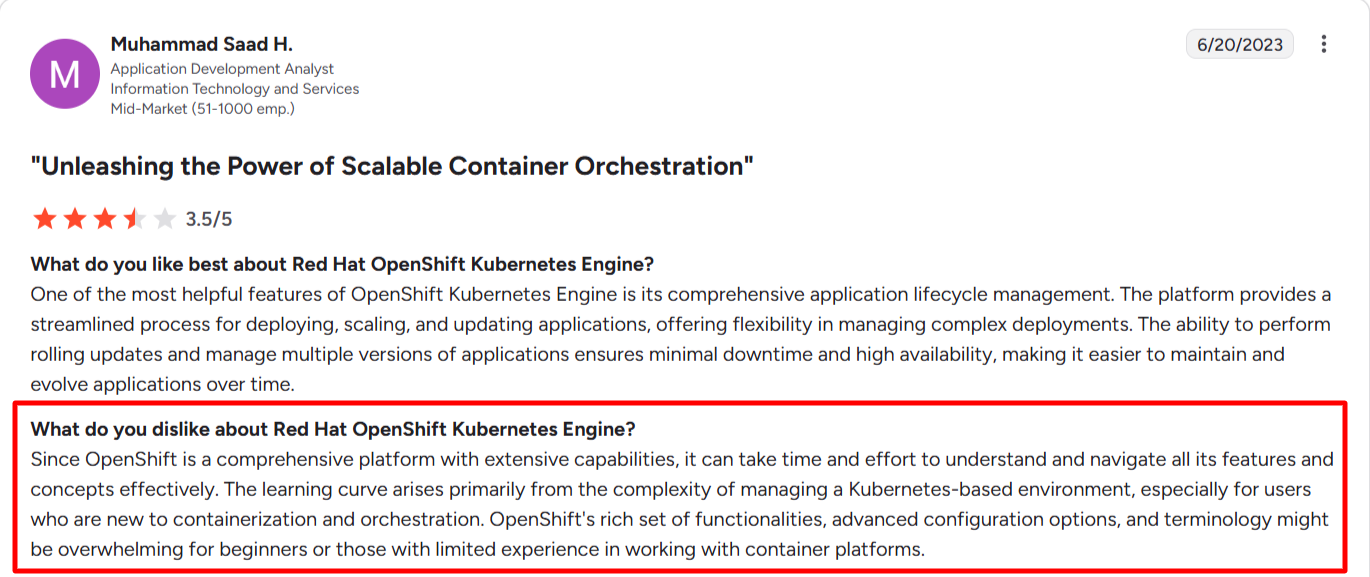
Source: G2
Kubernetes
Kubernetes keeps the core platform minimal and expects teams to build their own workflows on top of it. This makes initial usage simple, but long-term usability depends on internal tooling and documentation.
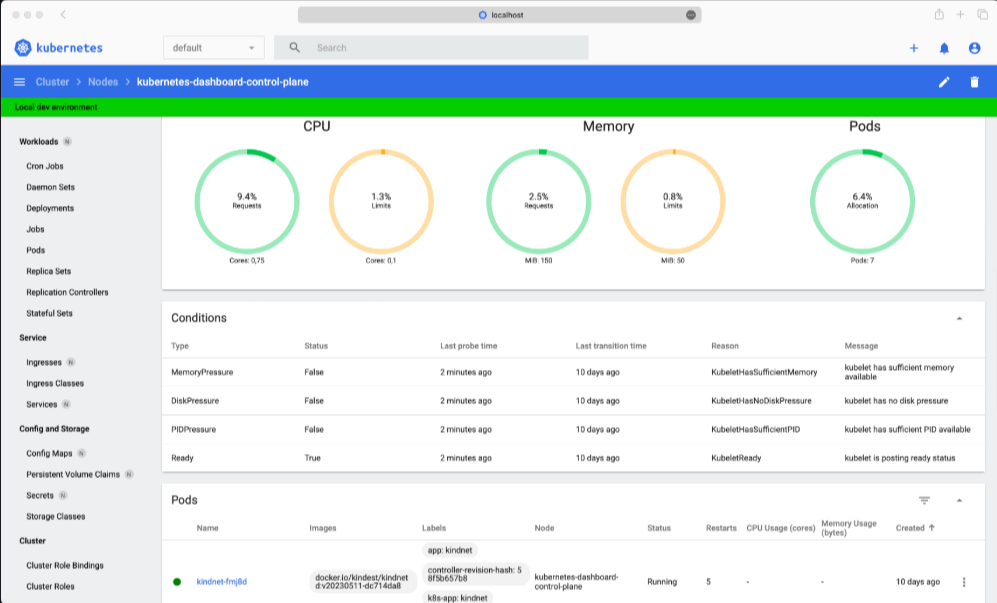
- Minimal built-in UX: Rely primarily on CLI tools and third-party dashboards.
- Full workflow freedom: Design custom deployment, security, and networking processes.
- Fast start for experienced teams: Move quickly if Kubernetes knowledge already exists.
- Higher cognitive load at scale: Manage complexity as clusters, tools, and teams grow.
Verdict
OpenShift offers a more guided experience with built-in interfaces and guardrails, which help large teams stay consistent. However, the interface hides many low-level Kubernetes controls, which can slow down advanced users who need direct access to cluster primitives.
On the other hand, Kubernetes feels easier at first, but shifts usability work onto the team over time.
OpenShift wins for structured enterprise environments. Kubernetes wins for teams that value control over convenience.
Customer Support
Customer support affects how quickly your team recovers from incidents, applies security fixes, and upgrades clusters safely. It also determines whether responsibility sits with a vendor or entirely with your internal team. OpenShift and Kubernetes offer very different support models.
OpenShift
OpenShift offers vendor-backed support through Red Hat, which many enterprises value for accountability and compliance. In practice, support quality depends heavily on ticket clarity, severity level, and escalation paths.
- Enterprise-grade support model: Access Red Hat support with SLAs, long-term maintenance, and certified fixes for supported versions.
- Strong when escalated: Resolve complex issues faster when teams involve a Technical Account Manager or escalate through account channels.
- Process-driven responses: Require detailed diagnostics, such as must-gather reports, which can slow initial resolution.
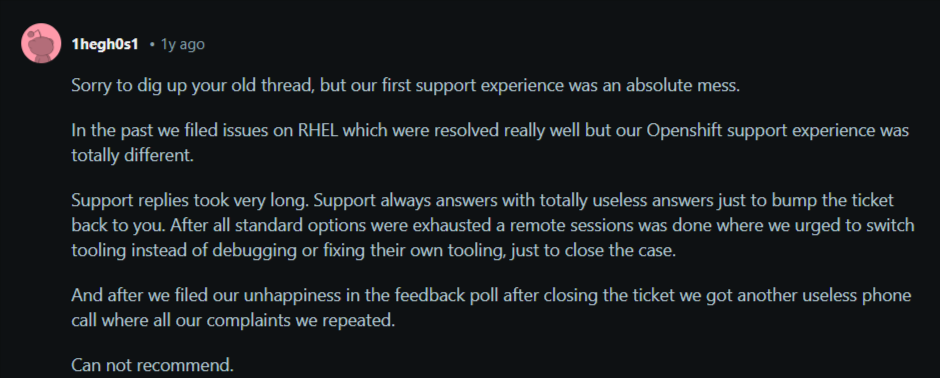
- Mixed real-world sentiment: Some users report slower responses than expected for the cost, while others love their customer support.

Source: G2

Source: Reddit
Someone else replied to this Reddit thread with his displeasure about the customer support system.
Kubernetes
Kubernetes relies on community-driven support unless teams purchase help through managed services or third-party vendors.
- Community-based assistance: Use documentation, GitHub issues, and CNCF forums to solve problems.
- No official SLA: Handle incidents internally without guaranteed response times.
- Optional paid support: Add support through cloud providers or Kubernetes service partners.
- Strong knowledge ecosystem: Benefit from a large global community and open-source transparency.
Verdict
OpenShift provides formal enterprise support with SLAs and accountability, but real-world effectiveness often depends on escalation and internal preparedness. Kubernetes does not offer built-in support, yet teams avoid vendor friction by handling incidents directly.
OpenShift fits organizations that need contractual support. Kubernetes suits teams that prioritize autonomy and faster self-resolution.
Integrations
Integrations determine how easily a platform connects with existing CI/CD tools, security systems, identity providers, and cloud services. Strong integration support reduces the need for custom glue code, speeds adoption, and lowers long-term operational risk.
OpenShift
OpenShift focuses on tightly integrated, certified components that align with Red Hat’s enterprise ecosystem.
- OperatorHub ecosystem: Install and manage approved operators for databases, middleware, monitoring, and security tools.
- Red Hat–certified integrations: Use supported integrations for CI/CD, identity management, logging, and storage.
- Enterprise IAM support: Integrate with LDAP, Active Directory, and enterprise SSO providers out of the box.
- Controlled extensibility: Limit unsupported integrations to maintain platform stability and supportability.
Kubernetes
Kubernetes integrates broadly with the cloud-native ecosystem and does not restrict tool choice or vendor alignment.
- Extensive third-party ecosystem: Connect with thousands of CNCF and open-source tools across security, networking, and observability.
- Cloud provider integrations: Work natively with AWS, Azure, and Google Cloud services.
- Custom tooling freedom: Build or integrate bespoke tools without certification constraints.
- Integration ownership: Validate, secure, and maintain all integrations internally.
Verdict
Kubernetes wins on integration, breadth and flexibility. OpenShift wins on stability and certified enterprise tooling.
OpenShift suits teams that want supported, low-risk integrations, while Kubernetes works for teams that need the freedom to adopt best-in-class tools without vendor constraints.
Security
Security matters when running containerized applications at scale. It affects compliance, operational risk, and developer workflow. The choice between OpenShift and Kubernetes determines how much security responsibility your team assumes versus what the platform enforces automatically.
OpenShift
OpenShift enforces strict security policies by default, reducing configuration errors and limiting human mistakes that can lead to breaches. It provides enterprise-grade controls suitable for regulated environments.
- Security Context Constraints (SCC): Apply mandatory security rules to workloads to prevent privilege escalation.
- Built-in RBAC: Enforce role-based access control consistently across clusters and namespaces.
- Default network segmentation: Restrict pod-to-pod and external access without manual configuration.
- Integrated compliance: Align with PCI, HIPAA, SOC 2, and other regulatory frameworks out of the box.
Kubernetes
Kubernetes offers security primitives but leaves implementation, policies, and enforcement largely to teams. These features enable flexibility but increase risk if misconfigured.
- RBAC and namespaces: Define user permissions and isolate workloads, but the setup is manual.
- Network policies: Enable pod-level network controls and require custom configuration.
- Pod security standards: Apply security best practices using policies, but enforcement is optional.
- Audit and logging flexibility: Full control over logging and monitoring for compliance, but responsibility is on the operator.
Verdict
OpenShift wins for teams needing enterprise-grade, enforced security and compliance out of the box. Kubernetes wins for teams with expertise to implement custom security models and who want full control over policies.
Best Platform to Manage OpenShift and Kubernetes Clusters: Portainer
Portainer gives you a unified control plane for managing Kubernetes and OpenShift clusters from a single interface, while preserving your existing platforms.
It does not replace Kubernetes or OpenShift. Instead, it simplifies operations, access control, policy enforcement, and automation across environments.
Most importantly, Portainer runs as a lightweight, self-hosted service, reducing cognitive load and consolidating daily tasks into one dashboard.
Key Features
Centralized multi-cluster management
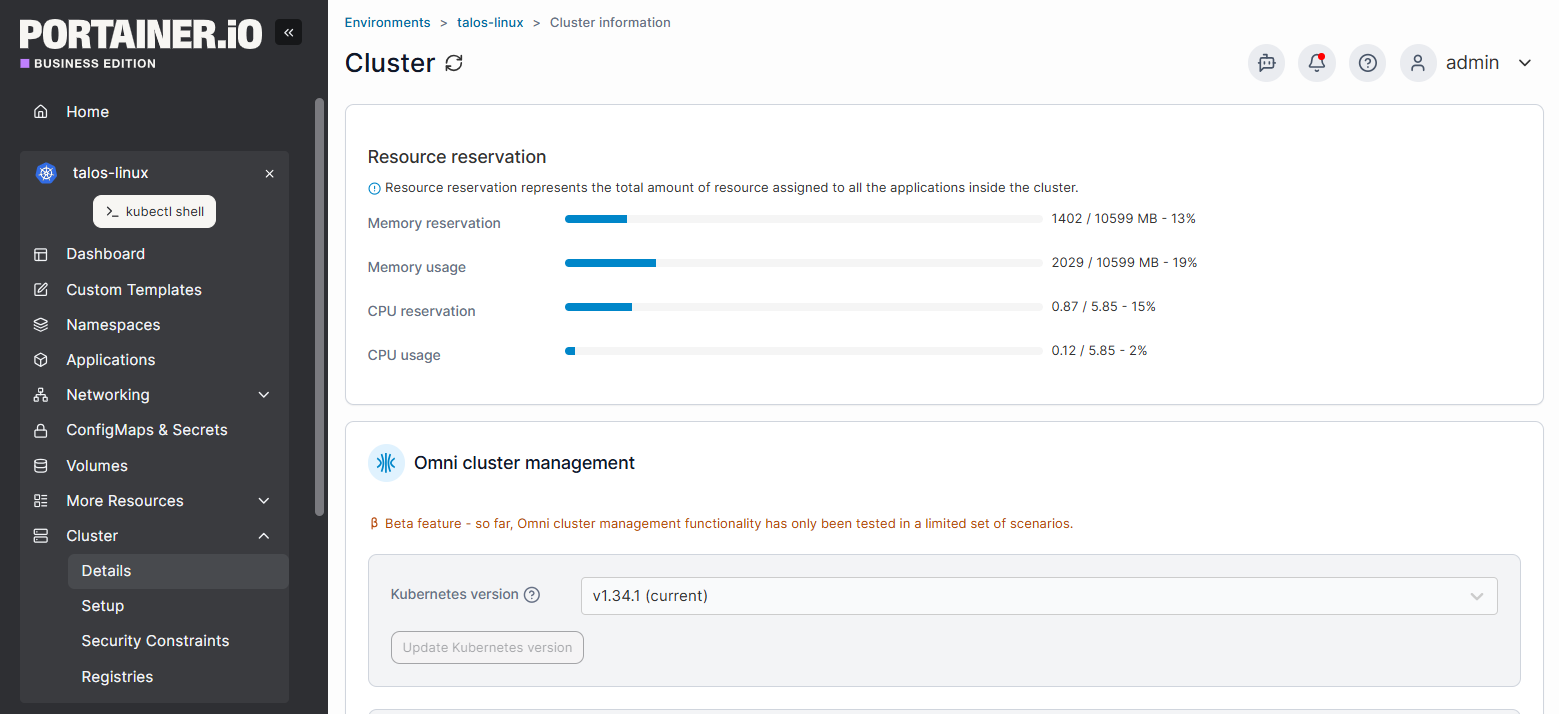
Portainer allows you to manage your clusters across clouds, on-prem, and edge from a single interface. You can view cluster health, enforce policies, and deploy workloads consistently, no matter how many clusters you operate.
Built-in GitOps Automation
Portainer includes a native GitOps engine that keeps your deployments in sync with source control. This reduces manual steps, prevents configuration drift, and accelerates delivery through declarative, version-controlled workflows.
Role-Based Access Control & Governance
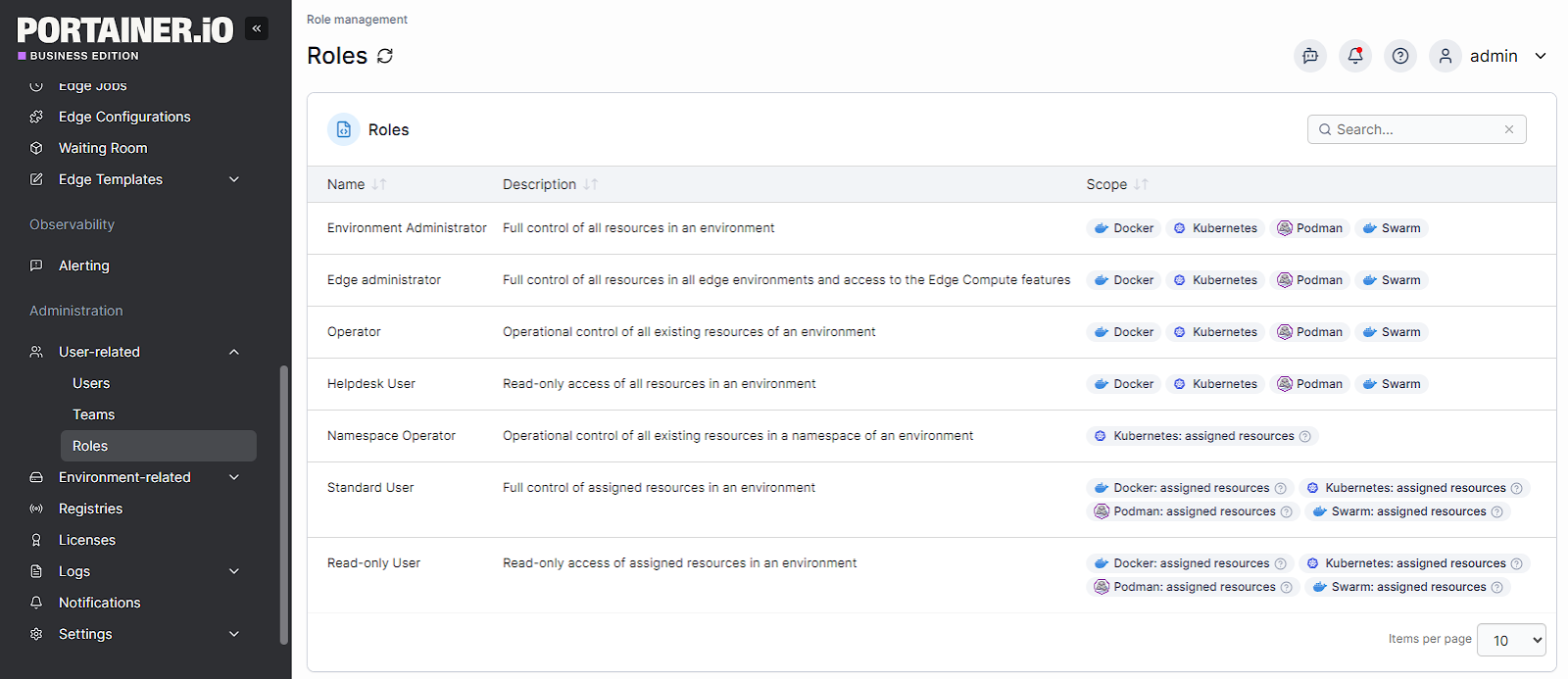
Portainer centralizes identity and access management with RBAC, SSO/LDAP integration, quotas, and change windows. You can define team roles and guardrails without configuring multiple tools per cluster.
Pricing
Pricing changes per the number of nodes
| Plan | Description | Pricing |
|---|---|---|
| Enterprise | The plan comes with unified control across environments, built-in security, and 24/7 support | Starts at $9,995 yearly |
Note: You can get an extended enterprise free trial with 15 nodes to test the platform on a larger environment for 45 days.
Where Portainer shines
- Multi-cluster visibility and control: Centralize management for Kubernetes and OpenShift clusters across cloud, on-prem, and edge environments without switching tools or contexts.
- Governance without rigidity: Apply RBAC, quotas, and access boundaries consistently while preserving each cluster's native behaviour.
- Operational efficiency: Reduce day-2 workload by standardizing deployments, access, and troubleshooting through a single interface.
Where Portainer Falls Short
- Not a full platform replacement: Portainer does not replace enterprise platforms like OpenShift or managed Kubernetes services.
- Relies on underlying clusters: Security, networking, and availability still depend on how well you configure the base Kubernetes or OpenShift environment.
Customer Reviews
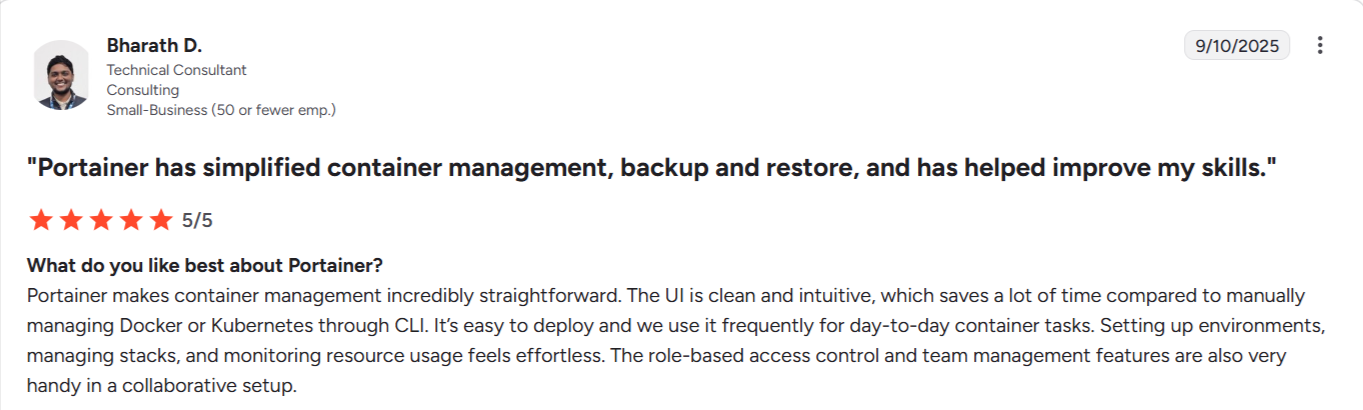
Source: G2
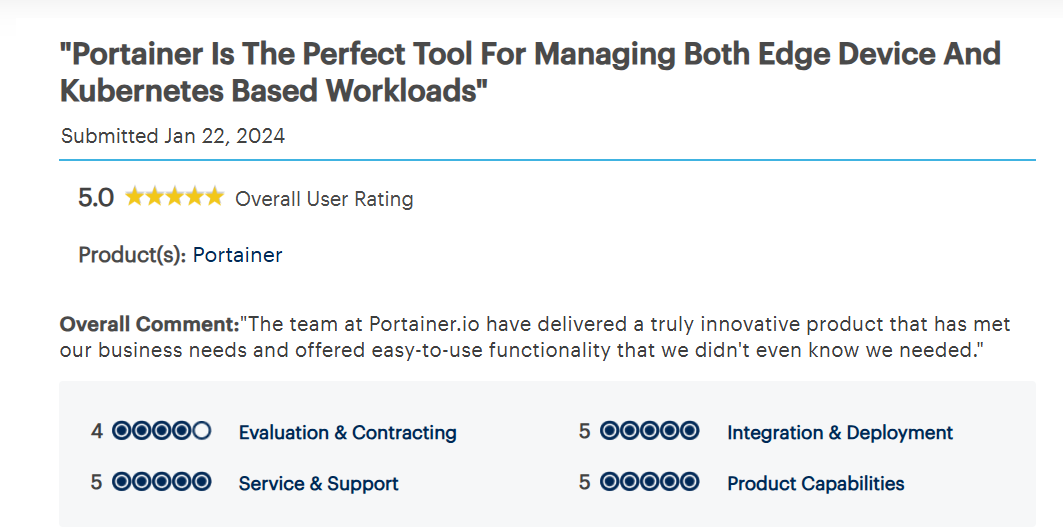
Source: Gartner
Who Portainer is best for
- Enterprise platform and DevOps teams: Govern and operate large fleets of Kubernetes and OpenShift clusters with centralized access control, auditability, and consistent operational workflows across environments.
Book a demo to see how Portainer provides unified control across environments, 24/7 support, and built-in security.
See Portainer in Action!
Increase Operational Efficiency with Portainer
Running Kubernetes or OpenShift at enterprise scale often means juggling alerts, access requests, and fragile workflows that break under pressure.
Portainer gives your team a single control plane to organize that chaos. It reduces manual steps, lowers error rates, and speeds up recovery when things go wrong. That means your engineers can spend less time fixing operational complexity and more time building reliable systems.
Contact our sales team to see how Portainer helps enterprise teams regain control over Kubernetes and OpenShift operations, reduce incident-driven work, and run secure, reliable platforms at scale.