Rancher vs. OpenShift: 2026 Review & Side-by-Side Comparison

Choosing between Rancher vs OpenShift usually comes down to a simple question:
Do you want a fully integrated Kubernetes platform or a flexible multi-cluster manager?
Most teams run Kubernetes in production today, and many struggle with multi-cluster complexity (CNCF, 2023). This friction rarely comes from installation, but from the day-to-day ops across upgrades, clusters, and hybrid/edge environments. Here’s the short version:
- OpenShift → an opinionated, full-stack enterprise Kubernetes platform
- Rancher → a lightweight, upstream-aligned multi-cluster manager
- Portainer → a vendor-neutral operational layer that works across all of them
This guide breaks everything down using vendor docs, G2 reviews, Reddit discussions, and our own original research, so you can see what actually matters before choosing.
Here’s a fast side-by-side so you can see where the models diverge at a glance.
| Rancher (SUSE Rancher Prime) | Red Hat OpenShift Platform Plus | Portainer Business Edition | |
|---|---|---|---|
| Best For | Enterprises with strong Kubernetes teams who want an open, CNCF-aligned multi-cluster manager. | Large security- and compliance-driven enterprises wanting a full-stack Kubernetes platform. | Enterprises wanting governance + RBAC without the overhead of a full PaaS, across hybrid/multi-cloud setups. |
| Stand Out Feature | • Multi-cluster Kubernetes management across any CNCF distro • Hardened app images (App Collection) • LTS releases up to 5 years | • Complete enterprise Kubernetes stack • Built-in CI/CD, GitOps, service mesh • Strong secure-by-default posture | • Lightweight, vendor-agnostic control plane • One UI for Kubernetes + Docker + edge • Safe defaults + guided workflows • Deploys as a self-hosted management interface inside your own environment (cloud or on-prem) |
| Price | Enterprise pricing via quote only. No public rate card. | Pricing not listed publicly; typically per-core/per-node; enterprise subscription via sales. | Enterprise pricing only: Custom (self-hosted). Typical cost: $140–$500/node/year |
| Pros | • Supports any CNCF-certified distro • Strong ecosystem via SUSE • Good fit for highly skilled platform teams | • Fully integrated enterprise tooling • Excellent security/compliance features • Strong ecosystem and global support | • Extremely fast to deploy and operate • Works across all environments • Low platform overhead + intuitive UI • Native multi-cluster visibility & fleet-style policy control across Kubernetes, Docker, and edge |
| Cons | • Not beginner-friendly; assumes deep K8s knowledge • Kubernetes-only (no Docker-native) | • Heavy, complex platform with higher TCO • Vendor lock-in to the Red Hat ecosystem • Multi-cluster requires ACM add-on | • Not a full Kubernetes distro • Focused on governance, not full PaaS |
| Customer Support | • Enterprise SLAs and LTS support • Priority access on higher tiers • Community support for free Rancher | • Full Red Hat enterprise support (standard/premium) • Extensive documentation and training | • Community support (Starter) • 9–5 NBD support (Scale) • Priority + optional 24/7 + assigned engineer (Enterprise) |
| Security & Compliance | • Hardened images, SBOMs, SLSA compliance via App Collection | • Strong, secure-by-default posture and supply-chain tooling | • Secure defaults with adjustable RBAC and governance |
| Multi-Cluster/Hybrid | Multi-cluster for any CNCF distro; strong hybrid support | Multi-cluster via RHACM (add-on) in Platform Plus | Native multi-cluster and multi-environment control plane |
| Developer/UX | UI mirrors raw Kubernetes; best for expert users | Rich developer console with CI/CD and GitOps | • Simple, guided UI built for mixed-skill teams • Full CLI compatibility: users can download kubeconfigs and continue using kubectl/external tools securely |
| Ecosystem | SUSE ecosystem; great if standardized there | Deep Red Hat + cloud partner ecosystem | Vendor-agnostic; sits on top of any distro/cloud |
With the quick comparison out of the way, the rest of this guide breaks down what those trade-offs actually mean in practice, so you can see where each platform fits your stack, your skills, and your roadmap.
Who is Rancher best for?
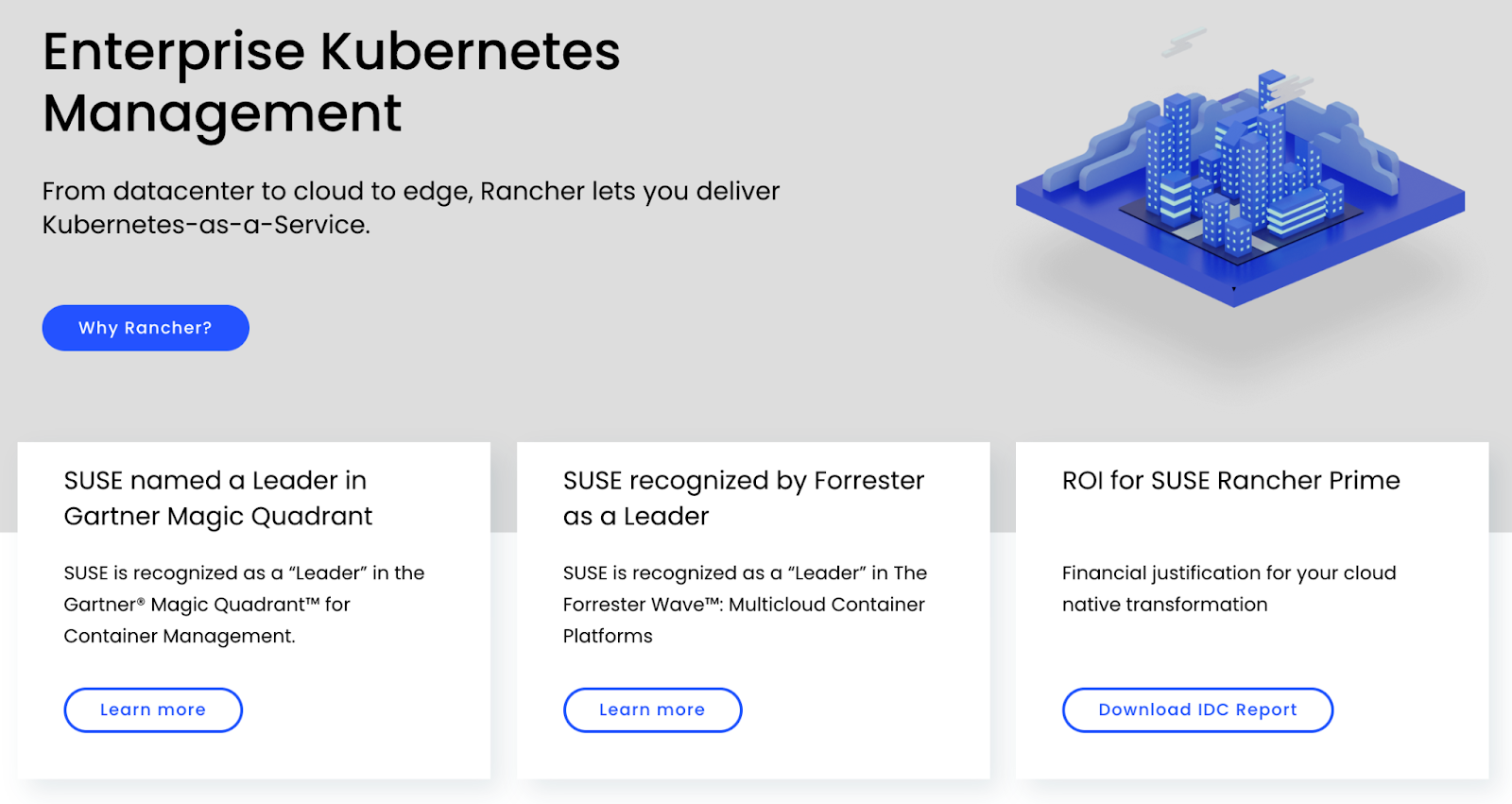
Rancher works well for organizations that want upstream-native flexibility and full control across any CNCF-certified distro without adopting an opinionated platform.
However, the tradeoff is a more complex configuration, an extra management/control plane to run, and a steeper learning curve for teams that aren’t already Kubernetes-mature.
Who is OpenShift best for?
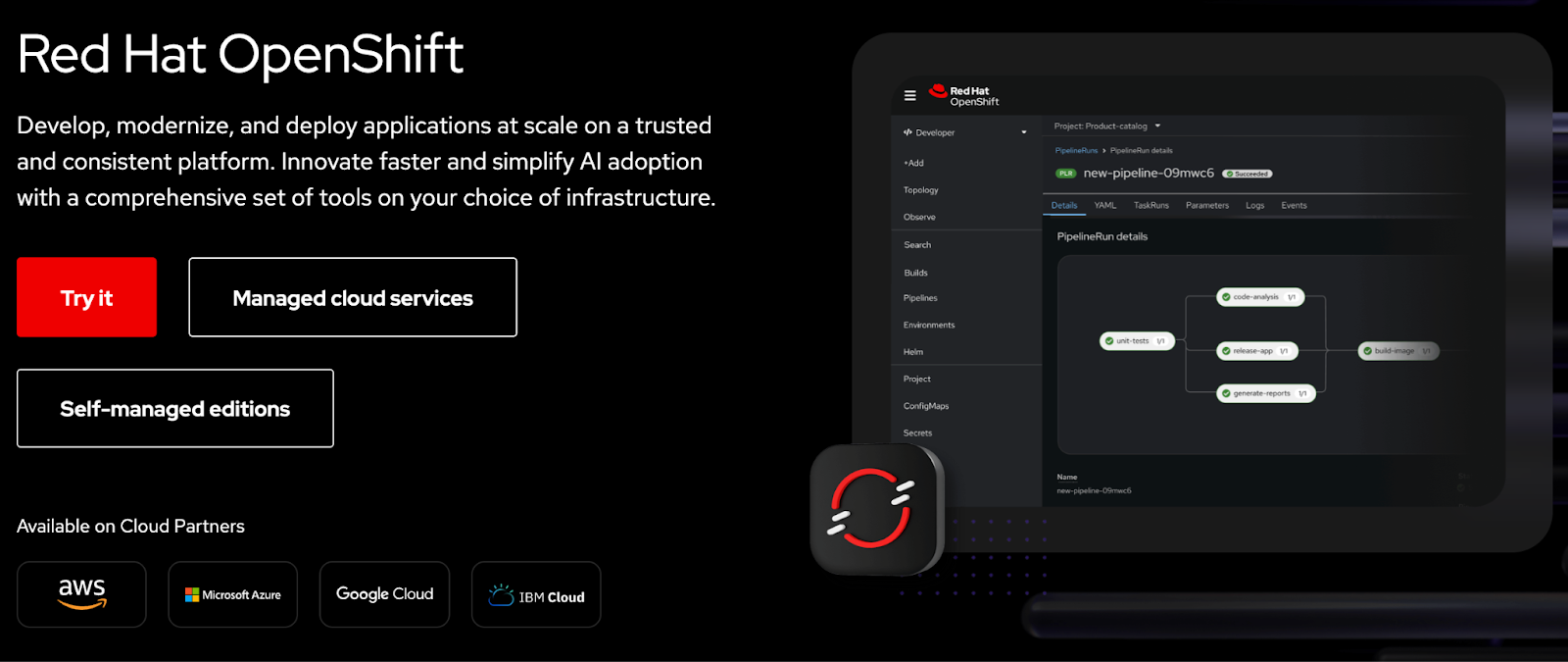
OpenShift is ideal for large, security-focused enterprises that want a fully integrated Kubernetes platform, complete with CI/CD, service mesh, registries, and governance.
It’s a strong fit for organizations that prefer predictable operations and standardized tooling over assembling their own Kubernetes stack, and that are comfortable with a heavier infrastructure footprint and higher ongoing licensing cost than vanilla Kubernetes or lighter platforms.
Discover how Portainer helps teams maximize their OpenShift investment without added platform cost.
Portainer: An Alternative
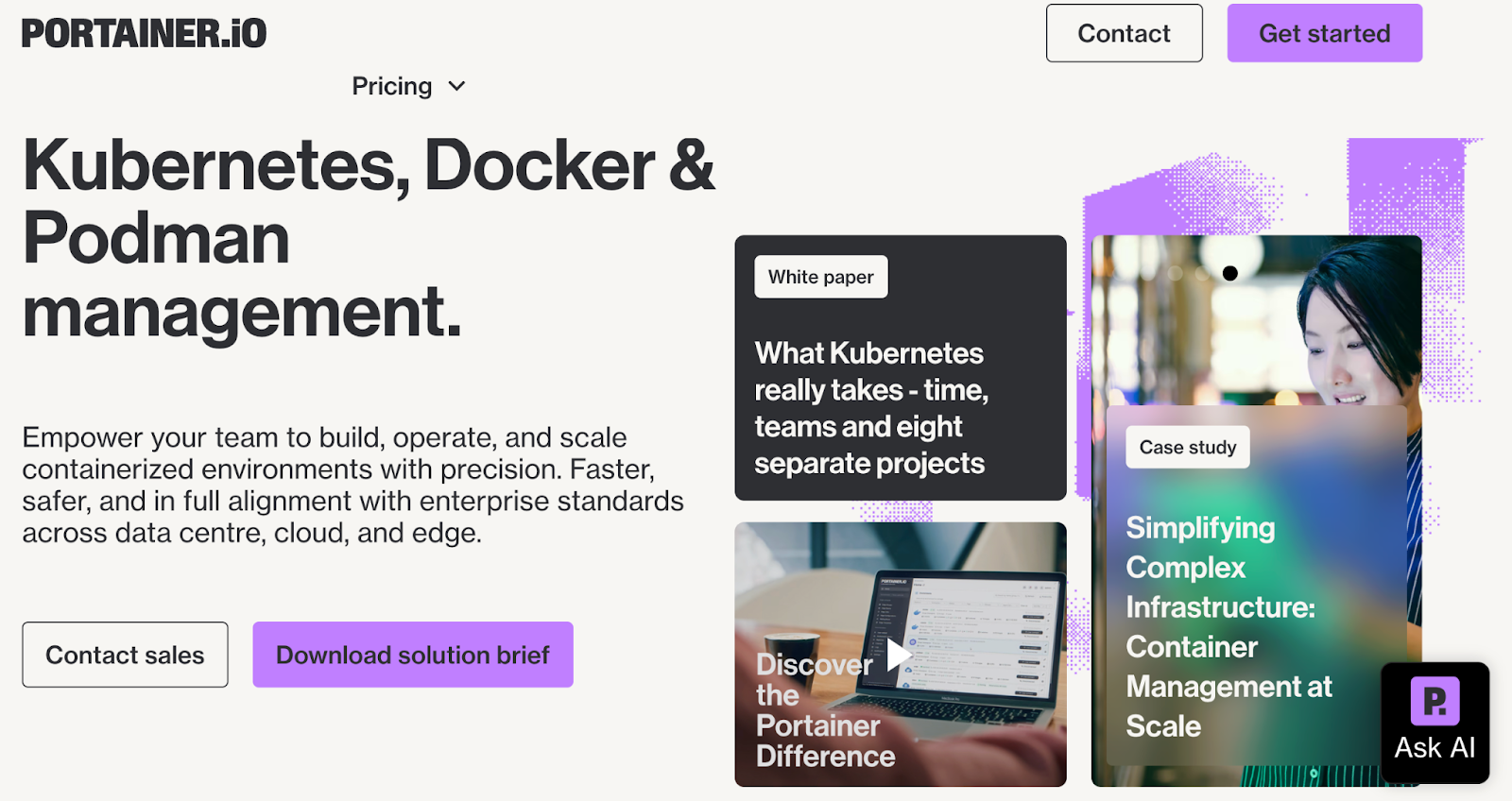
Portainer is the alternative for enterprises that want Kubernetes governance, RBAC, and multi-cluster management without the operational weight of a full PaaS**.**
It runs on top of upstream Kubernetes, EKS/AKS/GKE, Rancher, and OpenShift, providing teams with a unified interface that simplifies day-to-day operations through guided workflows, secure defaults, and a vendor-neutral control plane.
Additionally, it’s also designed to reduce Day-2 burden and resource overhead rather than introduce another heavy management layer, giving teams faster time to value with fewer dependencies to run.
Watch the 3-minute Portainer demo
Below is Portainer’s current pricing:
| Portainer Plan | Pricing (per node/year) | Notes |
|---|---|---|
| Enterprise (recommended for most production environments) | Custom pricing via sales (typically within the $140–$500/node/year range, depending on scale and support level) | Priority SLAs, assigned engineer, compliance reporting, and optional 24/7 support |
For enterprises seeking transparent, predictable pricing rather than platform-heavy licensing, Portainer delivers enterprise-grade security and governance without the operational overhead of OpenShift or Rancher.
Rancher vs. OpenShift: Price Comparison
Rancher
Rancher pricing is fully sales-led with no public rate card.
Key points:
- Enterprise subscription only: All Rancher Prime tiers require sales engagement.
- Add-ons affect cost: App Collection, LTS Core, and security tooling sit in higher tiers.
- Cost depends on scale: Pricing varies by node count, support level, and whether you adopt the Rancher Suite. Based on Portainer’s public comparison data, typical Rancher costs often fall in the $2,400–$3,200 per 2 cores (4 vCPUs) per year range, with a typical node using 16 cores.
Takeaway: Predictable only after scoping.
Because these enterprise costs can escalate quickly, many teams look toward Rancher alternatives that offer more transparent or cost-effective licensing models.
OpenShift
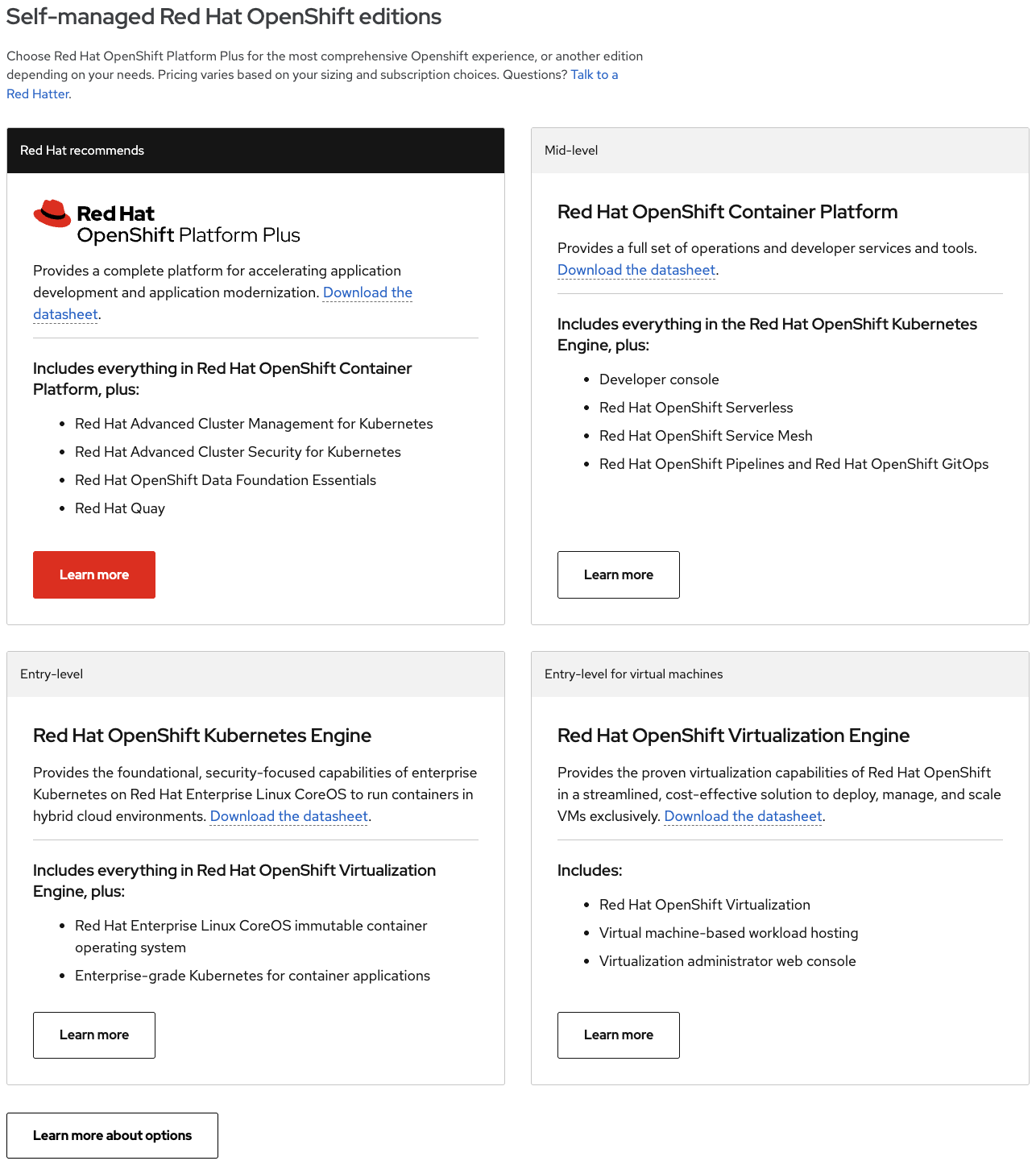
OpenShift licenses per core/per node and typically carries the highest TCO.
- Resource-based billing: Costs scale with CPU cores or nodes.
- Edition-driven pricing: Platform Plus, Container Monitoring Platform, and Kubernetes Engine each have separate enterprise tiers.
- Bundled stack increases cost: Includes Red Hat support, DevSecOps tooling, RHEL CoreOS, and multi-node control plane requirements. Portainer’s comparison data shows typical OpenShift costs in the $150–$500 per core/year range, often multiplied across 16+ cores per node.
Takeaway: Highest cost because it bundles the full Kubernetes ecosystem.
Compared to Portainer, OpenShift offers deep, opinionated integration across the stack, while Portainer delivers a lighter, vendor-agnostic model that avoids ecosystem lock-in.
You can also review the top Openshift alternatives available today.
Portainer
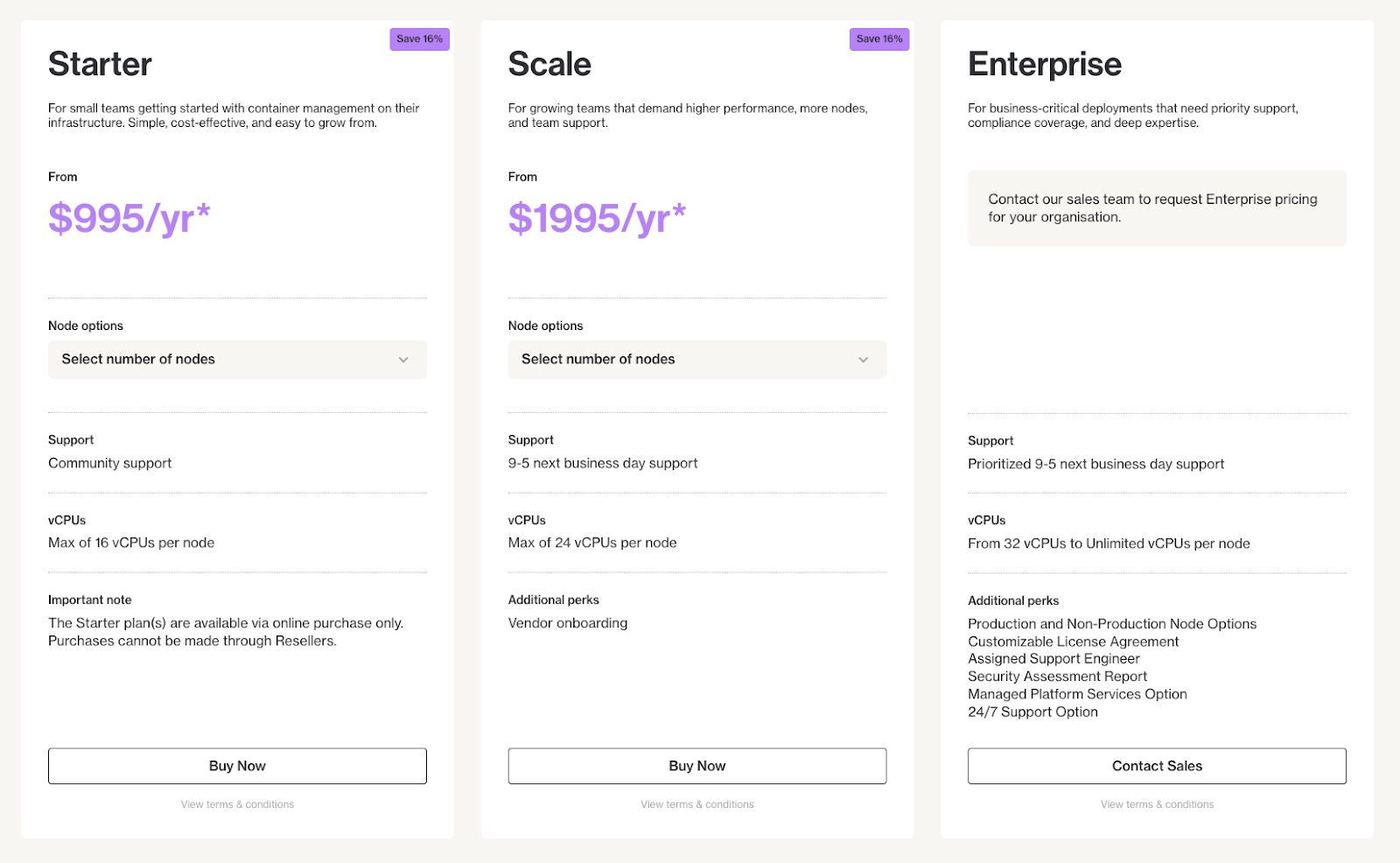
Portainer delivers the simplest and most predictable pricing.
Portainer keeps pricing transparent and node-based, with Enterprise licensing sold via sales (typically within the $140–$500/node/year range, depending on scale and support level). It’s simpler than quote-led licensing from heavier platforms and easier to model for growing teams. Compare Portainer’s pricing with other platforms.
Takeaway: For organizations prioritizing transparency and cost control, Portainer stands out. In practice, many teams find it more cost-effective than full-stack platforms like OpenShift or Rancher for similar governance needs.
Ease of Use
Ease of use determines how quickly teams can deploy, debug, and support workloads. Rancher, OpenShift, and Portainer all simplify Kubernetes in different ways, some through opinionated workflows, others through upstream familiarity or guided interfaces.
Rancher
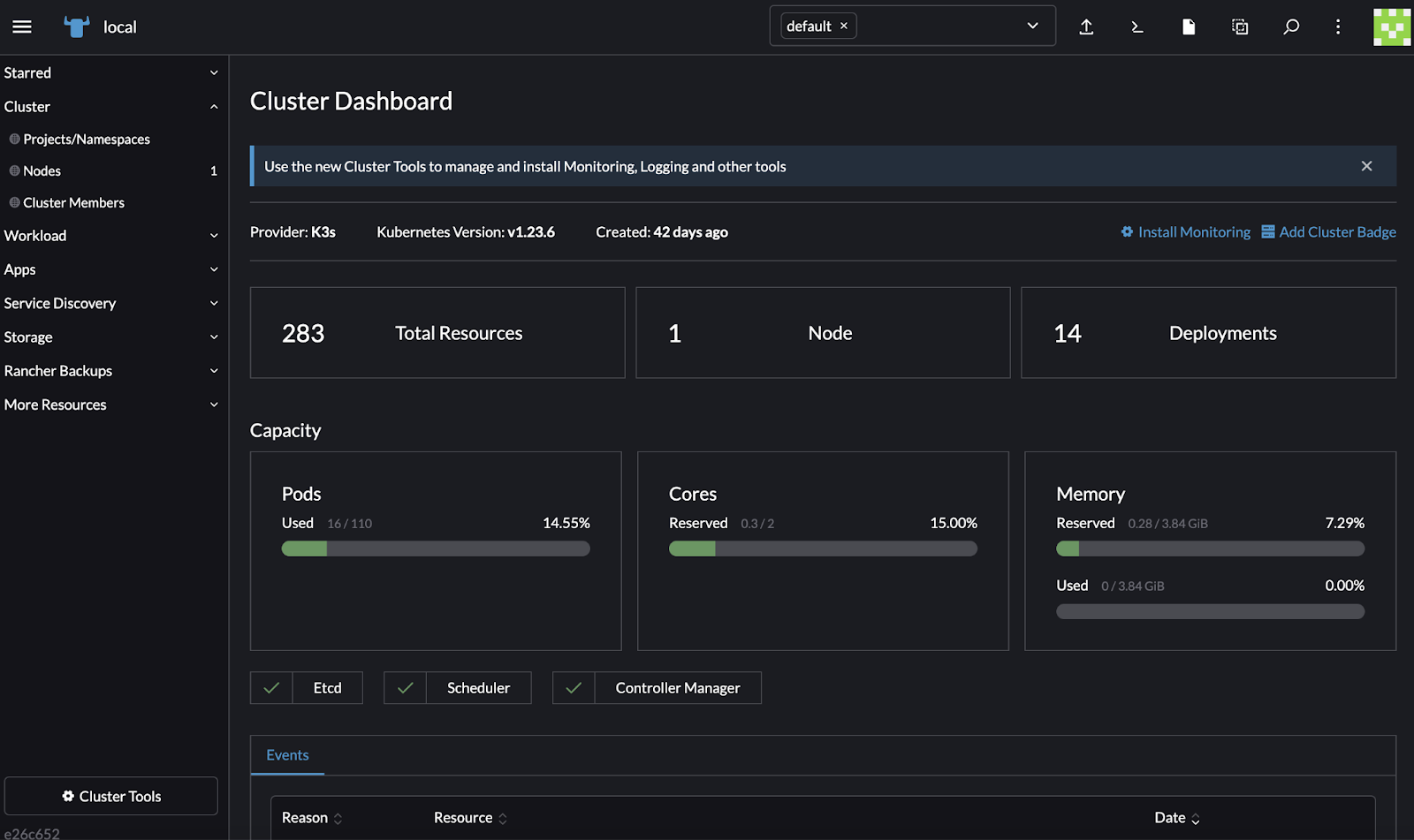
Rancher feels intuitive if your team already understands upstream Kubernetes.
- Upstream-aligned UI: Common kubectl-level tasks remain visible.
- Added UI constructs: Projects, apps, and catalogs can introduce ClickOps if GitOps isn’t enforced.
A Capterra user summed it up: “Rancher makes orchestration less daunting, but it assumes you know what you’re doing.”
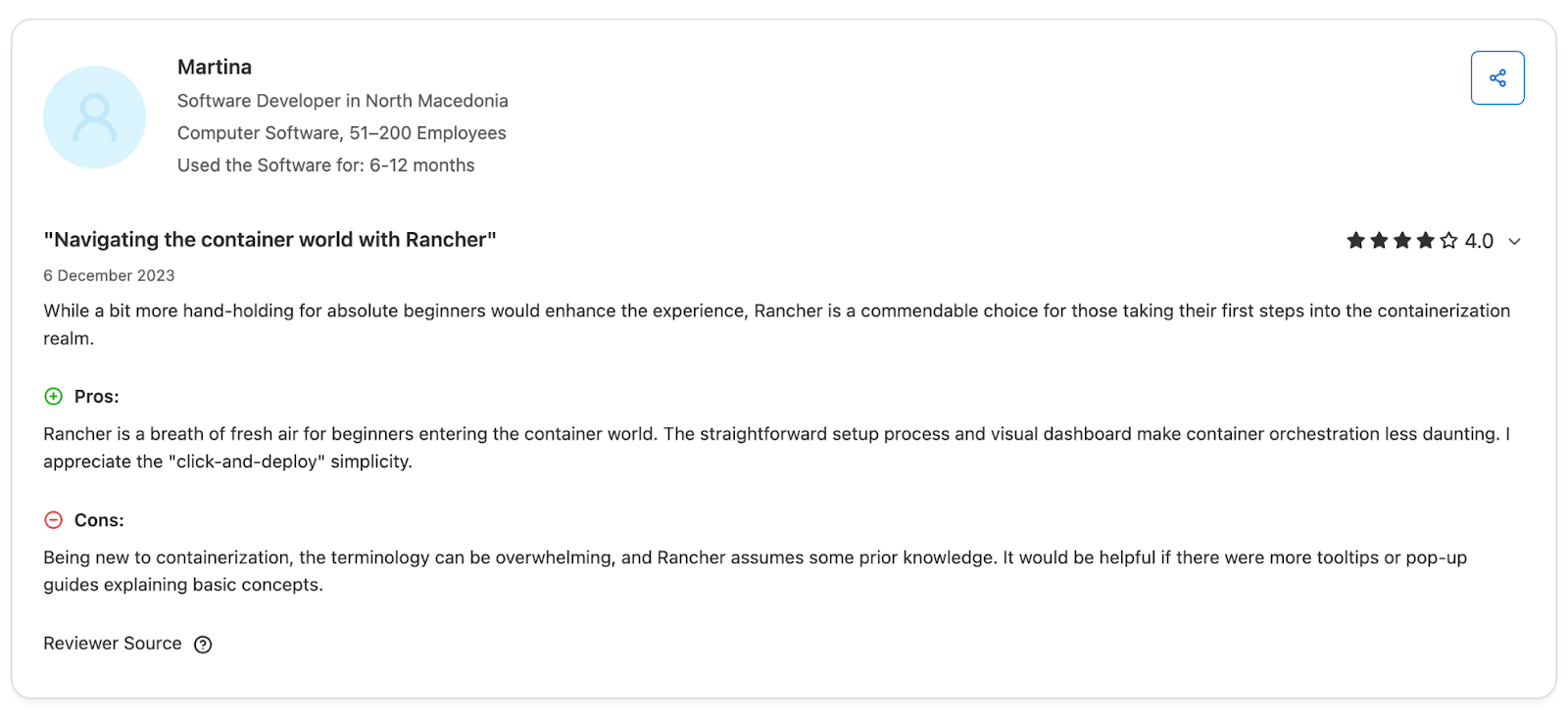
Source: Capterra
Bottom line: Rancher works well for Kubernetes-mature teams but doesn’t remove underlying Kubernetes complexity.
OpenShift
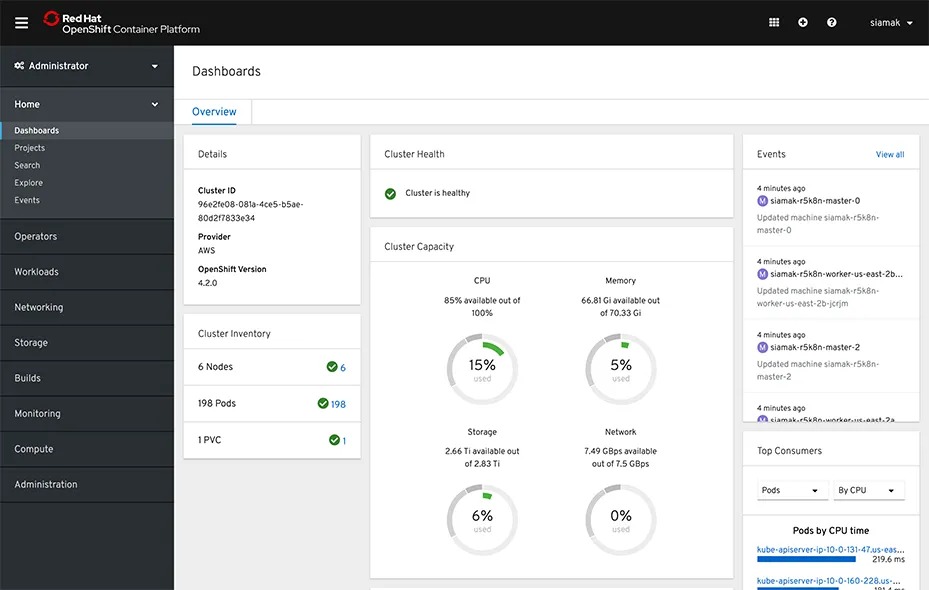
Source: Red Hat OpenShift for IT operations
OpenShift provides a predictable, unified UI for deployments, pipelines, registries, logs, and security tools. This consistency is its core strength.
But the tradeoff is learning OpenShift’s way of doing things.
- Predictable workflows: Everything follows Red Hat conventions.
- Adjustment required: Debugging and customization often mean learning OpenShift-specific abstractions.
Bottom line: It’s best suited for teams ready to work inside a strongly opinionated, enterprise-grade model.
Portainer
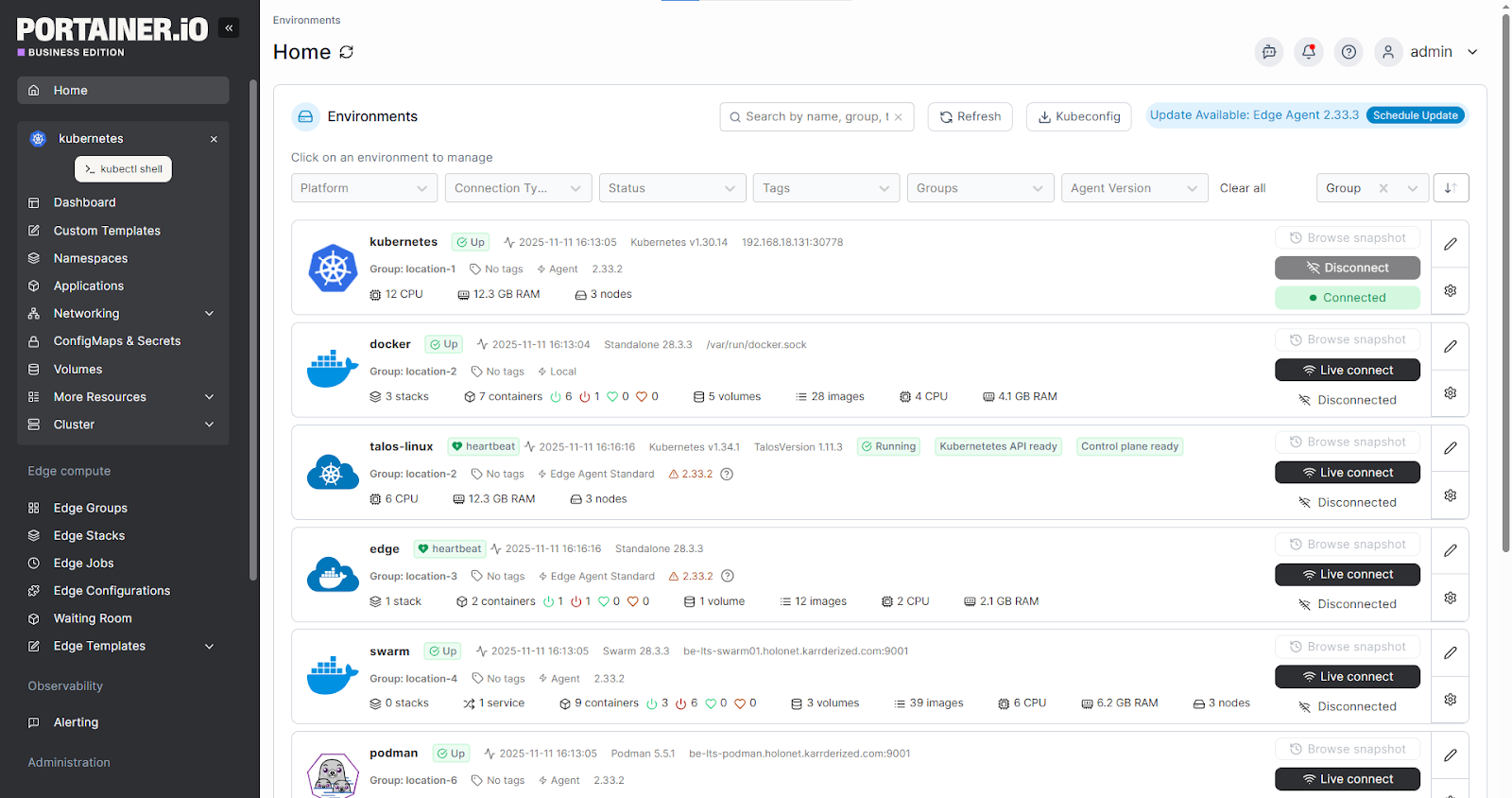
Portainer simplifies operations by keeping Kubernetes familiar while removing unnecessary friction.
- Minimal UI: No custom abstractions or heavy constructs.
- Guided workflows: Clear deploy paths for mixed-experience teams.
- Consistent operations: Works the same across Kubernetes, Docker, and hybrid environments. While many know Portainer for Docker, its core value today is simplifying Kubernetes operations at scale.
Bottom line: Portainer offers the most approachable day-to-day experience across all three platforms, reducing the need for deep specialist skills while still giving teams full control.
Customer Support
When Kubernetes becomes central to your environment, support influences how quickly teams unblock issues, navigate upgrades, and resolve production incidents. Rancher, OpenShift, and Portainer offer strong support models, but differ in how predictable and accessible they are for day-to-day operations.
Rancher
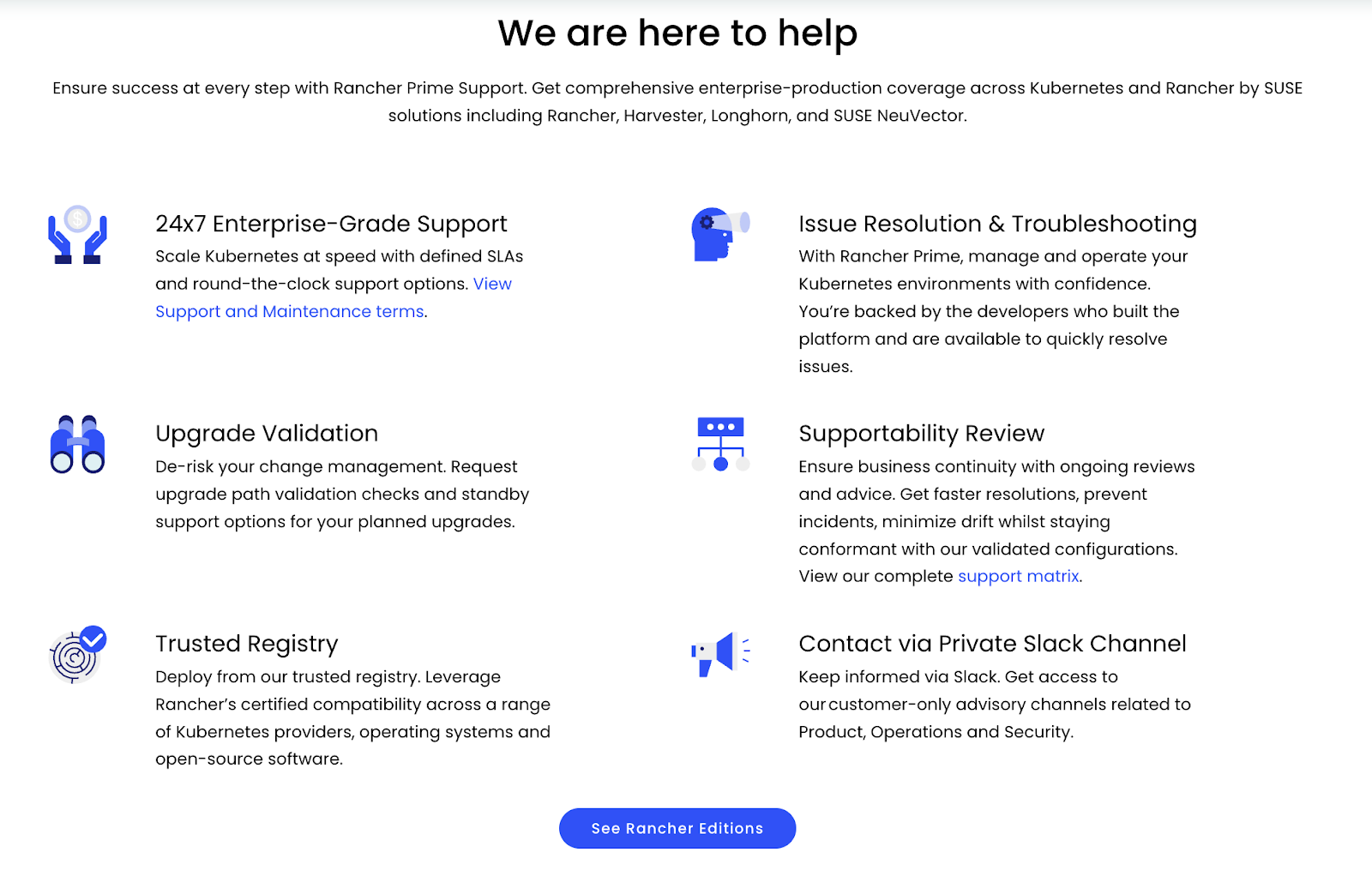
Rancher provides enterprise support through SUSE engineers, with a model built around Kubernetes expertise rather than generic ticket queues.
- Direct escalation paths: Faster access for critical incidents
- Upgrade path validation: Reduces breakage during version changes
- Supportability reviews: Ensures clusters align with hardened configurations
- User sentiment: Many users praise the technical depth, though some report slower handling of high-severity issues during outages
Bottom line: Rancher’s support is strong and engineer-led, but response consistency varies across organizations.
Get Started with Portainer
OpenShift
OpenShift positions support as part of a broader enterprise ecosystem, delivering structured, enterprise-wide support across the full platform stack: Kubernetes, Operators, networking, storage, and CI/CD.
- Full-stack troubleshooting: Covers dependencies across the Red Hat ecosystem.
- Extensive documentation: Broad coverage but often noted as dense.
- Tiered SLAs: Responsiveness increases with higher subscription levels.
Reviewers also repeatedly mention that the experience improves significantly once you’re on the top support level.
Bottom line: Support is robust and reliable but feels “tier-gated,” excellent when you’re in the right plan, slower if you’re not.
Portainer
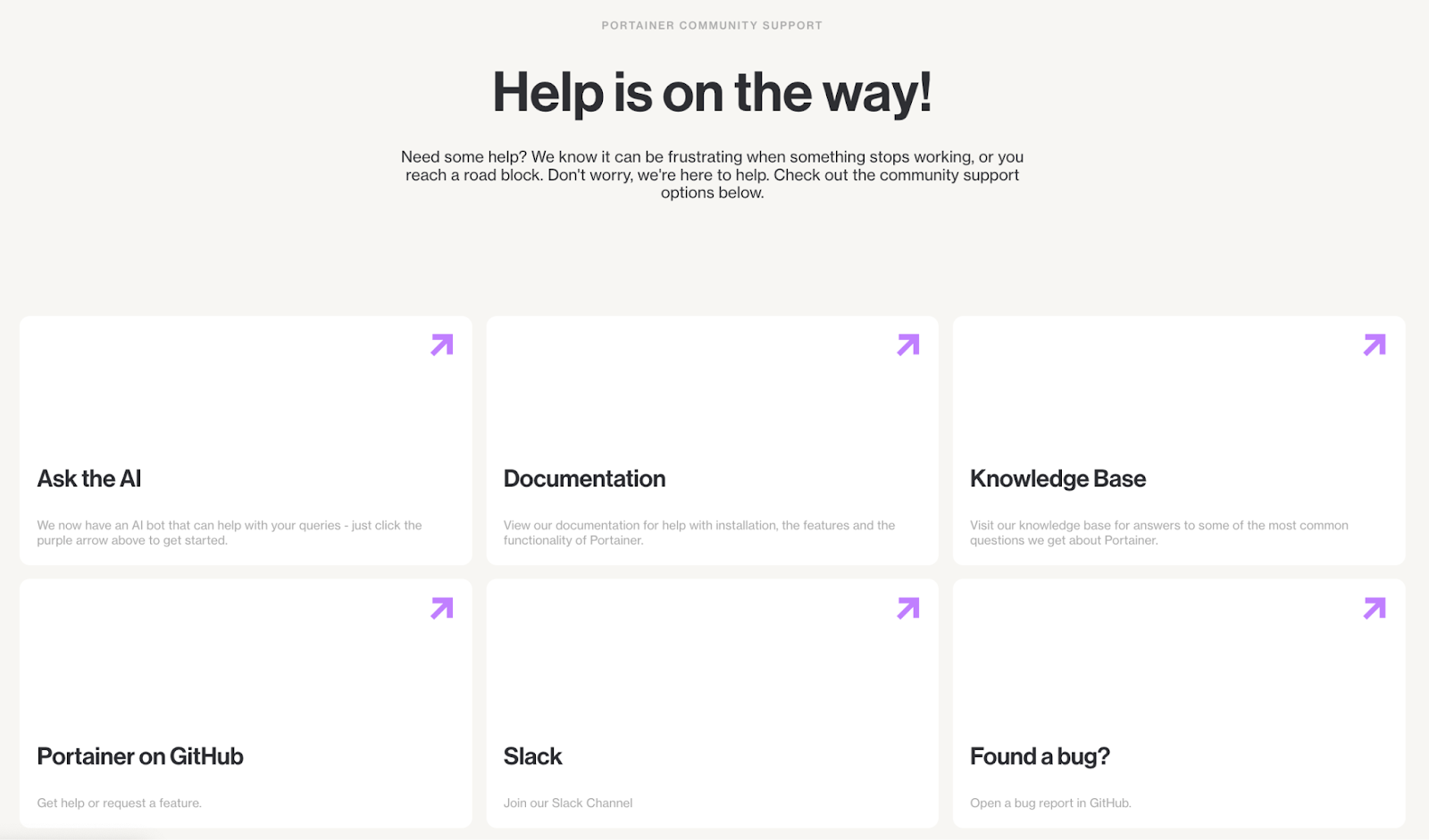
Portainer simplifies support with direct engineer access for paid plans and community support for free tiers.
- Engineer-first support: No call-centre routing.
- Predictable SLAs: Scale and Enterprise tiers get priority response.
- Community channels: Slack, GitHub, docs, and an AI assistant.
Bottom line: The most straightforward and accessible support model, especially for teams without deep Kubernetes specialists.
Integrations
How well a platform plugs into your identity providers, CI/CD tools, registries, and automation stack has a direct impact on day-to-day velocity. Rancher, OpenShift, and Portainer all integrate deeply, but with very different levels of rigidity and operational weight.
Rancher
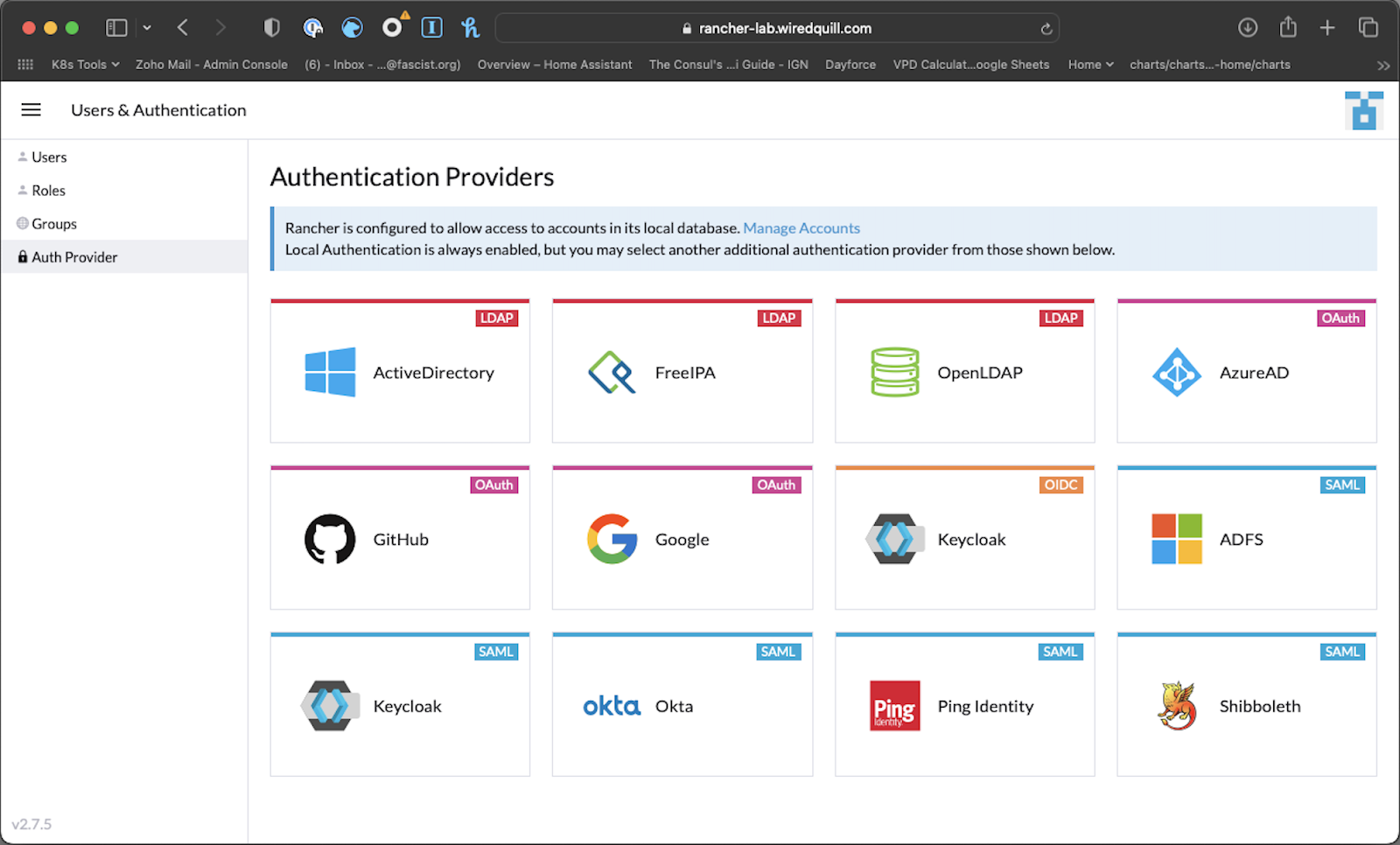
Source: G2
Rancher leans into the Kubernetes ecosystem instead of reshaping it.
You get upstream-native workflows, broad compatibility, and UI shortcuts that help teams run mixed environments without adopting an entirely new stack.
Key strengths:
- Broad IdP support: LDAP, SAML, OAuth, AD, GitHub, Keycloak, and more
- CI/CD-agnostic: Works with GitHub Actions, Argo CD, Jenkins, and GitLab without adaptation
- Fleet GitOps: Scales policy and config across multi-cluster estates
- Flexible observability: Bring your own Prometheus, Grafana, Loki, or external vendors
Bottom line: Best when you want broad compatibility without committing to a specific toolchain.
OpenShift
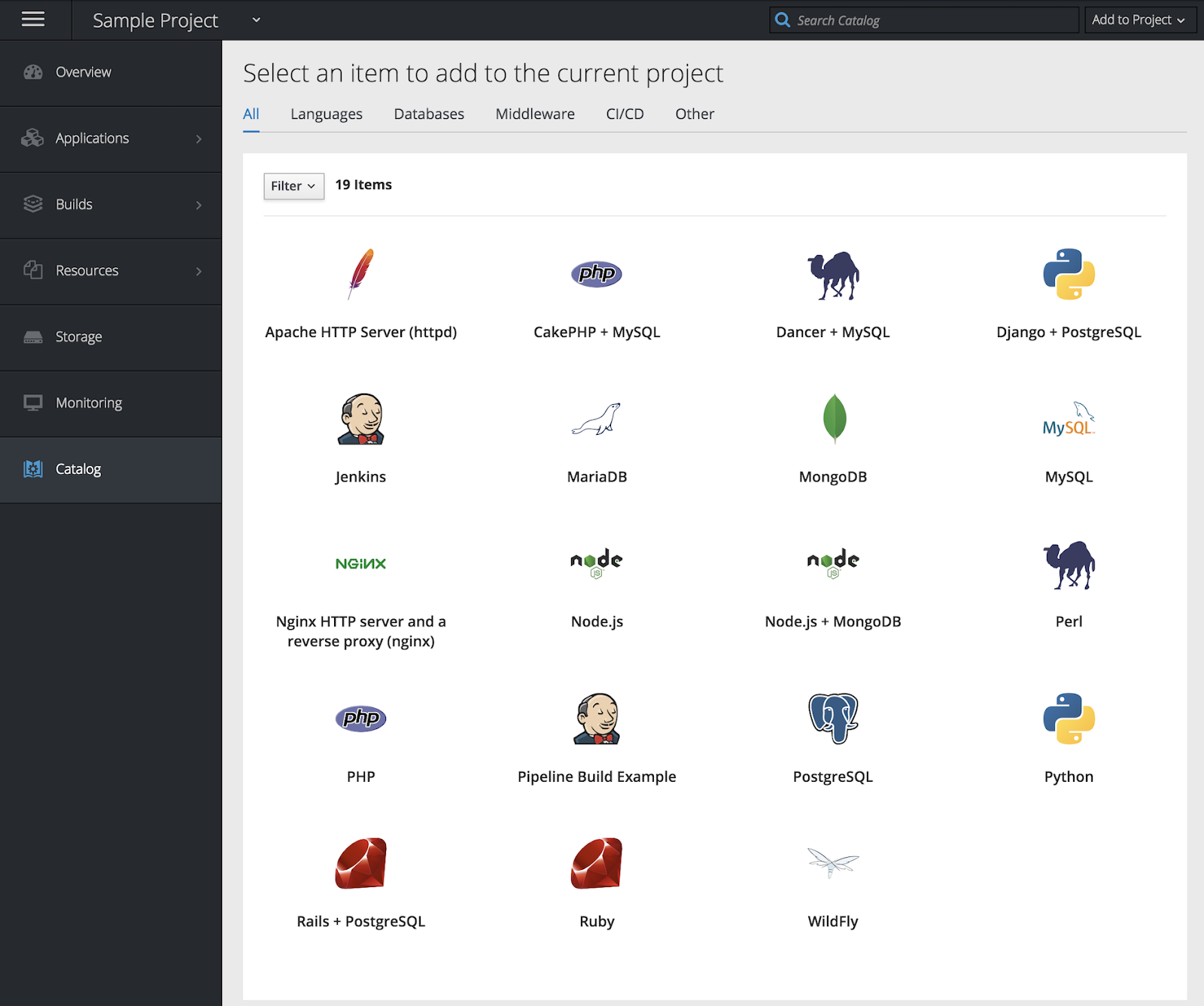
Source: G2
OpenShift goes the opposite direction and integrates more deeply, shaping the stack around Red Hat’s standards.
Key strengths:
- Native CI/CD: Tekton + OpenShift Pipelines with Operator-backed lifecycle
- Built-in registry + supply chain security: Internal registry + Quay
- OperatorHub ecosystem: One model for databases, logging, mesh, serverless, storage
- Enterprise identity & policy: OIDC, LDAP, RBAC, SCC, and PodSecurity integrated end-to-end
Bottom line: Best for enterprises that want standardization, secure defaults, and integrated governance.
Portainer

Portainer keeps integrations intentionally lightweight.
Instead of pushing you into a specific toolchain, it focuses on operational simplicity across mixed environments.
Key strengths:
- Simple registry + secrets setup: Docker Hub, ECR, GCR, private registries
- External auth/IdP support: Integrates with common enterprise identity providers via OAuth/OIDC and LDAP, so teams can plug into existing SSO.
- Easy CI/CD linking: Connects smoothly to GitHub Actions, Jenkins, Argo CD
- Multi-environment coverage: Docker, Swarm, Kubernetes, Podman, and edge
Bottom line: Best when you want interoperability without adopting a heavy platform, especially across mixed Kubernetes + Docker estates.
Developer Experience
Developer experience shapes deployment speed, debugging effort, and how quickly teams adopt a platform. Rancher stays close to upstream Kubernetes; OpenShift provides a full application platform, and Portainer streamlines day-to-day operations without adding a new ecosystem.
Rancher
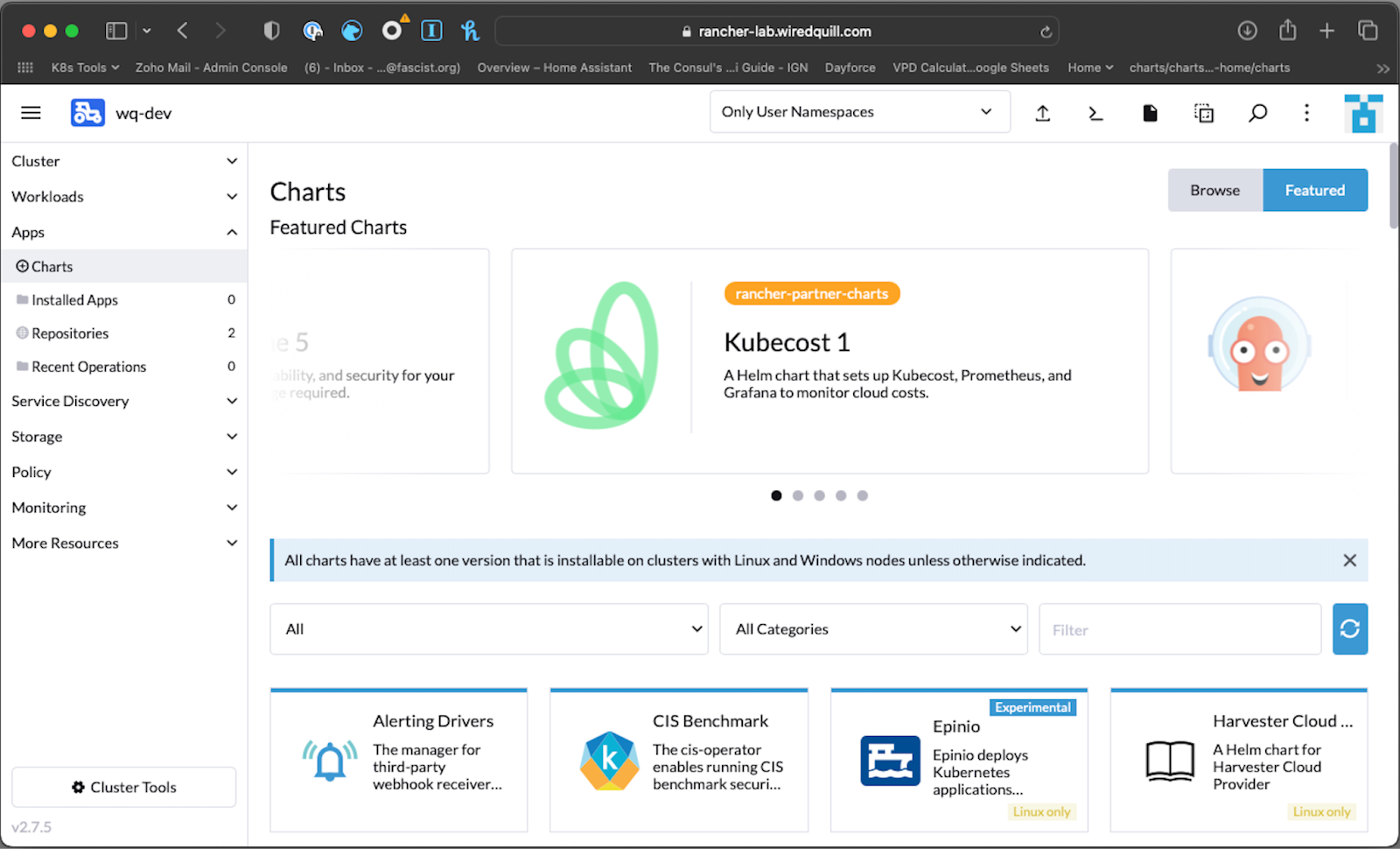
Source: G2
Rancher gives developers an upstream-native experience with optional tools like Epinio, Rancher Desktop, and Fleet for GitOps.
Key points:
- Modular workflow: Teams keep existing pipelines and registries.
- Minimal abstractions: UI mirrors Kubernetes resources.
- GitOps-friendly: Fleet scales deployment changes cleanly.
A Reddit commenter mentioned that Rancher is “developer-friendly, but BYO,” best for teams with mature tooling already in place.
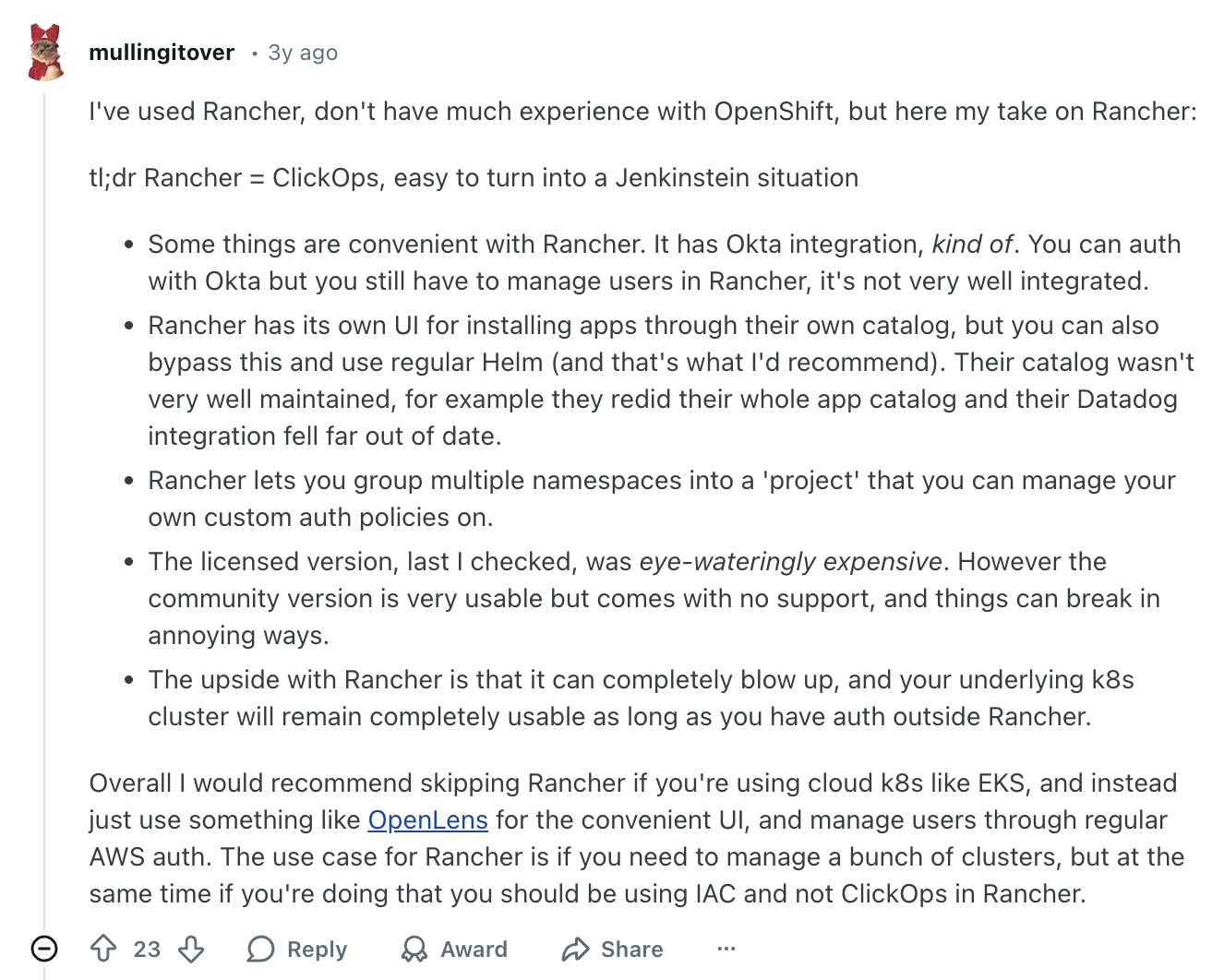
Source: Reddit
OpenShift
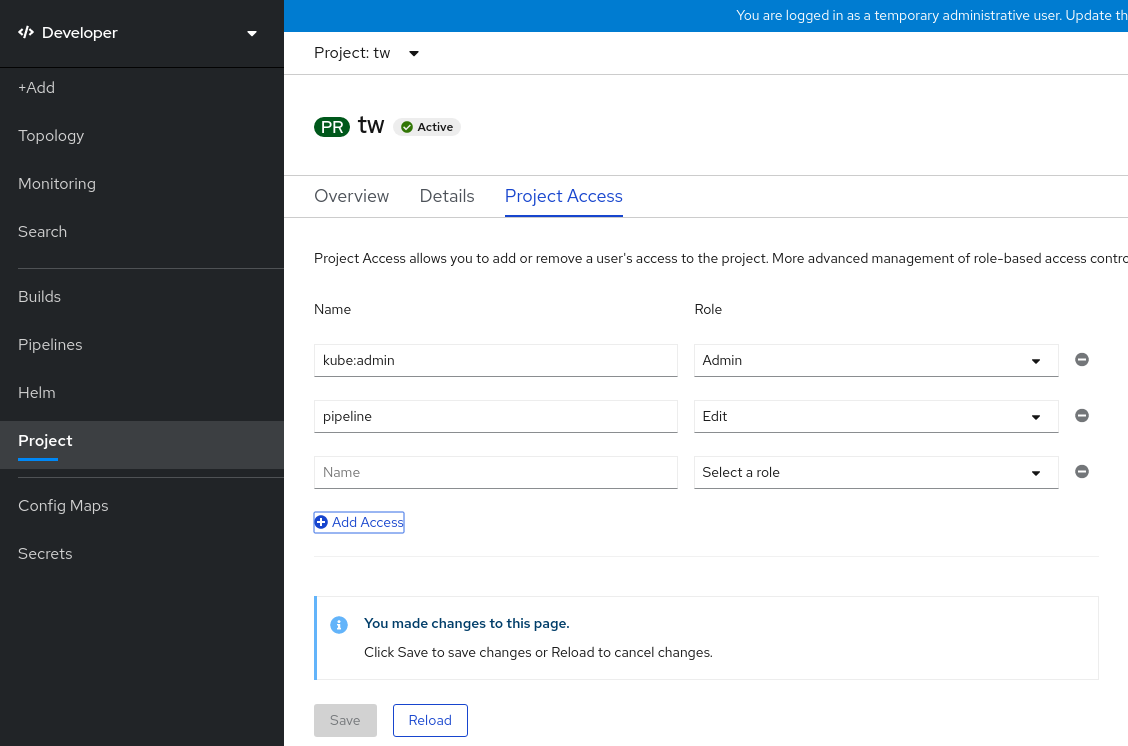
OpenShift behaves like a complete application platform. S2I builds, Tekton pipelines, Argo-based GitOps, and OperatorHub come pre-integrated.
Key points:
- Rich developer console with pipelines, logs, routes, and deployment views.
- Governed defaults for namespaces, builds, and image flows.
- Vast add-on ecosystem through Operators.
User feedback is consistent, with them stating that the learning curve is real, but once teams adjust, the developer tooling is powerful and predictable.
Portainer
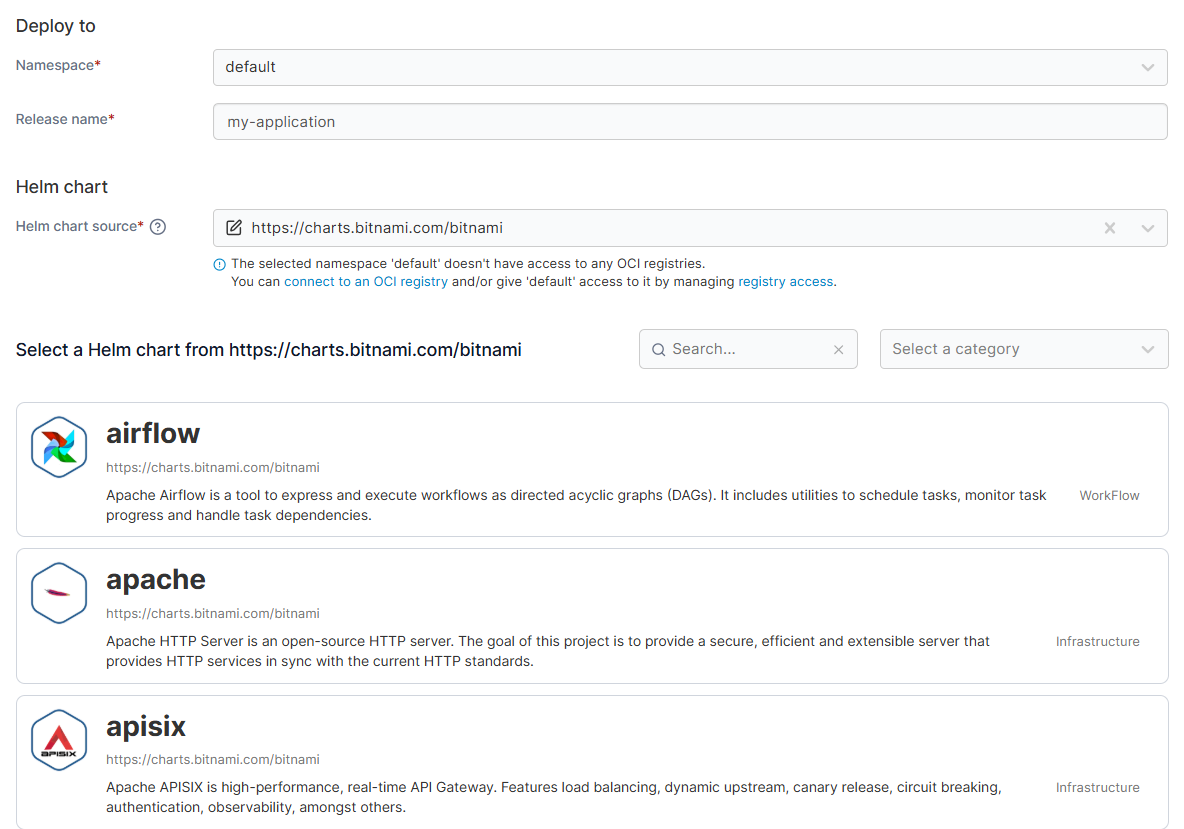
Portainer doesn’t aim to be a PaaS.
Instead, it smooths out everyday app operations:
- Guided deploy flows
- Clean RBAC
- Unified UI across Kubernetes, Docker, Podman
- Template-driven deployments
Teams that prefer the CLI can still download kubeconfig files and keep using kubectl or external tools, while Portainer enforces access controls and security boundaries in the background.
By providing a consistent interface, the platform ensures that every DevOps container workflow remains efficient and accessible. Overall, it’s the fastest way for mixed-skill teams to work productively without relying on kubectl or learning a new ecosystem.
Multi-Cluster Management & Governance
Once you have multiple clusters, governance and Day-2 operations determine how scalable your platform really is. Rancher provides native multi-cluster management, OpenShift uses ACM for structured governance, and Portainer offers a unified operational view across heterogeneous estates.
Rancher
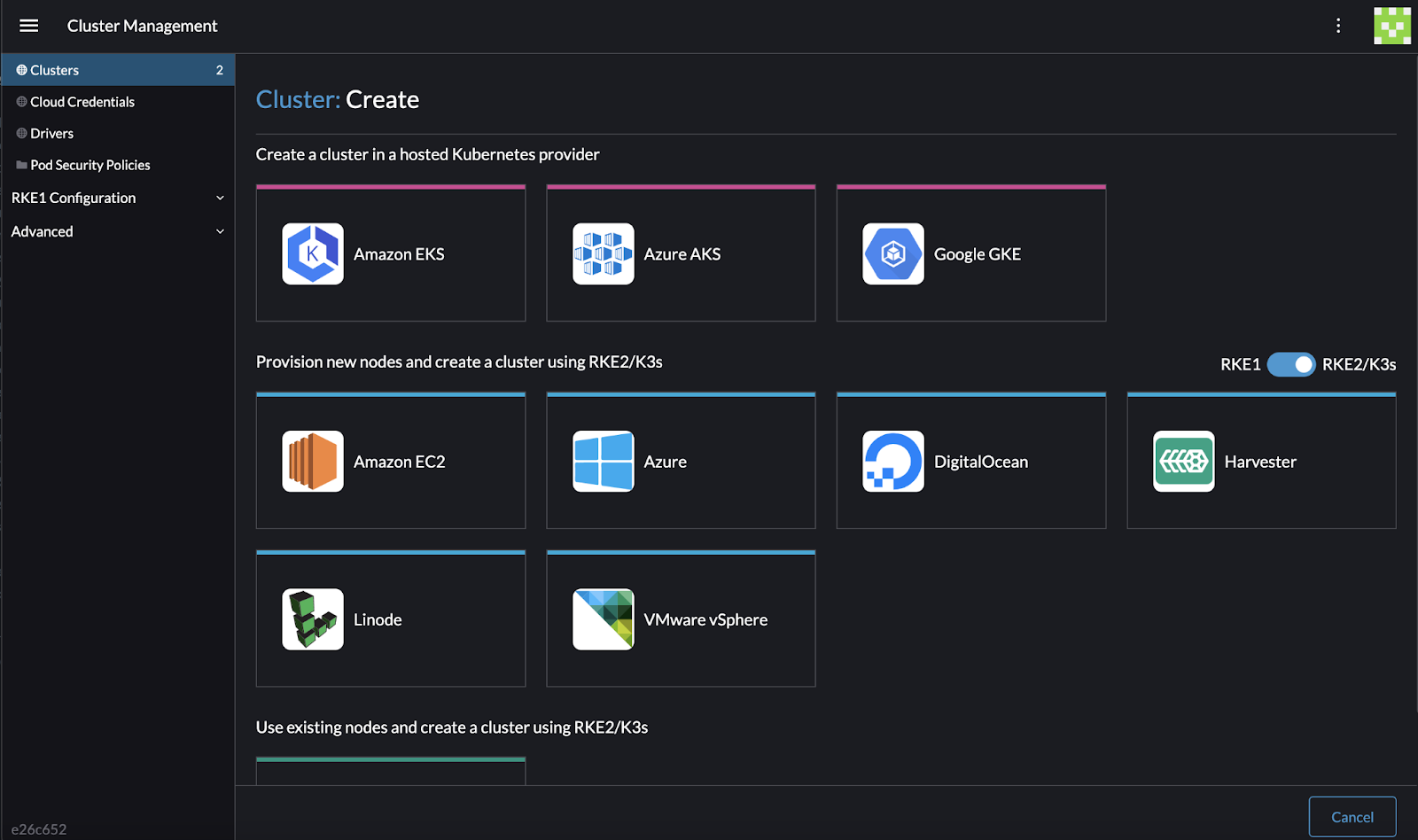
Multi-cluster is where Rancher built its reputation. It treats every cluster, upstream, cloud-managed, edge, or self-hosted, as a first-class citizen under one centralized control plane.
Key strengths:
- Native multi-cluster model: No extra components required.
- Fleet GitOps: Scales policy, config, and upgrades.
- Ideal for mixed estates: Works well when clusters differ across teams or regions.
This makes Rancher a natural fit for hybrid and distributed environments. When compared to Portainer, Rancher offers deeper lifecycle and provisioning features, but it is heavier to deploy and maintain.
OpenShift
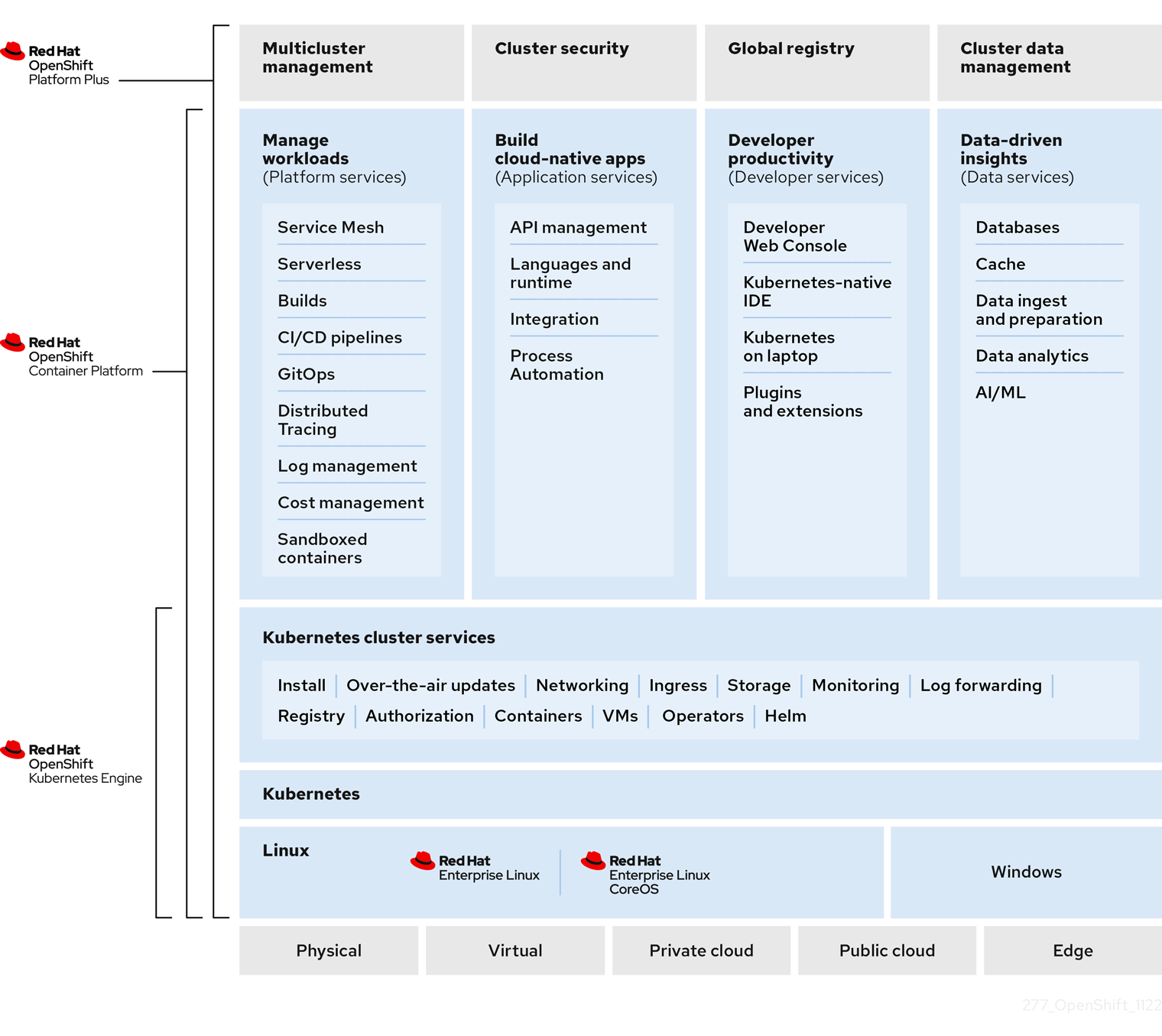
OpenShift delivers multi-cluster governance through Advanced Cluster Management (ACM). It’s highly structured and aimed at enterprises that need strict governance.
Key strengths:
- Policy-driven governance: Placement rules, compliance, and config enforcement.
- Operator-backed upgrades: Safer version progression across fleets.
- Enterprise appeal: Structured workflows align well with regulated sectors.
The tradeoff is weight. ACM is powerful but assumes a Red Hat-aligned environment, making it heavier than Rancher’s native model.
Portainer
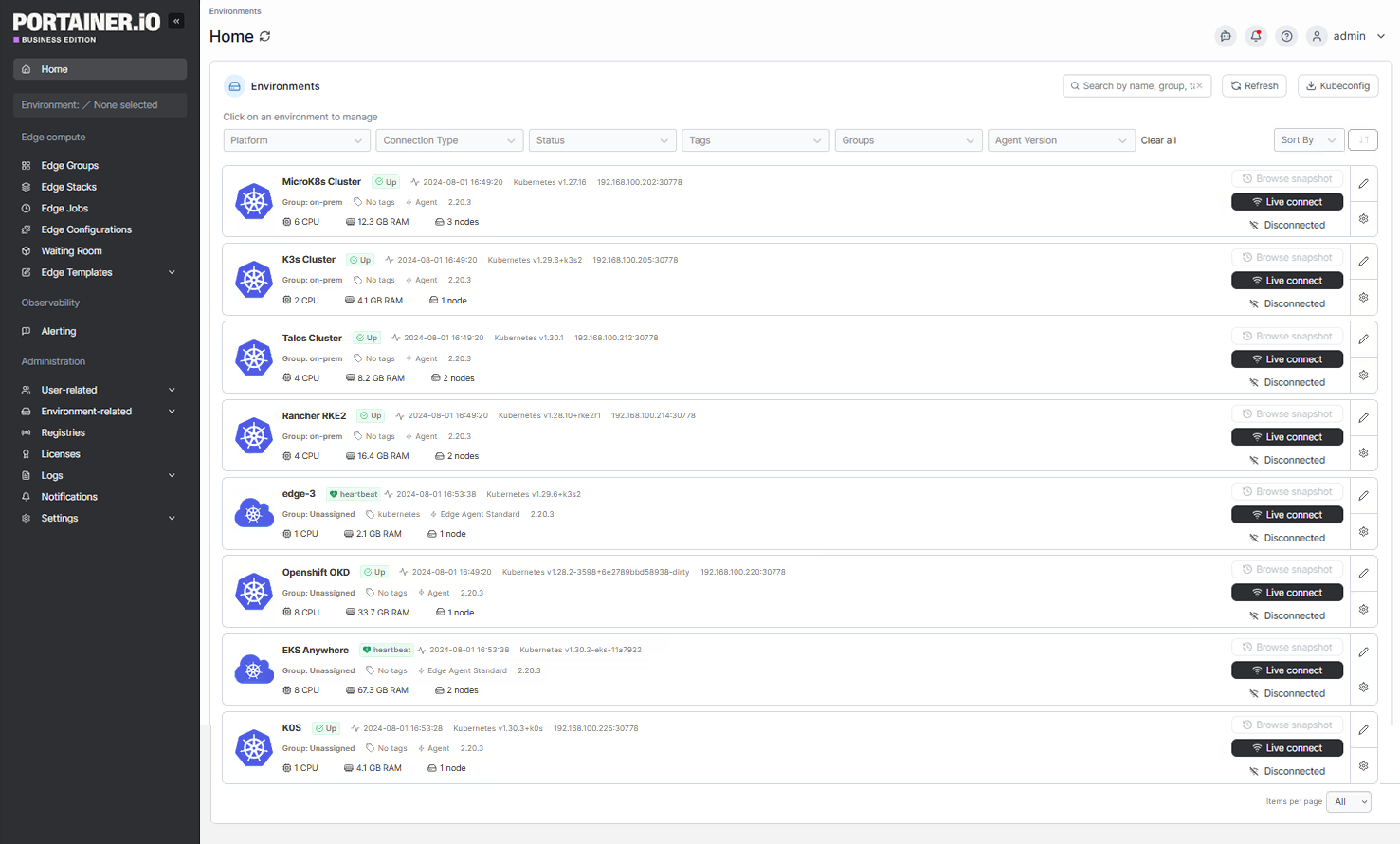
Portainer provides a unified operational layer across Rancher-managed clusters, OpenShift clusters, upstream Kubernetes, EKS/AKS/GKE, and edge environments.
Here’s how it fits into real architectures:
- Unified operations layer: One interface for Rancher, OpenShift, upstream Kubernetes, EKS/AKS/GKE, and edge.
- Governance across all clusters: Managed platform services secure the control plane; Portainer adds a single layer for access, RBAC, and operations.
- Lifecycle stays separate: Rancher/ACM handles provisioning and upgrades; Portainer standardizes day-to-day workflows.
Bottom line: Portainer becomes the operational interface teams use daily, without replacing existing lifecycle or provisioning tools.
How to Choose the Best Kubernetes Management Platform
Choosing between Rancher, OpenShift, and Portainer often comes down to three key factors: the level of platform ownership you desire, the degree of complexity in your existing environment, and the level of experience your teams have with Kubernetes. These lenses help teams reach a clear decision quickly.
Consideration #1: How much platform you want to own
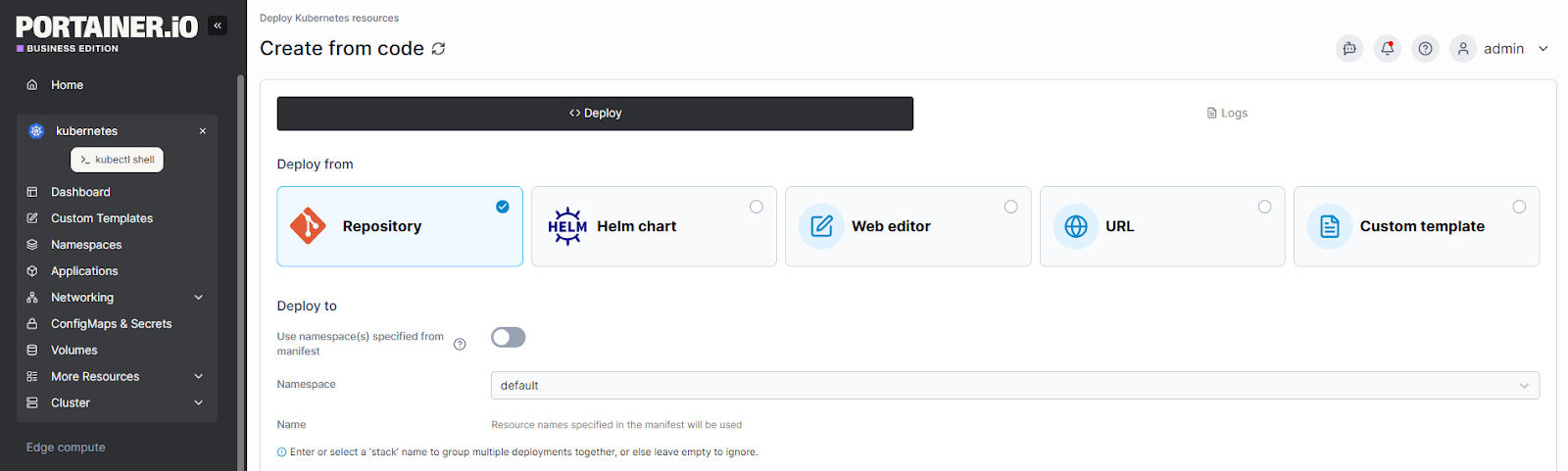
- OpenShift fits teams that want a full-stack, opinionated platform with predictable lifecycle automation.
- Rancher suits teams that prefer modularity and upstream-native freedom.
- Portainer fits when you want a unified operational layer without committing to a full PaaS model.
How Portainer handles this: Portainer standardizes day-to-day operations across any environment: OpenShift, Rancher, upstream K8s, or cloud, without changing your underlying stack.
Consideration #2: How mixed your environment already is
- Rancher is favored in hybrid and multi-cloud estates thanks to its open, distro-agnostic approach.
- OpenShift works best when your environment is standardized end-to-end.
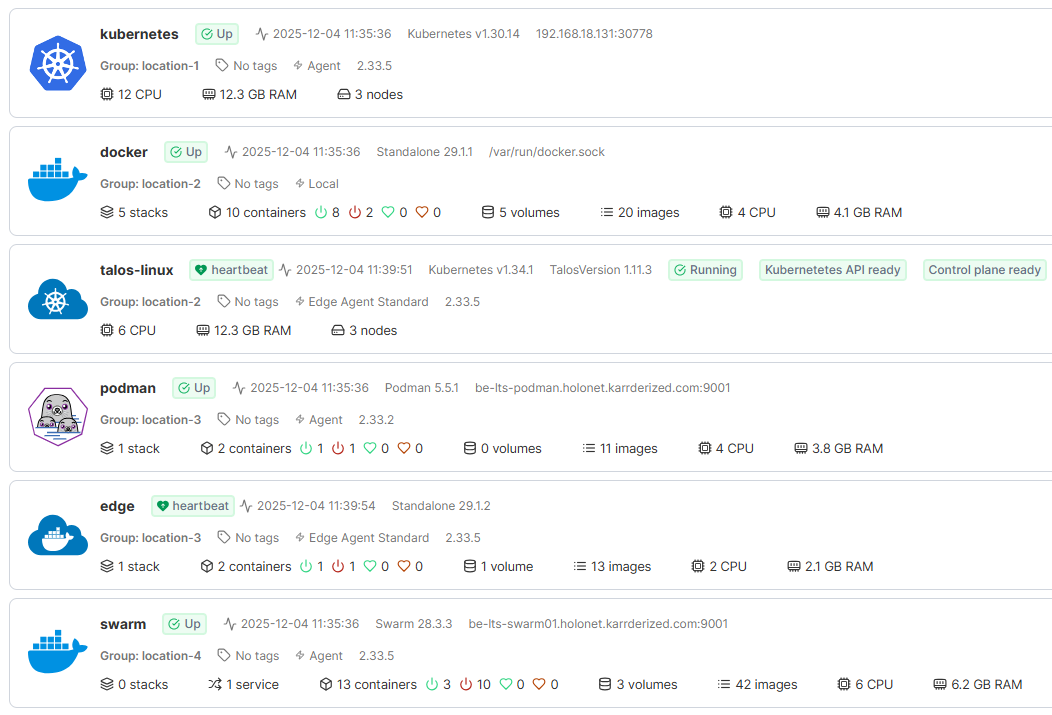
- Portainer brings consistency across both models, especially when some teams run Kubernetes and others still rely on Docker/Podman.
How Portainer handles this: For mixed orchestrators or non-uniform clusters, Portainer acts as a single operational interface. It layers on top of Rancher, OpenShift, and managed Kubernetes services, so you can standardize workflows without changing platforms. Since it’s self-hosted, teams deploy Portainer directly into their existing cloud or on-prem environments.
Consideration #3: How mature your internal Kubernetes expertise is
- Rancher fits teams with strong Kubernetes skills who prefer upstream-native patterns.
- OpenShift suits teams that want prescriptive defaults and integrated tooling.
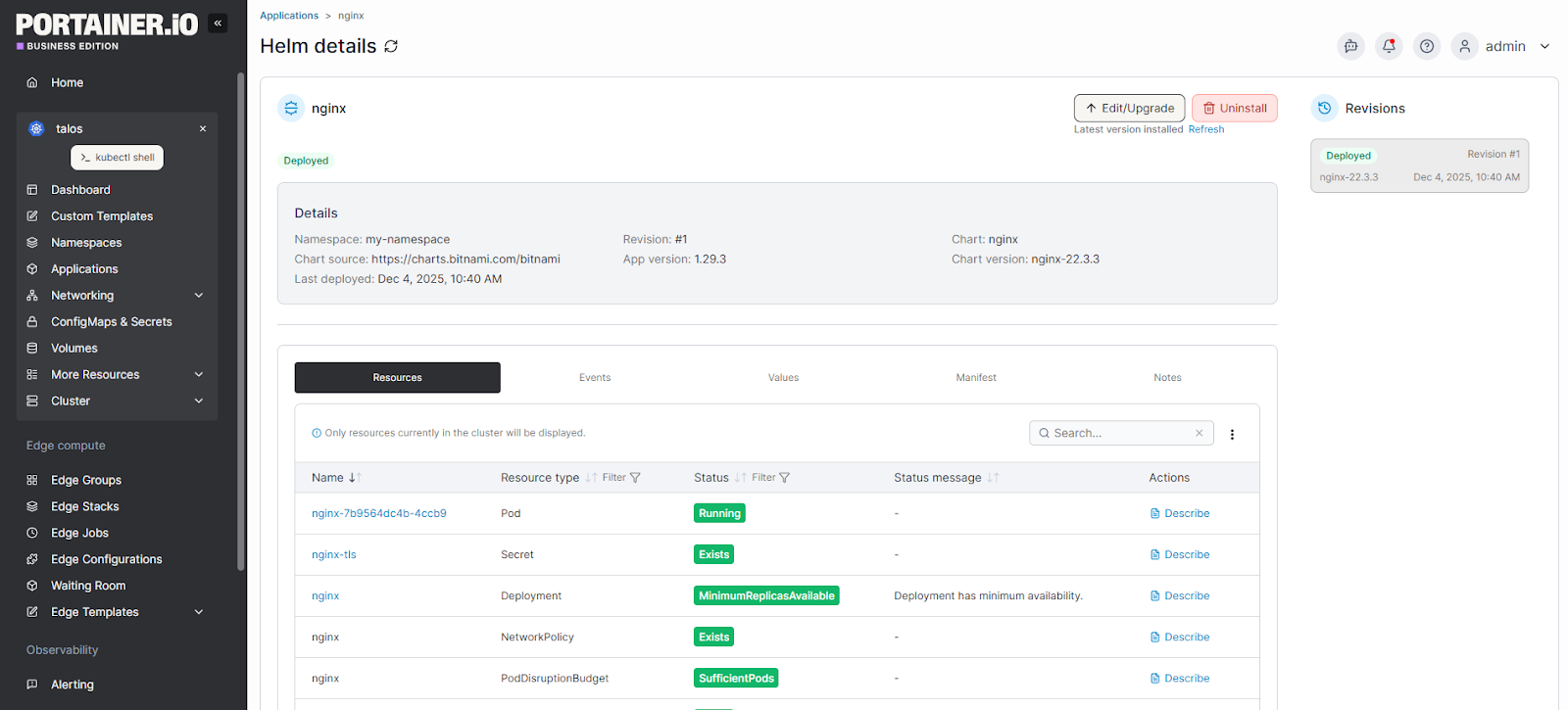
- Portainer helps mixed-skill teams operate safely through guided workflows and a low-friction UI.
How Portainer handles this: Portainer reduces the learning curve by offering a consistent, controlled interface for L2/L3 and app teams.
To learn more about the platforms, check out our other comparisons: OpenShift vs Kubernetes.
Alternative To Rancher and OpenShift: Portainer
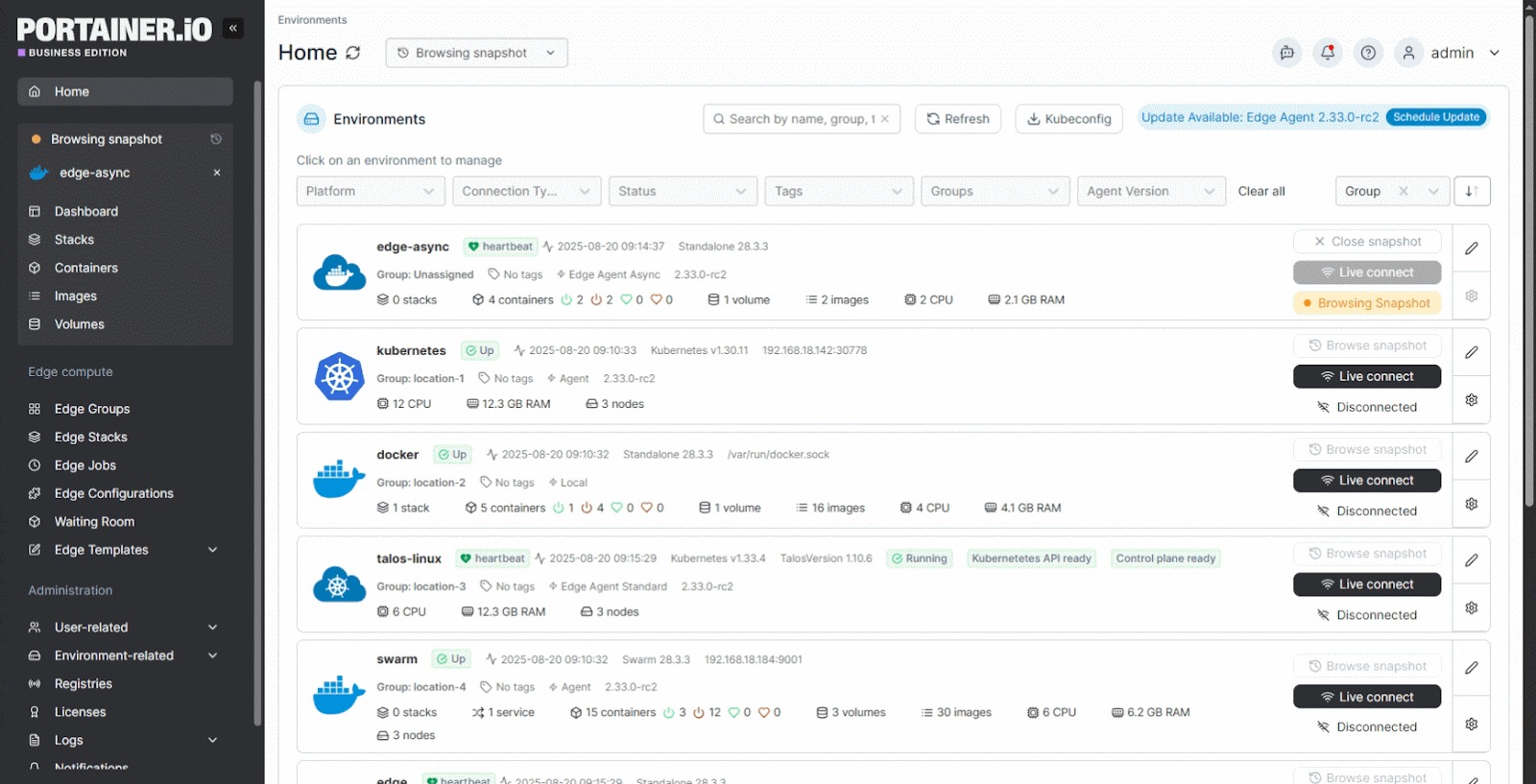
Portainer is not a SaaS layer.
Portainer is a self-hosted container management platform that customers deploy into their own cloud or on-prem environments, giving teams a single operational layer across Kubernetes, Docker, Podman, and edge without enforcing a new distro or platform model. You run Portainer’s management interface as a lightweight container inside your environment, not your clusters.
Unlike Rancher or OpenShift, Portainer focuses on simplifying day-to-day operations: unified visibility, guided deployments, secure defaults, and governance guardrails**.** It can fully replace a platform or run alongside Rancher/OpenShift to centralize access and reduce operational overhead.
Key features
Portainer is designed for large, mixed container estates and focuses on giving operators a lightweight, consistent way to manage environments at scale.
Here’s how that plays out in real environments:
- Unified, vendor-neutral control plane
Portainer gives you one consistent view across EKS/AKS/GKE, upstream Kubernetes, Rancher-managed clusters, OpenShift clusters, Talos, and Docker/Podman hosts, making all access routes through Portainer instead of exposing clusters directly.
This solves a real-world gap: EKS, Rancher, and other vendor tools don't unify multi-vendor estates. Portainer does.
- Simplified RBAC, namespaces & proactive guardrails
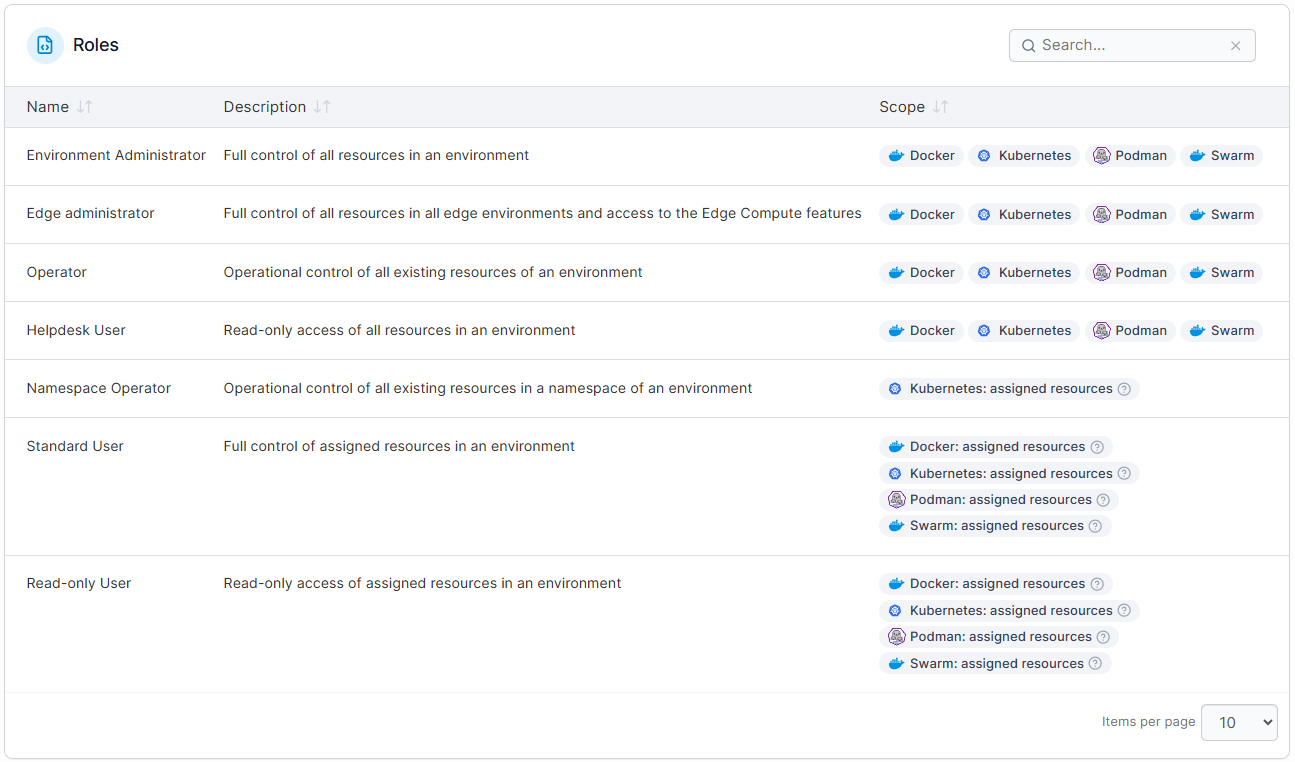
Kubernetes RBAC is powerful but notoriously complex.
Portainer simplifies it into predefined roles, team mappings, and “most restrictive wins” safety behavior. Namespaces become fully governed spaces with quotas, registry allow/deny lists, storage limits, and optional pod security constraints.
The end result: operators maintain control without micromanaging permissions or policing risky defaults.
- Guided app deployment + built-in GitOps
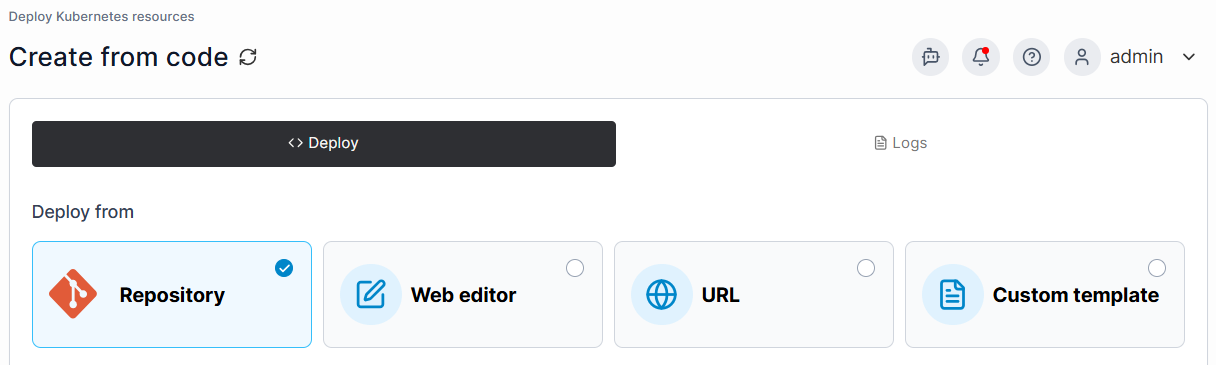
Teams can deploy using:
- guided forms (for quick internal apps),
- raw YAML or Helm for full control,
- or Portainer’s built-in GitOps engine for continuous reconciliation.
Logs, metrics, troubleshooting, and live kube-shell access are all in one place. This helps mixed-skill teams move faster, without forcing them to choose between simplicity and control.
Pricing
| Plan | Price (per node/year) | Notes |
|---|---|---|
| Enterprise | Custom, node-based | Priority SLAs with optional 24/7 support |
Where Portainer shines
A few places where Portainer consistently stands out:
- Full Kubernetes and beyond: Complete Kubernetes management plus Docker, Podman, and edge in one UI, so teams don’t juggle multiple tools.
Portainer deploys as a self-hosted management interface inside your own environment (cloud or on-prem), with minimal extra infrastructure or management-plane overhead.
- Multi-cluster & GitOps-friendly: Centralizes policy and app rollout across clusters, giving “fleet-style” management without adding a heavy management plane.
- Governance without lock-in: RBAC, quotas, registry policies, and namespace controls, without adopting an opinionated distro or vendor lock-in.
- Mixed-skill teams & simplicity at scale: Guided flows and guardrails make Kubernetes accessible to generalists while preserving full control for experts, turning complex operations into a small set of repeatable workflows and shortening the time it takes to get teams productive.
Where Portainer falls short
Real users describe Portainer in a way that surfaces both its strengths and the gaps they want closed:
- Not a full Kubernetes distribution: It does not replace OpenShift’s integrated PaaS or Rancher’s provisioning stack; you bring your own Kubernetes.
- Lifecycle management is limited: Portainer isn’t a cluster-builder or full ACM-style governance engine; for Talos Linux, cluster deployment happens via integration with Sidero Omni, not Portainer acting as the control plane.
- Heavily customised or over-abstracted environments: Teams that want fully bespoke platforms or heavy vendor lock-in often look for more opinionated, custom-built solutions than Portainer is designed to be.
Customer reviews
Portainer’s value comes through clearly in how different users describe it:
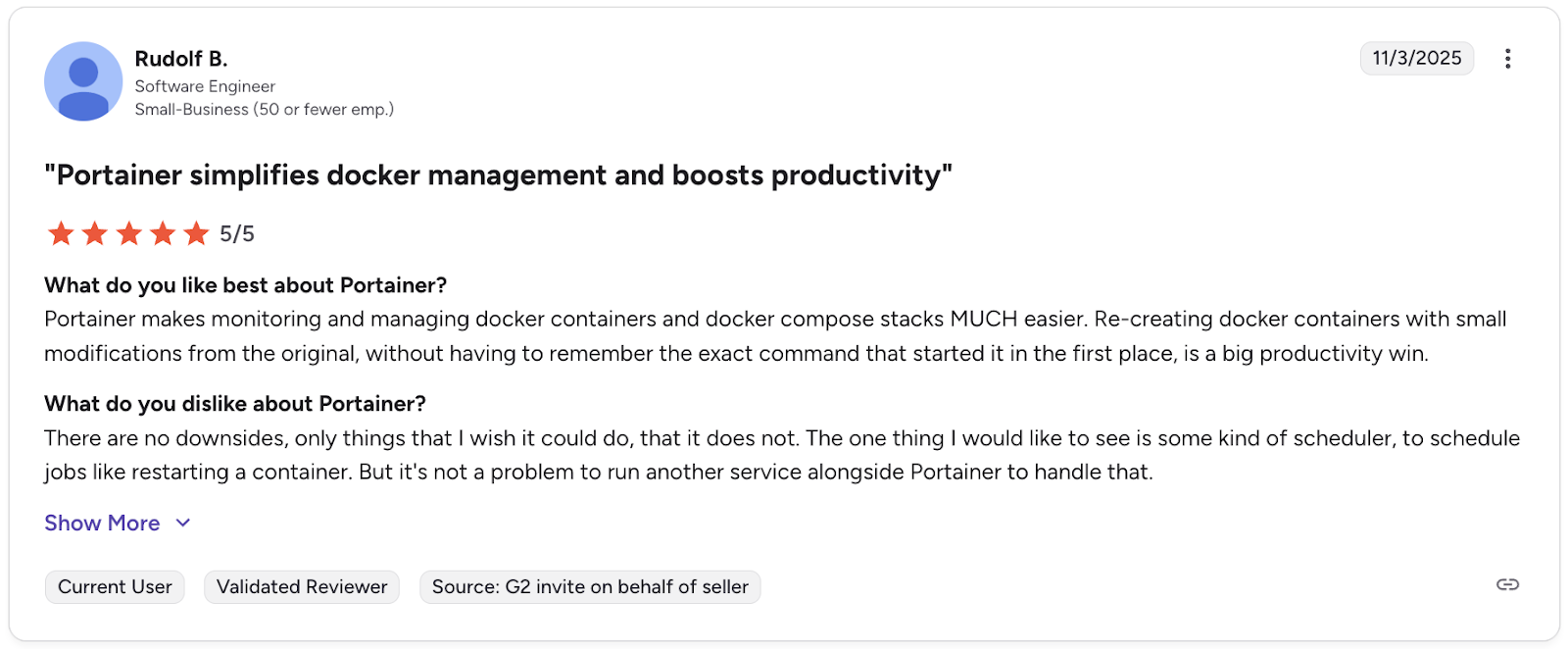
A software engineer on G2 said Portainer “makes monitoring and managing Docker MUCH easier,” especially when recreating containers without retyping old commands.
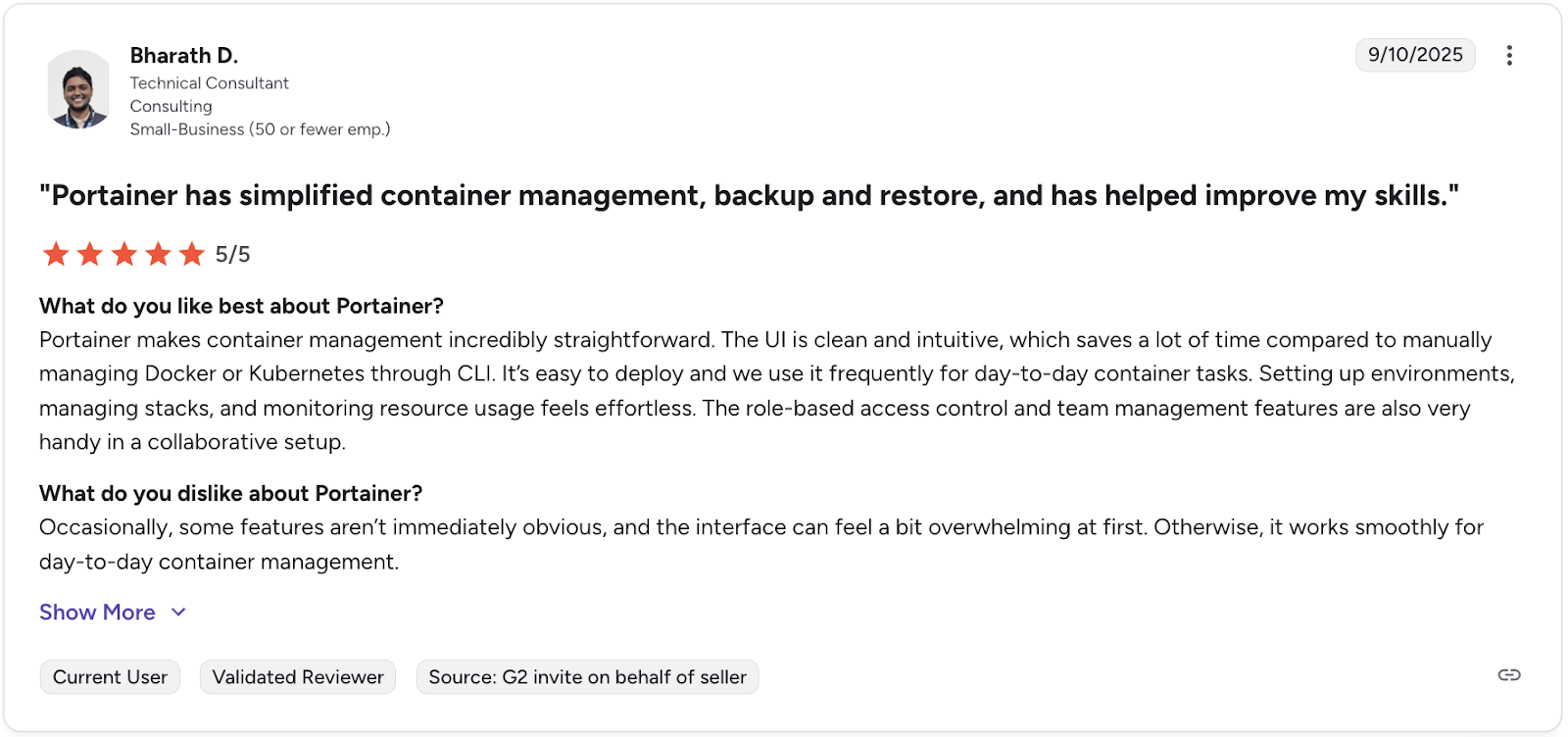
Another user, Bharath, a technical consultant, pointed to the clean, intuitive UI that saves time versus managing Kubernetes or Docker through the CLI**.**
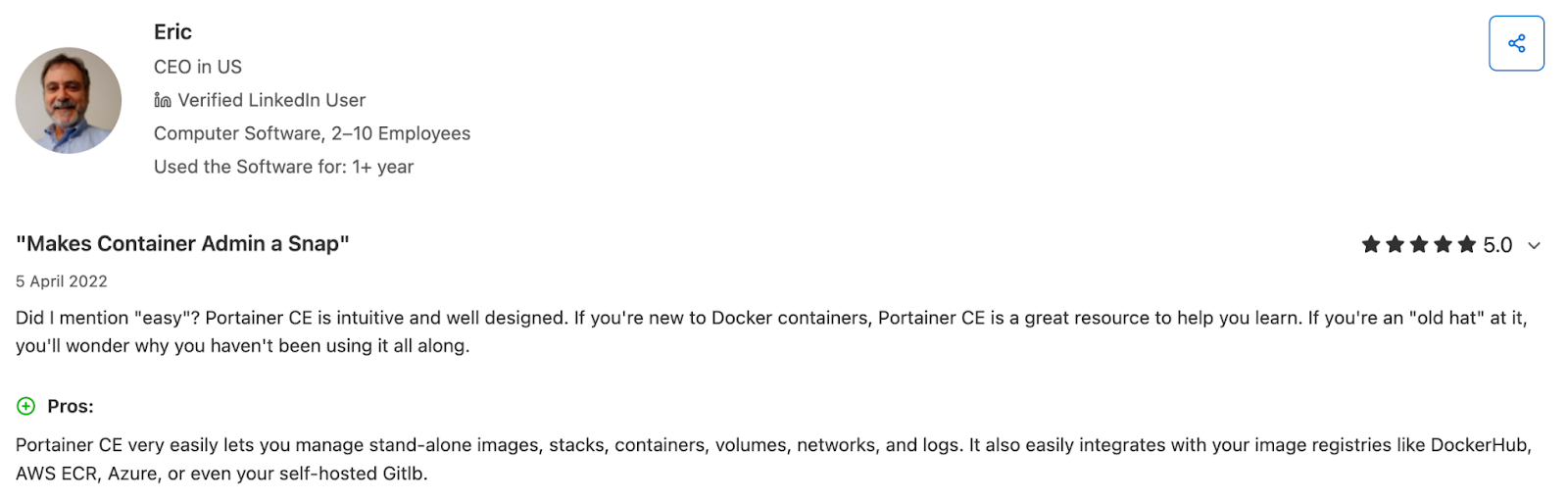
And on Capterra, a long-time user summed it up saying, “Portainer makes container admin a snap.”
Across both platforms, the message is the same: Portainer removes friction, builds confidence, and makes container operations feel manageable at any skill level.
Who Portainer is best for
- Platform teams needing a vendor-neutral operational layer
- Security owners needing centralized RBAC and quotas
- Hybrid/multi-cluster organizations wanting unified visibility without adopting a new distro
Portainer has historically been associated with Docker, but its Enterprise offering is built for large Kubernetes estates.
Teams considering a transition can follow our Rancher to Portainer migration guide.
Rancher vs Openshift vs Portainer: Closing Note
Once you know what your teams need day-to-day, the path becomes clearer. So here’s the decision lens most teams end up using:
- OpenShift is ideal when governance and lifecycle management are non-negotiable.
- Rancher works best when flexibility and upstream-native patterns matter.
- Portainer layers cleanly across both, giving teams one consistent interface without adding platform weight.
If your goal is to cut complexity and operational overhead without re-architecting, you can start with Portainer’s free 3-node option and then move into Enterprise when you’re ready for broader rollout.
Get started with Portainer here: https://www.portainer.io/get-started
Get Started with Portainer