Best Kubernetes Dashboard Alternatives & Competitors in 2026

You’re searching for Kubernetes Dashboard alternatives because the default Kubernetes Dashboard breaks down at enterprise scale.
While it offers basic cluster visibility, it lacks the security, access controls, and governance needed for multi-team, production environments.
This guide compares the best enterprise-ready Kubernetes Dashboard alternatives, showing which platforms reduce risk, scale cleanly, and fit real-world operations.
| Platform | Best for | Standout feature | Pricing | G2 rating | Capterra rating |
|---|---|---|---|---|---|
| Portainer | Enterprise platform and DevOps teams that need secure, governed Kubernetes operations | Fine-grained RBAC and audit logs layered on top of existing Kubernetes clusters | Enterprise subscription, $9,995/year | 4.8/5 | 4.6/5 |
| Rancher | Platform teams managing large fleets of Kubernetes clusters | Centralized multi-cluster RBAC with a single kubectl entry point | $2400-$3200 / 2 cores / 4 vCPUs / year | 4.4/5 | 4.3/5 |
| Red Hat OpenShift | Compliance-driven enterprises running Kubernetes as a full platform | Security-first Kubernetes with operator-driven lifecycle management | $150-$500/core/year | 4.5/5 | 4.4/5 |
| Nutanix Kubernetes Platform (NKP) | Infrastructure-led organizations on Nutanix | Kubernetes tightly integrated with enterprise virtualization and storage | Contact the sales team | 3.8/5 | - |
| Spectro Cloud | Teams standardizing Kubernetes across cloud, on-prem, and edge | One-click deployment of any CNCF-compliant Kubernetes with fast vClusters | $250–$500/node/year | 4.5/5 | - |
Why It’s Time to Look for Alternatives to Kubernetes Dashboard
On January 5, 2026, Sebastian Florek, one of the Kubernetes Dashboard leads, announced that the Kubernetes Dashboard project would be archived and sunset. This means the project will no longer receive updates or maintenance.
You must either find an alternative platform or remain stuck with your Kubernetes clusters. Other reasons include:
Security and Access Control Don’t Scale
A Redditor asked if people still deploy Kubernetes Dashboard in production. 90% of the responses were “No” due to security issues.
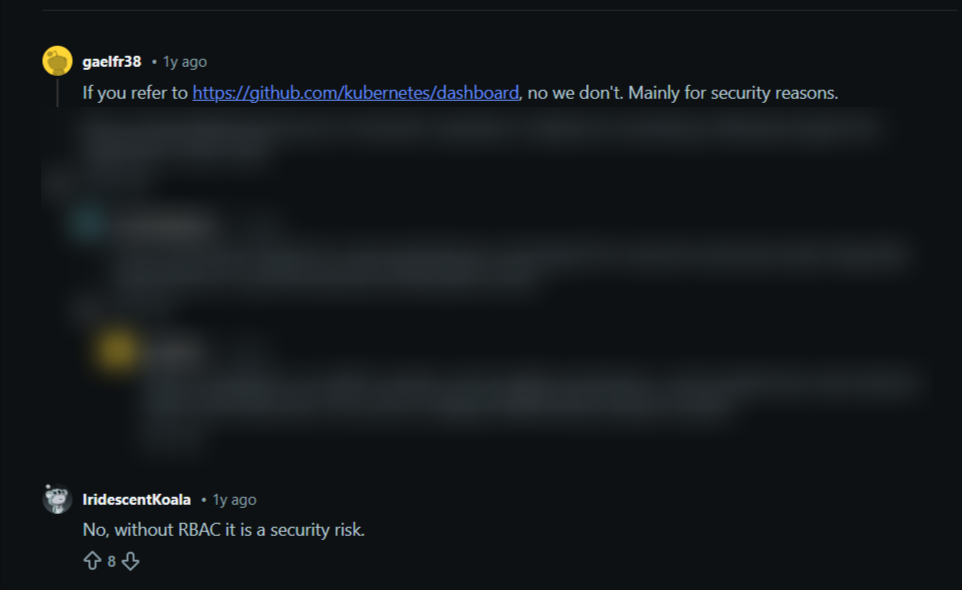
Source: Reddit
Kubernetes Dashboard relies heavily on token-based access and manual permission handling. In production environments, this increases risk.
Fine-grained RBAC, audit trails, and team-based access controls are also difficult to enforce, making it a poor fit for regulated or multi-team Kubernetes operations. In short, the Dashboard provides limited insight into who did what and when, making investigations, compliance reporting, and incident reviews harder than they need to be.
Day-to-Day Operations are too Manual
Routine tasks such as managing multiple clusters, standardizing deployments, or controlling who can modify resources require additional tooling beyond the Kubernetes Dashboard.
In addition, as complexity increases, enterprise teams spend more time switching between tools and writing YAML rather than operating Kubernetes efficiently. Many try to solve this by moving toward GitOps-heavy tools, but this often adds a new layer of complexity. You can see how this compares to Portainer's model in our guide to Portainer vs. Argo CD vs. FluxCD.
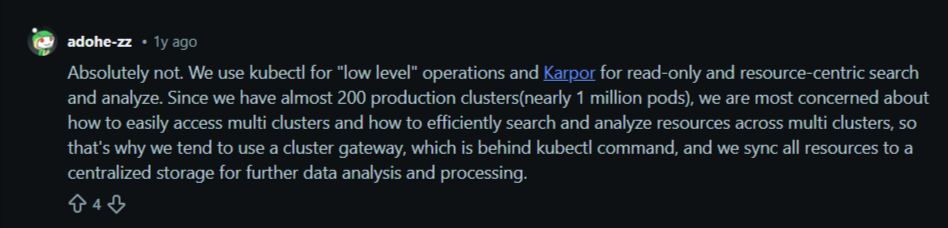
In the same Reddit thread shared earlier, a user said his team uses multiple tools, in addition to the Kubernetes Dashboard, to easily access their clusters.
Looking for a better alternative? Contact Portainer’s sales team to get enterprise-grade security, role-based access, and multi-cluster visibility without changing how your clusters run.
Our 5 Shortlisted Best Kubernetes Dashboard Alternatives
#1. Portainer: Best for Enterprise Teams that need Secure, Governed Kubernetes Operations
A Redditor asked whether there are better options than Kubernetes Dashboard. Interestingly, some users mentioned Portainer as their go-to option for Kubernetes management.
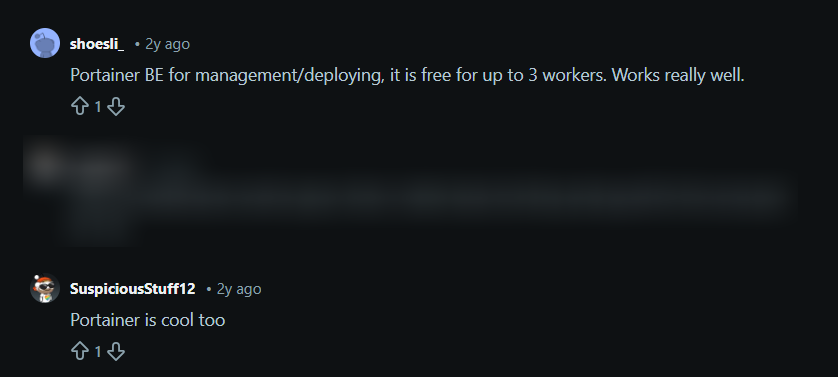
Source: Reddit
Why?
Portainer is best for enterprise teams that have outgrown the Kubernetes Dashboard and need stronger security, governance, and operational control that sits above Kubernetes.
It replaces token-based access and raw cluster exposure with a centralized management layer, without changing how you deploy or operate your Kubernetes clusters.
Enterprise teams use Portainer to standardize access, improve auditability, reduce risk, and scale Kubernetes operations safely across teams and environments.
Key Features
Portainer is a complete Kubernetes management and governance platform, not just a UI. It runs as a lightweight container and manages clusters that remain on-prem or in the cloud.
Here are other standout features:
Enterprise-Grade RBAC and Access Control
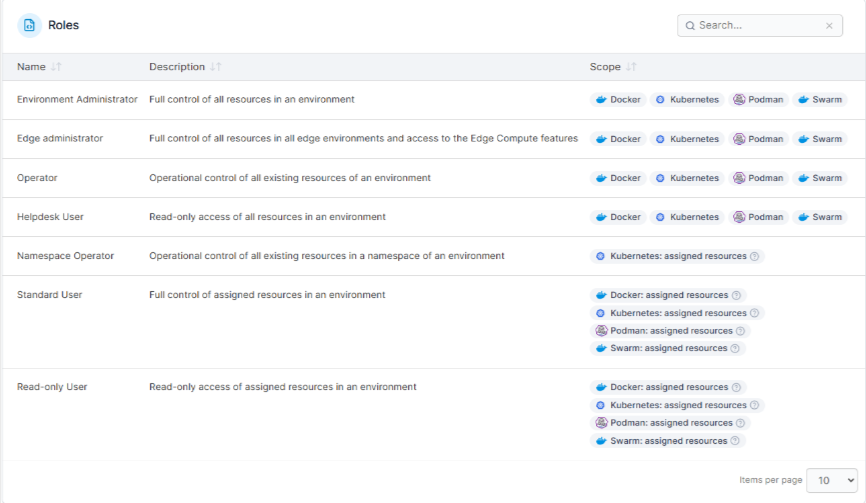
Portainer provides fine-grained RBAC at the cluster, namespace, and resource level. That means you can map roles directly to teams and environments, control who can deploy workloads, modify configurations, or view sensitive resources. These features remove the need to share kubeconfig files or long-lived tokens, which are common security risks with the Kubernetes Dashboard.
Multi-Cluster Management from a Single Interface
Portainer allows teams to manage multiple Kubernetes clusters from one centralized UI. This feature is crucial for enterprises running production, staging, and edge clusters where consistency and visibility must be maintained at scale.
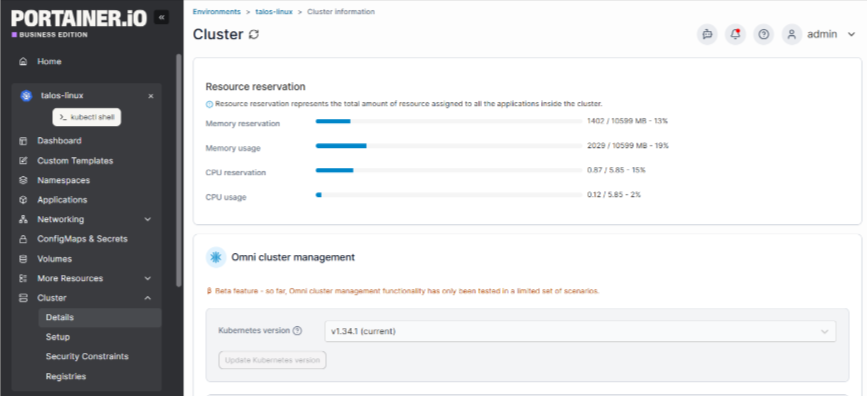
You can view cluster health, workloads, and access permissions across environments without switching contexts.
Built-in Audit Logs and Activity Tracking
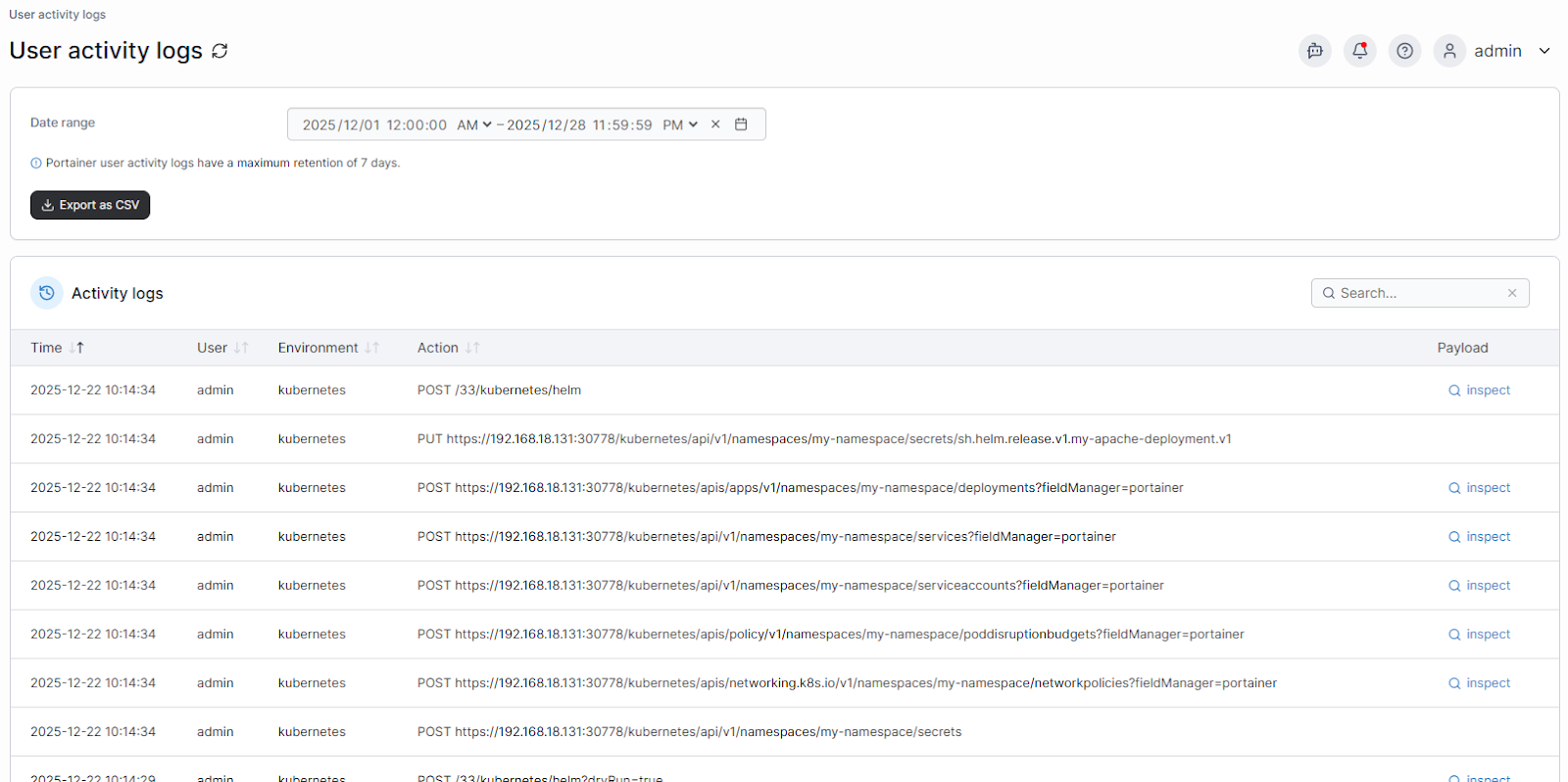
Every action performed in Portainer is logged and traceable. You can see who deployed an application, changed a configuration, or accessed a namespace. This level of auditability supports compliance requirements and simplifies incident investigations, something the Kubernetes Dashboard does not handle well out of the box.
Safer Application and Workload Management
Portainer provides guided workflows for deploying and managing Kubernetes applications. Instead of exposing users directly to raw Kubernetes resources, it adds structure and guardrails that reduce the risk of misconfigurations. So your application teams can self-serve safely while platform teams retain control over what actions are permitted.
Contact our sales team and empower your team with a secure Kubernetes management tool that manages thousands of clusters with full visibility.
Pricing
Pricing changes per the number of nodes
| Plan | Description | Pricing |
|---|---|---|
| Enterprise | The plan comes with unified control across environments, built-in security, and 24/7 support | Starts at $9,995 yearly |
Note
You can get an extended enterprise free trial with 15 nodes to test the platform on a larger environment for 45 days.
Where Portainer Shines
- Enterprise-grade access control and governance: Portainer gives platform teams fine-grained RBAC, audit logs, and centralized control that the Kubernetes Dashboard lacks, making it well-suited for regulated and multi-team environments.
- Multi-cluster Kubernetes operations at scale: Managing production, staging, and edge clusters from one interface reduces operational overhead and improves consistency across environments.
- Low-risk adoption for existing Kubernetes teams: Portainer layers on top of Kubernetes without replacing kubectl, Helm, or CI/CD pipelines, so teams improve control without disrupting established workflows.
Try Portainer for free and simplify your Kubernetes management today.
Where Portainer Falls Short
- Not designed for single-developer or hobby clusters: Teams running a single small cluster with no access control or compliance needs may find Portainer more than they need.
- Less value without governance requirements: Portainer mightn’t be necessary if strict RBAC, auditability, or multi-user control aren’t your priorities.
Customers Review
“Portainer makes container management incredibly straightforward. The UI is clean and intuitive, which saves a lot of time compared to manually managing Docker or Kubernetes via the CLI. It’s easy to deploy, and we use it frequently for day-to-day container tasks. Setting up environments, managing stacks, and monitoring resource usage feels effortless. The role-based access control and team management features are also convenient in a collaborative setup.” Bharath D.
“Portainer is the perfect tool for managing both edge devices and Kubernetes-based workloads. The team at Portainer.io has delivered a truly innovative product that met our business needs and offered easy-to-use functionality that we didn’t even know we needed.” Gartner reviewer
Who Portainer is best for
- Enterprise platform and DevOps teams: Organizations managing multiple Kubernetes clusters, users, and environments that need secure, governed operations without sacrificing developer autonomy.
#2. Rancher: Best for Enterprises Managing Many Kubernetes Clusters Centrally
Rancher works well for platform engineers who need centralized Kubernetes management across multiple clusters.
It provides a single control plane for provisioning, accessing, and governing clusters, with strong multi-cluster RBAC as a core differentiator. Compared to the Kubernetes Dashboard, Rancher focuses more on fleet management and cluster lifecycle operations than on lightweight day-to-day application workflows.
Key Features
- Multi-cluster RBAC and access management: Centralized role-based access across clusters without requiring complex OIDC or manual role bindings.
- Single entry point for kubectl access: Rancher exposes a unified API endpoint, allowing operators to interact with multiple clusters consistently.
- Cluster provisioning and lifecycle management: Supports creating, importing, upgrading, and managing Kubernetes clusters from one interface.
Pricing
| Deployment | Pricing | Typical Specs |
|---|---|---|
| Self-hosted, hosted version available | $2400-$3200 / 2 cores / or 4 vCPUs / year | Typical: 16 cores / node |
Where Rancher Shines
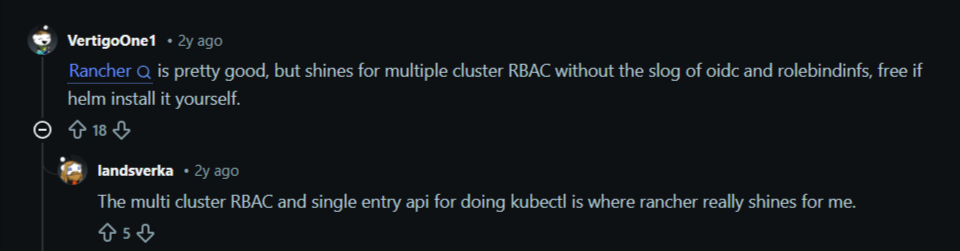
- Multi-cluster RBAC without heavy configuration: Rancher shines for multiple cluster RBAC without the slog of OIDC and role bindings, especially when self-hosted via Helm.
- Source: Reddit
- Centralized kubectl access: The single-entry API for running kubectl across clusters simplifies operations for platform engineers managing large Kubernetes fleets.
- Strong cluster lifecycle control: Rancher is effective when teams need to provision, upgrade, and manage Kubernetes clusters at scale.
Where Rancher Falls Short
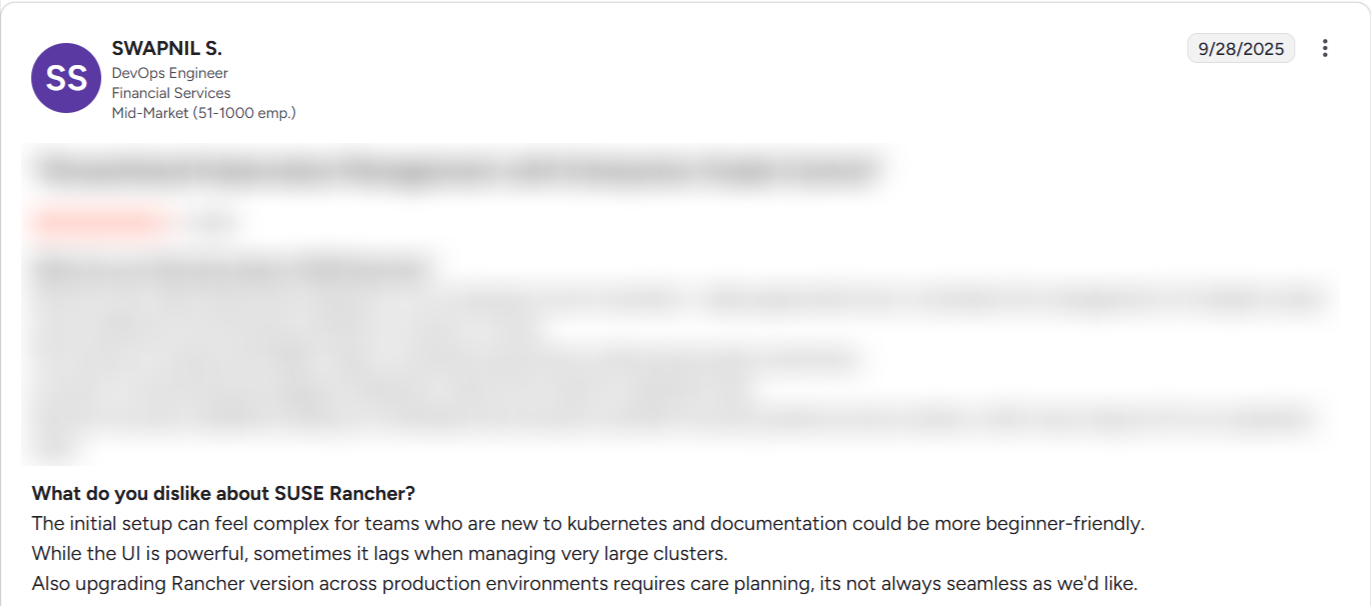
- Steeper learning curve during setup: Initial installation and configuration can feel complex for teams new to Kubernetes, and documentation is not always beginner-friendly.
- UI performance at scale: Users report UI lag when managing large clusters or environments with many resources.
Source: G2
- Upgrade complexity: Upgrading Rancher versions across production environments requires careful planning and is not always seamless, increasing operational risk.
Pro Tip:
Portainer is easy to set up and offers a lighter management layer. It delivers multi-cluster visibility, RBAC, and audit logs without requiring a full platform install or carefully orchestrated version upgrades across environments.
Customers Review
"Strong, reliable, and scalable platform. We adopted Rancher Prime as our central container orchestration platform to support the growing demand for modern, scalable, and modular digital solutions across our organization. We were facing some challenges about a lack of standardization across the environments, manual and time-consuming infrastructure provisioning, and inefficient container management.” Gartner reviewer
“The platform offers robust capabilities, but the initial setup and configuration process can be challenging for those who are new to Kubernetes. Certain advanced features also demand a solid understanding of Kubernetes concepts, which may present a steep learning curve for beginners.” Md S.
Who Rancher is best for
- Platform engineering teams: Organizations managing many Kubernetes clusters that prioritize centralized RBAC, cluster lifecycle management, and fleet-level control over simplicity.
Further reading: Top 5 Rancher Alternatives in 2026
#3. Red Hat OpenShift: Built-in Kubernetes Platform with Strict Enterprise Controls
Red Hat OpenShift takes a different approach from the Kubernetes Dashboard. It provides fully integrated Kubernetes management, including security, networking, and lifecycle management.
Its web console is deeply embedded into the OpenShift ecosystem, making it appealing to enterprises that want opinionated defaults, strong security controls, and vendor-backed support across their Kubernetes environments.
Key Features
- Integrated Kubernetes web console: A native dashboard tightly coupled with OpenShift’s APIs, security model, and operator framework.
- Enterprise security by default: Built-in image scanning, Security Context Constraints, and policy enforcement reduce misconfiguration risks.
- Operator-driven lifecycle management: Applications and infrastructure components are managed through Operators rather than manual YAML workflows.
Pricing
| Deployment | Pricing | Typical Specs |
|---|---|---|
| Self-managed, cloud-managed | $150-$500/core/year | Typical: 16 cores/node |
Where OpenShift Shines
- Strong security and compliance posture: OpenShift enforces strict defaults that help enterprises meet internal security and compliance requirements.
- End-to-end Kubernetes platform: Networking, storage, CI/CD, and monitoring are tightly integrated, reducing the need for third-party tooling.
- Vendor-backed enterprise support: Red Hat provides long-term support and certifications that appeal to risk-averse organizations.
Where OpenShift Falls Short
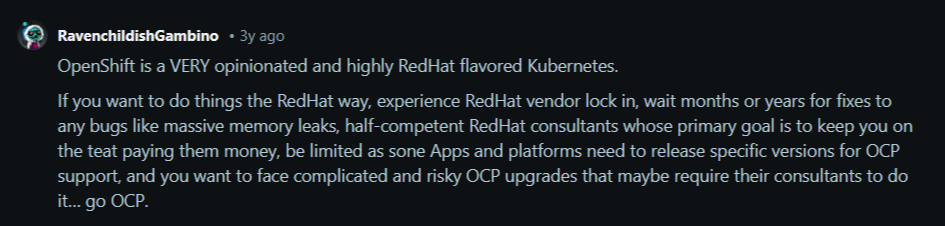
- Limited flexibility outside the Red Hat ecosystem: OpenShift is opinionated and works best within Red Hat-supported tooling and infrastructure.
Source: Reddit
- Higher cost and operational overhead: Licensing and resource requirements can be significant compared to lighter Kubernetes dashboard alternatives.
- Steeper learning curve: Teams must adapt to OpenShift-specific concepts that go beyond upstream Kubernetes.
Pro Tip:
Portainer provides Kubernetes governance without lock-in. It works across upstream Kubernetes, cloud-managed clusters, and on-prem environments while keeping existing tooling and workflows intact.
Customers Review
“I love that Red Hat OpenShift is built on Kubernetes, which significantly enhances my ability to streamline developer workflows. This integration allows me to leverage Kubernetes' powerful orchestration tools, providing a robust infrastructure for deploying and managing containerized applications at scale.
Additionally, I appreciate the granular control it offers, enabling me to fine-tune deployments according to specific needs across hybrid cloud environments. This level of control is crucial in optimizing resource allocation and ensuring efficient application management.” Mohd U.
–
“Part of being bespoke is that they make decisions that help more tightly bind you to other products in their ecosystem. Of course, there is a cost and myriad licensing complexities to extract the most revenue from you. That is the trade you make for not having to do a whole bunch of work yourself.
You will still need to be able to debug and understand all the components when things go wrong, or invest in other layers of support for that. This is just the toolset. This is like "Snap On”, and you’re still the mechanic.” G2 reviewer
Who OpenShift is best for
- Large enterprises with strict compliance needs: Organizations that want a fully supported Kubernetes platform and are comfortable committing to the Red Hat ecosystem.
Further reading: Best OpenShift Alternatives
#4. Nutanix Kubernetes Platform: Best for Teams Already Running Nutanix AHV
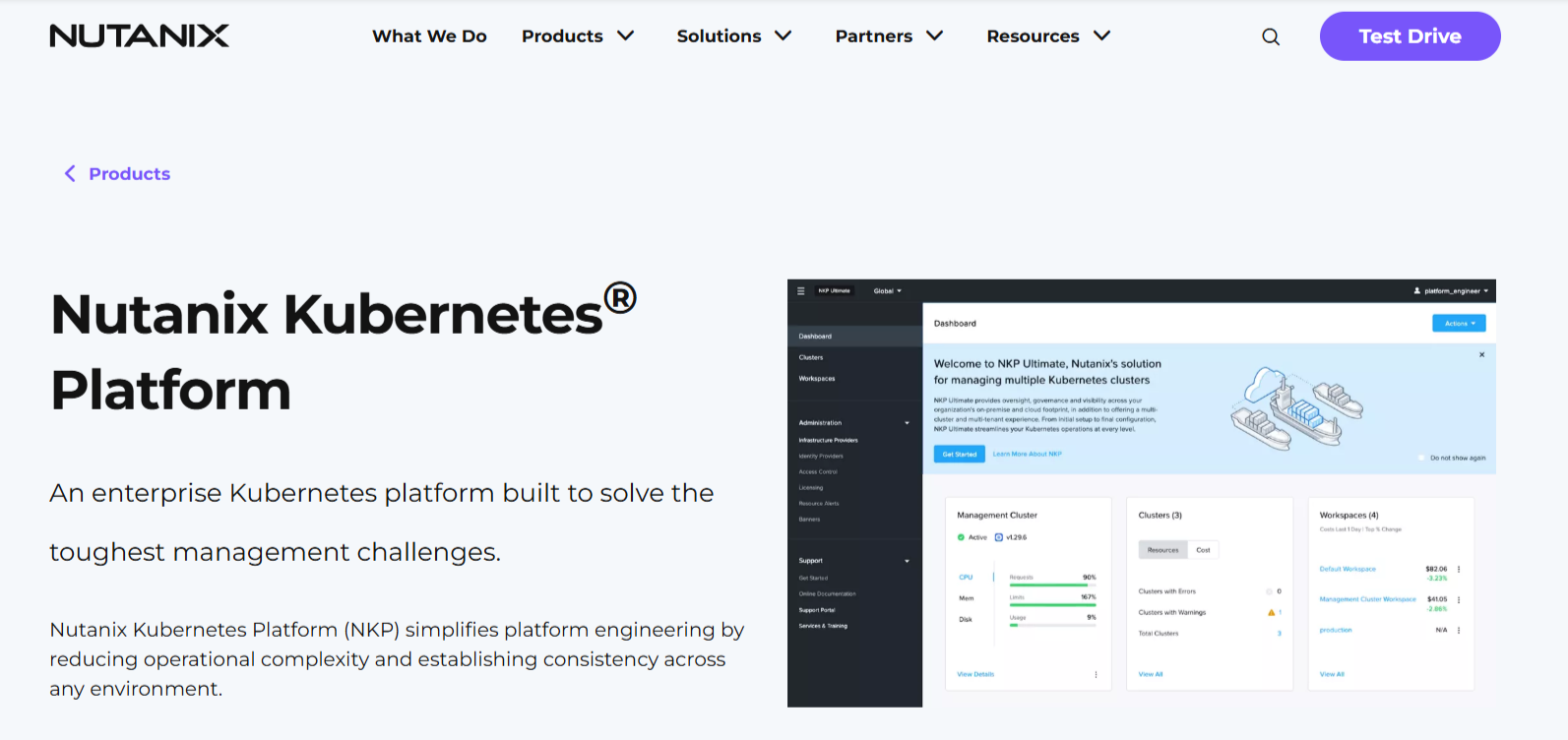
Nutanix Kubernetes Platform takes an infrastructure-first approach to Kubernetes management. Instead of acting as a standalone dashboard, it integrates Kubernetes deeply into the Nutanix ecosystem, combining cluster lifecycle management with virtualization, storage, and networking.
These features make NKP appealing to enterprises already invested in Nutanix that want Kubernetes to align closely with existing infrastructure and operational models.
Key Features
- Integrated Kubernetes lifecycle management: Deploy, scale, and upgrade Kubernetes clusters directly within the Nutanix platform.
- Infrastructure-aware operations: Kubernetes clusters are tightly coupled with Nutanix storage, networking, and virtualization layers.
- Enterprise authentication and policy controls: Supports centralized identity management and access policies aligned with enterprise infrastructure standards.
Where Nutanix Kubernetes Platform Falls Short
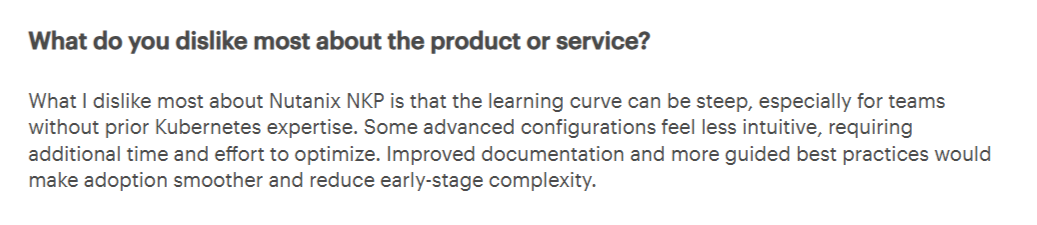
- Steep learning curve for Kubernetes newcomers: Users report that advanced configurations feel unintuitive, especially for teams without prior Kubernetes experience.
Source: Gartner
- Limited guidance during early adoption: Documentation and best-practice guidance are not always sufficient for smooth onboarding or proof-of-concept environments.
- Tighter ecosystem coupling: NKP delivers the most value inside Nutanix environments, which can limit flexibility for mixed or cloud-native setups.
Customers Review
“NKP’s core asset is its ability to operate Kubernetes clusters in many environments, like cloud computing and local servers. The flexibility gives me the centralized control panel to manage all my deployments that are Kubernetes-based, and as a result, simplifies management and reduces the level of complexity.” Ahmed M.
“My overall experience with Nutanix NKP has been productive. The platform offers solid Kubernetes integration and simplifies container management. However, initial setup and customization require a learning curve, especially for teams new to cloud-native environments. Once configured, it performs reliably and scales well.” Gartner reviewer.
#5. Spectro Cloud: Kubernetes Lifecycle Automation Across any Environment
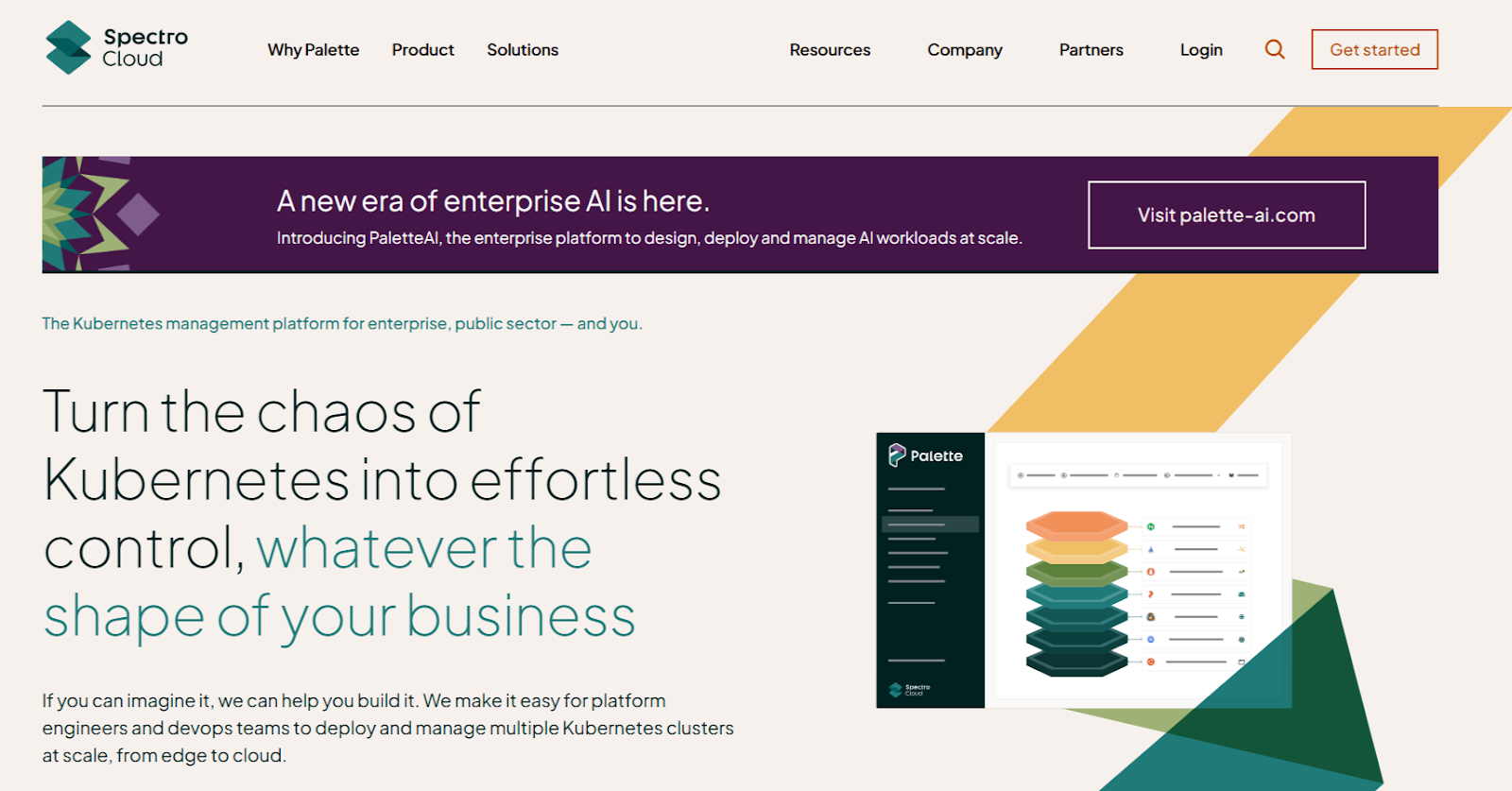
Spectro Cloud approaches Kubernetes management through automation and consistency. It focuses on defining, deploying, and operating Kubernetes clusters across clouds, data centers, and edge environments.
Its key differentiator is the ability to standardize Kubernetes distributions, operating systems, and application stacks from a single control plane.
Key Features
- Cluster profiles and blueprints: Define Kubernetes distributions, OS images, and application stacks once and deploy them consistently.
- Multi-environment Kubernetes support: Run Kubernetes across cloud, on-prem, edge, and virtualized environments from a unified platform.
- Integrated vClusters and KubeVirt: Supports lightweight virtual clusters and running VMs alongside containers on Kubernetes.
Where Spectro Cloud Falls Short
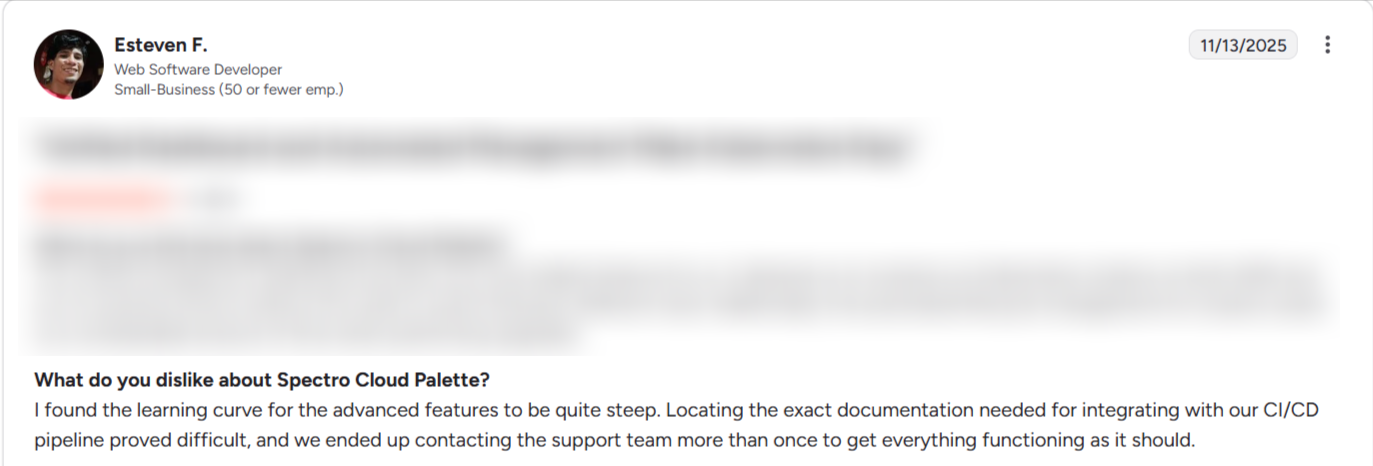
- Steep learning curve for advanced features: Users report that while basic workflows are accessible, mastering advanced capabilities takes time and effort.
Source: G2
- Less focus on day-to-day Kubernetes operations: The platform emphasizes lifecycle automation over hands-on workload management and user access control.
- Not a lightweight dashboard replacement: Teams looking for simple, governed Kubernetes visibility may find the platform more complex than necessary.
Customers Review
“I enjoy Spectro Cloud Palette for its ability to provision, manage, and scale Kubernetes clusters efficiently across multiple environments, whether on-premises, in the cloud, or at the edge. The declarative profiles that encapsulate the entire stack allow me exceptional portability, and the centralized security policies ensure proper governance. These aspects help me eliminate drift between clusters and accelerate provisioning and controlled updates, with rollback capability.” Russell A.
“Palette Offers Straightforward Kubernetes Experience Amidst Hypervisor Support Limitations. K8s is a complex service, but Palette makes it user-friendly.” Gartner reviewer
There are easier ways to interact with your clusters, we cover them in our guide to alternatives to kubectl.
Make Kubernetes Easier to Operate: Start With Portainer
A healthtech company faced increasing complexity in delivering and managing containerized applications across its globally distributed infrastructure. It was difficult to enforce security standards, streamline workflows, and support developers working across varied environments.
The company adopted Portainer as its Kubernetes management platform and, within a short time, standardized application delivery pipelines across multiple teams and geographies, accelerated development cycles, and ensured compliance with strict data-handling regulations.
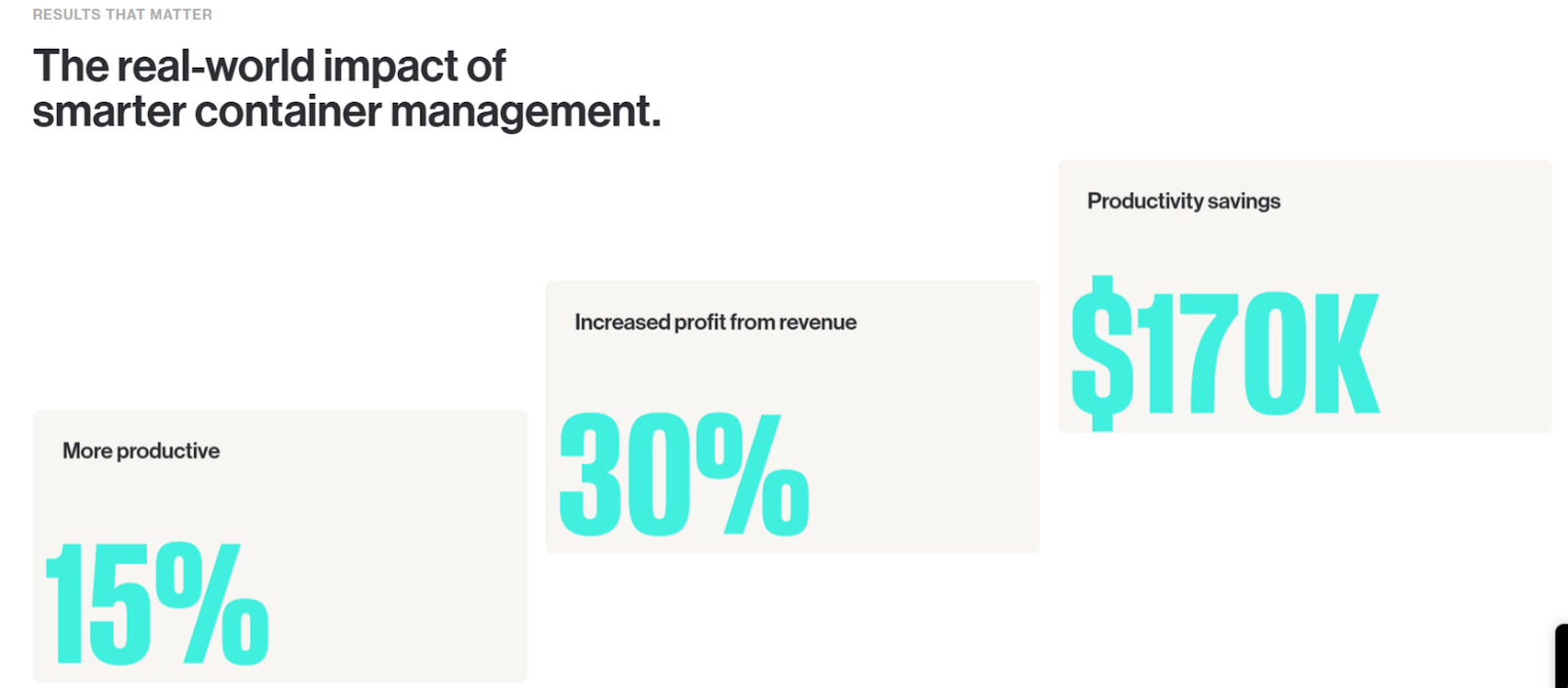
Specifically, Portainer provided a secure, consistent, and easy-to-use interface that gave their developers self-service access while allowing platform teams to enforce governance, security, and operational best practices.
Book a demo with one of our experts to see Portainer in action and learn why enterprises choose us for managing their Kubernetes clusters.