How to Create Single Node Kubernetes Clusters in 2026

Do multi-node Kubernetes setups feel heavier than what you actually need? Single node Kubernetes might suffice; it does for many use cases.
But how does it work? What are the trade-offs? And how do you set it up correctly?
In this guide, we’ll walk you through everything you need to know, from the benefits, through core components, to practical steps for creating and managing a single node Kubernetes cluster.
Let’s start with the basics.
What is Single Node Kubernetes?
Single node Kubernetes runs the control plane and application workloads on one machine. Instead of distributing components across multiple nodes, everything operates in a single environment.
Because of this simplicity, teams commonly use single node Kubernetes for:
- Learning Kubernetes
- Local development and testing
- Edge deployments
- Lightweight production workloads
In these scenarios, high availability (i.e., automatic failover to another node if one goes down) isn’t required.
In short, a single node Kubernetes is the simpler, lower-cost version of a full multi-node cluster. It runs Kubernetes without the operational overhead of the latter.
In practice, teams don’t build single node Kubernetes from scratch. They use purpose-built platforms like KubeSolo. This packages Kubernetes into a hardened, single node distribution.
That said, what do you stand to gain or lose (in comparison to running multi-node clusters) with single nodes?
Benefits of Single Node Kubernetes
The four main ones include:
- Lower operational complexity: With only one node to set up, maintenance is straightforward compared to multi-node clusters.

- Faster to deploy: Teams can get Kubernetes running quickly without configuring networking, load balancers, or node coordination.
- Cost-efficient: It requires fewer resources, making it ideal for development, testing, and edge use cases.
- Ideal for learning and experimentation: It provides a realistic Kubernetes environment without the overhead of full cluster management.
Limitations of Single Node Kubernetes
Compared to multi-node Kubernetes, single node Kubernetes falls short in:
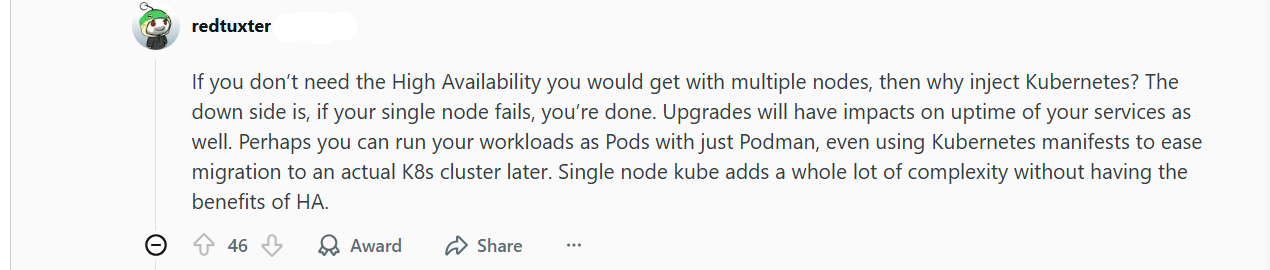
- No high availability: If the node goes down, all workloads stop since there’s no failover.
- Limited scalability: You’re constrained by the resources of a single machine.
- Higher risk in production: Hardware or OS failures impact the entire environment.
- Less representative of large clusters: Some multi-node behaviors, like node-to-node networking, can’t be tested accurately.
Difference Between Single Node and Multi-Node Kubernetes
The difference comes down to simplicity versus resilience. Single node Kubernetes prioritizes ease of use, while multi-node clusters are for scalability and high availability.
Below is a more detailed breakdown.
| Factor | Single Node Kubernetes | Multi-Node Kubernetes |
|---|---|---|
| Cluster size | One machine runs everything | Multiple worker nodes |
| High availability | Not supported | Built-in failover |
| Complexity | Low, easy to manage | Higher operational overhead |
| Scalability | Limited to one node | Scales horizontally |
| Best for | Learning, dev, edge, light prod | Production, critical workloads |
Also read: The harsh truth about Kubernetes management
Core Components of a Single Node Kubernetes Cluster
Even in a single node setup, Kubernetes runs the same core components as a full cluster. And they are:
1. Control Plane Components
The control plane acts as the brain of a single node Kubernetes cluster. It decides what should run, where it should run, and whether everything is working as expected.
The control plane components run on the same machine as your applications, but their role stays the same. They manage cluster state, schedule workloads, store configuration data, and continuously reconcile what’s running with what should be running.
If a container crashes or a setting changes, the control plane detects the cause and takes action. This makes Kubernetes reliable even in a minimal, single node environment.
2. Node Components
Node components are responsible for “actually” running your applications. They manage containers inside pods, monitor their health, and report status back to the control plane.
These components live on the same machine as the control plane. However, they still perform the same duties as in larger clusters. They make sure containers start correctly, stay running, and restart if something fails.
3. Container Runtime
The container runtime is the engine that runs your containers. When Kubernetes schedules a pod, the runtime pulls container images, starts them, and keeps them running. Common runtimes include containerd and CRI-O.
In a single node cluster, the runtime handles every container on that machine. If the runtime can’t start a container or an image fails to pull, the workload won’t run. And that’s regardless of how the rest of Kubernetes is configured.
4. Networking and Storage Layers
The networking layer allows pods and services to communicate with each other and with external systems. Even on a single node, Kubernetes uses networking rules to route traffic and expose applications. This way, workloads discover and communicate with one another reliably.
The storage layer, on the other hand, handles data that needs to persist beyond the life of a container. It helps applications keep state using local disks or attached storage, so data isn’t lost when containers restart.
Together, networking and storage keep your applications connected and stateful.
Further reading: Kubernetes hardware requirements
Creating a Single Node Kubernetes Cluster: A Practical Guide
There are multiple ways to run Kubernetes on a single machine. The right approach depends on your goal, whether you’re learning Kubernetes, developing applications, or running real workloads in production.
Method 1: DIY Single Node Kubernetes
Best for: learning and experimentation
This approach involves manually installing Kubernetes components (kubelet, API server, etcd, networking, container runtime) on a single machine and configuring them to run together.
Why teams use it
- Deep learning of Kubernetes internals
- Full control over configuration
- Useful for labs, training, and experimentation
Limitations
- Requires strong Kubernetes expertise
- Manual setup and ongoing maintenance
- No opinionated defaults for security or reliability
- Not repeatable at scale
Bottom line:
DIY single node Kubernetes is excellent for education, but it places the full operational burden on the user. It is not suitable for production workloads.
Method 2: Lightweight Local Kubernetes Distributions
Best for: development and local testing
Local Kubernetes distributions package Kubernetes into an easy-to-run setup optimized for developer machines. These solutions prioritize fast startup and convenience.
Why teams use them
- Rapid local testing of manifests and Helm charts
- Easy onboarding for developers
- Minimal setup time
Limitations
- Not hardened for production
- Weak or inconsistent security defaults
- No lifecycle or operational guarantees
- Often unsuitable for unattended or remote environments
Bottom line:
These distributions are ideal for development workflows, but they are explicitly not designed for production or edge deployments.
Method 3: Purpose-Built Single Node Kubernetes Platforms
Best for: production workloads on a single machine
Production use cases such as edge locations, remote sites, or constrained environments require Kubernetes platforms designed specifically to run reliably on one node.
Purpose-built platforms package Kubernetes into a hardened, opinionated distribution with operational safeguards built in.
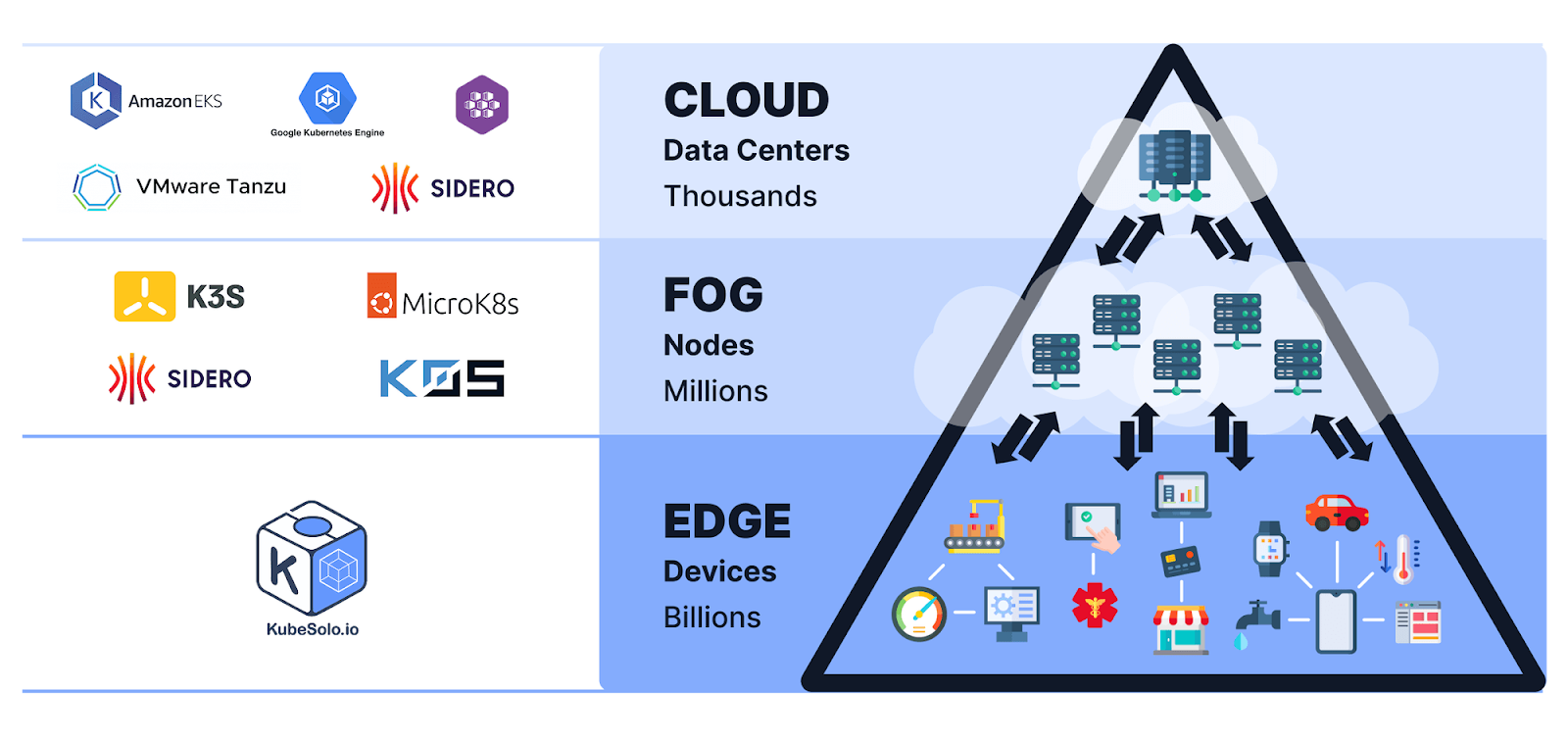
KubeSolo fits this category. It delivers Kubernetes as a production-ready single node platform, designed for:
- Edge deployments
- Remote or disconnected sites
- Environments where multi-node clusters add unnecessary complexity
Rather than assembling and maintaining Kubernetes manually, KubeSolo provides a secure, predictable cluster with sensible defaults, making single node Kubernetes viable beyond development and testing.
Why this approach is different
- Security defaults are preconfigured
- Upgrade and lifecycle management are predictable
- Minimal operational overhead
- Designed for unattended or remote operation
While platforms like KubeSolo remove the burden of building and maintaining Kubernetes. They don’t automatically simplify day-to-day operations for application teams or IT generalists.
To reduce operational overhead, teams add a management layer on top of their single node cluster. This is where Portainer comes in.
KubeSolo runs and maintains the Kubernetes cluster. Portainer, on the other hand, sits on top of Kubernetes and provides:
- Visual workload management (deploy, update, scale)
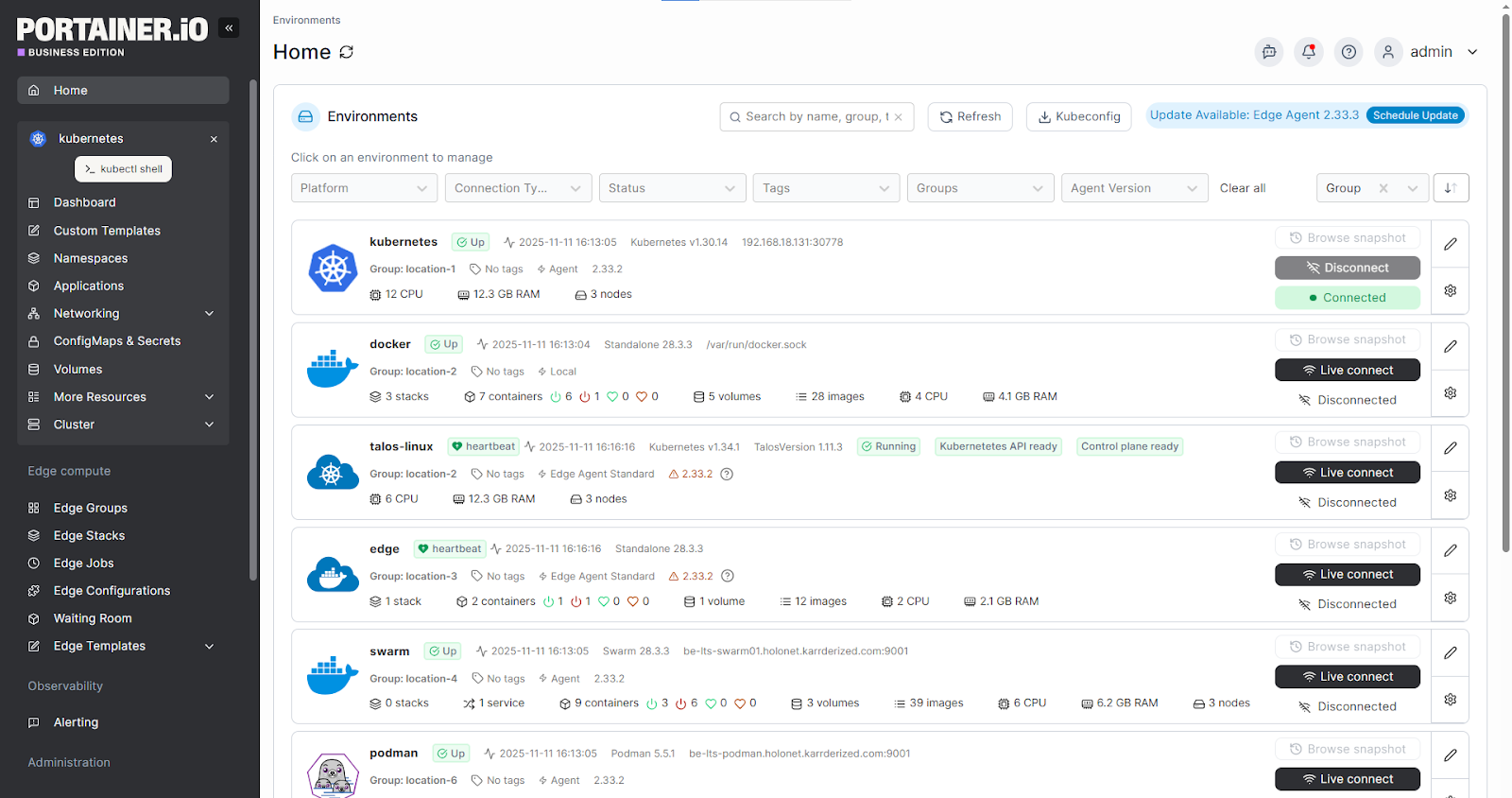
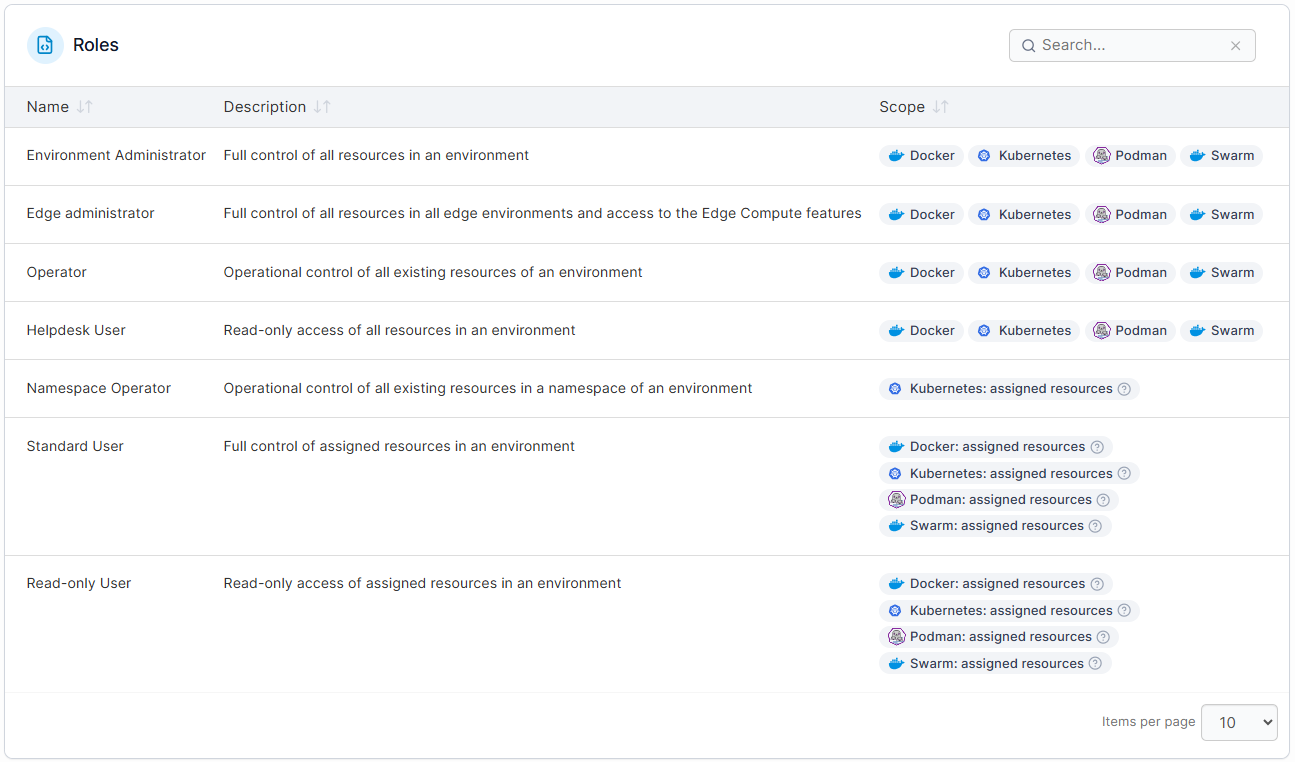
- Role-based access control aligned to teams and responsibilities
- Clear visibility into cluster and application state
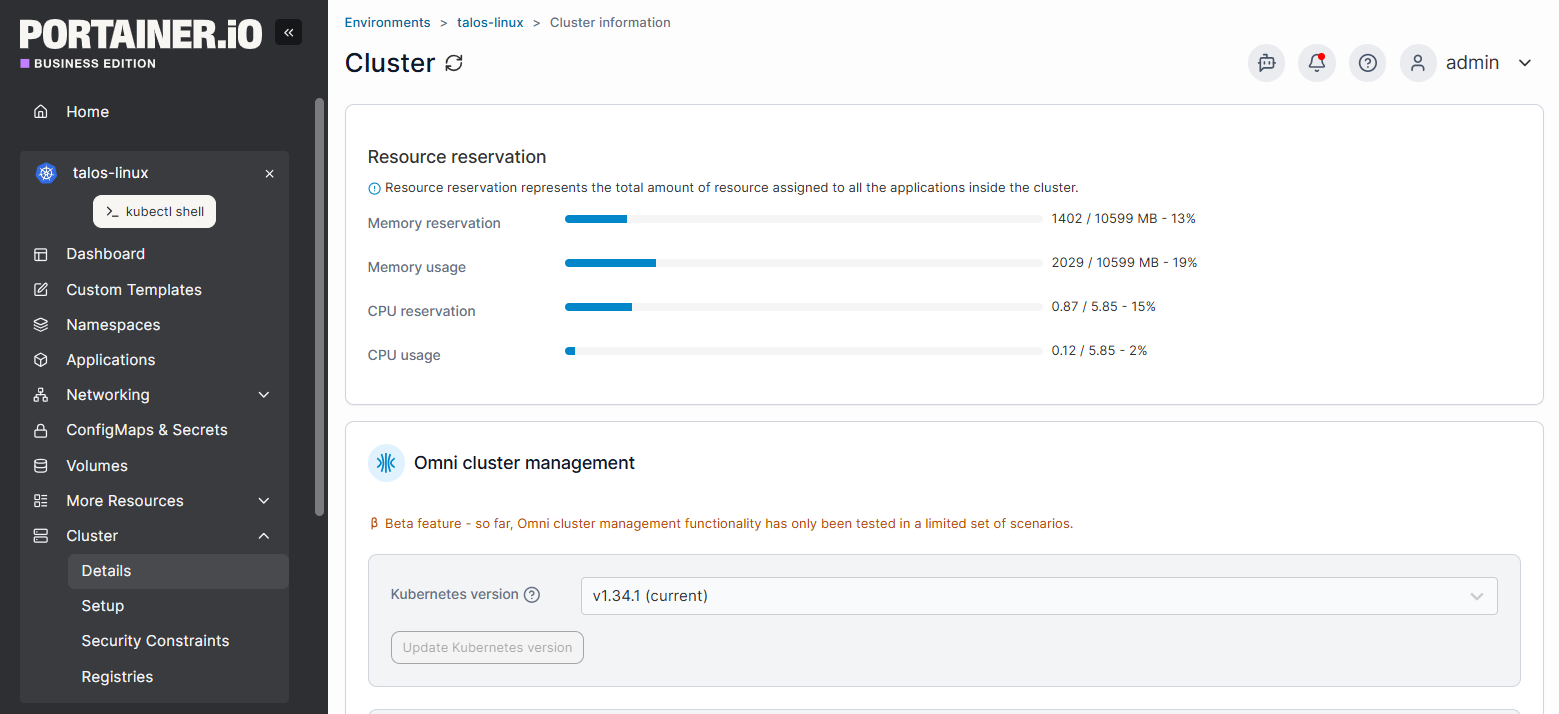
Note: Portainer does not replace Kubernetes or alter the operations. It acts as a management interface between users and the platform. This makes Kubernetes safer and more approachable for non-CLI experts.
Further reading:Kubernetes Orchestration & Management Tools in 2026
See Portainer in Action!
Key Considerations While Setting Up Single Node Kubernetes
Single node Kubernetes is simpler to run than multi-node. However, it still requires deliberate choices.
These considerations will help you avoid common pitfalls and ensure the setup fits your goals, not just your constraints:
1. Production readiness and failure tolerance
The biggest question to answer upfront is whether a single node cluster is suitable for production. In this setup, the control plane and workloads share the same machine, which means no built-in high availability. If the node fails, everything stops.
This condition might be acceptable for learning, development, edge deployments, and low-risk production workloads. But it won’t be for systems that require zero downtime or strict SLAs.
So, assess your acceptable downtime, backup strategies, and recovery expectations before committing. If availability is a priority for you, single node Kubernetes should not be the final architecture.
2. Performance and resource management
Say all components compete for the same CPU, memory, disk, and network resources. Without proper limits, workloads might starve the control plane or each other.
To avoid such cases, do these:
- Define clear resource requests and limits
- Monitor usage trends
- Plan headroom for spikes
Those mitigation plans are especially important when hardware is constrained in edge or lightweight production scenarios.
The overall solution here is to get a tool like Portainer that provides visibility into workloads and resource consumption. This way, you stay ahead of bottlenecks instead of reacting to outages.
Book a demo now to manage your workloads!
3. Security, access, and operational control
A single node cluster still needs production-grade security thinking. Without one, misconfigured access, exposed dashboards, or unmanaged credentials will dent your work.
To curb such effects, enforce role-based access, limit direct node access, and secure networking and storage paths. Also, use a centralized visibility and controlled access tool if developers interact with the same system. This way, mistakes will be minimal.
In short, single node Kubernetes succeeds when simplicity is paired with discipline.
Best Practices for Managing Kubernetes
Good habits make managing Kubernetes of any size easier. These best practices help teams reduce operational risk, stay organized, and scale with confidence as workloads grow.
1. Centralize visibility and access control (with Portainer)
As clusters grow (even single node ones), manual access and scattered tools will create blind spots. Centralizing visibility will help you see what’s running, who changed what, and where issues originate.
Platforms like Portainer provide a single, web-based control plane for Kubernetes. With it, you can manage namespaces, workloads, and user access from one place. This reduces reliance on ad-hoc CLI access and lowers the risk of misconfiguration. And it is effective, whether you’re a small or mixed-experience team.
See Portainer in Action!
2. Enforce resource limits and monitor usage continuously
Unbounded workloads can overwhelm a cluster quickly. So, always define CPU and memory requests and limits. This way, the control plane remains stable, and applications won’t starve each other.
Also, enforce ongoing monitoring to spot trends before they become outages. Regularly review resource usage to right-size workloads, plan capacity, and avoid performance surprises. This is critical whether in single node or resource-constrained environments.
3. Standardize workflows and keep operations repeatable
Inconsistent processes lead to errors, especially as more people interact with the cluster. So, standardize how applications are deployed, updated, and rolled back.
Use the same manifests, naming conventions, and access patterns across environments. This makes troubleshooting easier and reduces cognitive load. Over time, repeatable workflows turn Kubernetes from a fragile setup into a reliable operational system.
Effectively Manage Your Kubernetes Clusters with Portainer
Running Kubernetes, especially single nodes or small clusters, doesn’t have to mean juggling complex tools or living in the CLI. What you need is clarity, consistency, and control as workloads grow.
Portainer bridges that gap.
- KubeSolo handles the Kubernetes runtime and reliability.
- And as you scale, Portainer adds visibility and access control.
Start with KubeSolo to run single node Kubernetes today. Then, enhance operations with Portainer when management simplicity matters.
Book a demo now to manage and scale your operations!