
Share this post
If the SPS 2025 revealed anything, it’s this: industrial automation software now spans factories and edge devices. Leaders like Siemens and Beckhoff are driving the shift.
This guide breaks down what the modern solutions require and how teams can manage them at scale.
What is Industrial Automation Software?
Industrial automation software controls, monitors, and optimizes machines and processes in manufacturing and industrial environments. It connects hardware, data, and control systems to:
- Automate tasks, e.g., machine control, material handling
- Improve efficiency, e.g., real-time monitoring, predictive maintenance
- Maintain consistent operations (e.g., standardized workflows, centralized updates)
And it does all that across factories, plants, and increasingly, distributed edge locations.
💡 But was there ever a need for industrial automation software?
Challenges in Industrial Automation and How Software Helps
To answer the earlier question, let’s use a real-life example:
In 2020, at BASF’s Antwerp plant, a fan used in drying chalk had a defective bearing cage. Undetected, that would have caused a production outage for days, leading to a €10,000 loss.
An industrial automation software (Emerson’s diagnostic technologies) saved the day. It enabled a shift from time-based preventive maintenance to predictive maintenance.
That’s the value of industrial automation software. And now to the challenges that these tools solve:
TL;DR
Managing distributed and remote environments
Operating across multiple plants and edge locations makes it difficult to maintain visibility and control. Automation software helps by centralizing management, allowing teams to monitor systems and deploy updates remotely instead of relying on on-site intervention.
Inconsistent configurations across sites
Manual, site-by-site setup often leads to configuration drift and unpredictable behavior.Industrial automation software reduces this risk by enabling standardized deployments and repeatable configurations across factories and regions. Relying on dedicated deployment automation tools helps teams eliminate configuration drift entirely before it impacts the production floor..
Downtime and slow incident response
Unplanned downtime can halt production and cause cascading delays. Automation software supports faster detection, controlled updates, and rollback capabilities, helping teams identify issues early and recover without widespread disruption.
Scaling without increasing complexity
Tools used in small-scale projects often become difficult to manage once teams scale. Modern automation platforms support scalable, modular deployments, allowing teams to expand systems without rearchitecting their entire setup.
Supporting edge and IIoT initiatives
Running applications closer to machines introduces challenges around IIoT deployment and maintenance. Automation software helps by supporting edge-ready deployments that operate locally while remaining centrally managed, even in bandwidth-constrained environments.
However, not all software is the same. You need to look out for one that supports reproducibility, isolation, and efficiency to simplify edge and multi-site automation. The section below will guide you.
Key Features to Look for in Industrial Automation Software
As systems spread across plants, edge devices, and remote sites, teams need visibility, control, and scale. The features below make these needs achievable, and they are must-haves to navigate modern industrial environments.
Centralized management and visibility
Due to operational complexity, teams often lose a clear view of what’s running, how, and where. Left unchecked, this fragmentation leads to blind spots, slower incident response, and inconsistent updates across environments.
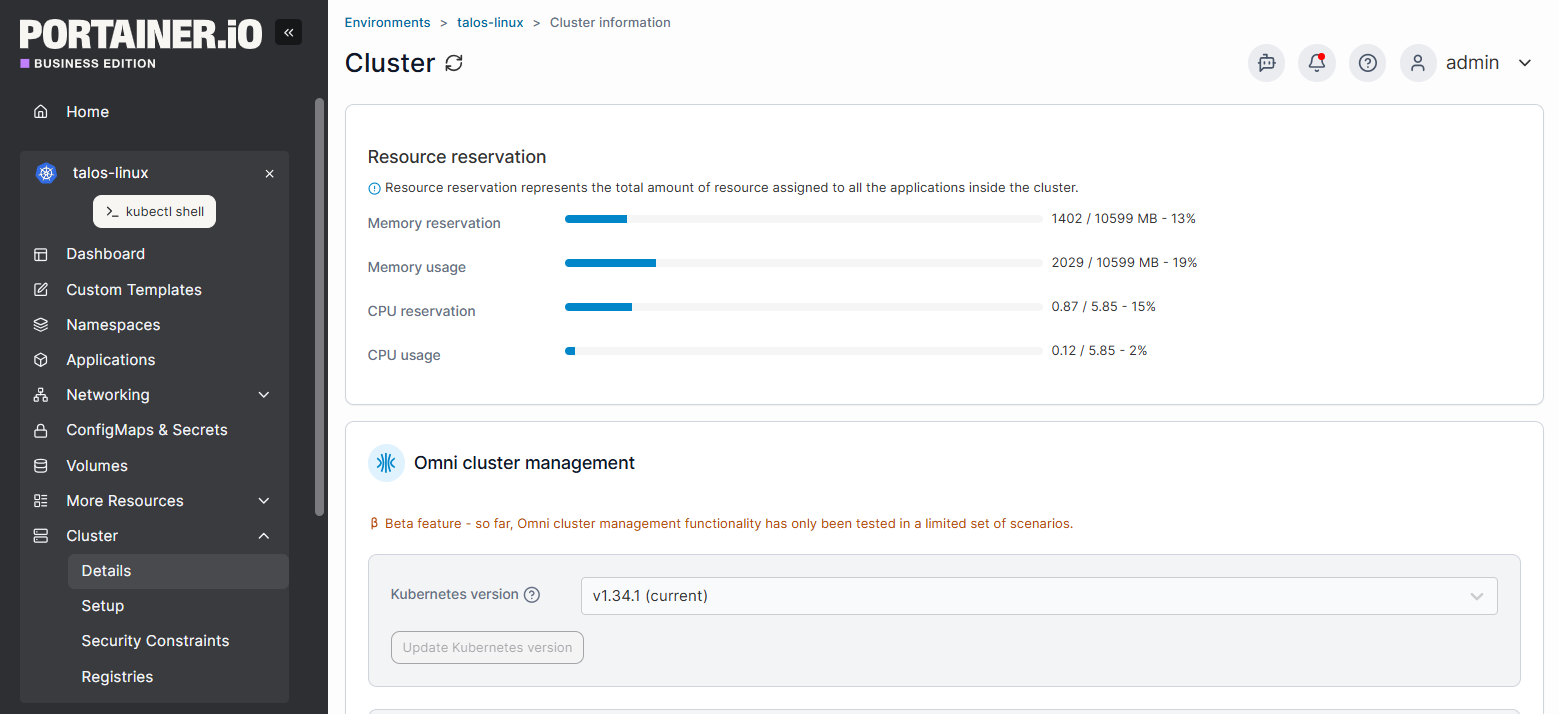
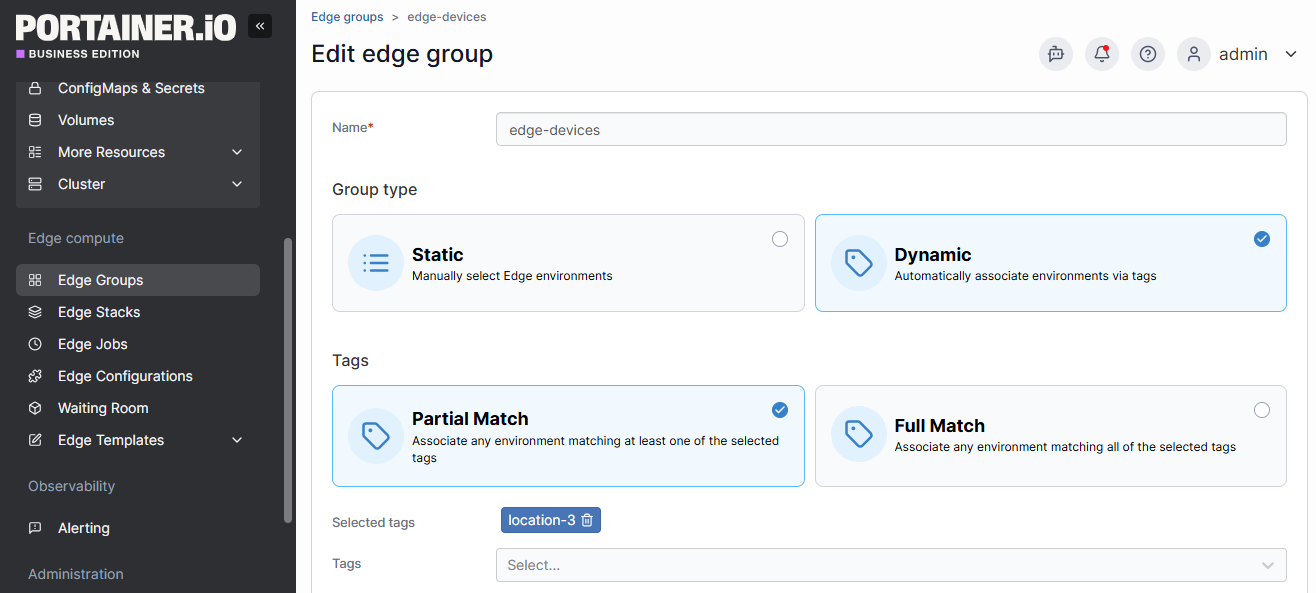
Centralized management fixes this issue. It unifies visibility and control in one place for teams. Platforms like Portainer help here with environment grouping, role-based access, and a single operational view.

Support for containerized workloads
The behaviors of industrial applications vary across hardware, operating systems, and sites. This leads to inconsistency and deployment friction, and worsens as systems scale. You’d experience slow updates, increasing failure risk.
Containerized workloads solve this problem. They package applications with their dependencies for consistent execution. Tools like Portainer support this solution using stack management, container lifecycle controls, and standardized deployments.
Edge and remote site deployment capabilities
Industrial teams ideally operate in remote, bandwidth-limited, or air-gapped environments. But there’s a problem with that: on-site intervention isn’t always possible. This makes updates risky and failures harder to recover from.
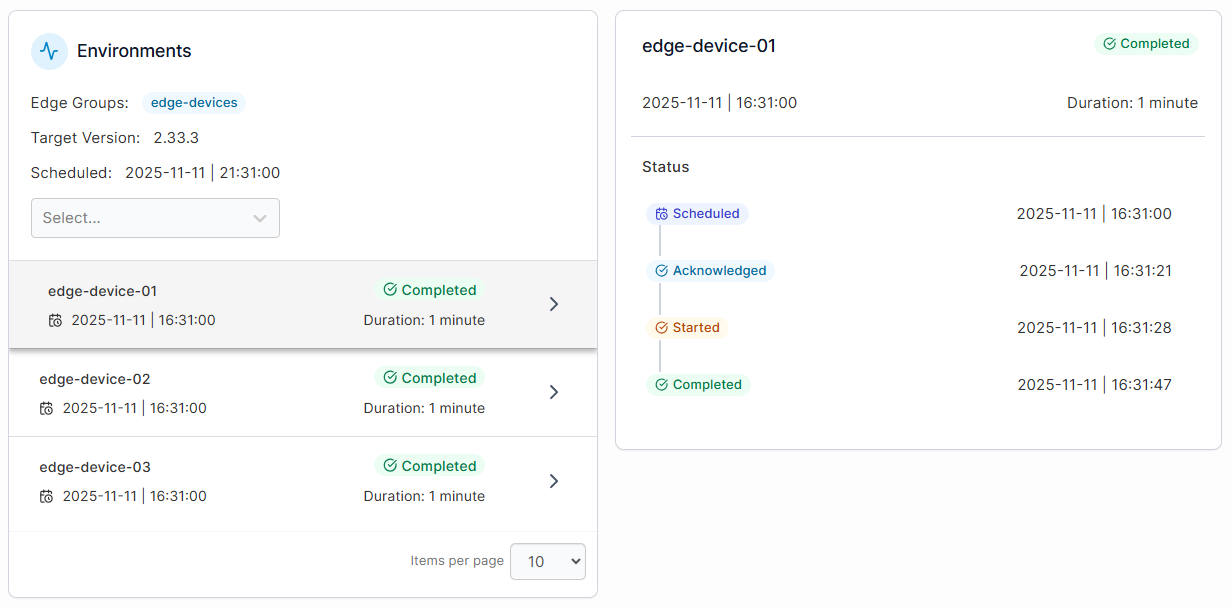
Edge-ready deployment capabilities address this gap. They enable controlled rollouts and rollbacks from a central point. And with Portainer, you can manage thousands of devices using Edge/IIoT capabilities, secure agents, and centralized management.
Operational consistency and governance
When industrial systems scale, teams often struggle to keep configurations and workflows aligned. These inconsistent setups lead to configuration drift and audit gaps, causing unpredictable behavior in production.
The solution is strong governance capabilities. They enforce standardized deployments, access controls, and operational rules. This way, teams can maintain reliability and compliance across environments as operations grow.
Scalability across sites and systems
Once your automation expands, tools that work at a small scale will break down. In the long run, manual processes and site-specific setups quickly become unmanageable.
The reason for these is clear: growing complexity and geographic spread. But what’s the solution?
Scalable platforms; Use the right one, like Softing, and you’d have support for consistent operations across many systems without added overhead.
Now that you know the features to target in industrial automation software, let’s discuss the benefits of using one.
{{article-cta}}
Benefits of Industrial Automation Software
Quick summary: Industrial automation software helps manufacturers improve efficiency, reduce downtime, and scale operations across factories and edge environments. Below, we break down each benefit in detail.
Increased operational efficiency
Relying on manual monitoring and reactive decision-making slows production and introduces avoidable errors. This inefficiency compounds as operations scale.
But the case is different with industrial automation software.
Instead of higher costs, longer cycle times, and unplanned downtime, you get control. Everything, from machine control and data collection to routine decisions, is automated.
The result? Increasing output while minimizing operating costs. In practice, teams have reduced machine downtime by 30–50% and extended equipment life by 20–40%. And the numbers will improve as more teams invest.
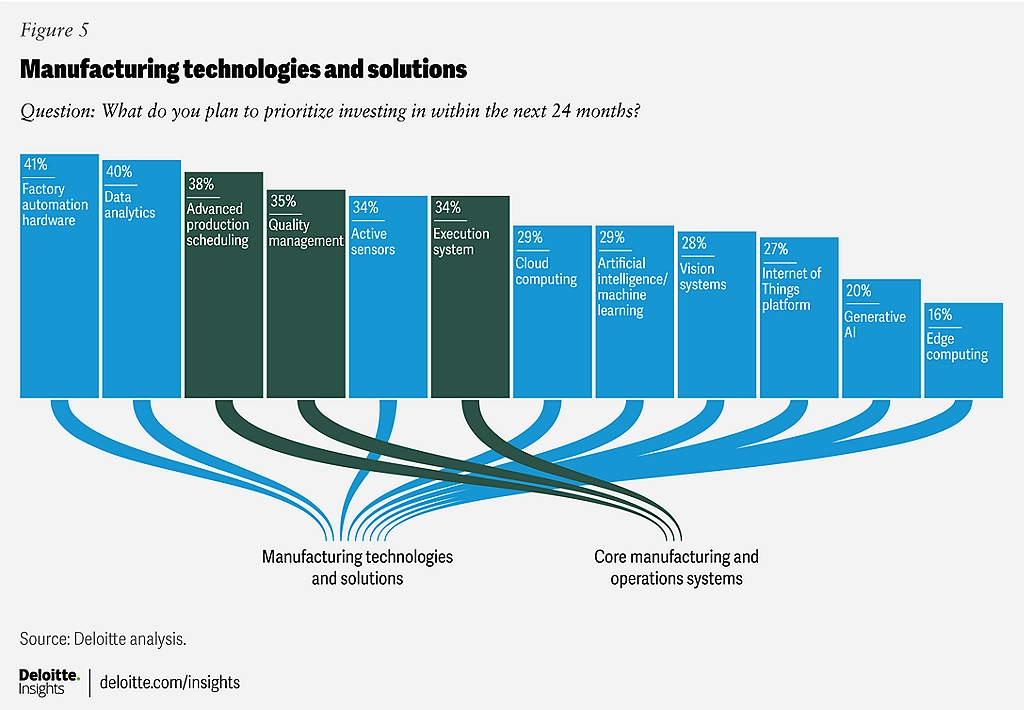
2025 Smart Manufacturing and Operations Survey, Source.
Another case: Cummins managed containerized software across 100,000+ edge devices. Using Portainer, they consolidated dozens of software versions into a single, manageable architecture, reducing operational overhead across its industrial environments.
Reduced downtime and faster recovery
Unplanned downtime often happens when issues go unnoticed or when fixes require manual, on-site intervention. In industrial environments, such short outages can halt production lines and disrupt downstream operations.
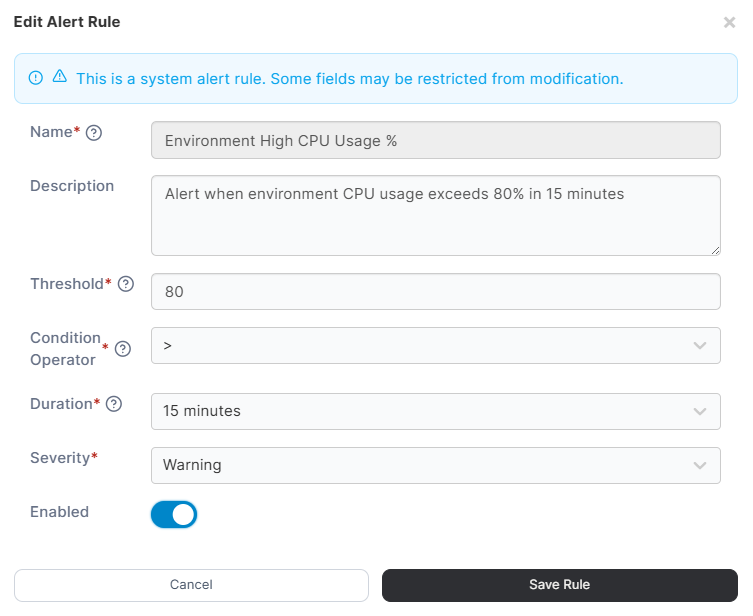
Industrial automation software reduces the risks. It enables real-time monitoring, controlled updates, and faster issue detection.
For example, teams can identify failing components early, roll out fixes remotely, or roll back updates without stopping the entire system. This will cut recovery time and limit lost output that can otherwise cost thousands of dollars per hour.
Consistent operations across sites
Once you expand operations across plants and regions, you’d need different system configurations per site. This often leads to uneven performance and even harder troubleshooting.
Industrial automation software can help here. The right one standardizes deployments and configurations across environments. This means teams can roll out the same application version and settings across plants or edge sites, reducing manual setups that might lead to errors.
Better support for edge and IIoT initiatives
Relying on centralized processing creates latency. This limits reliability at remote or bandwidth-constrained sites. And when connectivity drops, operations slow or stop altogether. Modern automation software addresses this concern. It runs applications closer to machines and sensors at the edge.
For example, analytics or monitoring services can operate locally on edge devices while remaining centrally managed. Teams often use container-based platforms, such as Portainer, to coordinate these distributed workloads across multiple edge locations.
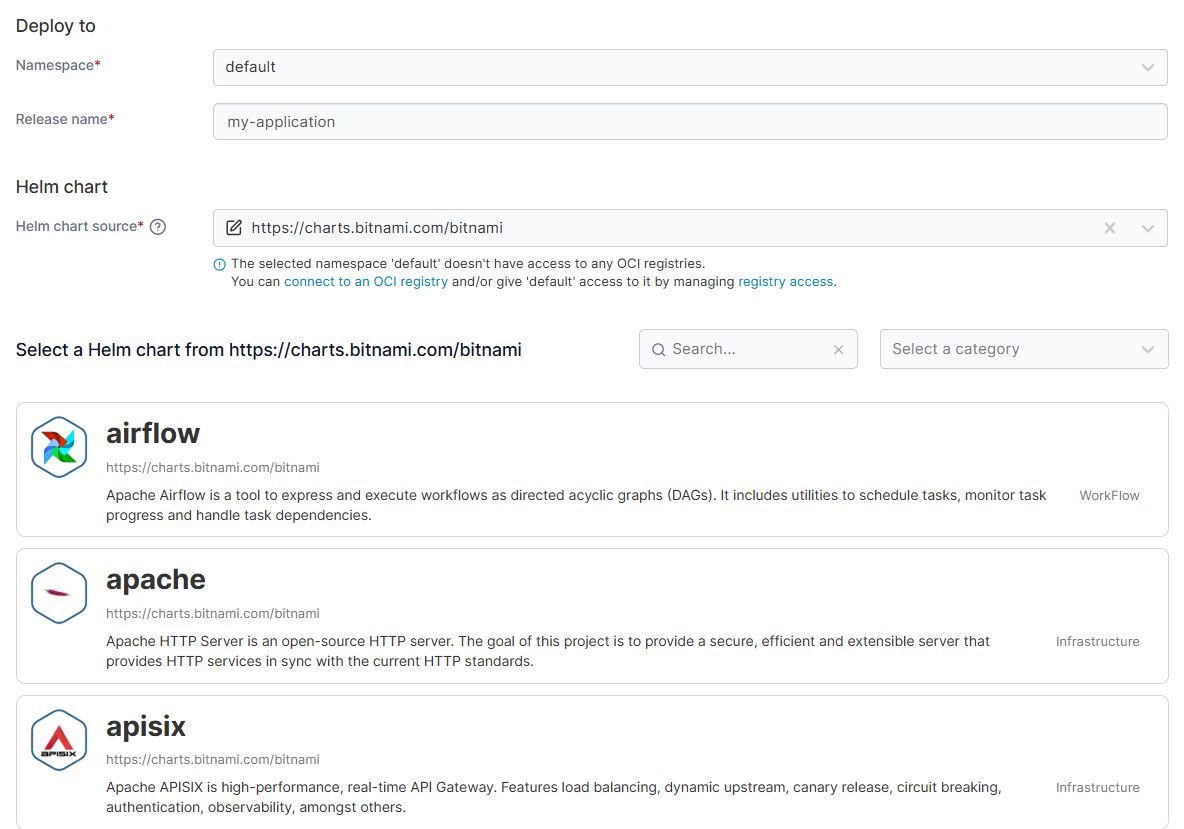
A real-life example is a U.S.-based building materials manufacturer. They deployed containerized IIoT workloads across 68+ plants. Using Portainer, they centrally managed deployments and reduced manual configuration across sites.
Improved scalability and long-term flexibility
If systems aren’t designed to scale, they often require costly rework or even complete redesigns. This slows expansion and increases operational risk.
Industrial automation software prevents such risks. It supports modular, containerized deployments.
For example, teams can add new production lines or edge sites by reusing existing application stacks. Management layers, such as Portainer, help maintain visibility and control as environments expand across sites.
How Portainer Supports Industrial Automation Workloads
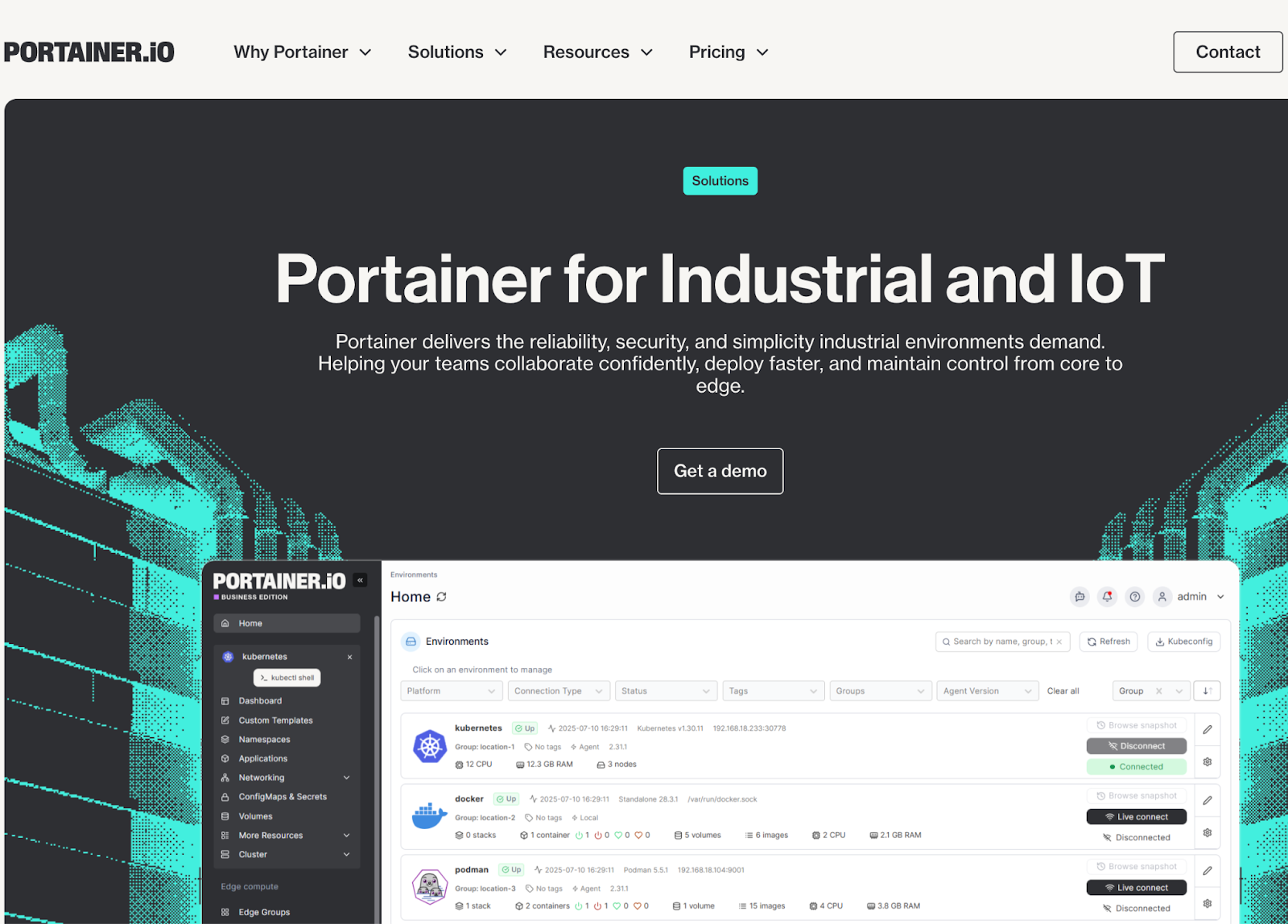
Portainer is an example of a modern container management platform. It helps industrial teams deploy, operate, and scale containerized automation workloads across plants, edge sites, and hybrid environments. And it does that in 3 steps:
Step 1: Containerize industrial automation workloads
As industrial applications shift toward containerized delivery, teams require a reliable method for consistently packaging services. Portainer supports this shift by integrating with various Kubernetes management tools to handle workloads running on Docker Swarm or Kubernetes while ensuring that automation services behave consistently across different hardware and environments.
Step 2: Deploy and manage workloads across edge and remote sites
Industrial environments often include many remote or resource-constrained sites. Portainer provides a centralized control plane that helps teams deploy, update, and monitor containers across plants, factories, and edge gateways, without requiring constant on-site access.
A real-life example here is how Procter & Gamble managed containerized workloads across 130+ plants in 70+ countries. Using Portainer, they improved operational consistency at scale.
Step 3: Maintain operational simplicity for OT and IT teams
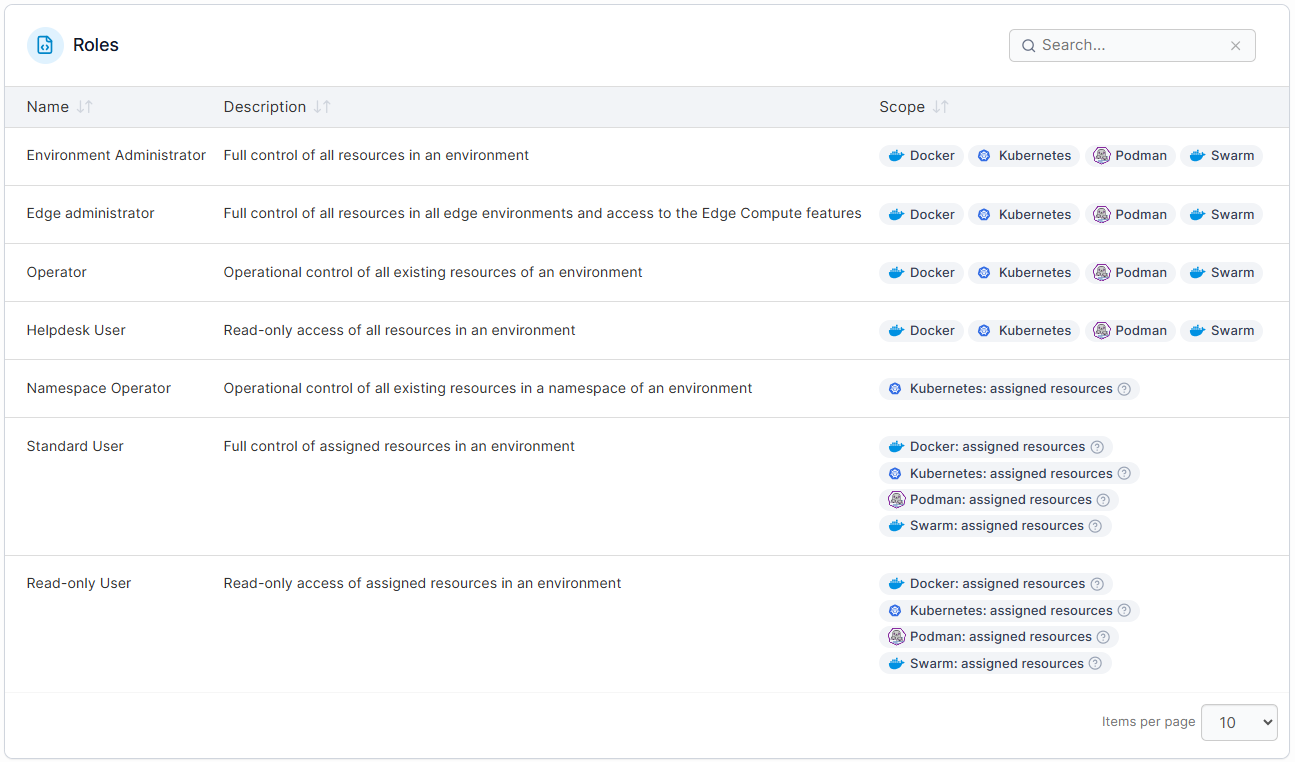
Managing distributed systems can overwhelm both OT and IT teams. Portainer lessens this burden by offering a single interface for visibility, access control, and lifecycle management. This helps teams maintain resilience, reproducibility, and isolation across industrial automation environments.
💡 Does Portainer work with all industrial automation software?
Book a demo to test Portainer!
Deploy, Manage, and Monitor Industrial Applications Effortlessly Using Portainer
Industrial automation software now runs across factories, plants, and edge locations. And teams are already seeing results:
- Reduced downtime
- Standardized operations
- Stronger support for edge and IIoT workloads
However, these gains introduce new challenges around visibility, consistency, and scale. This is where Portainer comes in.
Portainer addresses the gaps with centralized management for containerized industrial applications across Docker and Kubernetes environments.