5 Best kubectl Alternatives for Kubernetes Management

kubectl is powerful, but it asks a lot from you. Every check, every fix, and every switch between clusters becomes another command to type and remember. Seeing what’s happening across several clusters means running those commands one by one and piecing the output together yourself. As your team and cluster count grow, this slows people down and makes Kubernetes hard to hand to anyone who isn’t already an expert.
With Kubernetes now running in production for 82% of container users, more teams are encountering this command-line and YAML overhead and looking for a friendlier way to operate. The strongest kubectl alternatives solve this by adding a visual layer over your clusters, eliminating YAML, and giving you a single place to deploy, manage, and govern everything.
This guide covers the top kubectl alternatives for Kubernetes management, comparing desktop apps, terminal tools, and full management platforms. We’ll break down their key features, where they shine, and where they fall short, so you can match the right tool to your team’s skills and the way you run your clusters.
Why It’s Time to Look for Alternatives to kubectl
kubectl is a brilliant tool, but as your clusters multiply and your team grows, leaning on it for every task can create friction. Here are two main reasons why teams usually start looking for kubectl alternatives:
1. kubectl Turns Routine Work Into Specialist Work
Every change in kubectl goes through a command or a block of YAML you write by hand. Helm and Kustomize can template that YAML, but someone still has to write and maintain it, and you’re driving the whole thing from the command line.
This works for an expert, but it’s a steep climb for everyone else, and a single typo in a manifest can take down a deployment.
However you look at it, complexity is still one of the biggest barriers to running Kubernetes well. In CNCF’s 2025 survey, 34% of organizations named it a top challenge when deploying containers in production. So, for teams without a dedicated Kubernetes specialist, the Kubernetes complexity of memorizing verbs, flags, and manifest fields makes everyday work harder than it needs to be.
2. kubectl Shows You One Cluster at a Time
More than half of organizations now run across multiple clouds, so most teams are juggling several clusters at once. kubectl makes that harder than it should be because it operates on a single cluster context at a time.
To check another, you switch context, run your commands again, and hold the results in your head. There’s no single screen showing health, workloads, and access across everything you run. A tool built for multi-cluster management gives you that consolidated view, so you can spot problems and act on the right cluster without losing your place.
If you’re tired of switching contexts across clusters and writing YAML for every change, Portainer gives your team a single visual interface to deploy, manage, and govern Kubernetes, Docker, and Swarm, with built-in role-based access control. It’s built so your whole team can deploy and operate Kubernetes confidently. See Portainer in action.
Key Considerations If You Are Migrating Away From kubectl
Switching away from kubectl changes how your team operates day to day. Before you commit to a tool, weigh a few things that decide whether the move reduces your workload or just moves it somewhere else.
1. Who Can Touch Your Clusters
Putting a UI in front of Kubernetes adds a new way into your clusters, so access control should be your first question. A good alternative should:
- Give each person the right level of access
- Keep a record of who changed what through audit logging
- Avoid handing raw cluster credentials to everyone.
Ask whether the tool has its own role-based access control and audit logging, or whether it simply loads your kubeconfig and trusts whoever holds it. The second option is quick to set up but hard to govern once more than a couple of people rely on it.
2. Whether It Covers All Your Environments
Check that the tool sees everything you run. Many viewers connect to a single cluster at a time, which is fine on a laptop but limiting once you operate several clusters across clouds, on-prem, and the edge.
For example, if you also run Docker or Swarm next to Kubernetes, a tool that only speaks Kubernetes will have you switching between consoles again. Map your real environment first, then confirm the alternative covers all of it from one place.
If you run mixed environments, Portainer manages Kubernetes, Docker, and Swarm together, across cloud, on-prem, and edge, from a single interface.
3. How Well It Fits Your Existing Workflow
The strongest alternatives won’t compel you to abandon everything you already use. They’ll sit alongside kubectl, Helm, and your GitOps pipeline rather than forcing a complete rewrite. Before you switch, check the tool still covers the everyday tasks you reach for on the command line:
- Viewing logs and exec-ing into a running pod
- Copying files in and out of pods, the job kubectl cp does
- Port-forwarding to a service, what you’d run kubectl port-forward for
- Applying and updating manifests without leaving the interface
Also, confirm it won’t lock you into one vendor or cloud, so you can change direction later without another migration.
4. Where the Tool Runs and Stores Your Data
Decide whether you want a SaaS service or something you host yourself.
A hosted control plane, for example, is convenient, but it means your cluster access and metadata pass through a vendor’s platform, which can be a problem in regulated, air-gapped, or high-uptime environments. Before you choose, confirm whether the alternative can:
- Run fully self-hosted inside your own infrastructure
- Work offline or in air-gapped sites
- Support the regions and compliance rules you answer to
Teams in finance, government, and manufacturing often can’t compromise on these. If self-hosting matters, Portainer isn’t a SaaS product. You install it inside your own infrastructure, including fully air-gapped sites, so your clusters and data never leave your control.
Best kubectl Alternatives at a Glance
| Tool | Type | Best for | Stand-out feature | Starting price |
|---|---|---|---|---|
| Portainer | Self-hosted management platform | Enterprise and platform teams managing multiple environments | One UI for Kubernetes, Docker, and Swarm with built-in RBAC | Enterprise pricing (speak to sales) |
| Lens | Desktop IDE | Individual developers working hands-on with clusters | Desktop IDE with real-time insights and Lens Prism AI | From $25/user/month (billed annually) |
| k9s | Terminal UI | Platform engineers and SREs who live in the terminal | Fast, keyboard-driven real-time terminal UI | Free (open source) |
| Headlamp | Web UI (desktop or in-cluster) | Platform teams wanting an extensible open-source web UI | Plugin-based, extensible web UI (Kubernetes SIG UI project) | Free (open source) |
| Rancher | Management platform | Large teams running many Kubernetes clusters | Centralized multi-cluster provisioning and lifecycle management | Free (community); Prime quote-based |
1. Portainer: Best kubectl Alternative for Multi-Environment Management
Portainer is a self-hosted Kubernetes management platform that gives your whole team a visual way to deploy, manage, and govern containers without living in the command line. Where most kubectl alternatives show you one cluster at a time, Portainer sits in front of all of them, and it manages Kubernetes, Docker, and Swarm from the same interface.
Key Features
Portainer covers the everyday Kubernetes work you’d normally do through kubectl, then adds the cluster-wide visibility and governance the command line can’t:
1. Deploy and Manage Workloads Without the Command Line
Portainer gives you several ways to deploy an application, so people can work at the level they’re comfortable with:
- Guided form: fill in fields like image, resources, and how to expose the app, with no YAML to hand-write
- Raw YAML or Helm chart: for teams who prefer to deploy from code
- Built-in GitOps: keeps workloads in sync with your Git repo, with no need for a separate tool like Argo CD or Flux
- Embedded shell: run kubectl directly inside the interface for the moments you do want the command line
Before it deploys, Portainer also checks that the resources you asked for are actually available, so you don’t end up with a workload that’s accepted but never schedules, which is what plain kubectl would let happen.
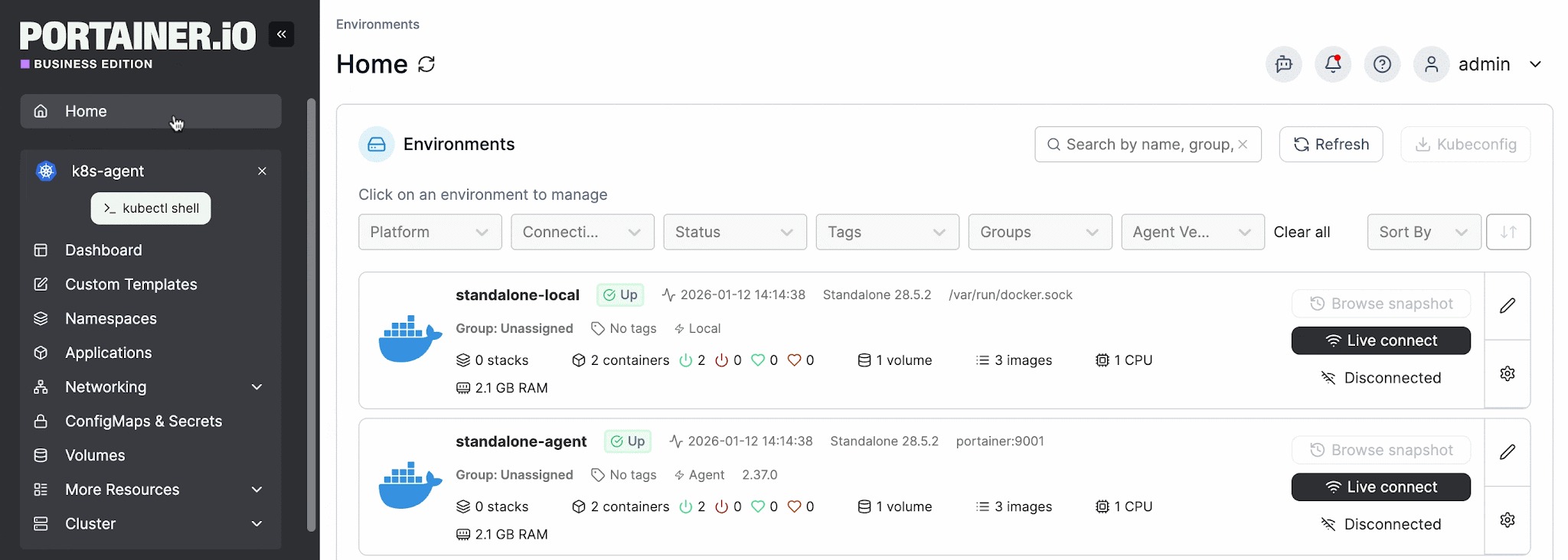
2. One Dashboard for Every Cluster and Environment
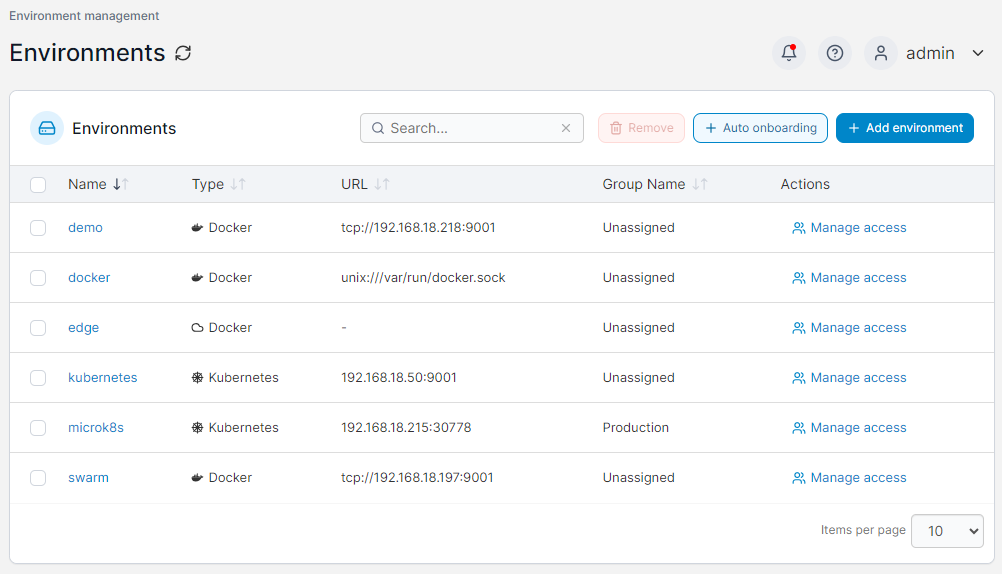
From one screen, Portainer lists every environment you’ve connected to and lets you act on the right one without juggling contexts:
- Live health at a glance: status, CPU, RAM, node count, and running containers for each environment
- Fast filtering at scale: filter by platform, tag, or status, or search, across dozens or hundreds of clusters
- Beyond Kubernetes: manages Docker and Swarm in the same place, so mixed infrastructure doesn’t mean separate consoles
- Managed services included: operates your EKS, AKS, and GKE clusters next to your on-prem and edge clusters
This is the kind of multi-cluster management that raw kubectl can’t offer, since it talks to one cluster context at a time.
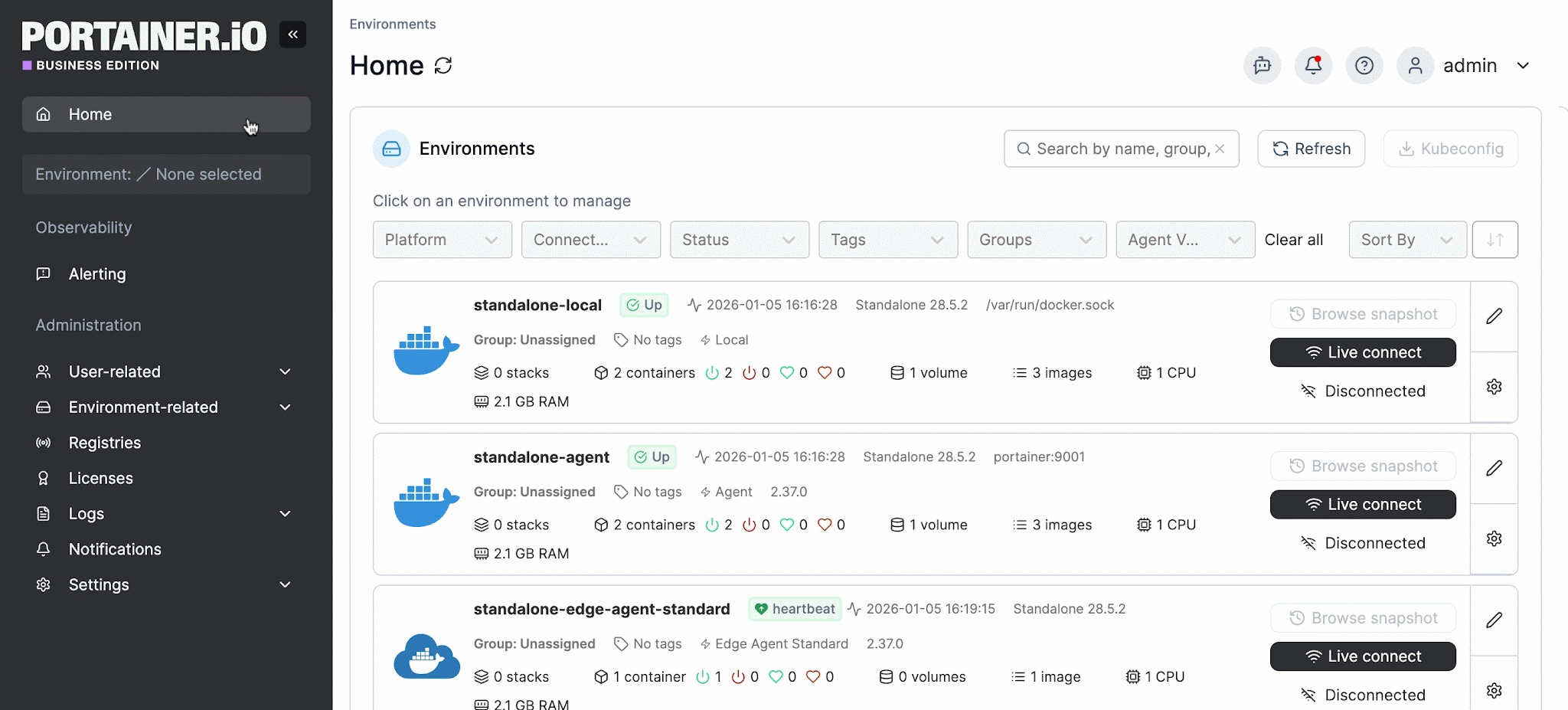
3. Built-In Access Control and Auditing
With kubectl, anyone holding a kubeconfig effectively has the keys to the cluster. Portainer replaces that with proper Kubernetes security controls.
It sits between your users and your clusters, so people work through Portainer rather than connecting to the cluster directly. You assign predefined roles scoped either cluster-wide or to a single namespace, and the most restrictive role always wins unless you override it, which keeps access secure by default.
Authentication plugs into LDAP, Microsoft Active Directory, and OAuth, and Portainer can map directory groups to teams automatically, so access stays in line with your org structure without managing users one by one. Every login and management action is recorded, and those activity logs can be streamed to a SIEM like Splunk, Microsoft Sentinel, or any syslog target, giving compliance teams a clear record of who changed what and when.
Pricing
| Plan | Cost |
|---|---|
| Enterprise IT | Enterprise pricing: Speak to sales |
| Edge / IIoT | Enterprise pricing: Speak to sales |
For complete plan details and volume-based options, visit Portainer’s Enterprise Pricing page.
Where Portainer Shines
- Lightweight operational footprint: Portainer runs as a single container on minimal resources, around 1 vCPU and 2GB of RAM, while a single instance can manage thousands of clusters, so it adds very little overhead to your infrastructure.
- Fast time to value: Teams can have Portainer running in minutes and deploy their first workload the same day, with no months-long platform project to get going.
- Enterprise governance without enterprise overhead: RBAC, audit logging, identity integration, and policy enforcement come built in, without the setup weight or specialist staffing that heavier platforms require.
- Vendor-agnostic across your whole estate: It manages Kubernetes, Docker, and Swarm, across cloud, on-prem, and edge, and can manage clusters running on EKS, AKS, GKE, OpenShift, and Rancher without locking you into one vendor.
- Self-hosted and air-gap friendly: Portainer installs inside your own infrastructure, including fully air-gapped sites, so cluster access and data never leave your control.
Where Portainer Falls Short
- Built for the common 80%: Portainer focuses on the workflows most teams use every day. Extensive customization, niche integrations, or non-standard Kubernetes distributions may still need work outside the UI.
- Manages clusters rather than replacing them: Portainer is a control plane, so you still run your own Kubernetes underneath.
Customer Reviews
“I use Portainer for hosting over 20 containerized applications and it provides a simple yet intuitive user interface for managing these applications easily. I like how easy it lets me manage every aspect of my containerized applications, including managing their lifecycle, their images, networks, and storage,” says a user in consulting.
“I use Portainer for managing my server and Docker installations, and I really appreciate being able to handle things visually with an intuitive GUI. It's quick to deploy and everything is clearly organized, which is important to me. The GUI is not only visually appealing but also functional, allowing me to edit code and organize deployments or stacks without having to use the CLI. I find it makes managing Kubernetes and Docker clusters really easy,” shares Amer H.
Who Portainer is Best For
- Enterprise IT and platform teams managing container deployments across multiple environments that need centralized access control, policy enforcement, and audit logging without requiring deep Kubernetes expertise across the entire team.
- Organizations in regulated industries like healthcare, finance, government, and defence, where compliance frameworks demand documented access controls and full audit trails across container infrastructure.
- Teams managing edge and IoT deployments where governance needs to scale across hundreds or thousands of distributed nodes through a single management plane.
See Portainer in action
2. Lens
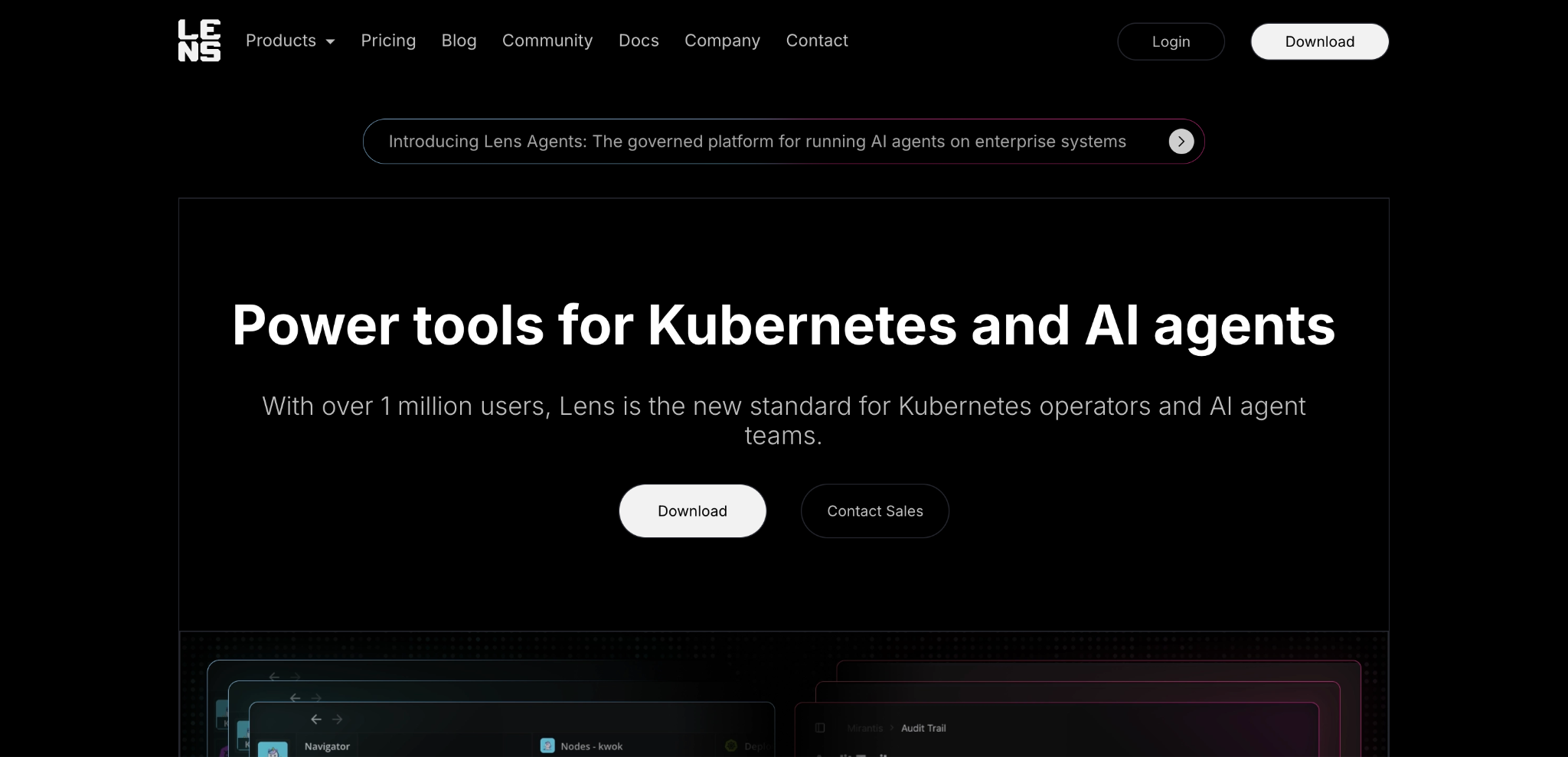
Lens is a desktop Kubernetes IDE from Mirantis, built for developers, DevOps, and SREs who work hands-on with clusters. It pulls logs, metrics, events, and an AI assistant into one graphical workspace, so you can inspect and operate clusters without hand-writing kubectl commands.
Key Features
- Unified multi-cluster IDE: Connect to every cluster from one cross-platform app (macOS, Windows, Linux) and navigate workloads with real-time logs, metrics, and events in context.
- Lens Prism AI assistant: A context-aware AI copilot that understands your clusters and helps you troubleshoot and fix issues in plain English.
- Smart built-in terminal: A cluster-aware terminal runs every kubectl command in the right context, alongside Helm chart management, port forwarding, and automatic EKS and AKS discovery.
Pricing
| Plan | Cost |
|---|---|
| Pro | $25/user/month (billed annually) |
| Enterprise | $50/user/month (billed annually) |
| Custom | Contact sales for volume pricing and custom deployments |
Where Lens Shines
- Developer-first workspace: Lens gives developers a fast, IDE-style workspace with real-time logs, metrics, events, and an AI copilot, so they can navigate and debug clusters without kubectl gymnastics.
- Quick to start and cross-platform: It installs in minutes, automatically discovers clusters including AWS EKS, and runs the same way across macOS, Windows, and Linux, so a whole team can get productive fast.
Where Lens Falls Short
- Desktop-bound, per-user setup: Lens installs and runs on each person’s machine, so there’s no shared, server-side control plane sitting between your team and your clusters, which is a constraint for regulated or air-gapped environments that need centralized, governed access.
- Kubernetes only: Lens focuses on Kubernetes, so teams also running Docker or Swarm need separate tooling to manage those environments.
Customer Reviews
“One thing that can be a bit frustrating about Lens is its occasional slow load times. It can take a moment to retrieve data,” says Vijay M.
“It is very user friendly and easy to learn software,” shares Ravi Pratap S.
Who Lens is Best For
- Individual developers and DevOps engineers who want a powerful desktop IDE for working hands-on with Kubernetes clusters.
3. k9s
k9s is an open-source terminal UI for Kubernetes. It gives you a live, keyboard-driven view of your cluster from the command line, so you can navigate resources and run common operations far faster than typing out full kubectl commands.
Key Features
- Real-time terminal UI: A continuously updated view of pods, deployments, services, nodes, and custom resources, all navigated with keyboard shortcuts and powerful filtering.
- Fast resource actions: Drill into any resource to view logs, exec into a pod, port-forward, scale, or restart, with an error-zoom view to jump straight to what’s broken.
- RBAC visibility and customization: View cluster roles, bindings, and reverse-lookups of what a user or service account can do, and tailor k9s with aliases, hotkeys, skins, and plugins.
Pricing
| Plan | Cost |
|---|---|
| k9s | Free and open source (Apache 2.0) |
Where k9s Shines
- Speed for terminal users: Once you know the shortcuts, k9s is one of the fastest ways to move around a cluster, watch real-time metrics, and act on resources without breaking flow.
- Lightweight and free: It’s a single binary with no backend to run, open source under Apache 2.0, and works anywhere you have a terminal.
Where k9s Falls Short
- Still assumes Kubernetes knowledge: k9s speeds up the work of an engineer who already understands Kubernetes resources, so it doesn’t lower the barrier for team members who aren’t comfortable with the concepts.
- Terminal-only and single-user: It runs locally against your own kubeconfig with no graphical dashboards, and while it can display the cluster’s RBAC rules, it doesn’t add its own shared access control or audit trail across a team.
Who k9s is Best For
- Platform engineers and SREs who live in the terminal who want a fast, keyboard-driven way to monitor and operate their Kubernetes clusters.
4. Headlamp
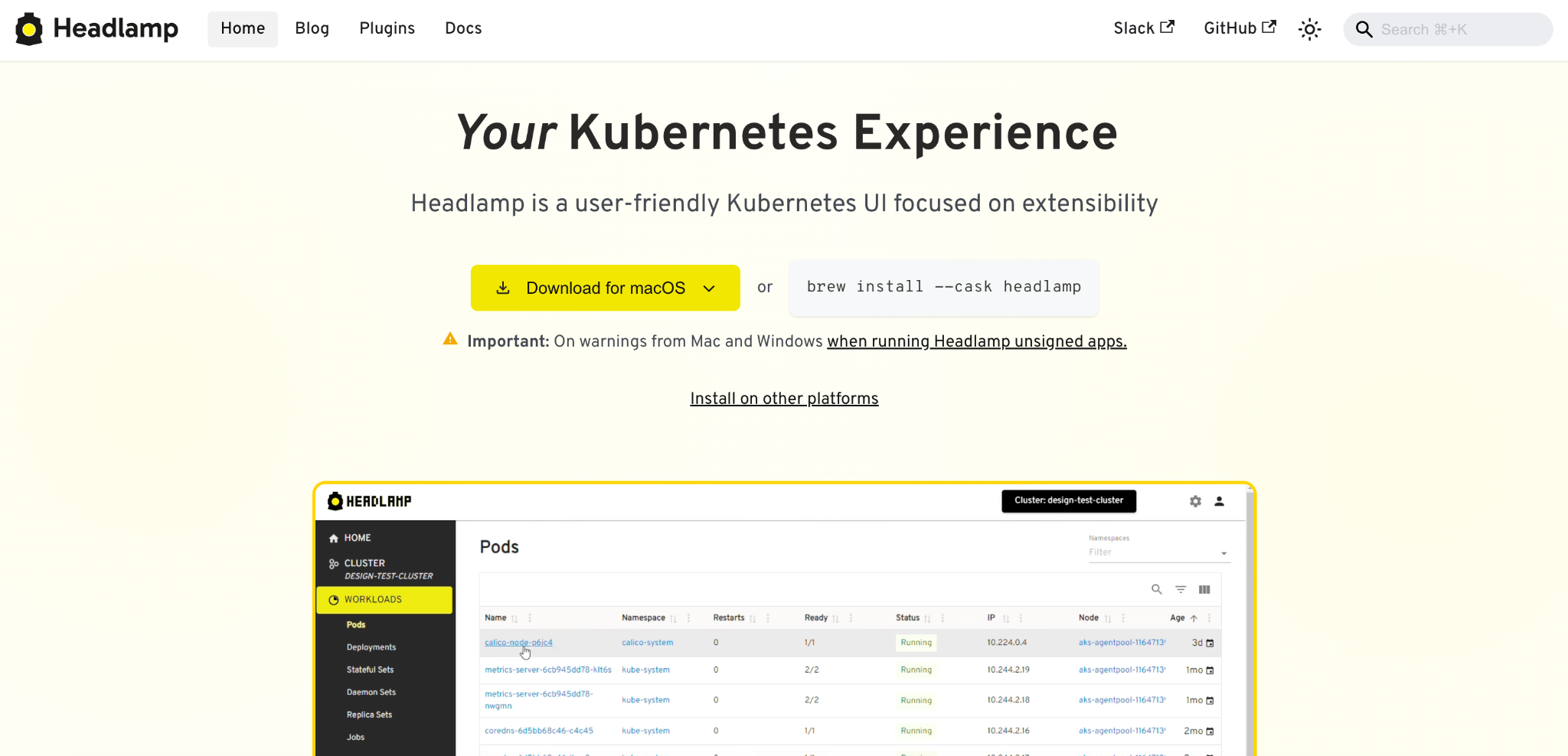
Headlamp is a user-friendly, open-source Kubernetes UI built around extensibility. It’s an official Kubernetes sub-project, part of SIG UI, and can run as a web app deployed in-cluster, as a desktop app against your kubeconfig, or both.
Key Features
- Plugin-based extensibility: Headlamp is designed to be extended, with a plugin system and adaptable UI and branding that let teams add custom views and tailor the interface to their own workflows.
- Flexible deployment: Run it as a desktop app on Windows, macOS, or Linux for local cluster management, or deploy it in-cluster with Helm behind an ingress for team-wide browser access.
- RBAC-based controls: The UI adapts to each user’s cluster permissions, showing only the resources and actions their Kubernetes role allows, so it fits cleanly into existing access setups.
Pricing
| Plan | Cost |
|---|---|
| Headlamp | Free and open source (Apache 2.0) |
Where Headlamp Shines
- Free, open, and community-backed: As a vendor-agnostic CNCF project under Kubernetes SIG UI, Headlamp carries no license cost and stays closely aligned with upstream Kubernetes.
- Extensible to fit your platform: The plugin system and customizable UI let teams shape Headlamp around their own needs without forking the project, which makes it a solid base for an internal developer platform.
Where Headlamp Falls Short
- Extensibility-first: The core focuses on viewing and managing resources, so functionality beyond that often depends on building or adding plugins rather than coming out of the box.
- Reflects cluster RBAC rather than adding its own: Headlamp mirrors each user’s existing Kubernetes permissions instead of providing its own governance layer, so teams with strict, centralized access and audit requirements need to handle that elsewhere.
Who Headlamp is Best For
- Platform teams that want a free, extensible, official Kubernetes web UI they can customize with plugins to power an internal developer platform.
5. Rancher
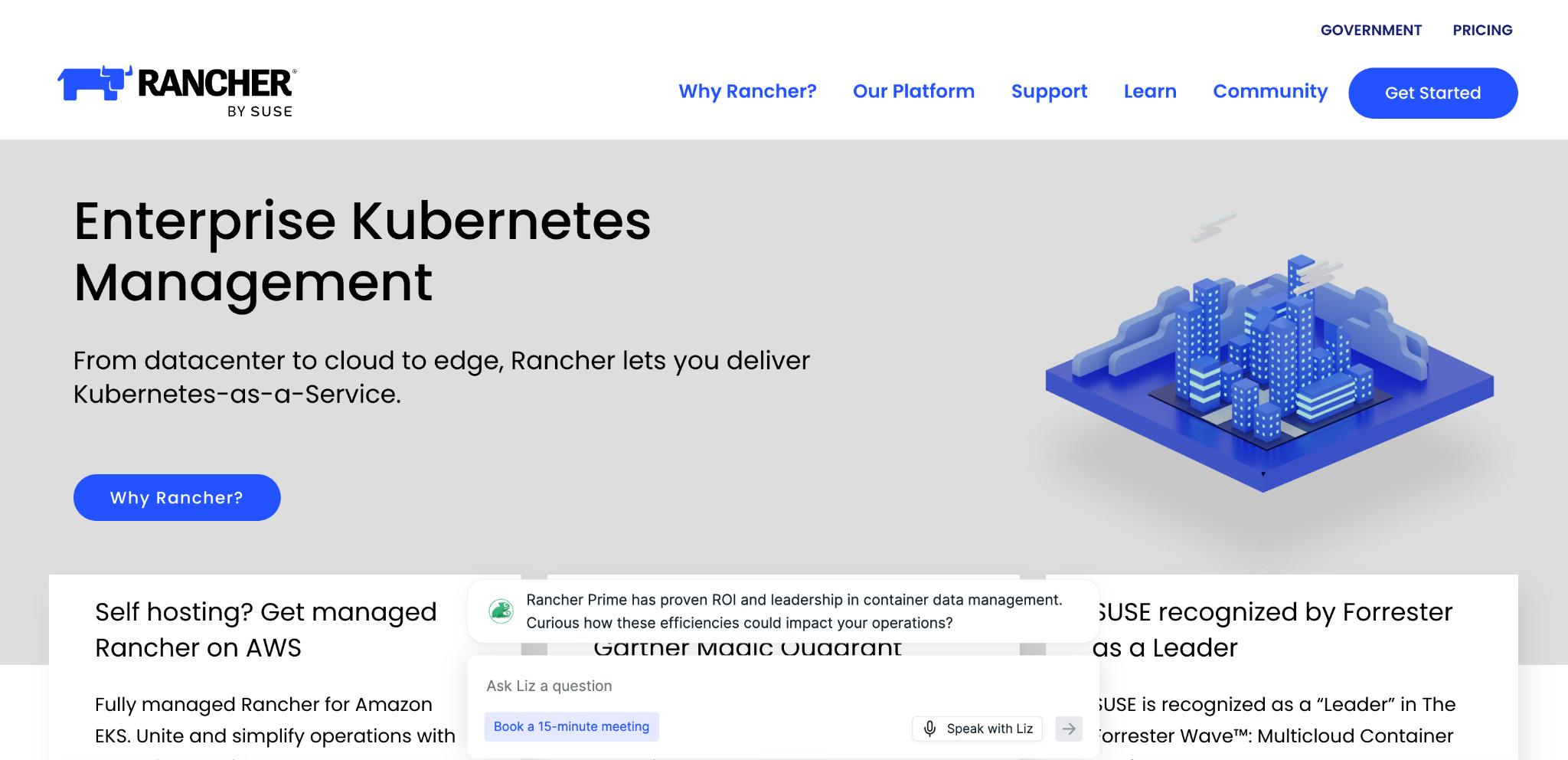
Rancher is a 100% open-source, multi-cluster Kubernetes management platform, now offered commercially by SUSE as Rancher Prime. It manages clusters from infrastructure to applications across bare metal, private cloud, public cloud, and vSphere.
Key Features
- Unified multi-cluster management: Deploy, import, and secure clusters from a single pane of glass, with centralized authentication, RBAC, auditing, backups, upgrades, and alerts across the fleet.
- Hybrid and multi-cloud support: Manage on-prem clusters alongside managed services like EKS, AKS, and GKE, and connect to identity providers like Active Directory, LDAP, or Okta for consistent access control.
- App catalog and DevOps integrations: Use a Helm-based application catalog for turnkey multi-cluster deployments, with support for tools teams already run such as Prometheus, Grafana, and Istio.
Pricing
| Plan | Cost |
|---|---|
| Rancher (community) | Free and open source |
| SUSE Rancher Prime | Per-node subscription, annual or multi-year, quote-based via SUSE sales |
| SUSE Rancher Suite | Quote-based via SUSE sales (adds virtualization, storage, security, and observability) |
Where Rancher Shines
- Established multi-cluster platform: Rancher has been managing Kubernetes at scale for years and covers provisioning, lifecycle management, RBAC, and observability across many clusters from one place.
- Open source with broad distribution support: It’s fully open source and manages any CNCF-certified distribution, from EKS, AKS, and GKE to its own RKE2 and K3s, across on-prem, cloud, and edge.
Where Rancher Falls Short
- Heavy to deploy and operate: Rancher runs a management control plane above your downstream clusters, which adds architecture and maintenance load.
- Focused on Kubernetes alone: Rancher manages Kubernetes clusters, so teams also running Docker, or Swarm need separate tooling to cover those environments.
- Cost and licensing complexity: SUSE’s shift to a CPU and vCPU-based pricing model has raised costs for many enterprises and made licensing harder to predict as clusters scale.
Customer Reviews
“Some parts of the setup took a bit of figuring out, especially when we tried running Rancher on a local machine just to test things out. A couple of settings, like the built‑in cluster name, are locked down, so you can’t rename them the way you might want for a clean demo,” shares Prasanth K.
“I like SUSE Rancher's multi-cluster management because it helps me manage Kubernetes clusters at scale. I also appreciate the built-in RBAC and user management that provide a centralized view,” says Rezgui I.
Who Rancher is Best For
- Large platform teams running many Kubernetes clusters who want an established, full-featured open-source management platform and have the engineering capacity to run and maintain it.
If Rancher’s operational weight or pricing model has you weighing other options, see our guide to the best Rancher alternatives for a side-by-side look at lighter, more cost-predictable platforms.
Your Clusters Deserve Better Than a Command Line
If you’re running more than a handful of clusters, onboarding teammates who aren’t Kubernetes experts, and trying to keep access under control, you already know kubectl alone won’t get you there.
Every task becomes another command, every cluster a separate context, and every new hire another steep climb. At that point, you need a way to see and manage everything in one place, with guardrails that keep your environments safe as more people touch them.
Portainer is a self-hosted, lightweight container management platform built for exactly this. It gives your whole team one interface to deploy, manage, and govern Kubernetes, Docker, and Swarm, across cloud, on-prem, and edge, with role-based access control and audit logging built in, so your whole team can operate Kubernetes confidently without giving up control.
Want to see it on your own clusters? Get a demo and talk to our team about how Portainer fits your environment.
FAQs
1. Can I use a kubectl alternative alongside kubectl rather than replacing it entirely?
Yes. Most teams run both, using a GUI or terminal tool for everyday work and dropping to kubectl, the bitnami/kubectl image, or commands like kubectl convert for the occasional task that needs the raw CLI.
2. Do kubectl alternatives work with managed Kubernetes services like EKS, AKS, and GKE?
Yes. Most connect to managed clusters through your kubeconfig, and platforms like Portainer let you manage EKS, AKS, and GKE clusters alongside your on-prem and edge clusters from one interface.
3. Is it safe to give a third-party GUI tool access to my Kubernetes clusters?
It depends on the tool. Look for one that enforces role-based access control, keeps audit logs, and can run self-hosted, so cluster credentials and activity stay inside your own infrastructure.
4. Do any kubectl alternatives work in air-gapped or on-premises environments?
Yes. Self-hosted tools are the ones to look at here. Portainer, for example, installs entirely inside your own infrastructure, including fully air-gapped sites, with no dependency on an external service.
5. What if my team runs Docker alongside Kubernetes, do these tools cover all three?
Not all of them. Many focus on Kubernetes only. Portainer is one of the few that manages Kubernetes, Docker, and Swarm together through a single interface.