5 Best Citizen Developer Tools in 2026 (Reviewed & Compared)

Citizen developers are non-technical employees who use low-code or no-code tools to build their own apps. These could be your finance leads automating an approval workflow, or ops managers building an internal tracker. It’s a way of building that’s growing quickly.
Gartner predicts that by 2026, developers outside formal IT will account for at least 80% of the user base for low-code tools. A big accelerant for this and the enterprise vibe coding bandwagon in general is the meteoric rise of AI, and how good LLMs have gotten at producing working prototypes. You don’t need to know how to code anymore. All you need to do is describe what you want in plain English, and you’ll get a functional app back in minutes.
This guide compares 5 of the best citizen developer platforms, their key features, where they shine, where they fall short, and who they’re best for. We’ll also break down how to choose a citizen developer tool that fits the job.
5 Top Citizen Developer Tools in 2026
| Tool | Key Features | Best For | G2 Rating |
|---|---|---|---|
| Retool | AI-native app generation (AppGen), native integrations with databases and APIs, built-in access controls and audit logging | Semi-technical citizen developers and ops teams building internal apps on top of production data | 4.6/5 |
| Microsoft Power Apps | Deep Microsoft 365 and Dataverse integration, canvas and model-driven build modes, Copilot and agentic features for app generation | Enterprises standardized on Microsoft 365 and Azure AD building on data in SharePoint, Teams, and Dataverse | 4.3/5 |
| Airtable | Omni conversational AI app builder, relational database with HyperDB scaling to 100M records, Field Agents and MCP server | Marketing, operations, product, and content teams that need a shared structured database with AI-powered app building on top | 4.6/5 |
| Lovable | Full-stack app generation from a prompt, real code ownership through GitHub sync, enterprise-grade governance and integrations | Product managers, designers, marketers, and non-technical founders turning ideas into working prototypes and web apps | 4.6/5 |
| Portainer-Run | Vibe Deploy for non-technical builders, MCP server for AI-tool deployment, automatic manifest generation with governed GitOps, hardened-by-default pod security | Enterprise IT and platform engineering teams giving business builders a governed way to deploy citizen-built apps into Kubernetes | 4.8/5 |
1. Retool: Best for Building Internal Tools on Existing Databases and APIs
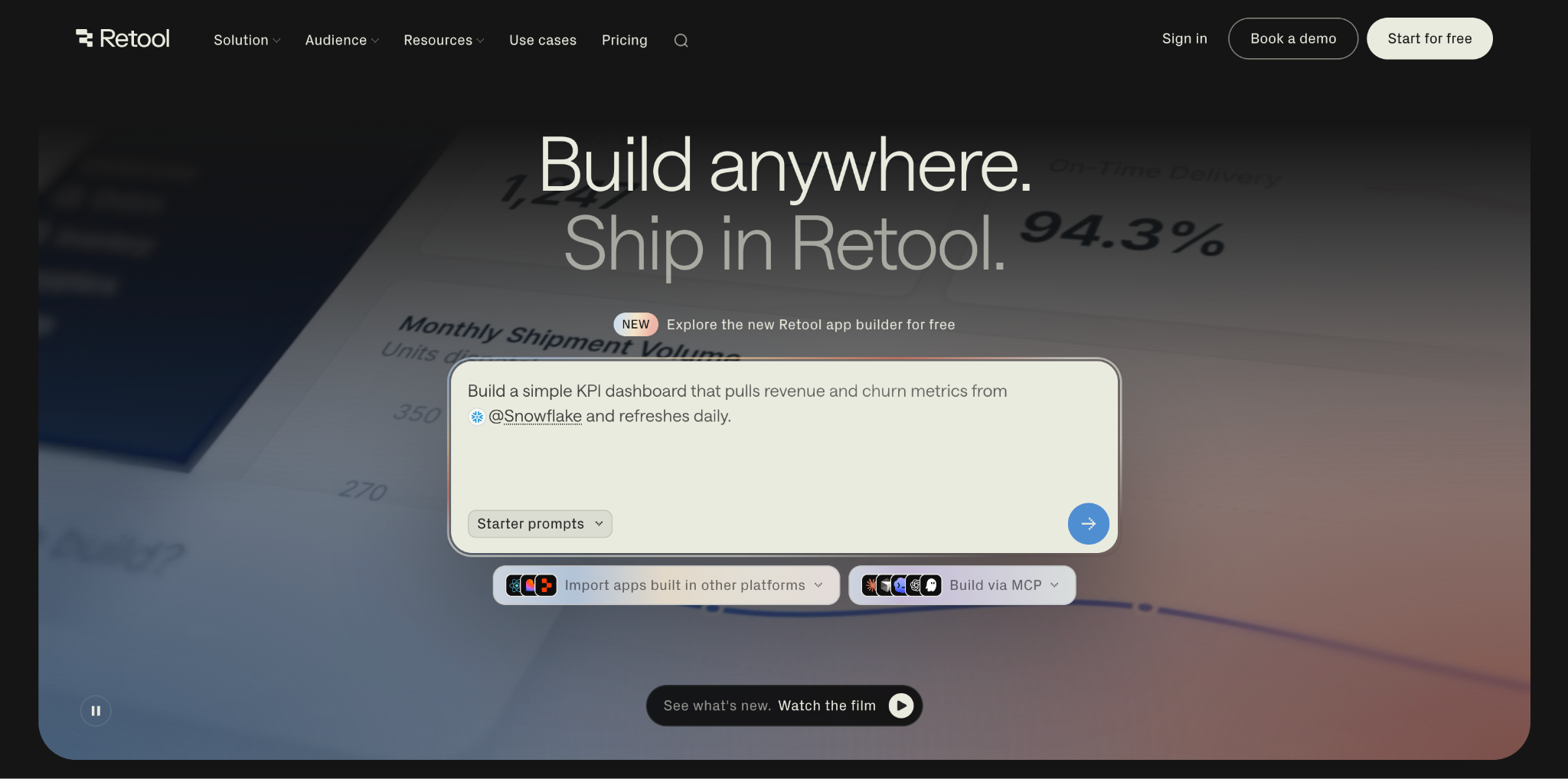
Retool is a low-code platform for building internal apps on top of your existing databases and APIs. It’s designed for admin panels, dashboards, approval workflows, and CRUD interfaces.
Key Features
- AI-native app generation (AppGen): Describe the app you need in natural language, and Retool generates a working app connected to your data, complete with UI, logic, and data bindings. Each prompt uses AI credits included in your plan, with a typical app taking 3-6 prompts to build.
- Native integration with databases and APIs: Retool connects directly to PostgreSQL, MySQL, MongoDB, Snowflake, BigQuery, Firebase, Amazon S3, Google Sheets, and any REST or GraphQL endpoint. Connections take a few clicks, and shared queries can be reused across every app in your workspace.
- Built-in access controls and audit logging: Every app inherits your organization’s SSO, role-based access controls, and audit logging automatically. Retool can also be self-hosted, so your data stays inside your own infrastructure.
Pricing
| Plan | Pricing |
|---|---|
| Free | $0 |
| Team | $10/mo/builder + $5/mo/internal user |
| Business | $50/mo/builder + $15/mo/internal user |
| Enterprise | Custom pricing |
Where Retool Shines
- Production-ready from day one: Apps come with SSO, RBAC, and audit logging enforced automatically, so builders move fast without triggering a security scramble later.
- Multiple ways to build in one platform: The AI prompt builder, a visual drag-and-drop editor, and the option to import apps built in Lovable, Replit, or from GitHub as React code all live in the same environment. Teams can pick the mode that fits the job, or move between them on the same app.
- Extends beyond apps into backend automation: Retool Workflows handles cron jobs, scheduled data syncs, and webhook-triggered logic, while Retool Agents run multi-step AI tasks like ticket triage or research on an hourly billing model. Citizen developers get a single tool that covers apps, automation, and AI, without stitching three products together.
Where Retool Falls Short
- Performance drops with large apps and heavy dashboards: Complex apps with lots of components or dense data can feel sluggish, and the app editor itself can lag when you’re deep in a build. For teams running dashboards for hundreds of concurrent users, the slowdown becomes noticeable.
- Gets expensive as your user base grows: The per-user model is manageable for small teams, but costs escalate quickly once you need advanced controls or want to open an app up to a large external audience. Retool is priced and designed for internal tools, and stretching it beyond that gets costly fast.
- Styling and UI customization are limited: Retool’s components are opinionated by design. Teams that need pixel-perfect UI or heavy visual customization will hit ceilings that require workarounds, sometimes to the point of building custom React components on the side.
Who Retool Is Best For
- Semi-technical citizen developers and ops teams who need to build internal apps on top of production data, and want SSO, RBAC, audit logging, and self-hosting available from the start.
2. Microsoft Power Apps: Best for Building Business Apps Inside the Microsoft 365 Estate
Microsoft Power Apps is a low-code platform for building custom business apps within the Microsoft ecosystem. It’s part of the wider Power Platform, sitting alongside Power Automate for workflows and Power BI for analytics.
Key Features
- Deep Microsoft 365 and Dataverse integration: Native connectors to SharePoint, Teams, Excel, Outlook, and Dynamics 365, plus 1,000+ other data sources through premium connectors. Dataverse acts as the underlying data platform, giving apps a governed, relational backend without setting up a separate database.
- Two build modes: canvas and model-driven: Canvas apps let citizen developers drag components onto a blank canvas for pixel-level control over the UI, while model-driven apps generate the interface automatically from a Dataverse data model. Teams pick the mode based on whether the app is UI-first or data-first.
- Copilot and agentic features for app generation: Describe the app you need in natural language and Copilot generates the Dataverse tables, forms, and screens for you. Premium plans also unlock agentic capabilities inside apps and Microsoft 365 Copilot chat, so citizen developers can embed AI actions directly into what they build.
Pricing
| Plan | Pricing |
|---|---|
| Power Apps Developer Plan | Free |
| Power Apps Premium | $20/user/mo (billed annually) |
| Power Apps (with 2,000-seat minimum) | $12/user/mo (billed annually) |
Where Power Apps Shines
- Fit inside Microsoft-standardized enterprises: For organizations already running Microsoft 365, Azure AD, and Purview, Power Apps slots into the existing identity, governance, and compliance stack without new procurement or security review.
- Runs natively on mobile: Every Power App is a mobile app by default, accessible through the Power Apps mobile client on iOS and Android with no separate build required. For field teams, ops, and manufacturing use cases, this is a genuine differentiator.
- Analyst-recognized enterprise fit: Microsoft is a Leader in the Forrester Wave: Low-Code Development Platforms for Professional Developers, Q2 2025 and Gartner’s Magic Quadrant for Enterprise Low-Code Application Platforms (July 2025). For CIOs justifying a platform choice to the board, that analyst validation carries weight.
Where Power Apps Falls Short
- Performance drops with complex apps or large datasets: Screens start to lag, galleries slow down, and loading large SharePoint lists or SQL tables becomes painfully slow. Anything beyond a straightforward app on a small dataset can feel sluggish, and Power Fx logic compounds the problem as it grows.
- Steep learning curve for a “low-code” tool: Power Apps markets itself as low-code, but citizen developers routinely find themselves Googling for answers, digging through Microsoft’s dense documentation, or hunting through YouTube for the right tutorial. Power Fx, delegation limits, and connector quirks all take time to work around.
- UI customization feels rigid: Making apps look polished across different screen sizes is a pain, and pushing the UI beyond the default component styling quickly hits ceilings. For teams that want visually distinctive apps, the design flexibility just isn’t there.
Who Power Apps Is Best For
- Enterprises standardized on Microsoft 365 and Azure AD that want their citizen developers building on data already sitting in SharePoint, Teams, and Dataverse.
Try Portainer today as your best solution to safely deploy citizen-built workloads.
3. Airtable: Best for Building Apps on Structured Team Data
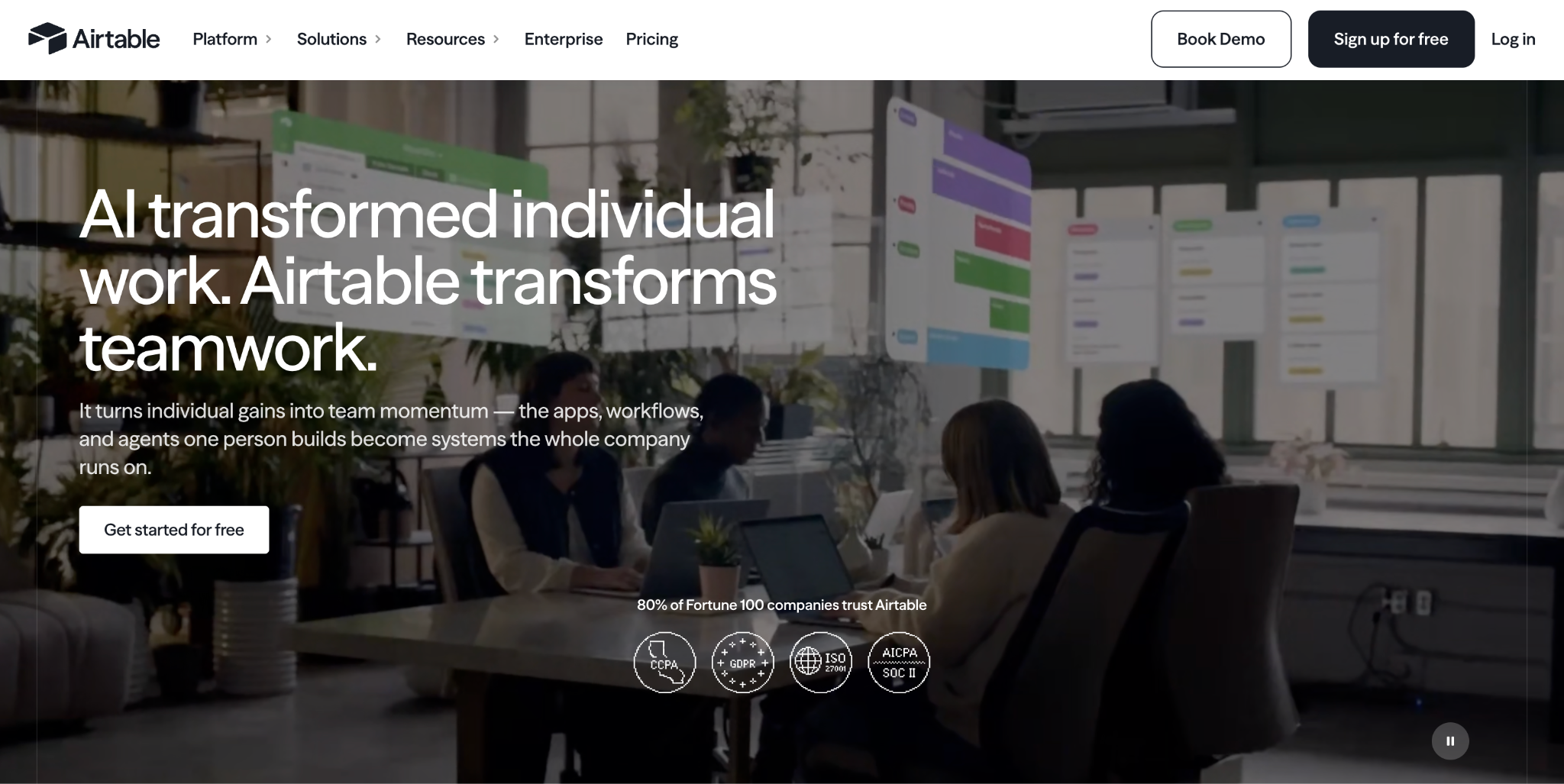
Airtable is an AI-native app building platform with a relational database at its foundation. Teams use it to run CRMs, product roadmaps, editorial calendars, campaign trackers, and ops workflows, and to generate custom apps on top of that data using natural language.
Key Features
- Omni, Airtable’s conversational AI app builder: Describe the app you need, and Omni generates the tables, automations, and interfaces for you. What Omni builds is fully editable in Airtable, and you can feed it context like briefs, meeting notes, or existing spreadsheets to tailor the output.
- Relational database with HyperDB for scale: Airtable’s bases combine a spreadsheet-style UI with a real relational database, complete with linked records, formulas, rollups, and lookups. HyperDB extends this to scale up to 100 million records in a single table, so enterprise apps aren’t bottlenecked by the record caps on standard plans.
- Field Agents and MCP server for AI-powered workflows: Field Agents let you deploy thousands of AI agents to run tasks like web research, feedback analysis, or ticket triage at scale, with full context on your business data. Airtable’s MCP server also connects tools like Claude, ChatGPT, Cursor, Zapier, and LangChain directly to your bases.
Pricing
| Plan | Pricing |
|---|---|
| Free | $0 |
| Team | $20/seat/mo (billed annually) |
| Business | $45/seat/mo (billed annually) |
| Enterprise Scale | Custom pricing |
Where Airtable Shines
- Bring-your-own-model AI stack: Enterprise customers pick which AI models are enabled, choosing between OpenAI, Anthropic, Meta, and others. Model providers never retain your data or use it for training, and with the Amazon Bedrock option, providers never touch your data at all. Admins control where AI is enabled at the workspace level.
- Free read-only viewers and stakeholders: Unlike most per-seat pricing models, anyone who only views or submits through a form doesn’t count toward your bill. For teams with lots of stakeholders and few editors, the economics work out unusually well.
Where Airtable Falls Short
- API rate limits and permissions hit walls at scale: The 5 requests-per-second cap per base becomes a real friction point once multiple team members and automated triggers hit the same base simultaneously. Row-level permissions are basically nonexistent, which forces awkward workarounds for teams handling sensitive data across different user roles.
- Steep learning curve behind the friendly UI: Airtable looks approachable at first glance, but building databases and workflow rules well takes time. Beginner onboarding lacks clarity, and many of the more sophisticated features are gated behind higher tiers.
- Advanced integrations and features locked behind premium tiers: The Salesforce sync being one-directional and locked behind Business or Enterprise feels like something that should be standard. Automation testing is limited to a single record at a time, and pre-built report templates per table don’t exist, so teams end up building everything from scratch.
Who Airtable Is Best For
- Marketing, operations, product, and content teams that need a shared, structured database with AI-powered app building on top.
4. Lovable: Best for AI-Native Vibe Coding of Full-Stack Web Apps
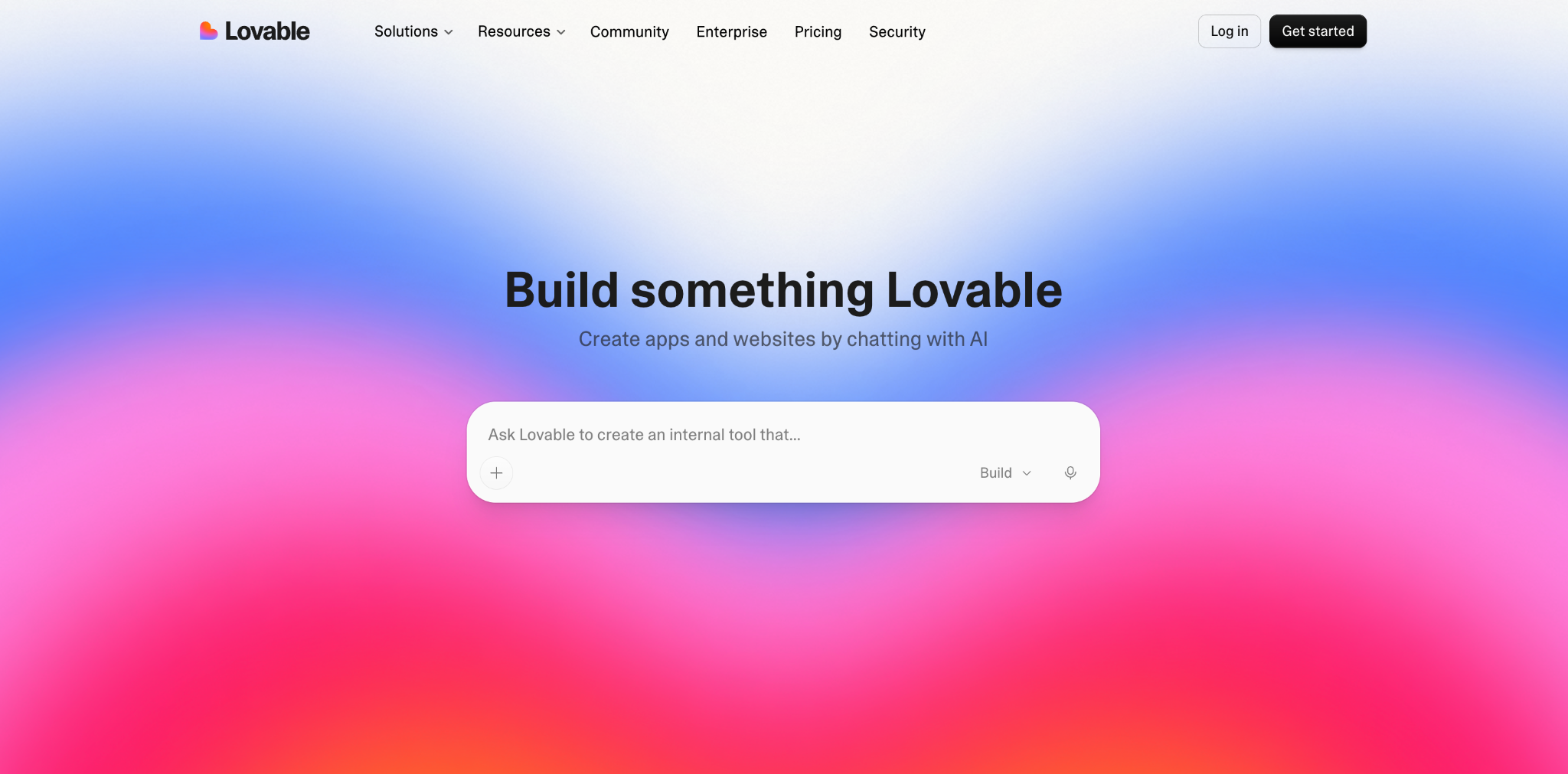
Lovable is a full-stack AI app builder you control with natural language. Similar to the other citizen developer tools on the list, all you need to do is describe the app you want in plain English, and Lovable generates a working web application, including the frontend, backend, database, and authentication flow.
Key Features
- Full-stack app generation from a prompt: Type what you want and Lovable produces a working React frontend, Supabase backend, database schema, and authentication, all connected. Unlike frontend-only builders, what you get out is a complete web app you can deploy, not just a UI mockup. You can also drop in screenshots or docs as context, and Lovable will use them to shape what it builds.
- Real code ownership through GitHub sync: Everything Lovable builds is real, editable React code synced to a GitHub repo you own. Developers can review pull requests, edit locally, and push changes back without prompting Lovable at all. Apps are built on a standard React, Supabase, and Tailwind stack that any developer can pick up.
- Enterprise-grade governance and integrations: Lovable is SOC 2 Type II and ISO 27001 certified, with SSO/SAML, SCIM provisioning, role-based access control, and audit logs on enterprise tiers. It also connects to internal tools like Linear, Atlassian, Notion, Jira, HubSpot, and n8n through its integrations layer, so what you build can pull context from systems your team already runs on.
Pricing
| Plan | Pricing |
|---|---|
| Free | $0 |
| Pro | $21/mo (billed annually) |
| Business | $42/mo (billed annually) |
| Enterprise | Custom pricing |
Where Lovable Shines
- Templates library for every common use case: Instead of starting from a blank prompt, builders can begin from a pre-built template covering e-commerce storefronts, personal blogs, portfolios, habit trackers, presentation builders, moodboards, and more. Getting to a working starting point takes seconds rather than several prompts.
- Built-in SEO fundamentals for shipped pages: Landing pages built in Lovable come with editable metadata, indexable pages, and structure that holds up for search and social sharing.
- Real production tech stack: What Lovable generates is standard React, Supabase, and Tailwind code that any developer can maintain, extend, or deploy independently. If a citizen developer builds something the business wants to keep, engineering can pick it up without a rewrite.
Where Lovable Falls Short
- Credits burn fast on debugging loops and iteration: The 100-credit Pro allowance sounds reasonable until you hit a stubborn bug. The “Try to fix” cycle can chew through 10-15 credits without solving the issue, and design iteration burns through them just as quickly.
- Struggles with complex logic and custom design detail: AI-generated code holds up for simple apps, but complex business logic usually needs manual code changes after generation. Visual control is similarly limited: adjusting spacing, padding, animations, or responsive behavior through prompts alone is difficult.
- No self-hosting or bring-your-own-infrastructure: Lovable’s bundled hosting is convenient, but you can’t deploy what you’ve built to your own cloud, on-prem, or air-gapped infrastructure.
Who Lovable Is Best For
- Product managers, designers, marketers, and non-technical founders who need to turn ideas into working prototypes, landing pages, or internal tools quickly, without waiting on engineering.
5. Portainer-Run: Best for Governed Deployment of Citizen-Built Apps into Enterprise Kubernetes
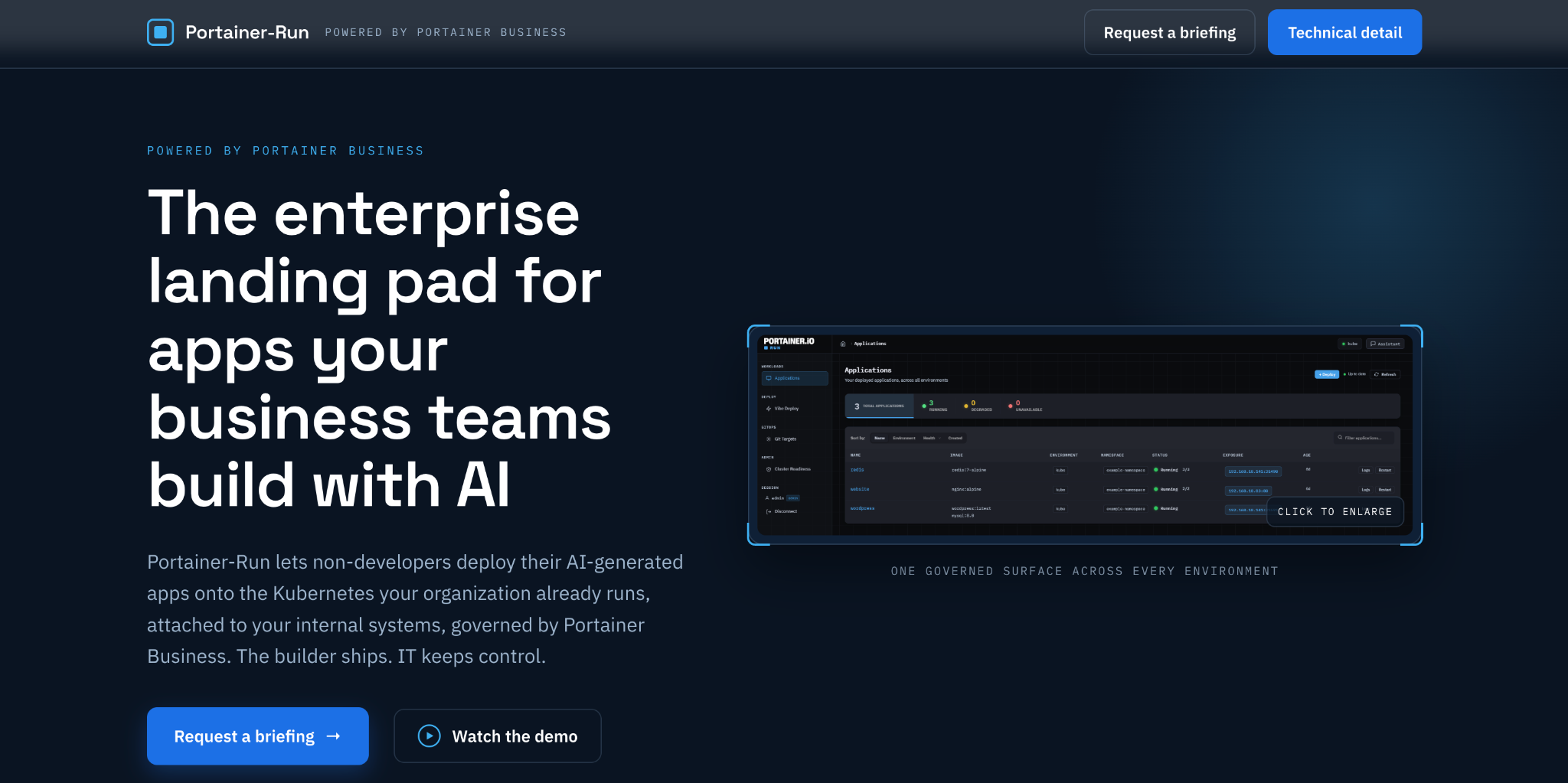
Portainer-Run is a self-service deployment portal that lets non-technical builders deploy applications into governed enterprise Kubernetes infrastructure. It’s built for the moment when a finance lead, ops manager, or analyst has built a working app in a tool like Lovable, Claude, or Copilot, and now needs somewhere IT-approved for it to actually run. Portainer-Run sits on top of Portainer Business, and the positioning is straightforward: the builder ships, IT keeps control.
Key Features
- Vibe Deploy for non-technical builders: Builders upload the files an AI tool produced or point Portainer-Run at an existing Git repository. Portainer-Run detects the runtime automatically (Node.js, Python, PHP, Ruby, or static sites), installs dependencies, and deploys to Kubernetes without a Dockerfile, image, container registry, or CI pipeline. Access uses a personal token tied to the builder’s Portainer Business identity, so builders never see a kubeconfig or connect directly to a cluster.
- MCP server for deploying AI-built apps from your assistant: Builders working inside Claude Desktop, Cursor, or another MCP-capable AI assistant can deploy without opening Portainer-Run at all. Portainer-Run exposes an MCP server that runs the same governed Git and GitOps pipeline underneath, scoped by Portainer RBAC. Ask Claude to deploy an app, and it’s committed to Git and reconciled into the designated cluster.
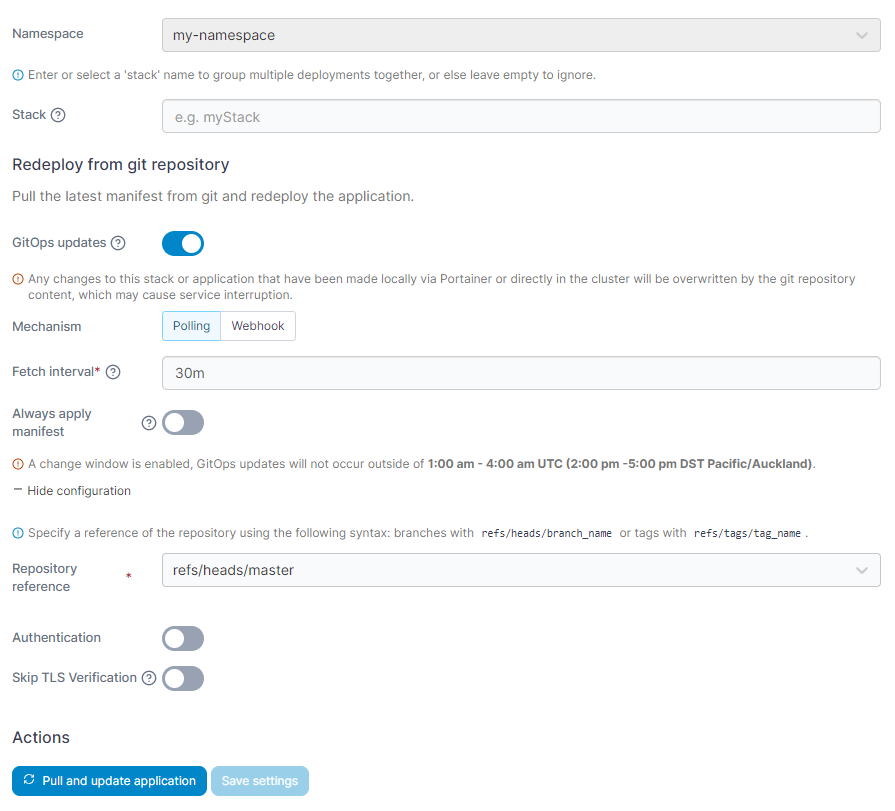
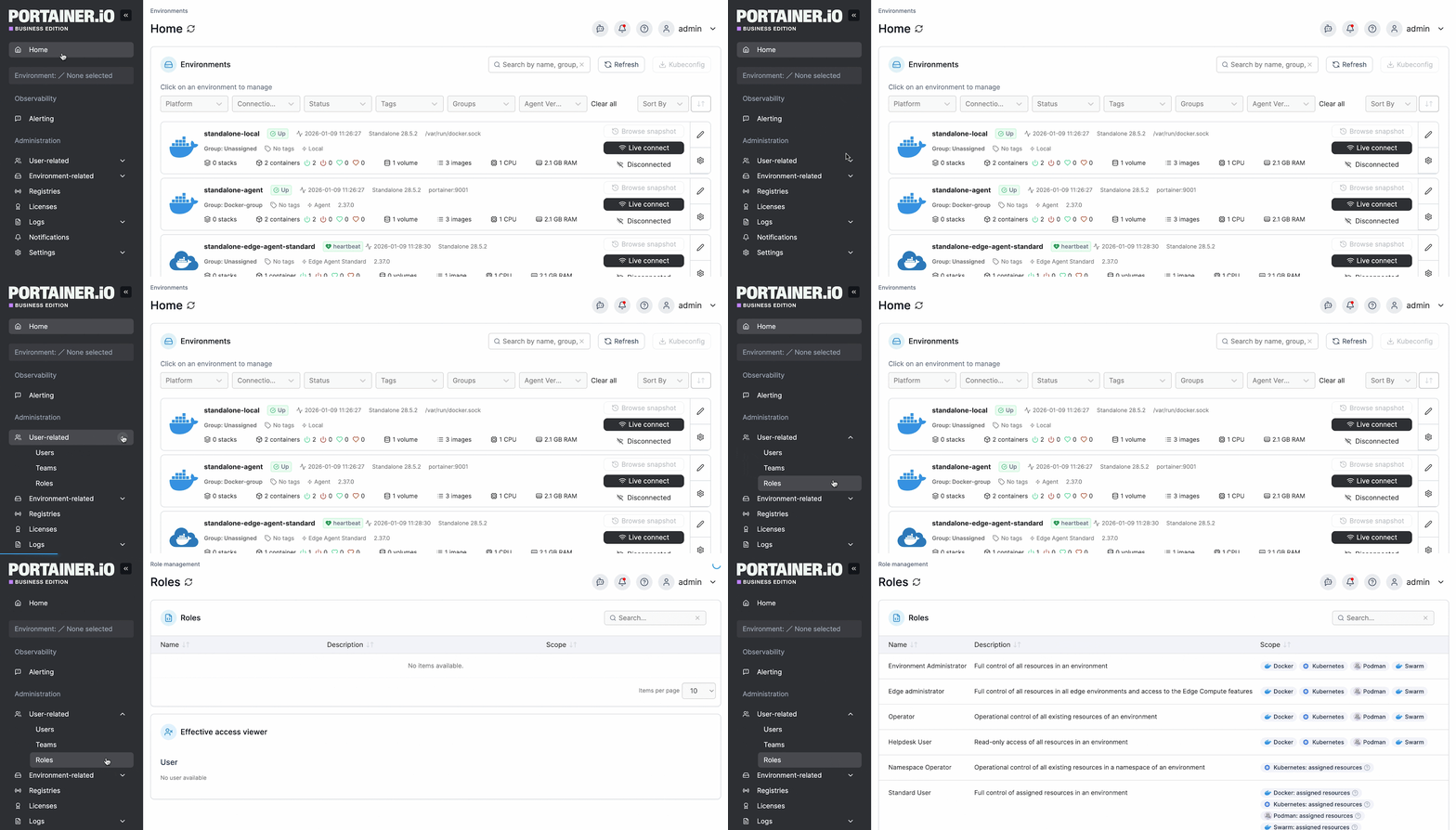
- Automatic manifest generation with governed GitOps: Portainer-Run generates the Kubernetes Deployment manifest, commits both source and manifest to a sanctioned Git repository, and triggers a GitOps stack in Portainer Business. Portainer polls the repo on a set interval and reconciles changes automatically. RBAC in Portainer Business controls exactly which environment and namespace the app can run in and who can see it.
- Hardened-by-default pod security: Every app deploys to the Kubernetes baseline pod security profile with all Linux capabilities dropped, privilege escalation disabled, no service account token mounted, seccomp set to RuntimeDefault, and CPU/memory limits applied. Every control is written into the committed manifest, so nothing is applied invisibly. Optional Pomerium integration pre-authenticates every request at the ingress against the identity provider the organization already runs.
Pricing
| Plan | Pricing |
|---|---|
| Portainer Business + Portainer-Run | Per node, annual subscription, contact sales |
Where Portainer-Run Shines
- Bridges the deployment leg that citizen-developer tools can’t reach: Cloud-hosted app builders like Lovable and Retool let non-developers build fast, but their SaaS-hosted deployment options can’t easily reach data and services behind the enterprise firewall. Portainer-Run closes that loop by deploying what those tools produce onto Kubernetes infrastructure the enterprise already runs.
- Turns shadow deployments into a sanctioned path: When builders can’t get a legitimate way to deploy, they find their own workarounds, and IT loses visibility. Portainer-Run gives them a governed self-service route into the same clusters IT already manages, with every deployment committed to Git and audit-trailed through Portainer Business. It’s a direct answer to the shadow IT management problem AI-generated apps are accelerating.
- No PaaS lock-in, and the code stays yours: Unlike SaaS deployment platforms, Portainer-Run deploys onto the Kubernetes environments the enterprise already operates, whether on-prem, hybrid, or fully air-gapped. There’s no forced hosting model, no per-end-user licensing, and the code builders generate remains theirs to move, edit, or extend.
Where Portainer-Run Falls Short
- Not for organizations without a Kubernetes footprint: Portainer-Run deploys into existing Kubernetes environments; it doesn’t stand up new clusters or replace a Kubernetes distribution. Enterprises with no containerized workloads in place won’t get value out of it until they’ve adopted Kubernetes elsewhere.
- Not for teams committed to fully managed SaaS-only deployment: For organizations running exclusively on managed PaaS platforms with no interest in self-hosting or governance over where apps run, Portainer-Run’s model isn’t the fit. Its value shows up specifically where governance, compliance, and infrastructure control are already priorities.
Who Portainer-Run Is Best For
- Enterprise IT and platform engineering teams running Kubernetes who need to let business builders deploy into governed clusters without handing out cluster access or expanding kubeconfig sprawl.
- Enterprises with data residency, compliance, or air-gapped requirements that need self-service deployment without adopting a SaaS deployment platform, and want every app deployment committed to Git and reconciled through their own control plane.
- Organizations dealing with enterprise vibe coding at scale, where finance leads, ops managers, and analysts are producing working apps in AI tools faster than IT can review, secure, and deploy them through the traditional ticket queue.
How to Choose a Citizen Developer Tool
Picking a citizen developer tool isn’t only about the app itself. It’s about the environment the app lives in: what data it can reach, who can control it, and where it ends up running. Here’s what to weigh before committing to a platform.
1. Match the Tool to the Job
The biggest procurement mistake is standardizing on one tool because it looked strong in a demo, and forcing every use case through it.
Internal admin panels, business apps, spreadsheet-driven databases, and landing pages are different jobs. A tool that dominates one usually feels awkward in another.
Most enterprises end up with 2-3 tools that map to their most common jobs, rather than one platform trying to cover everything.
2. How the Tool Reaches Your Data
Where the data lives shapes what the tool can actually do. Before signing, check for:
- Native connectors to the databases, APIs, and systems your team already uses
- On-prem and private-network support for anything that has to sit behind the firewall
- Identity integration with your existing SSO provider
Tools that can only reach data through their own cloud force builders into workarounds, usually exporting spreadsheets or copying data somewhere it shouldn’t be.
Try Portainer today as your best solution to safely deploy citizen-built workloads.
3. Governance, Access Control, and Audit
The security team will ask about SSO, SCIM, RBAC, audit logs, and SOC 2 or ISO 27001 certification. These are table stakes at the enterprise tier now, and most of the tools in this guide cover them.
What varies is how the tool handles what gets deployed from it. An audit log inside a citizen developer tool tells you who edited an app, but doesn’t tell you where that app is now running, who can reach it, or whether it’s touching data it shouldn’t.
That’s a separate governance question, and it’s the one that catches enterprises out. Portainer-Run is designed for this second layer: every deployment committed to a sanctioned Git repo, scoped by Portainer Business RBAC, and captured in an audit trail the platform team already trusts.
4. Where the App Runs After It’s Built
Most citizen developer tools bundle hosting on the vendor’s cloud, which works for external landing pages but doesn’t hold up for anything touching regulated, on-prem, or air-gapped systems.
Before committing, ask three things:
- Can the app be deployed onto infrastructure you control?
- Do you own the underlying code?
- How hard is it to leave the platform?
For AI-generated apps that need to reach internal data, Portainer-Run is the layer that closes this gap. It deploys onto the Kubernetes environment you already run, without opening a path from the vendor’s cloud into your network.
Keep Citizen Development Under Control with Portainer
Citizen developer tools have made it easier than ever for business teams to build the software they need without waiting on IT. The challenge shifts to what happens next: where those apps run, who can reach them, and whether they meet enterprise governance requirements.
That’s the layer Portainer-Run is built for. It gives citizen developers a governed, self-service path to deploy AI-generated and low-code apps into your own Kubernetes environment, without opening cluster access or bypassing the security controls your platform team has already set.
If your organization is dealing with a rising volume of citizen-built apps and needs a way to bring them under IT’s control, book a demo to see how Portainer-Run fits into your existing infrastructure.
FAQs
1. What is the difference between a citizen developer and a professional developer?
Citizen developers are non-technical employees who use low-code, no-code, or AI-driven tools to build apps for their own team. Professional developers write and maintain production code as their primary role. AI tools like Lovable and Retool AppGen are increasingly blurring the line between the two.
2. Are citizen developer tools secure?
Yes, most enterprise-tier citizen developer tools cover baseline security with SOC 2 or ISO 27001 certification, SSO, RBAC, and audit logs. The bigger risk is what gets deployed from them: Portainer-Run addresses this by governing where citizen-built apps actually run inside your infrastructure.
3. Do citizen developer tools still need IT involvement?
Yes. IT sets the guardrails: identity, access controls, data connections, and where apps are allowed to run. Portainer-Run gives IT a way to keep this control without becoming the bottleneck between citizen developers and deployment.
4. Can you self-host apps built with citizen developer tools?
Partially. Most tools bundle SaaS hosting on the vendor’s cloud, with only a few offering self-hosting on higher tiers. For enterprises needing on-prem, hybrid, or air-gapped deployment, Portainer-Run runs citizen-built apps on the Kubernetes infrastructure you already operate.
5. How do you let citizen developers deploy apps to Kubernetes without creating security problems?
Route every deployment through a self-service portal that IT configures once. Bind access to the builder’s SSO identity rather than shared cluster credentials, scope every deployment to a namespace with quotas and network policies set in advance, and commit every deploy to a sanctioned Git repo so the audit trail and rollback path are handled automatically. Portainer-Run implements this pattern for citizen-built apps, so business builders deploy into Kubernetes clusters IT already governs, with every app scoped by Portainer Business RBAC and captured in the same audit trail the platform team already trusts.