4 Best Docker Desktop Alternatives for 2026

If you’re here looking for Docker Desktop alternatives, you’re likely experiencing slow performance, licensing rules that kick in once a company grows past 250 employees or $10M in revenue, or trouble managing multiple environments. You’re not alone.
These issues repeatedly appear in user reviews and community threads.
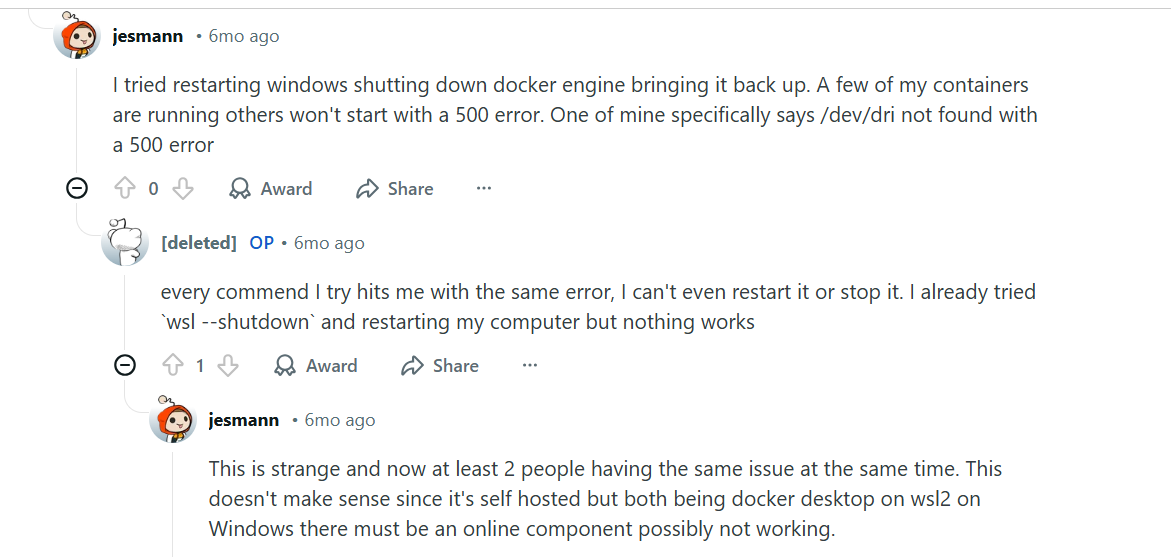
[Docker issues in community threads, Source.]
You’ve simply outgrown Docker Desktop and want alternatives that offer predictable operations or broader Docker and Kubernetes support.
But with so many options, which one can you trust?
In this guide, we’ll walk you through the four best alternatives, including a tool that can replace Docker Desktop’s GUI and also manage Docker and Kubernetes across any host.
Here’s a quick snapshot of how each compares:
TL;DR: Docker Desktop alternatives at a glance
| Name | Best for | Stand-out feature | Pricing | G2 Rating |
|---|---|---|---|---|
| Portainer | Teams that want a Docker Desktop alternative or unified Docker/Kubernetes management | Web-based control plane for local + remote Docker and Kubernetes management | Flexible pricing options to suit any use case | 4.8/5 (281 reviews) |
| Podman Desktop | Developers who want a secure, open-source Docker Desktop replacement | Docker-compatible, daemonless, rootless runtime with a Desktop UI | Free / Open source (enterprise support via Red Hat) | - |
| Rancher Desktop | Teams that want a free GUI for containerd + Kubernetes-driven workflows | Built-in Kubernetes support with nerdctl-based image tooling | Free / Open source | 4.4/5 (118 reviews) |
| OrbStack | Mac users needing a fast, lightweight Docker Desktop alternative | Ultra-fast VM engine with near-instant startup and low resource usage | Starts from $8 per month | - |
1. Portainer: Best for replacing Docker Desktop and managing Docker & Kubernetes at scale
For teams exploring Docker Desktop alternatives, Portainer covers two essential needs:
- It replaces the Docker Desktop UI with a lightweight, browser-based interface.
- It also provides a broader operational layer for managing Docker and Kubernetes across any environment.
Instead of relying on a heavy Desktop application, Portainer gives teams a consistent control plane that works with both local hosts and remote infrastructure.
Since 2016, Portainer has been a trusted option for organizations seeking more predictable container operations. And because it supports Docker, Kubernetes, and Podman, it extends with teams as they mature their container workflows.
Key features
Portainer reduces the operational capabilities enterprises rely on to run and govern container infrastructure. Here are the key features that make that possible:
1. Web-based UI for Docker & Kubernetes
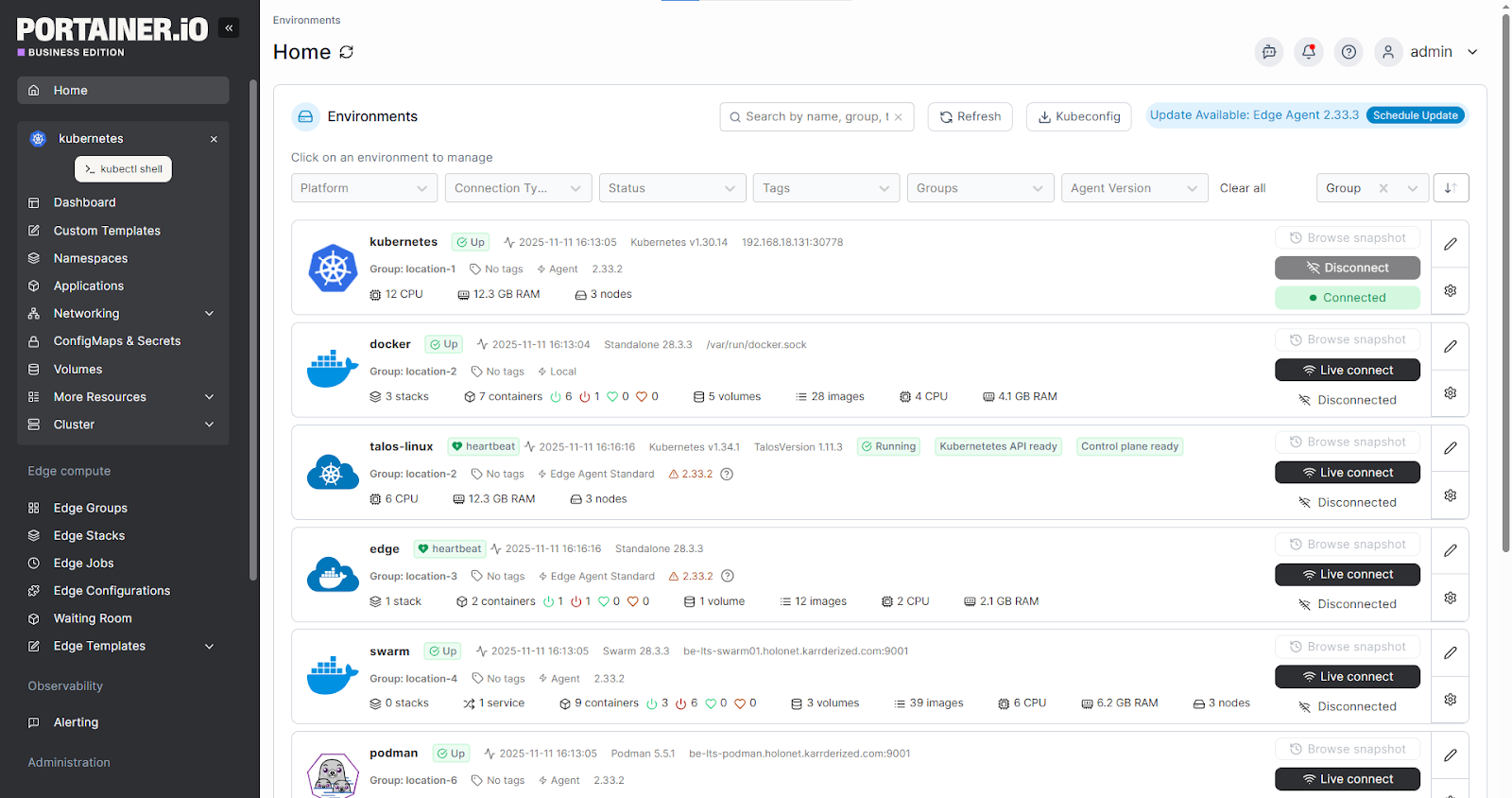
Portainer replaces the Docker Desktop interface with a lightweight, browser-based dashboard. Teams can view containers, images, networks, volumes, and Kubernetes workloads in a structured layout. This removes the need for a heavy desktop application, perfect for independent software developers to manage local and remote environments consistently.
2. Portainer Agents for multi-environment control

With Portainer’s Agent, teams can connect multiple Docker hosts, Kubernetes, or Podman clusters into a control plane. This allows you to manage your local Docker instance, remote servers, and distributed environments from a single screen. And as teams grow, you can further organize hosts to maintain visibility.
3. RBAC, templates, and policies for consistent operations
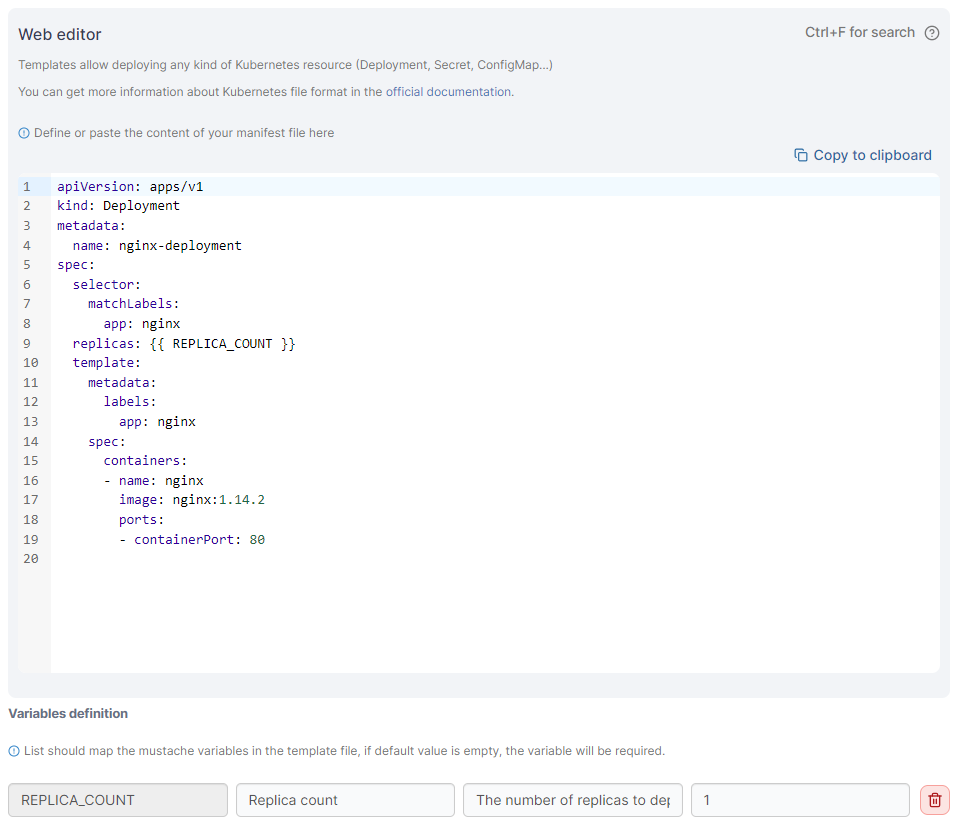
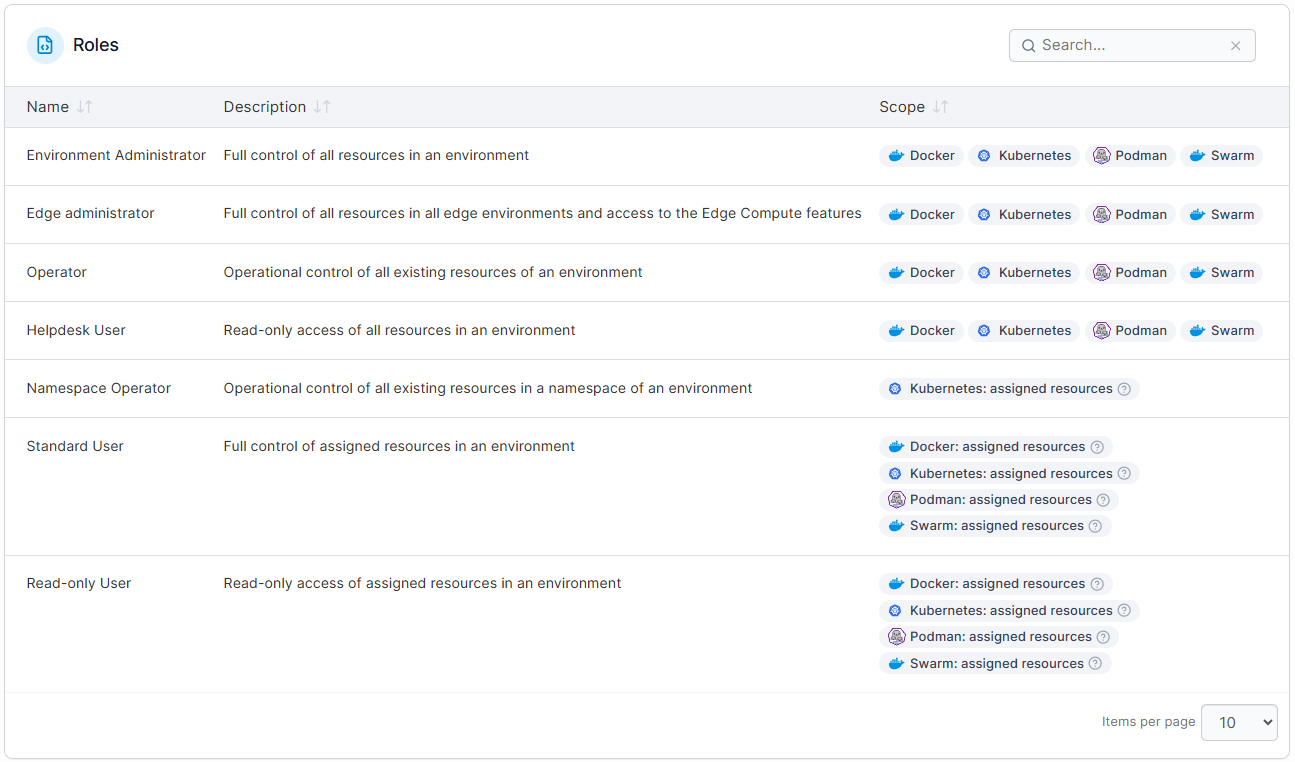
Portainer lets teams standardize how containers are deployed and accessed. You can enforce user and team boundaries with RBAC and provide repeatable deployment patterns with templates and stacks. With policies, you make sure configurations remain consistent across dev, staging, and production.
Put together, this level of control helps you reduce drift as your workload scales.
Pricing
Portainer Business offers flexible pricing options to suit any use case, designed for teams managing Docker, Kubernetes, or Podman across multiple environments.
Docker Desktop, by comparison, remains free only for individuals and companies with fewer than 250 employees and under $10M in revenue. After that, organizations must move to a paid subscription..
| Plan | Starting price |
|---|---|
| Enterprise IT | Flexible pricing based on environment needs |
| Edge / IIoT | Flexible pricing for edge-scale deployments |
For more plan details and node-based options, visit Portainer’s Enterprise Pricing page.
Where Portainer shines
- A stronger Docker Desktop replacement: It offers a lightweight UI and multi-environment Docker and Kubernetes management. These make it ideal for teams beyond single-machine setups.
- Predictable operations at scale: With RBAC, templates, and policies, Portainer helps teams maintain consistent deployments and access boundaries across dev, staging, and production.
- A clear path beyond local development: Because Portainer also manages Kubernetes, teams can start with Docker and progress into more advanced orchestration without adopting a completely new toolset.
Where Portainer falls short
- Not a full Docker Desktop replacement: Portainer doesn’t bundle a local VM or Docker Engine, so Mac/Windows users still need a runtime beneath it.
- Some advanced Kubernetes workflows still require CLI tools: Kubectl and direct configuration may still be needed for complex or highly customized setups.
Customer reviews
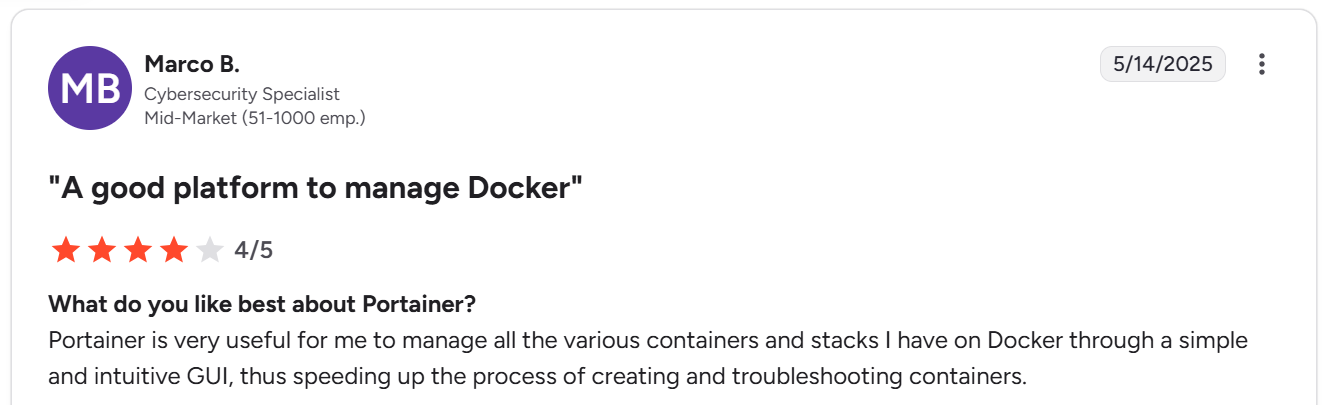
Portainer is very useful for me to manage all the various containers and stacks I have on Docker through a simple and intuitive GUI, thus speeding up the process of creating and troubleshooting containers.
[Portainer review, Source.]
Who Portainer is best for
- Enterprise platform teams that run multiple Docker or Kubernetes environments and need consistent governance across them.
- DevOps and infra teams who need a lightweight operational layer that brings clarity to container workflows without platform complexity.
- Organizations scaling beyond single-node setups that need consistent deployment and access patterns across on-prem, cloud, or hybrid environments.
2. Podman Desktop
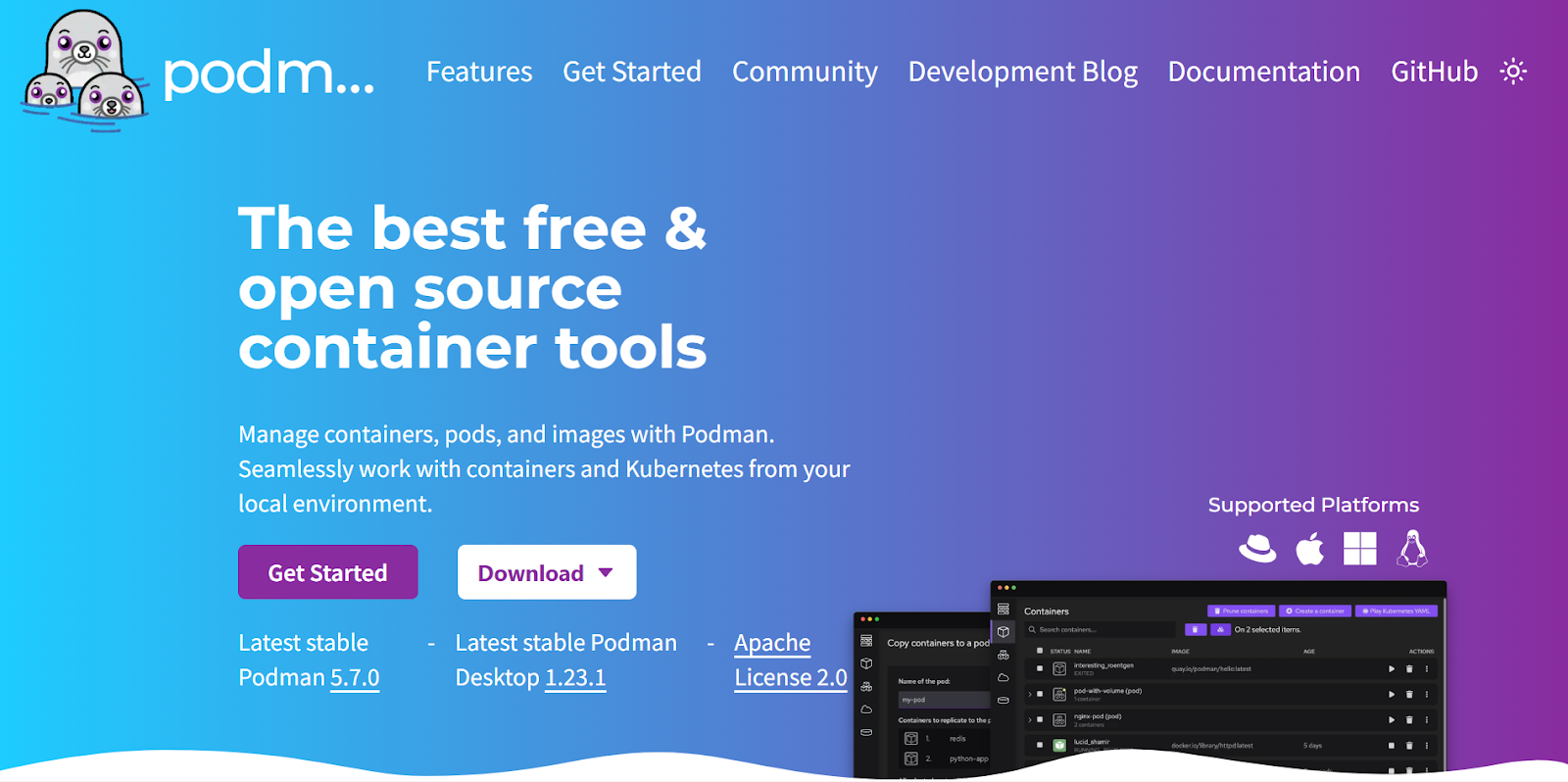
Podman Desktop is an open-source Docker Desktop alternative built for developers who want a secure, daemonless, and rootless container engine. It offers a Docker-compatible experience without relying on a background daemon. It also supports OCI-compliant containers, Kubernetes tooling, and smooth interoperability with existing Docker workflows.
Key features
- Rootless container execution: Podman runs containers without elevated privileges. This reduces the attack surface and suits enterprise security standards.
- Docker-compatible CLI: Adoption is frictionless as teams can use familiar Docker commands (podman run, podman build) without rewriting workflows.
- Daemon-less architecture: Each container runs as its own process. This improves reliability by removing the single-daemon failure point common in Docker setups.
- Kubernetes-ready workflows: Podman can generate Kubernetes YAML from existing containers. This gives teams a straightforward path toward orchestrated environments.
Pricing
Podman is fully free and open source. Organizations that need enterprise support, lifecycle guarantees, or long-term stability typically get it through Red Hat as part of the RHEL/OpenShift ecosystem.
Where Podman shines
- Secure, rootless workflows: Ideal for teams prioritizing security over convenience.
- Daemonless design: Lower system overhead compared to Docker Desktop’s always-running engine.
- Strong CLI compatibility: Developers familiar with Docker can switch with minimal re-training.
Where Podman falls short
- Smaller ecosystem than Docker: Podman’s plugins, community tools, and third-party integrations aren’t as mature. As one long-time RHEL user noted, “I would always come across an issue with Podman.” This reflects the gaps teams may hit in more complex setups.
- Steeper learning curve: While Podman mirrors many Docker workflows, its documentation and community support are thinner. One reviewer called it “a bit steeper learning curve.” This will slow down onboarding for teams transitioning from Docker.
Customer reviews
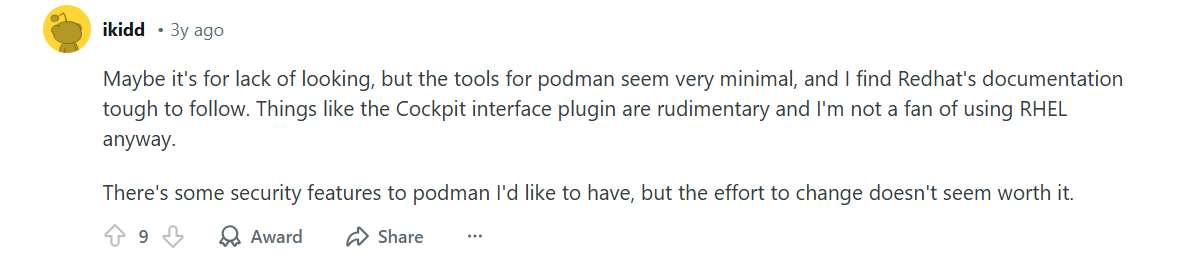
Maybe it’s for lack of looking, but the tools for Podman seem very minimal, and I find Red Hat’s documentation tough to follow. Things like the Cockpit interface plugin are rudimentary, and I’m not a fan of using RHEL anyway. There are some security features to Podman I’d like to have, but the effort to change doesn’t seem worth it.
[Podman review, Source.]
Who Podman is best for
- Security-driven engineering teams that prefer rootless containers and reduced daemon-related risks over broad ecosystem tooling.
- CLI-first engineers: Developers who want Docker compatibility without Docker Desktop.
- Teams standardizing on Red Hat that want a Docker-compatible runtime that aligns with RHEL and OpenShift support models.
3. Rancher Desktop
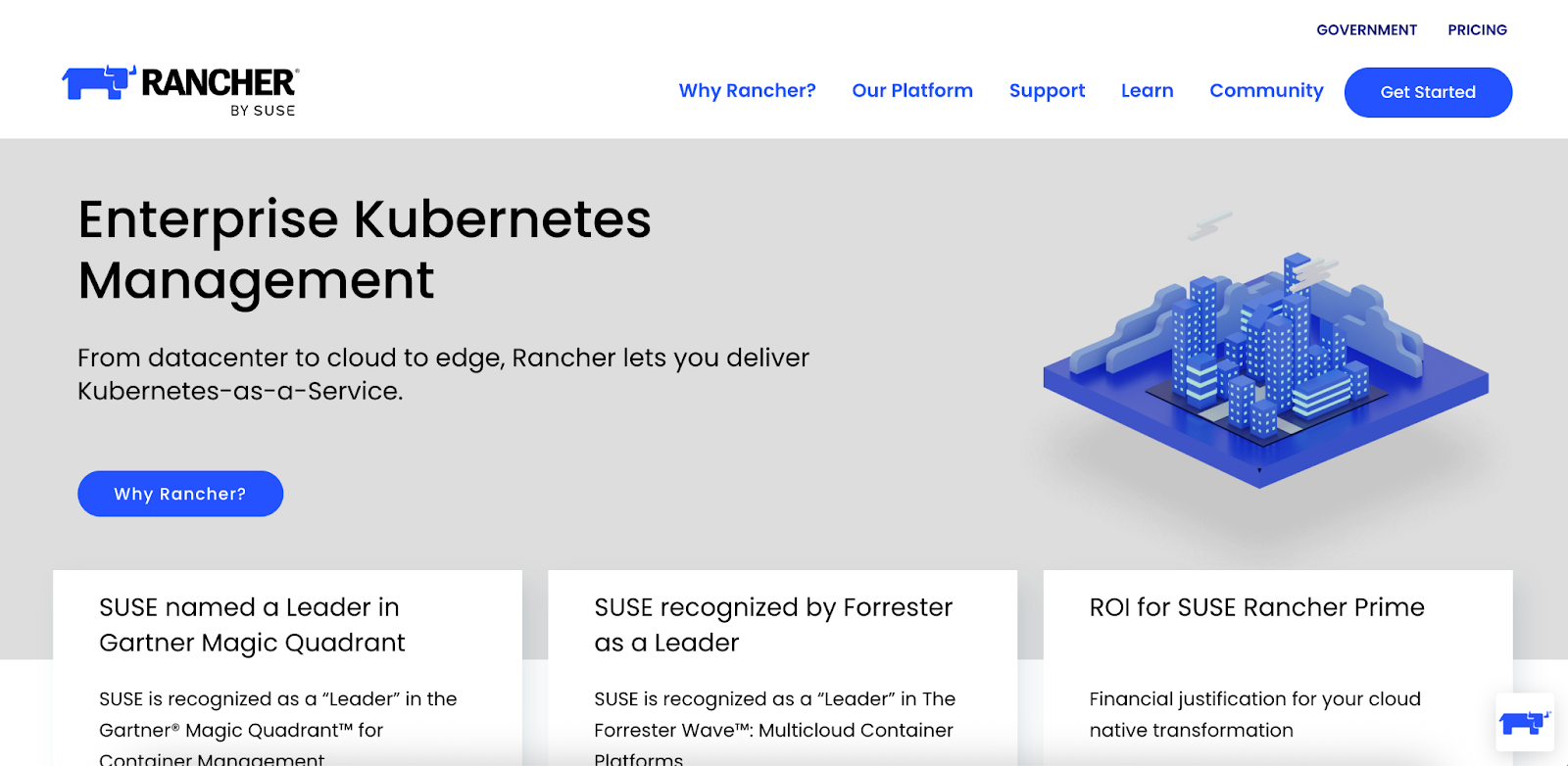
Rancher Desktop is a free, open-source alternative to Docker Desktop that gives developers a local container runtime with built-in Kubernetes. It’s built for teams wanting a transparent, vendor-neutral setup without licensing constraints.
Powered by containerd, Rancher Desktop supports image builds through nerdctl and lets you switch Kubernetes versions with a click.
Key features
- Built-in Kubernetes support: Developers can switch between Kubernetes versions for local testing, mirroring production environments without extra tools.
- Containerd + nerdctl workflow: Rancher Desktop uses containerd under the hood and supports Docker-style image builds through nerdctl, no Docker Desktop required.
- Transparent, open-source environment: With no licensing limits or vendor lock-in, teams get full visibility and flexibility across their local container workflows.
Pricing
Rancher Desktop is fully free and open source. But for enterprise features, SUSE now uses a CPU and vCPU-based pricing model that is significantly more expensive than before.
Where Rancher shines
- Cost-efficient for teams: With zero licensing fees, it’s a practical Docker Desktop alternative. Users often highlight its value for maintaining compliant, no-cost dev environments.
- Smooth integration with Rancher’s ecosystem: Teams using SUSE Rancher get consistent tooling end to end. This keeps developers and platform teams aligned on compatible workflows.
Where Rancher Desktop falls short
- Steep price hikes for enterprise users: SUSE’s 2025 pricing overhaul brought dramatically higher Rancher Prime costs. A 16-core VM (32 vCPUs) that once cost $2,000 per year now requires eight licensing units, costing $19,200 annually for standard support or about $25,600 for priority support.
- Performance, stability, and support limitations: Some users experience lag or slowdowns when switching Kubernetes versions. Support responsiveness has also been flagged across the broader Rancher ecosystem. As one user put it, “Production outage cases are not taken seriously… we have to send multiple reminders and escalation.”
- Learning curve for new users: Rancher Desktop’s flexibility comes with complexity. A G2 reviewer noted that “Advanced configurations may pose a challenge for teams new to container orchestration,” especially for teams shifting from Docker Desktop.
Given these significant price increases and performance concerns, many organizations are now evaluating more cost-effective Rancher alternatives to maintain their development velocity.
Try Portainer for Your Team
Customer reviews
Open approach to be able to integrate other solutions, adoption does not imply giving up integrating other tools.
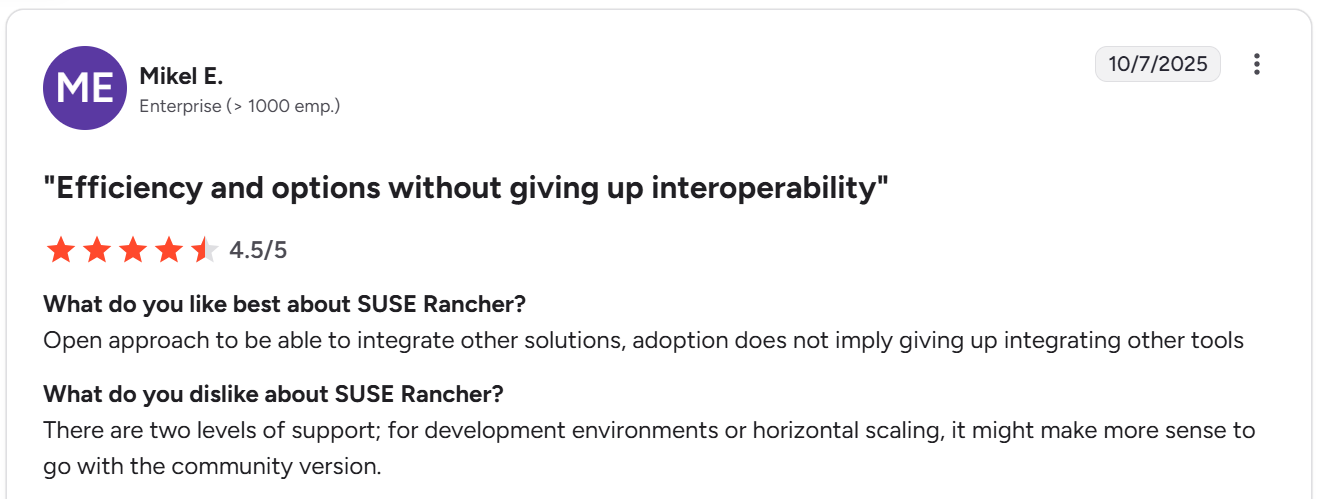
[Rancher review, Source.]
Who Rancher Desktop is best for
- Developer teams using open-source tooling who need a free, Kubernetes-ready local environment without Docker Desktop licensing.
- Organizations already on SUSE Rancher that want local workflows aligned with their existing cluster management stack.
- Engineering teams that value transparency over polish and prefer containerd-based workflows, even with some performance trade-offs.
4. OrbStack
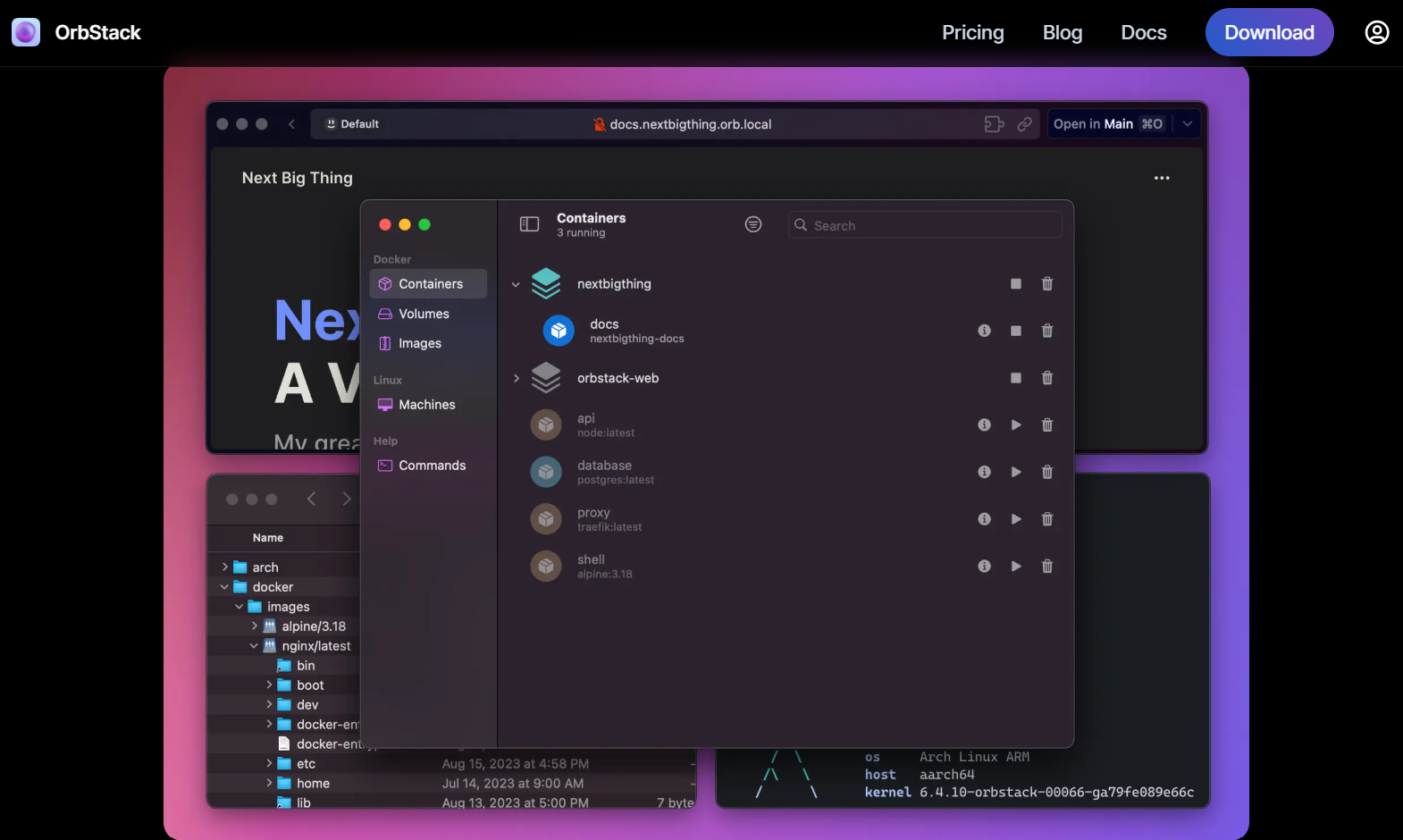
OrbStack is a fast, Mac-native alternative to Docker Desktop designed for developers who want a smoother, low-resource container experience. It runs containers and Linux environments using an optimized virtualization layer that boots instantly and consumes far fewer resources than Docker Desktop. For Apple Silicon users especially, OrbStack offers a noticeably faster, more responsive development workflow.
Key features
- Ultra-fast startup: Containers and Linux environments launch almost instantly with minimal system overhead.
- Lightweight virtualization engine: Uses an optimized VM designed for macOS. This reduces CPU and memory usage.
- Docker-compatible tooling: Supports Docker images and commands, making migration from Docker Desktop frictionless.
Pricing
OrbStack plans start at $8 per month for personal use. Enterprise licensing is available on request.
Where OrbStack shines
- Exceptional performance on macOS: OrbStack uses a lightweight virtualization layer that runs containers faster and with lower resource usage than Docker Desktop.
- Developer-friendly UX: Instant startup, smooth file sync, and a clean UI make it appealing for developers who want speed over complexity.
- Great fit for Apple Silicon: Many users report significantly better performance compared to Docker Desktop.
Where OrbStack falls short
- Mac-only support: OrbStack doesn’t support Windows or Linux, limiting its reach to Mac-based teams.
- Not built for multi-environment ops: Unlike Portainer, OrbStack doesn’t manage remote hosts, clusters, or Kubernetes environments.
- Stability concerns: A documented issue reports container startup or networking problems under certain configurations. This suggests that reliability may vary depending on host setup.
Customer reviews
Well, as far as I can see, Podman Desktop creates a VM with fixed RAM usage. That's a huge waste! OrbStack creates a VM with dynamic RAM allocation that grows/shrinks with usage. This is a big deal, especially on RAM-constrained machines.

[OrbStack review, Source.]
Who OrbStack is best for
- Mac developers who want a fast, lightweight Docker Desktop replacement.
- Individuals or small teams that need quick, local container workflows without multi-environment complexity.
The 3 biggest reasons you need a Docker alternative
Docker is still widely used, even up by 17+ points in usage from 2024 to 2025. However, teams continue to report performance, scalability, and management issues. Below, we discuss these issues and how Portainer helps.
1. Desktop slowdowns and system impact
Many G2 users report that Docker Desktop becomes slow or resource-heavy. As one reviewer put it, “Docker has low performance in Mac and Windows,” while another noted that it “gets slow suddenly sometimes.” These interruptions can derail development workflows.
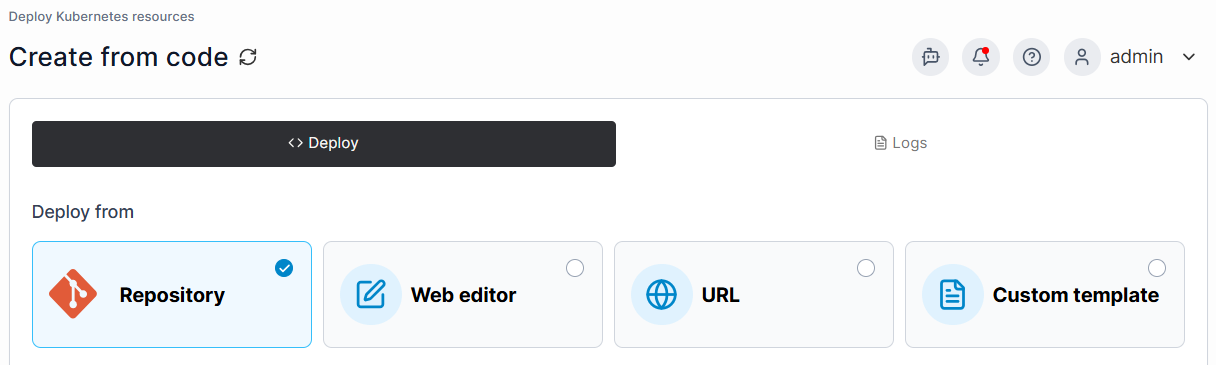
Portainer helps reduce this friction by offering a lightweight, browser-based management layer that stays responsive across all environments.
2. Hard to manage as environments scale
Docker works well on a single machine, but users often mention that “Docker gets hard to manage when your infrastructure grows” and “multi-environment deployments are still tricky.” This makes it challenging for teams moving from local setups to production-grade systems.
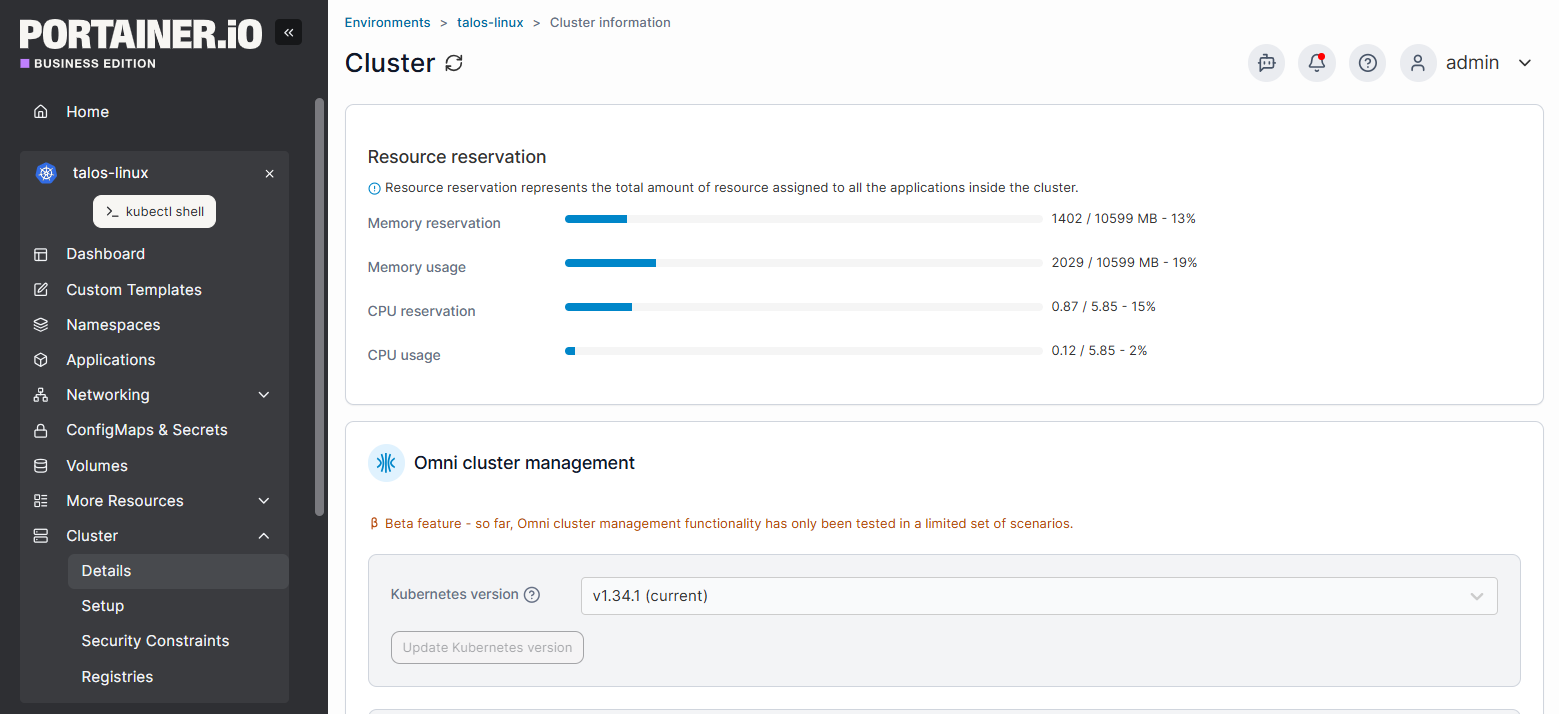
Portainer solves this by providing centralized multi-environment management. This way, teams have consistent controls across dev, staging, and production.
3. Limited built-in governance and access control
Enterprise users highlight gaps in permissioning, noting that Docker doesn’t give “complete control to users” and “lacks enterprise-level support.” This creates friction for organizations that need role boundaries or operational standards.
Portainer complements Docker with RBAC, team boundaries, and policy enforcement. This helps organizations strengthen governance without changing their underlying runtime.
Make Docker & Kubernetes management easier with Portainer
Running Docker or Kubernetes at scale often exposes gaps in visibility, workflow consistency, and governance. Portainer closes these gaps by giving teams:
- Consistent control
- Clear operational oversight
- Predictable day-to-day management
And it does this without replacing your existing runtime or changing how your workloads run.
Tools like Podman Desktop, Rancher Desktop, or OrbStack work well for local developer setups. But if your goal goes beyond that and you need controlled, reliable operations across every Docker, Kubernetes, and Podman environment, Portainer is the alternative built for that purpose.
Book a demo and explore how Portainer improves your container operations!