7 Best Kubernetes Deployment Tools in 2026: In-Depth Review

Not every Kubernetes deployment tool fits every workflow, and picking the wrong one doesn’t just slow your releases; it creates technical downtime that compounds every time your infrastructure grows.
A tool built for GitOps pipelines creates friction in a CI/CD-heavy environment. A tool optimized for packaging applications won’t help when you need raw cluster control during an incident.
This guide compares the seven best Kubernetes deployment tools in 2026 across GitOps, CI/CD, and enterprise use cases, covering standout features, honest limitations, and the specific engineering contexts each tool fits so that you can make the right choice for your stack.
| Tool | Best for | Standout Feature |
|---|---|---|
| Portainer | Simplified Kubernetes management across multi-cluster environments | Unified dashboard managing Kubernetes, Docker Standalone, and Docker Swarm with built-in GitOps |
| Argo CD | GitOps-native Kubernetes deployments | Continuous Git synchronization with real-time drift detection and visual diff tracking |
| Kubectl | Direct Kubernetes cluster control | Raw API access for debugging, scripting, and pipeline automation |
| Flux CD | Lightweight GitOps automation for platform teams | Cluster-native controllers with automated Git reconciliation and Renovate integration |
| Helm | Kubernetes application packaging and reuse | Versioned chart releases with single-command rollback and a vast public chart ecosystem |
| Kustomize | Template-free environment configuration | Native kubectl integration with YAML-based overlay patching, no templating language required |
| Kubeflow | Machine learning workload orchestration | End-to-end ML pipeline management with distributed training and model serving on Kubernetes |
Portainer: Best for Simplified Kubernetes Deployments
Managing Kubernetes shouldn’t require deep platform engineering expertise just to deploy and monitor applications. Portainer provides a visual control plane that sits atop your existing Kubernetes clusters, making deployment, governance, and monitoring accessible to every engineer across your stack.
Unlike pure CLI tools or Helm chart managers, Portainer provides Kubernetes management in a single dashboard, covering your entire container infrastructure without context-switching between tools.
Most importantly, its built-in GitOps engine, visual RBAC controls, and multi-cluster management make it one of the most complete Kubernetes management platforms available today, particularly for organizations running mixed infrastructure across multiple cloud providers.
Key Features
Portainer packs more into its interface than most engineers realize at first glance. These three standout features separate it from every other tool on this list.
Built-In GitOps Engine
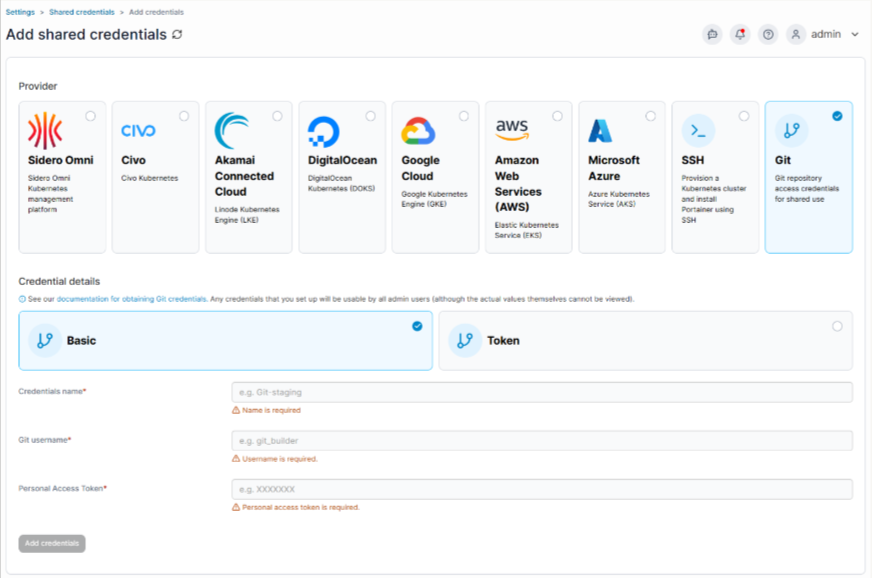
Most Kubernetes deployment tools require you to wire up a separate GitOps solution alongside your existing toolchain. Portainer builds GitOps directly into the platform, so you connect a Git repository and automatically trigger deployments whenever a change is detected on a specified branch.
This feature removes an entire layer of tooling from your stack. Instead of maintaining Argo CD configurations on top of your cluster management setup, you define your deployment source once inside Portainer’s interface and let it handle reconciliation from there.
The GitOps engine supports both public and private repositories and works consistently across all cluster types managed by Portainer, including EKS, AKS, GKE, and self-hosted clusters. This means a single configuration workflow applies regardless of which cloud provider hosts your workloads.
Multi-Cluster Management from a Single Control Plane
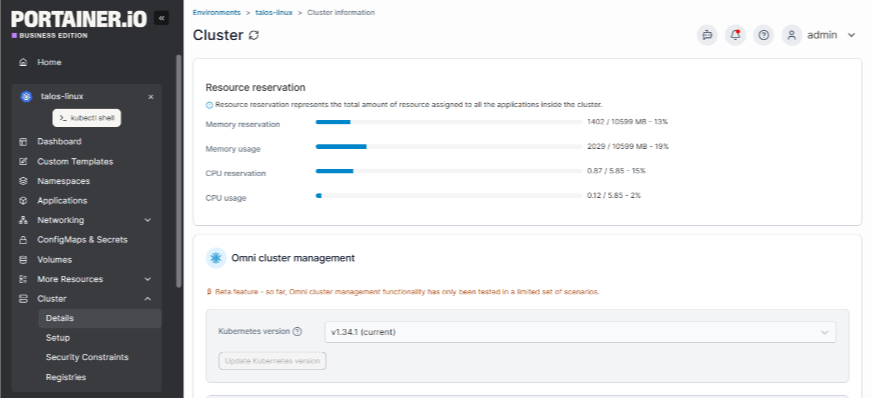
Running workloads across multiple Kubernetes clusters is common in production environments, but most tools force you to manage each cluster in isolation. Portainer connects EKS, AKS, GKE, Rancher, and OpenShift clusters into a single dashboard, giving you consistent visibility and control wherever your workloads run.
If you're still deciding between AWS container services, the EKS vs ECS breakdown covers how the two differ in orchestration model, cost, and portability.
This is particularly valuable when your infrastructure spans multiple cloud providers or regions. Instead of logging into separate consoles for each cluster, you see the health, resource usage, and deployment status of every environment from one place.
Portainer also applies the same RBAC policies, access controls, and deployment configurations across all connected clusters, so your governance rules stay consistent at scale.
Because Portainer is vendor-agnostic, the same management workflow applies regardless of which provider hosts your clusters, with no lock-in, and no need to rebuild operations if your infrastructure mix changes
Visual RBAC and Access Control Management

Kubernetes RBAC can be difficult to configure correctly. Misconfigurations either lock engineers out of what they need or grant excessive permissions that create security vulnerabilities. Portainer replaces raw YAML-based role bindings with a visual interface that maps users and groups to pre-defined roles, without requiring deep Kubernetes expertise to get it right.
You can grant a developer access to deploy to a specific namespace, restrict another user to read-only visibility, and manage all of this through a point-and-click interface rather than manually editing ClusterRole and RoleBinding manifests.
This makes compliance and access governance practical for organizations that can’t dedicate security staff specifically to Kubernetes RBAC. It also reduces the risk of permission errors that expose production environments, since engineers configure access through a structured interface rather than hand-writing policies that are easy to misconfigure.
Pricing
| Plan | Pricing | Key Features |
|---|---|---|
| Enterprise | Custom pricing | Kubernetes support, audit logs, SLA-backed support, dedicated onboarding |
For more details on the plan and node-based options, visit Portainer’s Enterprise Pricing page.
Where Portainer Shines
- Multi-cloud and multi-cluster environments: Portainer connects clusters across AWS, Azure, Google Cloud, and on-premises infrastructure in one dashboard, eliminating the need to manage separate consoles or context-switch between cloud provider UIs.

Image: Portainer G2 review on multi-cluster management
- Organizations migrating from Docker to Kubernetes: Portainer manages Docker Standalone, Docker Swarm, and Kubernetes from a single interface, allowing you to run existing environments and new Kubernetes clusters in parallel during migration, without rebuilding your management workflow from scratch.
- Governance-heavy environments: Portainer's visual RBAC system and audit logging make it straightforward to enforce access policies and demonstrate compliance, without requiring engineers to write and maintain complex YAML role configurations.
Where Portainer Falls Short
- Pure CLI-driven workflows: If your entire deployment pipeline runs through kubectl scripts and Helm commands with no interest in a visual interface, Portainer adds a layer your workflow doesn't need.
- Deeply customized enterprise GitOps at scale: If you run hundreds of clusters with highly specific Argo CD or Flux reconciliation requirements, Portainer's built-in GitOps engine may feel less flexible than a dedicated GitOps tool configured precisely for edge-case scenarios.
Customer Reviews
**“**Portainer makes container management incredibly simple with its intuitive interface. It allows seamless deployment and monitoring of containers, even for those without deep expertise in Docker or Kubernetes. The multi-cluster support and ease of use are great for managing complex environments.” Computer & Network Security Expert
“The ability to deploy, monitor, and control containers, stacks, and volumes from a web-based dashboard simplifies operations significantly.” Narkki P.
Who Portainer Is Best For
- DevOps engineers managing multi-cluster environments: Portainer gives you centralized visibility and control across every cluster without maintaining separate toolchains for each provider or environment.
- Organizations running mixed container infrastructure during migration: If you’re moving workloads from Docker Standalone or Docker Swarm to Kubernetes, Portainer manages all three from one interface so the transition doesn’t force a management tool change on top of an orchestration change.
- Engineering leads who need governance without complexity: Portainer's visual RBAC, audit logging, and role management make it practical to enforce access policies across your entire infrastructure without requiring specialized Kubernetes security expertise.
Book a Portainer demo to see how Portainer deploys Kubernetes containers without risk or operational overhead.
Argo CD: Best for GitOps-Native Kubernetes Deployments
Argo CD is a declarative GitOps tool built specifically for Kubernetes. It continuously monitors your Git repositories and automatically syncs your cluster state to match what’s defined there, making it the go-to choice for engineering organizations that want Git as their single source of truth.
Key Features
-
Real-time drift detection: Argo CD continuously compares your live cluster state with your Git repository. When configuration drift occurs, it flags the discrepancy immediately and gives you the option to sync manually or trigger automatic reconciliation.
-
Centralized deployment control: Argo CD manages deployments across multiple Kubernetes clusters from a single interface, allowing you to push the same application configuration to staging, production, and regional clusters without duplicating your workflow.
-
Consistent policy enforcement: RBAC rules and sync policies apply uniformly across every connected cluster, reducing the risk of environment-specific misconfigurations.
-
No manifest rewriting required: Argo CD works directly with Helm charts and Kustomize overlays, so you don't need to flatten or convert your existing configuration files to adopt it.
-
Seamless SSO and toolchain integration: It integrates with GitHub, GitLab, and major SSO providers out of the box, fitting cleanly into your existing developer workflow without additional configuration overhead.
Pricing
Argo CD is a free, open-source software with no license costs for self-hosting on Kubernetes.
Where Argo CD Shines
- GitOps-first engineering organizations: Argo CD is purpose-built for teams that treat Git as the source of truth for all cluster states, providing real-time sync, drift detection, and rollback from a single interface.
- Multi-environment deployment pipelines: Managing staging, production, and regional clusters from a single Argo CD instance keeps your deployment process consistent and eliminates the need to maintain separate tooling for each environment.
Where Argo CD Falls Short
- Initial setup complexity: Configuring Argo CD across multiple clusters or setting up advanced automation policies requires significant Kubernetes knowledge upfront. The learning curve is steep for organizations new to GitOps concepts.

Image: Argo CD G2 review on its steep learning curve
- No CI pipeline coverage: Argo CD handles deployment but doesn't manage the build or test phases of your pipeline, so you still need a separate CI tool to cover the full software delivery lifecycle. Organizations trying to simplify this ecosystem often evaluate a broader mix of deployment automation tools to bridge the operational gap.
- Debugging sync failures: Error messages aren't always specific enough to quickly pinpoint the root cause, often requiring you to manually dig through logs and manifests to resolve failed syncs.
Customer Reviews
**“**Argo CD makes GitOps adoption extremely straightforward. The UI is clean and intuitive, giving you a clear, real-time view of the state of your Kubernetes applications. I really like how easy it is to manage deployments, track differences, and roll back changes whenever needed. Syncing applications directly from Git brings consistency and removes a lot of manual steps from the workflow.” Alan R.
“Argo sucks because it has non-obvious feedback routes, and you can’t tell it to run the other parts of your SDLC, such as build and test.” A Redditor
Who Argo CD Is Best For
- GitOps-native engineering organizations: Argo CD is a good fit for organizations that have already standardized on Git-driven workflows and want automated, auditable Kubernetes deployments without manual intervention.
Kubectl: Best for Direct Kubernetes Cluster Control
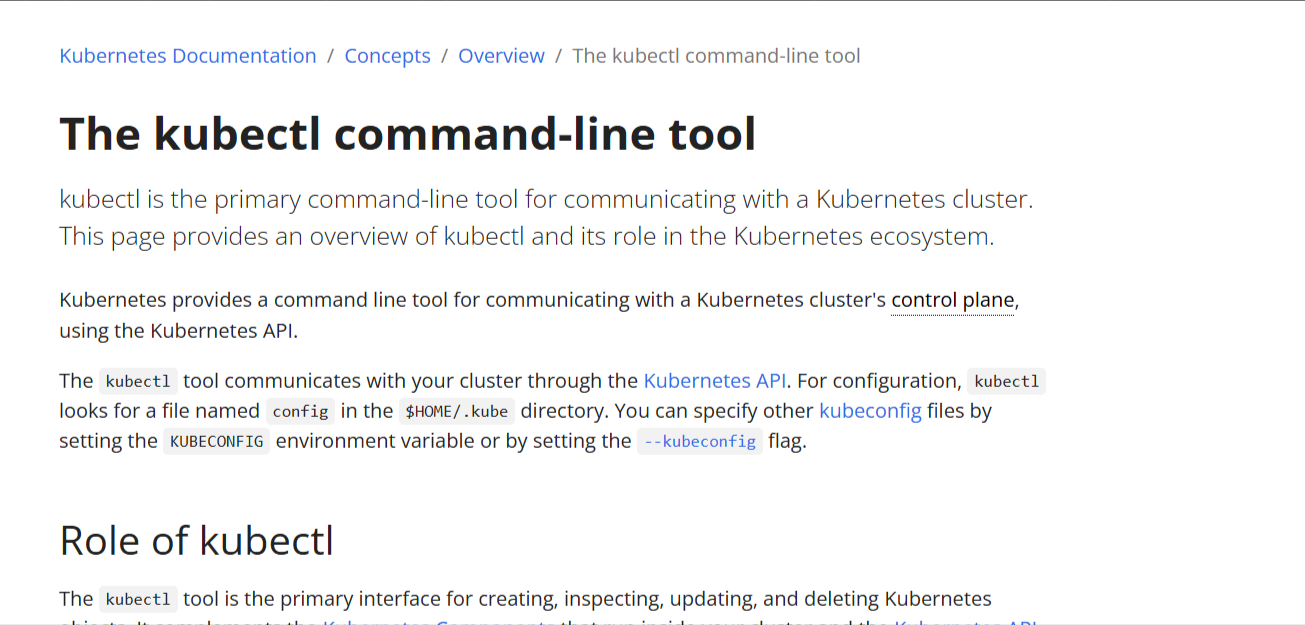
Kubectl is the official Kubernetes command-line interface. It gives you direct, low-level access to every Kubernetes API, making it the foundational tool every Kubernetes engineer needs, regardless of what else sits in their stack. No abstraction, no GUI, just precise cluster control.
Key Features
Declarative and Imperative Resource Management
- Apply manifests directly: kubectl apply deploys any YAML or JSON manifest to your cluster instantly, giving you exact control over every resource configuration without intermediary tooling.
- Imperative commands for speed: Run kubectl run, kubectl create, or kubectl delete to manage resources quickly during debugging or development without writing a full manifest first.
Real-Time Cluster Inspection
- Live resource monitoring: kubectl get, kubectl describe, and kubectl logs give you immediate visibility into pod status, resource events, and container output without leaving your terminal.
- Port forwarding and exec access: Connect directly to running containers or forward local ports to cluster services, making it significantly faster to troubleshoot production issues than by navigating a separate dashboard.
Namespace and Context Switching
- Multi-cluster context management: Kubectl stores kubeconfig contexts locally, allowing you to switch between clusters and namespaces with a single command instead of maintaining separate login sessions for each environment.
Pricing
Kubectl is free, open-source software, but managing Kubernetes clusters involves costs.
Where Kubectl Shines
- Debugging and incident response: When something breaks in production, kubectl gives you direct access to logs, events, and container states faster than any GUI-based tool can surface the same information.
- Scripting and automation: Kubectl integrates cleanly into shell scripts and CI/CD pipelines, making it the right choice for automating repetitive cluster operations without additional tooling dependencies.
- Learning Kubernetes internals: Working directly with kubectl builds a genuine understanding of how Kubernetes resources, controllers, and APIs interact, which no abstraction layer can replicate.
Where Kubectl Falls Short
- No built-in visibility layer: Kubectl returns raw output. Without additional tooling, tracking deployment history, resource trends, or multi-cluster health requires assembling separate solutions around it.
- Steep learning curve for new engineers: The volume of commands, flags, and YAML knowledge required to use kubectl effectively creates a significant barrier for engineers without prior Kubernetes experience.
- No governance or access controls: Kubectl itself has no RBAC interface or audit logging. Managing who can run which commands across clusters requires additional cluster-level configuration.
We rounded up the top tools that can replace kubectl for day-to-day work.
Customer Reviews
**“**kubectl sucks because you need to write further commands to figure out whether or not your deploy actually worked, and you either get no templating with the former, or a lack of ability to just set input vars with the latter. Handling Helm has major drawbacks ( you lose all the hooks, etc.).” A Redditor
Who Kubectl Is Best For
- Experienced Kubernetes engineers: Kubectl rewards engineers who already understand Kubernetes concepts and want direct, unrestricted access to cluster APIs without abstraction layers slowing them down.
Stop managing clusters in isolation
Flux CD: Best for Lightweight GitOps Automation
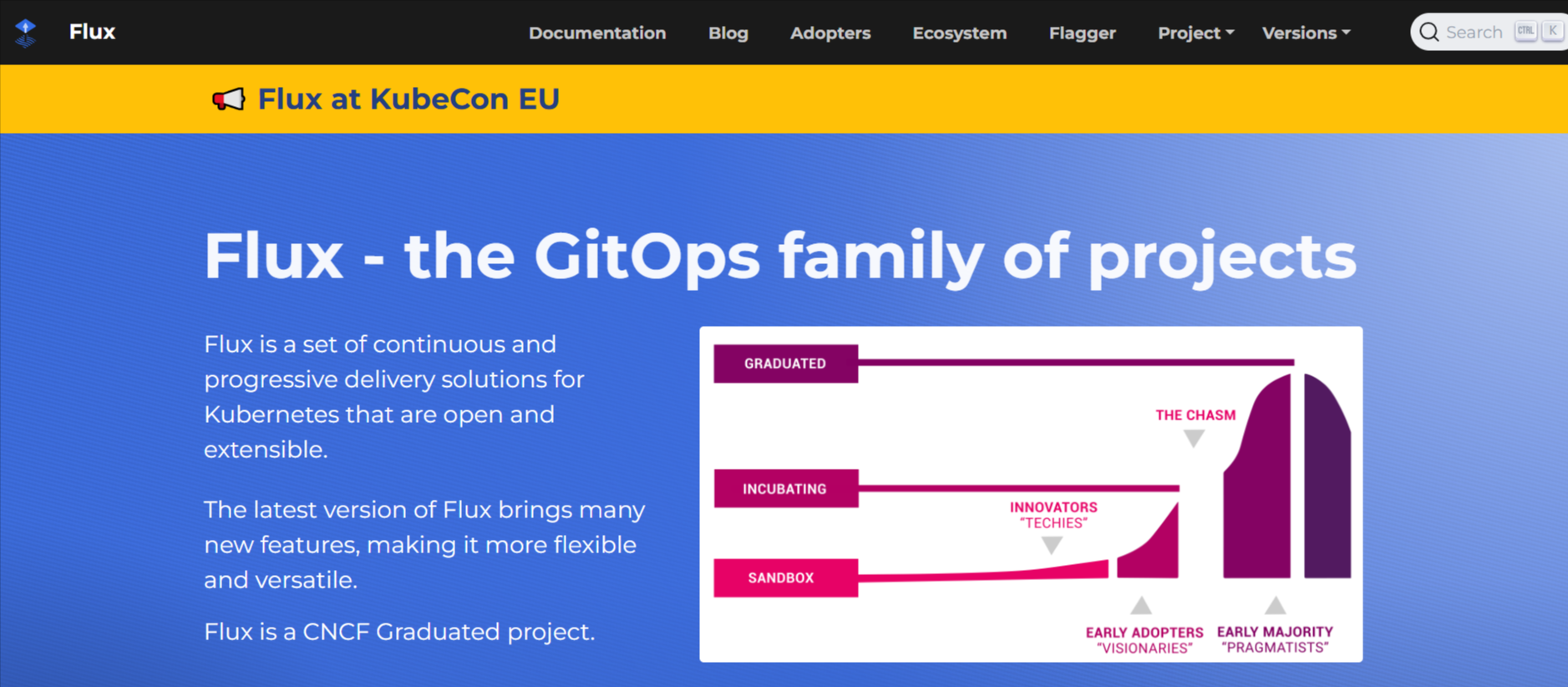
Flux CD is a CNCF-graduated GitOps toolkit that automatically syncs your Kubernetes cluster state with a Git repository.
Flux operates entirely without a UI, running as a set of controllers directly inside your cluster. This feature makes it exceptionally lightweight and well-suited for platform engineers who prefer a code-first, operator-driven approach to managing cluster infrastructure and base layers across multiple environments.
Key Features
- Automated Git reconciliation: Flux continuously watches your Git repository and applies changes to your cluster the moment a commit lands, removing manual deployment steps from your workflow entirely.
- Multi-cluster management: Flux scales cleanly across a dozen or more clusters with its source and kustomization controllers, keeping configuration consistent across all environments without duplicating pipelines.
- Renovate and Helm integration: Native compatibility with Helm releases and the Renovate bot makes dependency updates and chart version management significantly more automated than manually tracking upstream changes.
- Cluster-native architecture: Because Flux runs as controllers inside your cluster rather than as an external service, it requires no additional infrastructure to maintain and fits naturally into existing Kubernetes operator patterns.
Pricing
Flux CD is a free, open-source platform.
Where Flux CD Shines
- Platform and cluster engineering: Flux excels at managing shared infrastructure layers like monitoring stacks, service meshes, and system-level resources across multiple clusters, keeping base configurations consistent without manual intervention.
- Long-term production stability: Organizations running Flux in production for multiple years consistently report reliable reconciliation and strong multi-cluster scalability, particularly when alerting infrastructure is configured properly alongside it.
Where Flux CD Falls Short
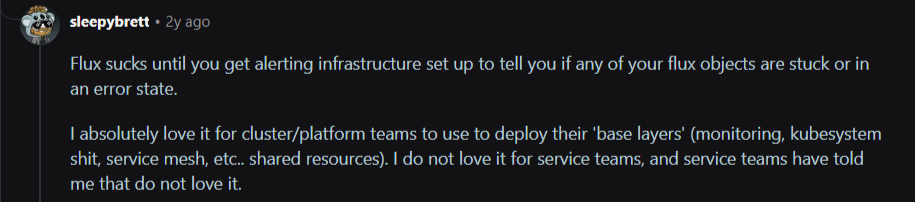
- No native UI: Flux provides no visual dashboard, which creates friction for developers who aren't comfortable reading controller logs or kubectl output to understand deployment status.

Image: Reddit review on Flux CD’s UI limitation
- Alerting dependency: Without a dedicated alerting infrastructure, stuck or failed Flux objects can go unnoticed. Setting up reliable error visibility requires additional tooling before Flux is truly production-ready.
- Poor fit for application service teams: While platform engineers tend to love Flux, application developers frequently find it opaque and difficult to work with compared to tools that provide clearer deployment feedback.
Customer Reviews
**“**We have been using Flux now for over 4 years in production and don’t want to look back. We can manage a dozen clusters. Also, the renovation of Integration is super nice.” Pmigat
Who Flux CD Is Best For
- Platform and infrastructure engineers: Flux fits engineers who manage shared cluster resources and base layers across multiple environments and are comfortable working entirely in code without a visual interface.
Helm: Best for Kubernetes Application Packaging and Reuse
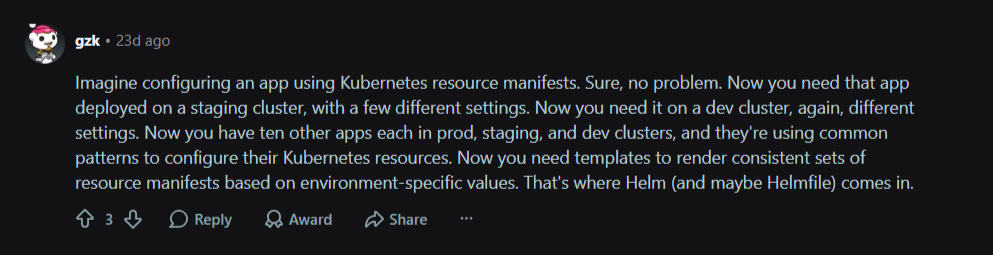
Helm is the package manager for Kubernetes. It bundles Kubernetes manifests into reusable, versioned charts that you can deploy, upgrade, and roll back with a single command. Instead of managing dozens of individual YAML files per application, Helm lets you define once and deploy anywhere, with environment-specific values that override a shared template.
Key Features
- Reusable chart templates: Helm packages all Kubernetes resources for an application into a single chart, eliminating repetitive manifest management across environments and making deployments portable across clusters.
- Release versioning and rollback: Every Helm deployment creates a numbered release. Rolling back a failed deployment to a previous version takes one command, without manually restoring individual resource configurations.
- Values-based environment configuration: A single chart deploys to development, staging, and production by swapping a values file, keeping your core templates consistent while cleanly allowing environment-specific overrides.
- Public chart repository: Helm Hub provides thousands of prebuilt charts for common infrastructure components such as NGINX, PostgreSQL, and Prometheus, eliminating the need to write Kubernetes manifests from scratch for standard tooling.
Pricing
Flux CD is a free, open-source platform.
Where Helm Shines
- Packaging complex multi-resource applications: When an application requires deployments, services, config maps, ingress rules, and secrets together, Helm bundles them into a single installable unit that deploys atomically.
- Standardizing deployments across environments: Values files let you maintain a single chart definition and deploy it consistently across all environments without duplicating or manually editing manifests per cluster.
Source: Reddit
- Installing third-party infrastructure components: Helm's public chart ecosystem lets you deploy production-grade monitoring stacks, ingress controllers, and databases in minutes, rather than writing and maintaining manifests yourself.
Where Helm Falls Short
- Template complexity at scale: Helm templates use Go templating syntax, which becomes difficult to read and maintain as chart logic grows. Debugging malformed templates requires understanding both Kubernetes manifests and Go template rendering simultaneously.
- No continuous reconciliation: Helm deploys on command but doesn't monitor or correct configuration drift after deployment. Pairing it with a GitOps tool like Argo CD or Flux is necessary for automated ongoing reconciliation.
- Release state management friction: Helm stores release state as secrets inside the cluster, which creates complications when the release history grows large or when cluster access issues prevent Helm from reading its own state correctly.
Customer Reviews
**“**I find Helm to be a god damn headache, so I only use it for apps that don’t really require any tweaking or customisation.” Ansibleloop
“A complete solution based on Kubernetes is rarely a single YAML file; oftentimes, several files with lots of definitions for different types of resources are needed, such as services, deployments, persistent volumes, secrets, etc. These can be reused and templated, which is easily achieved with Helm, then you only need the values for your Helm chart.” George
Who Helm Is Best For
- Engineers packaging applications for reuse: Helm fits anyone who needs to deploy the same application across multiple clusters or environments without maintaining separate manifest sets for each one.
- Organizations adopting third-party Kubernetes tooling: If installing and managing community infrastructure components such as ingress controllers or monitoring stacks is a regular need, Helm's chart ecosystem eliminates significant manual configuration.
Kustomize: Best for Template-Free Kubernetes Configuration Management
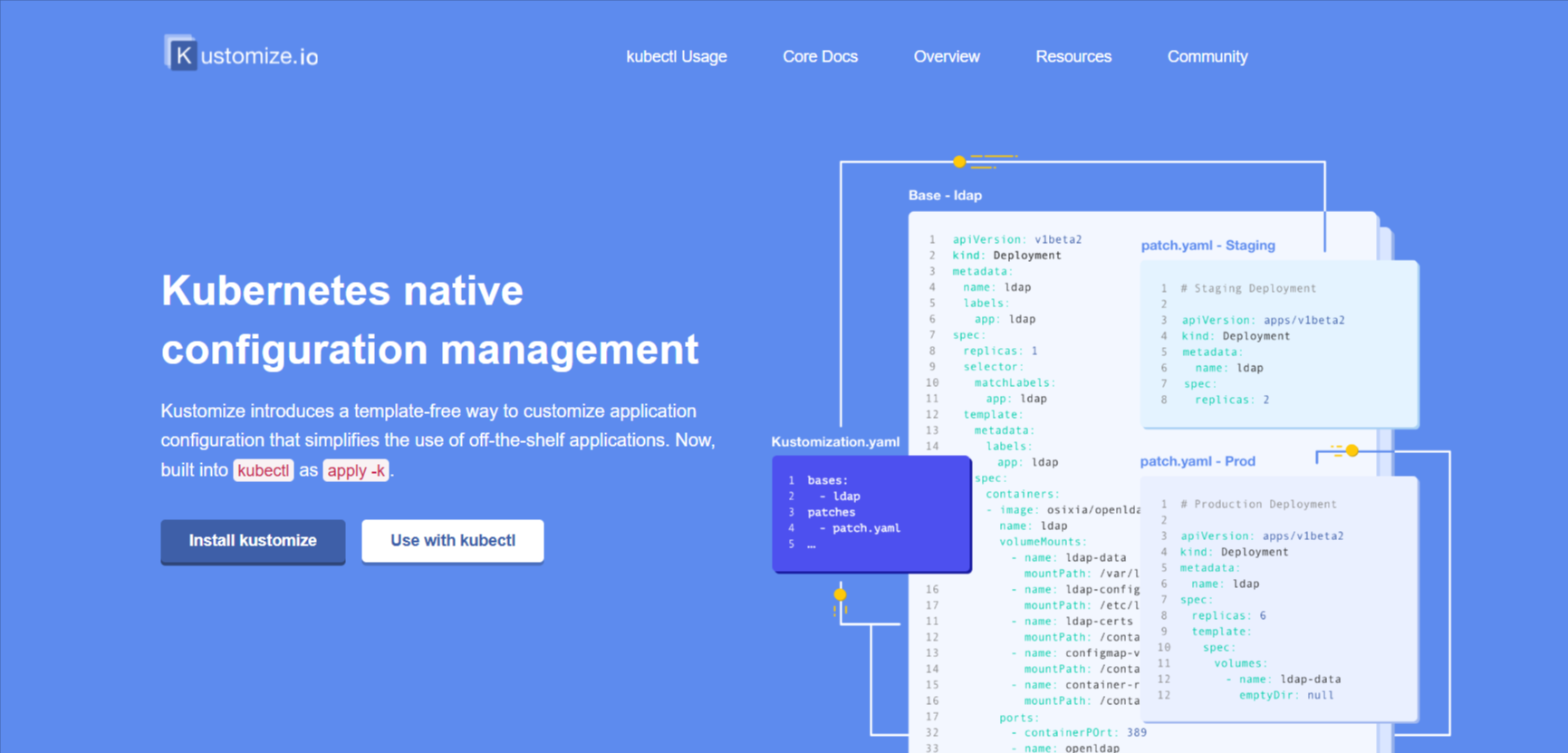
Kustomize allows you to customize Kubernetes manifests through layered overlays without touching the original base files. It’s built directly into kubectl, so there’s nothing extra to install. Where Helm requires learning Go templating syntax, Kustomize uses plain YAML patches, making it more approachable for engineers who want environment-specific configurations without introducing a separate templating language.
Although Kustomize has no release versioning, no rollback command, and no package ecosystem, it suited as a configuration layer rather than a full deployment solution.
If you want to compare different strategies for managing declarative manifests, check out our guide to Kubernetes configuration management.
Where Kustomize Shines
- Kubectl-native configuration management: Kustomize ships inside kubectl, meaning there's no additional tooling to install, maintain, or version separately across your clusters.
- Environment-specific overlays without templating: Layering production, staging, and development configurations on top of shared base manifests keeps your YAML clean and readable without introducing Go template syntax or rendering logic.
Where Kustomize Falls Short
- No release versioning or rollback: Kustomize applies configurations but tracks nothing. Rolling back a bad deployment requires manually reverting your Git commit and reapplying, with no native rollback command available.
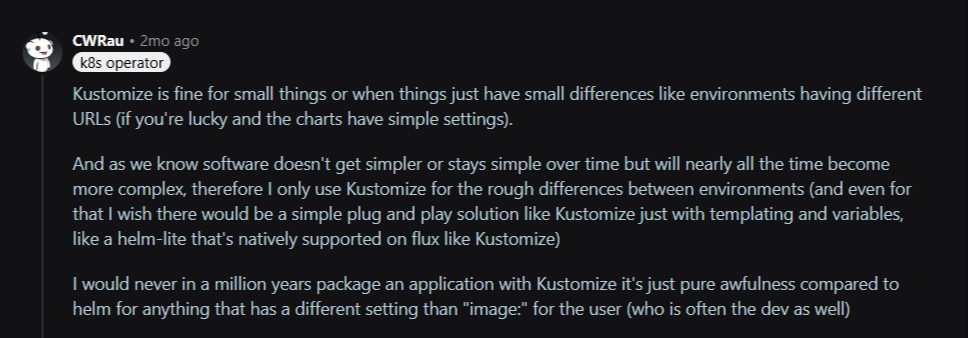
- No templating or variable support: Kustomize has no native variable substitution, so anything beyond surface-level environment differences requires increasingly convoluted patch files. Engineers who've hit this wall consistently describe wishing for something like a lightweight Helm with native Kustomize simplicity.
Source: Reddit
- No package ecosystem: Kustomize has no public repository of reusable components. Every manifest starts from scratch, making it slower to adopt third-party infrastructure tooling compared to pulling a pre-built Helm chart.
Kubeflow: Best for Machine Learning Workload Orchestration on Kubernetes
Kubeflow is a machine learning platform built on top of Kubernetes, designed specifically to deploy, scale, and manage ML pipelines and model training workloads in a containerized environment.
It solves a problem no general-purpose Kubernetes deployment tool addresses: running reproducible ML experiments, managing distributed training jobs, and serving models at scale without having to rebuild that infrastructure from scratch.
Kubeflow is purpose-built for ML workflows, so using it as a general Kubernetes deployment tool adds unnecessary complexity for engineering organizations without active machine learning workloads.
Where Kubeflow Shines
- End-to-end ML pipeline management: Kubeflow handles the full machine learning lifecycle, from distributed training jobs to model serving, on existing Kubernetes infrastructure without rebuilding that orchestration layer separately.
- Reproducible experiment tracking at scale: Kubeflow's pipeline components make ML experiments reproducible across runs, which is critical for organizations that need auditable, consistent model training workflows in production.
Where Kubeflow Falls Short
- Narrowly scoped to ML workloads: Kubeflow adds significant operational complexity that delivers no value outside machine learning contexts, making it the wrong choice for general-purpose Kubernetes deployment automation.
Heavy infrastructure requirements: Running Kubeflow correctly requires substantial cluster resources and careful configuration, creating meaningful overhead for organizations whose ML operations don't justify that investment.
Stop managing clusters in isolation
How to Choose the Best Kubernetes Deployment Tools
These are the key considerations worth evaluating before choosing a deployment tool for your team:
1. Does It Fit Your Deployment Workflow (GitOps vs. CLI vs. GUI)?
Some tools, such as Flux CD and Argo CD, assume a GitOps-first workflow in which Git is the source of truth for every cluster change. Others, like kubectl, operate entirely from the command line.
Neither approach is wrong, but choosing a tool that conflicts with how your engineers actually work creates adoption friction that compounds over time.
If your organization wants GitOps automation without sacrificing visibility or forcing every engineer to use a terminal, Portainer’s built-in GitOps engine connects directly to your Git repository and automatically triggers deployments, all from a visual interface that doesn’t require CLI expertise.
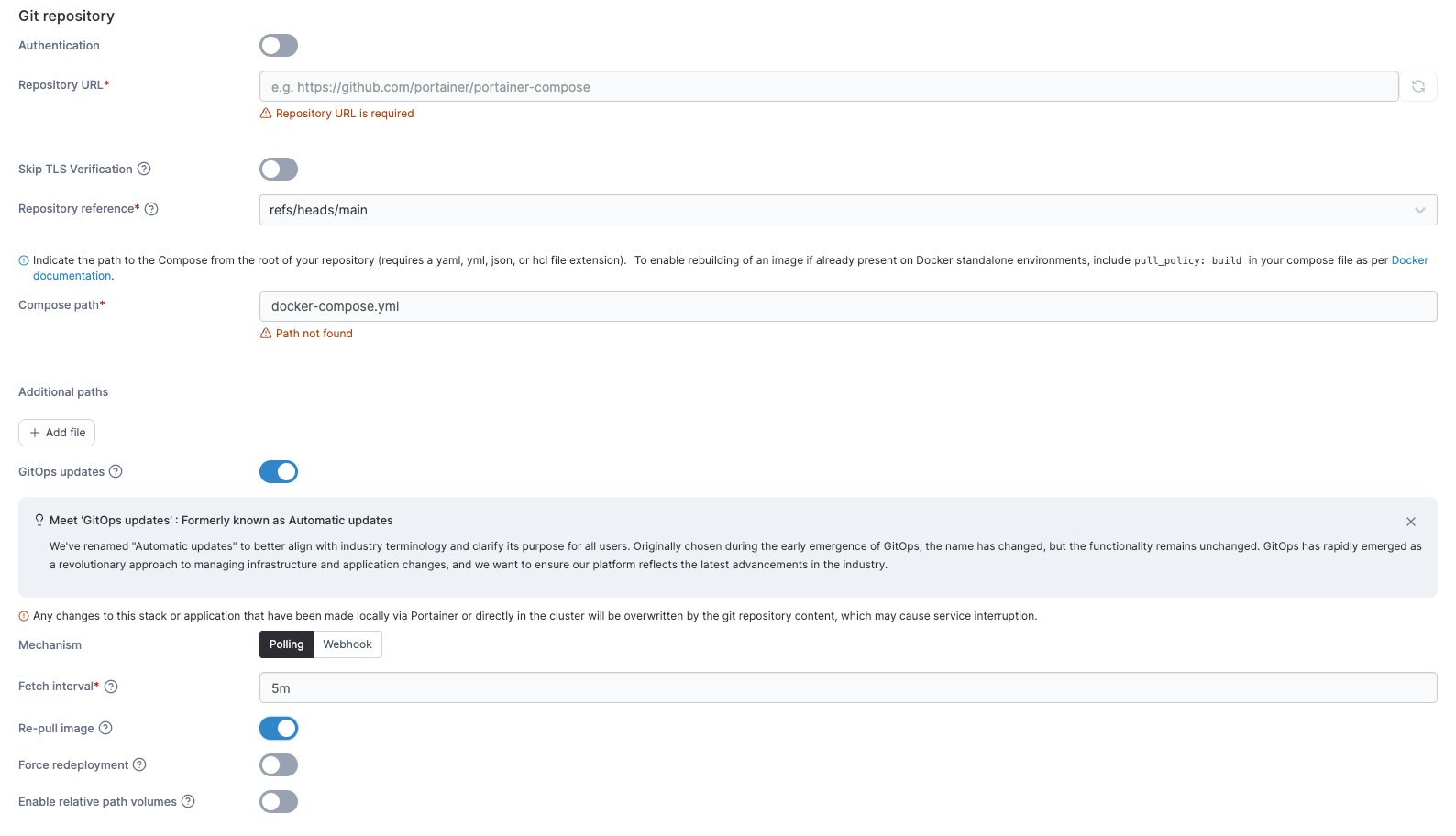
Book a demo now to see how Portainer supports practical GitOps and everyday Kubernetes operations!
2. Can It Manage Multiple Clusters Without Additional Tooling?
Single-cluster tools work fine early on, but most production environments eventually span multiple clusters across cloud providers or regions. At that point, tools without native multi-cluster support force you to replicate configurations, maintain separate contexts, and manage each environment in isolation.

Portainer connects EKS, AKS, GKE, Rancher, and self-hosted clusters under a single control plane, applying consistent RBAC policies and deployment configurations across all environments without requiring separate management sessions for each cluster.
3. How Steep Is the Learning Curve for Your Engineers?
Kubectl and Flux CD deliver significant power but require deep Kubernetes knowledge to use effectively. For organizations where not every engineer has that expertise, tools with steep learning curves slow deployment velocity and concentrate critical knowledge among a small number of people.
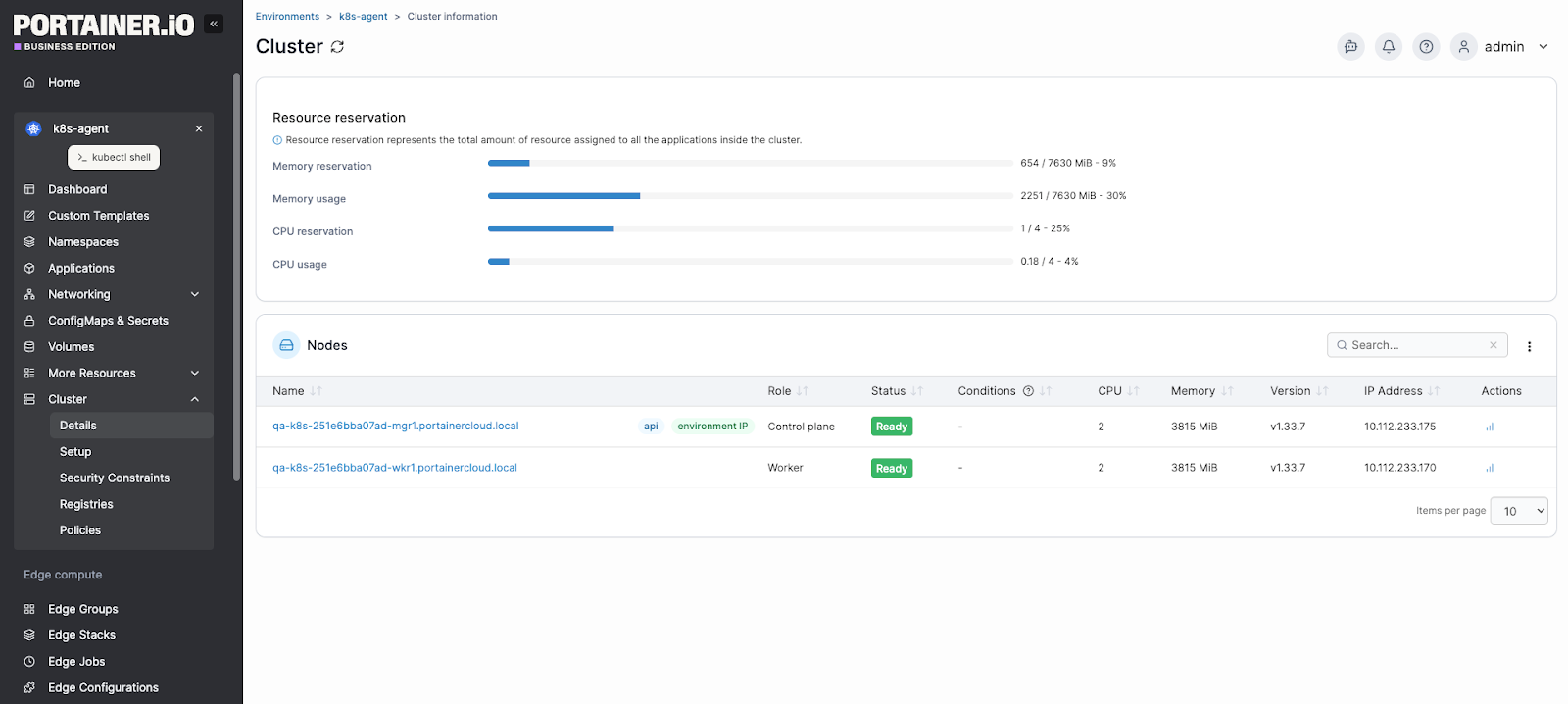
Portainer’s visual interface allows your engineers to deploy, monitor, and manage applications without writing YAML or memorizing kubectl commands, reducing the Kubernetes knowledge barrier without removing control from engineers who want direct access.
4. Does It Include Governance and Access Control?
As Kubernetes environments grow, controlling who can deploy where becomes a compliance requirement, not just a best practice. Tools like kubectl have no built-in RBAC interface, so you must configure access controls manually at the cluster level using raw YAML role bindings.
Portainer’s visual RBAC management allows you to assign granular permissions to users and groups across namespaces and clusters through a structured interface, without writing ClusterRole manifests by hand or risking misconfiguration that exposes production environments.
Take Control of Kubernetes Deployments With Portainer
Every tool on this list solves a specific problem. Kubectl gives you raw cluster control. Helm handles application packaging. Argo CD and Flux CD automate GitOps workflows. Kustomize manages environment-specific configurations. Each one earns its place in the right context.
But if managing multiple clusters, enforcing access governance, and giving your entire engineering organization consistent deployment control are priorities, Portainer brings all of that into a single platform without replacing the tools already in your stack.
Book a demo to see how much Kubernetes operational overhead disappears when every cluster, environment, and deployment lives in one place.
FAQs
1. What should I figure out about our environment before evaluating Kubernetes deployment tools?
There are four things worth pinning down. Your team’s workflow preference, since GitOps tools like ArgoCD and Flux assume Git as the source of truth while kubectl and Helm suit CLI-driven workflows. Whether you need multi-cluster management. Your team’s Kubernetes expertise, since kubectl and Flux require deep familiarity. And your governance needs, since access control differs sharply between tools. Portainer covers all four with visual RBAC, built-in GitOps, and multi-cluster management.
2. How do I give developers the ability to deploy to Kubernetes without me being the bottleneck for every release?
Combine GitOps with a management layer that provides namespace-scoped access. GitOps tools like ArgoCD or Flux let developers commit to Git and have the cluster reconcile automatically, removing the manual kubectl step. Portainer adds visual RBAC that scopes developer access to specific namespaces plus a UI that lets them deploy through a browser rather than CLI, while you retain central control over policies and cluster access.
3. Do I need a GitOps tool from the start, or can I start with kubectl or Helm and add GitOps later?
You can start with kubectl or Helm, but adding GitOps later gets harder as configuration drift and lost change history accumulate. Teams running kubectl apply manually for a single cluster manage fine early on. Once you have multiple clusters or multiple deploy engineers, GitOps becomes essential. Starting with a tool that has built-in GitOps, like Portainer with support for both Git-driven and manual workflows, avoids the switch cost of adding a separate GitOps tool later.
4. I keep reading about Argo CD and Flux, but how do you choose between them? Are they the only options?
The choice comes down to how your team prefers to work. ArgoCD offers a visual UI and centralized multi-cluster control; Flux runs as lightweight in-cluster controllers driven by CLI and YAML. Both are CNCF-Graduated market leaders, so neither is a wrong answer. Portainer’s built-in GitOps engine handles reconciliation without requiring either, which suits teams that want GitOps without running a separate tool.