
Share this post
Most manufacturers don't fail at Industry 4.0 because of bad technology but because they picked the right tool for the wrong problem.
An analytics platform won't help you manage 300 edge devices. An edge management tool won't give you OEE visibility. And no amount of implementation budget fixes a mismatch between what a platform does and what your operation actually needs.
This guide gives you a straight comparison of the 5 best Industry 4.0 tools for smart manufacturing in 2026, with honest feature breakdowns, real user reviews, and a clear answer to which platform fits your operation.
Portainer: Best for Industrial Edge and Container Management
Portainer is a container and edge infrastructure management platform built for enterprises running software workloads across large fleets of industrial IoT devices.
Where most industry 4.0 software tools focus on data collection, Portainer focuses on what happens after deployment: controlling, updating, and managing containerized applications at scale, remotely, from a single interface. This makes it straightforward to manage workloads on the shop floor, including the ability to deploy AI apps directly to edge devices.
Key Features
Portainer's edge management capabilities are built specifically for industrial environments where physical access to devices isn't practical.
Edge Groups
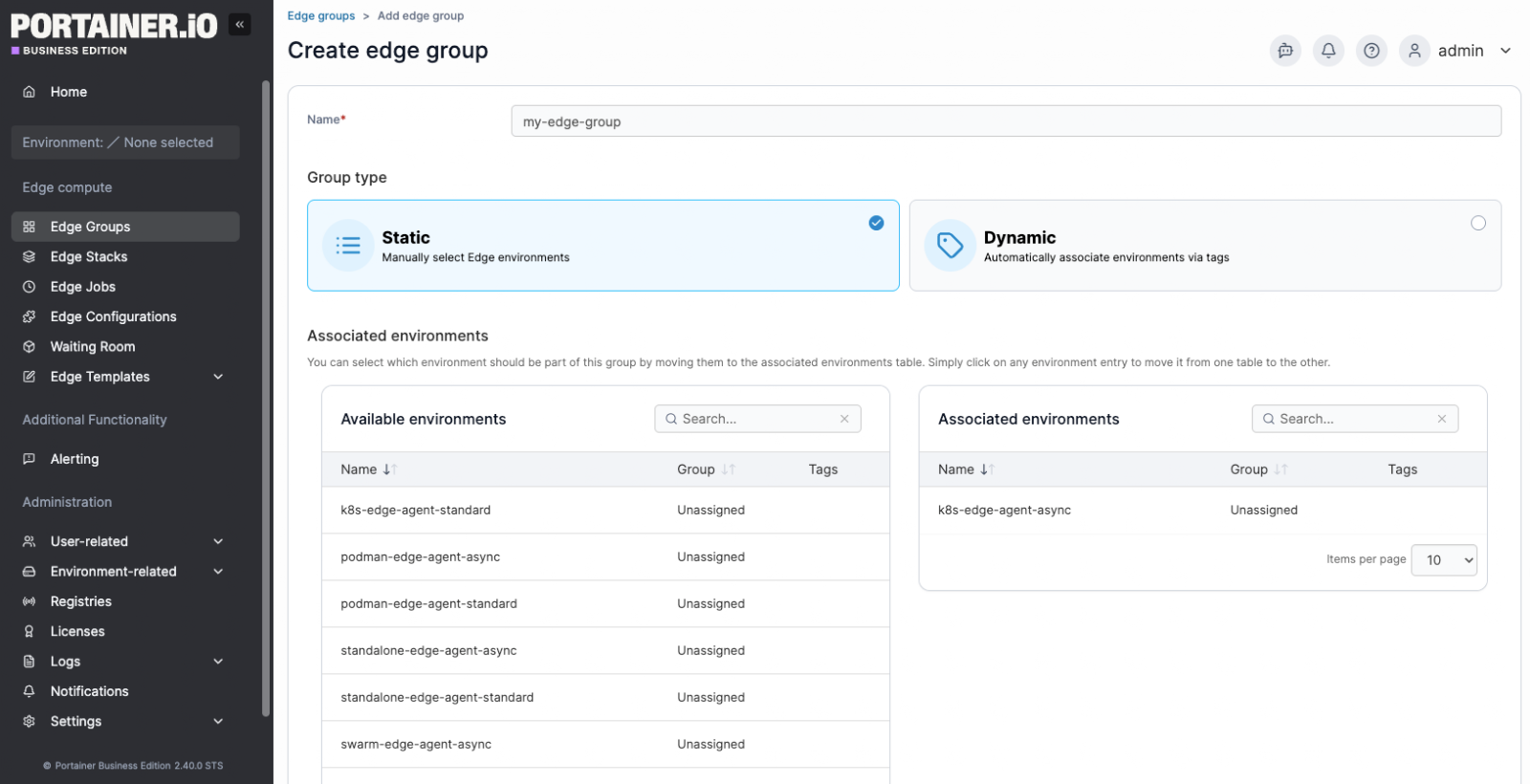
Edge Groups allows you to organize edge environments either by manually selecting them (Static) or by automatically associating them via tags (Dynamic).
For industrial deployments, this means grouping hundreds of factory-floor devices by site, production line, or function, then targeting those groups in a single action rather than targeting devices one by one. A firmware update that once required coordinating individual logins now becomes a single group-level operation.
Edge Stacks with Controlled Update Rollouts
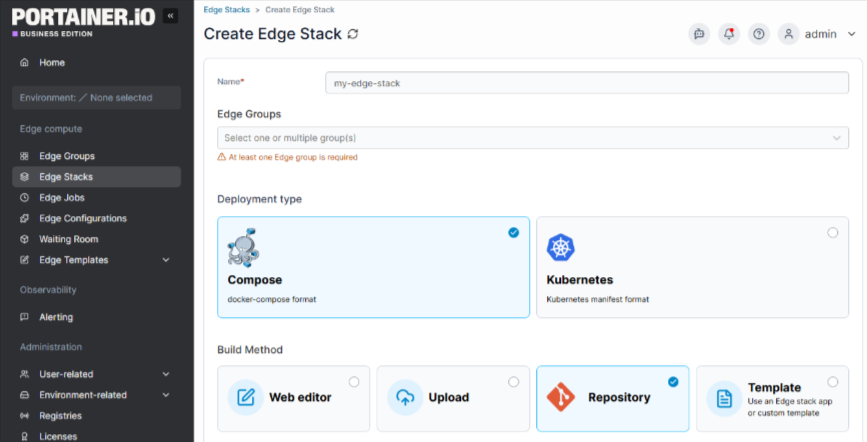
Edge Stacks deploys container workloads across edge groups, with Update Configurations controlling how those updates roll out across devices. Options include deploying to all devices at once, using parallel static group sizes, or an exponential rollout strategy. For example, starting with 5 devices, then 10, then 20.
Critically, if an update fails mid-rollout, you can set the failure action to Continue, Pause, or Rollback, preventing a bad update from cascading across an entire production environment.
Remote Update and Rollback
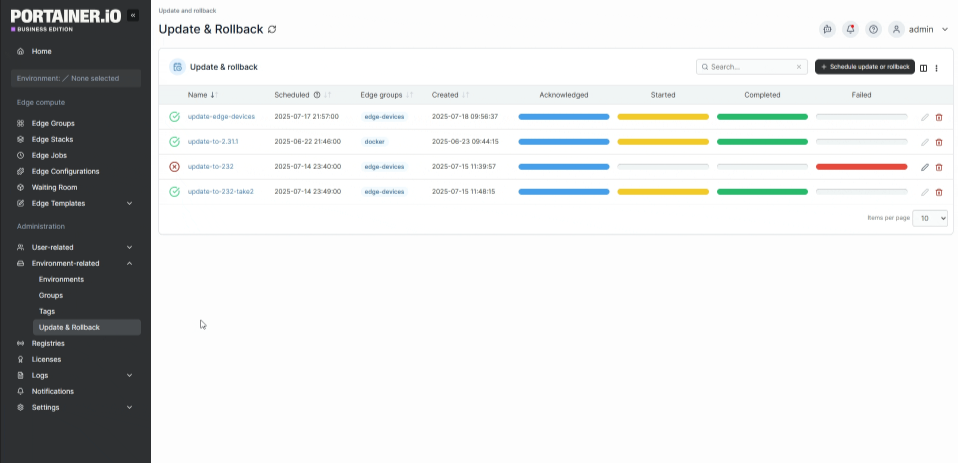
The Update & Rollback feature upgrades your Edge Agent deployments directly from Portainer, without requiring you to log into remote environments to update them manually.
You can schedule updates by edge group, select the target version, and set a date and time. If you need to reverse a change, the rollback scheduler lets you select the version to revert to and apply it across the relevant edge group.
For industrial facilities where physical access to edge devices is time-consuming or impossible, this capability alone removes a major operational bottleneck.
Role-Based Access Control (RBAC)
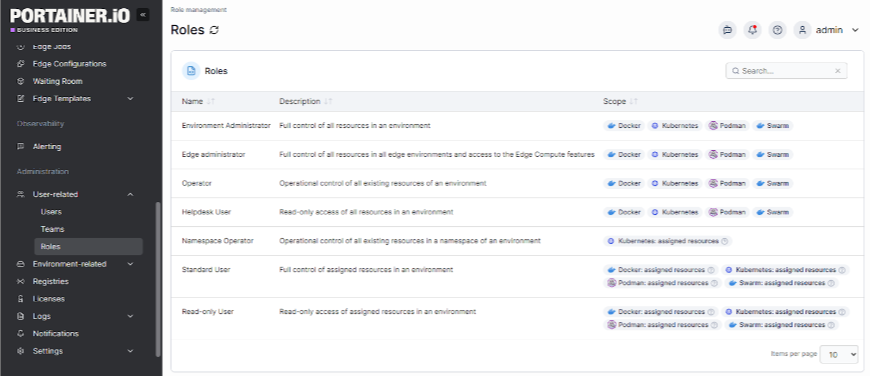
Portainer's RBAC system helps you assign specific roles, from Environment Administrator down to read-only Helpdesk, to individual users or entire teams, scoped to specific environments.
An OT engineer responsible for a single factory site has access only to that site's stacks and containers, nothing else. This matters in industrial deployments where a single Portainer instance spans multiple facilities, business units, or clients, and where an accidental change in the wrong environment can lead to production downtime.
Pricing
Portainer offers custom pricing options. You can also get an extended enterprise free trial with 15 nodes to test the platform on a larger environment for 45 days.
Where Portainer Shines
- Large-scale edge fleet management: Managing 50 or 500 industrial edge devices from a single interface, without SSHing into each one individually, is exactly the problem Portainer solves. Edge Groups and Edge Stacks are purpose-built for this.
- Safe production rollouts: The exponential rollout and failure-action controls in Edge Stacks mean a bad update hits 5 devices before you catch it, not 500.
- Remote infrastructure upkeep: Scheduled agent updates and rollbacks remove the need for on-site visits to keep edge infrastructure current, a real cost-saving in distributed industrial environments.
Where Portainer Falls Short
- Not a full IoT device platform: Portainer manages software workloads running on edge devices, not the devices themselves. Teams that need sensor data pipelines, hardware-level monitoring, or firmware-over-the-air updates will need a separate tool.
- Update & Rollback is currently in beta: Remote agent update and rollback support is currently limited to Docker Standalone environments, making it less suitable for teams running Kubernetes-based edge infrastructure who need full rollback coverage today.
Customer Reviews
"It's easy to manage all the stacks and containers, and the edge agent helps a lot!" Federico C.
"Portainer makes container management incredibly straightforward. The UI is clean and intuitive, saving a lot of time compared to manually managing Docker or Kubernetes via the CLI. It's easy to deploy, and we use it frequently for day-to-day container tasks. Setting up environments, managing stacks, and monitoring resource usage feels effortless. The role-based access control and team management features are also very handy in a collaborative setup." Bharath D.
Who Portainer Is Best For
- Enterprise IT and OT teams managing containerized software workloads across distributed industrial edge infrastructure
- Manufacturing and industrial operations running large fleets of IIoT edge devices that require controlled, remote deployment and updates
Book a demo to see how Portainer helps enterprise teams collaborate confidently, deploy faster, and maintain control from core to edge.
Siemens Insights Hub: Best for IIoT Data Analytics and Asset Performance Monitoring
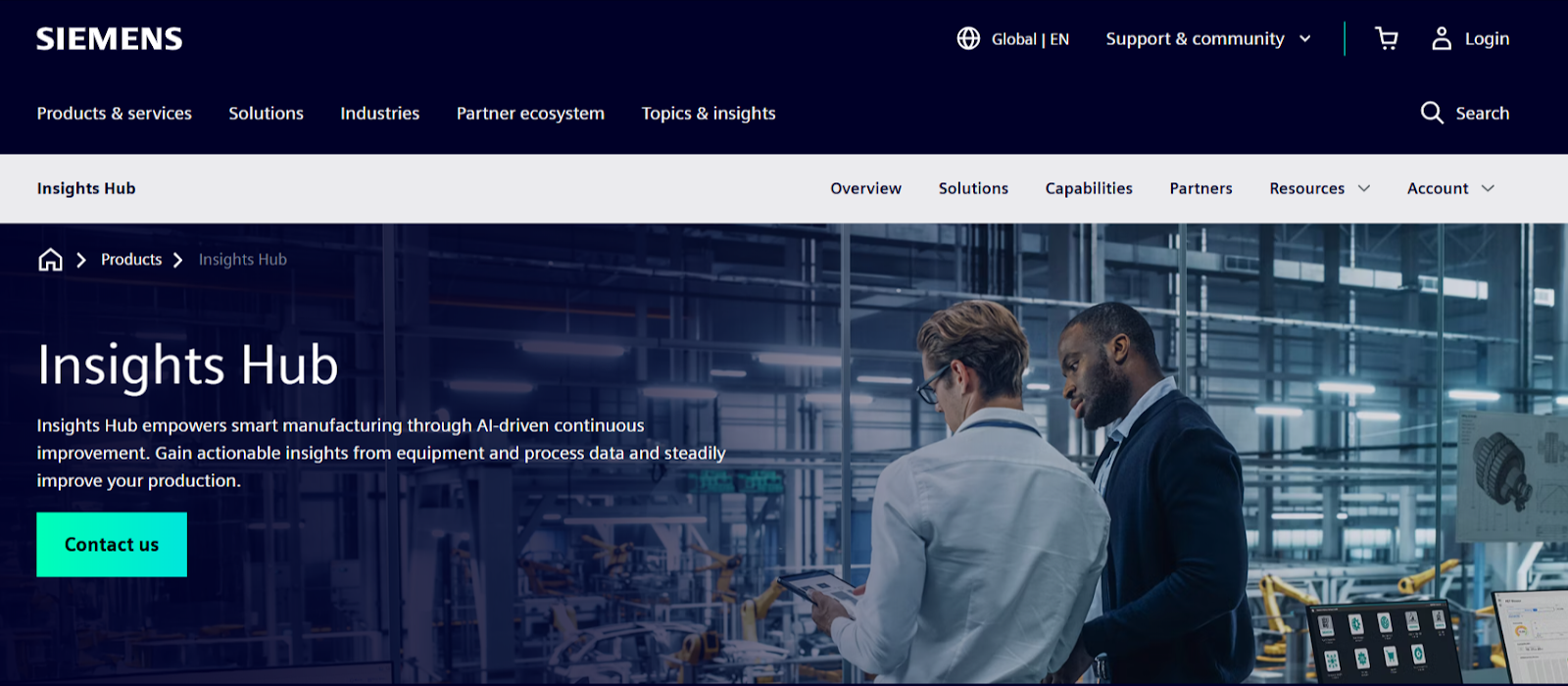
Siemens Insights Hub, formerly MindSphere, is Siemens' industrial IoT platform within the Industrial Operations X portfolio. It connects assets, collects operational data, and turns that data into actionable insights across production, quality, and maintenance processes.
Its core differentiator is the depth of its native integration with Siemens automation hardware, giving manufacturers running Siemens PLCs a faster path to real-time operational visibility than any third-party IIoT platform can offer.
Key Features
- OEE and asset performance monitoring: Insights Hub supports asset monitoring, overall equipment effectiveness (OEE) tracking, energy optimization, and production performance analysis, providing operations teams with a live view of where output losses occur and why.
- Predictive maintenance and condition monitoring: Out-of-the-box and configurable applications support condition monitoring, predictive maintenance, and quality prediction, allowing maintenance teams to act on anomalies before equipment fails rather than after.
- Low-code IIoT application development: Built on the Mendix low-code platform, Insights Hub lets users build and integrate custom IoT applications to optimize operations, create better products, and deploy new business models without heavy development resources.
Pricing
Siemens Insights Hub pricing isn't publicly listed; it depends on the selected capability packages, the number of connected assets, and the deployment scope.
Where Siemens Insights Hub Shines
- Siemens-native environments: Organizations already using Siemens PLCs, automation hardware, and industrial software benefit from native integration and reduced implementation friction.
- Enterprise-scale analytics: Insights Hub serves as a central store for key information, tracks and analyzes machines across global networks, and provides consumption and business insights that operations teams have never had before.
- Industry recognition: Siemens has been recognized as a Leader in the Gartner Magic Quadrant for Industrial IoT Solutions, making it a lower-risk choice for enterprise procurement teams that need vendor credibility.
Where Siemens Insights Hub Falls Short
- Steep learning curve: It can feel overwhelming at times. The tool has so much data and so many tools that it takes a while to become familiar with everything, and the platform lacks a clear new-user guide.

Image: Siemens Insights Hub G2 review on steep learning curve
- Requires a partner to get started: Navigating the purchase experience is difficult for teams unfamiliar with the platform, and most organizations need to bring in an implementation partner. This adds cost and time before you see any value.
- Weaker fit outside Siemens ecosystems: Teams running non-Siemens OT hardware lose most of the native integration advantage that makes Insights Hub compelling in the first place.
Customer Reviews
"I love Insights Hub very much!! It is my favorite software for performance monitoring and preventive maintenance. Its integration into all of our other tools is incredible and very helpful! Its open-source feel in its APIs is amazing and definitely helps rapid-fire development of analysis and predictive tools. It also has great out-of-the-box tools that are very useful and effective. The data framework is clean and straightforward to implement. The native connections to our onsite siemens automation equipment are very cohesive and smooth." Miles M.
"Insights Hub is like a series of building blocks that take time to come together. I don't dislike it, but it takes time. We've been on a journey with Siemens, and that needs to move at a pace that works for both parties. You need to invest time to skill up and understand the technology, but once you've done that, you'll have a great tool setup to scale and grow your business." Trevor D.
Who Siemens Insights Hub Is Best For
- Manufacturers running Siemens automation: Teams standardized on Siemens PLCs and OT hardware who want native, low-friction IIoT connectivity.
- Large industrial enterprises: Organizations executing long-term smart manufacturing strategies that need enterprise-grade analytics at scale.
Tulip: Best for No-Code Frontline Operations and Operator Guidance
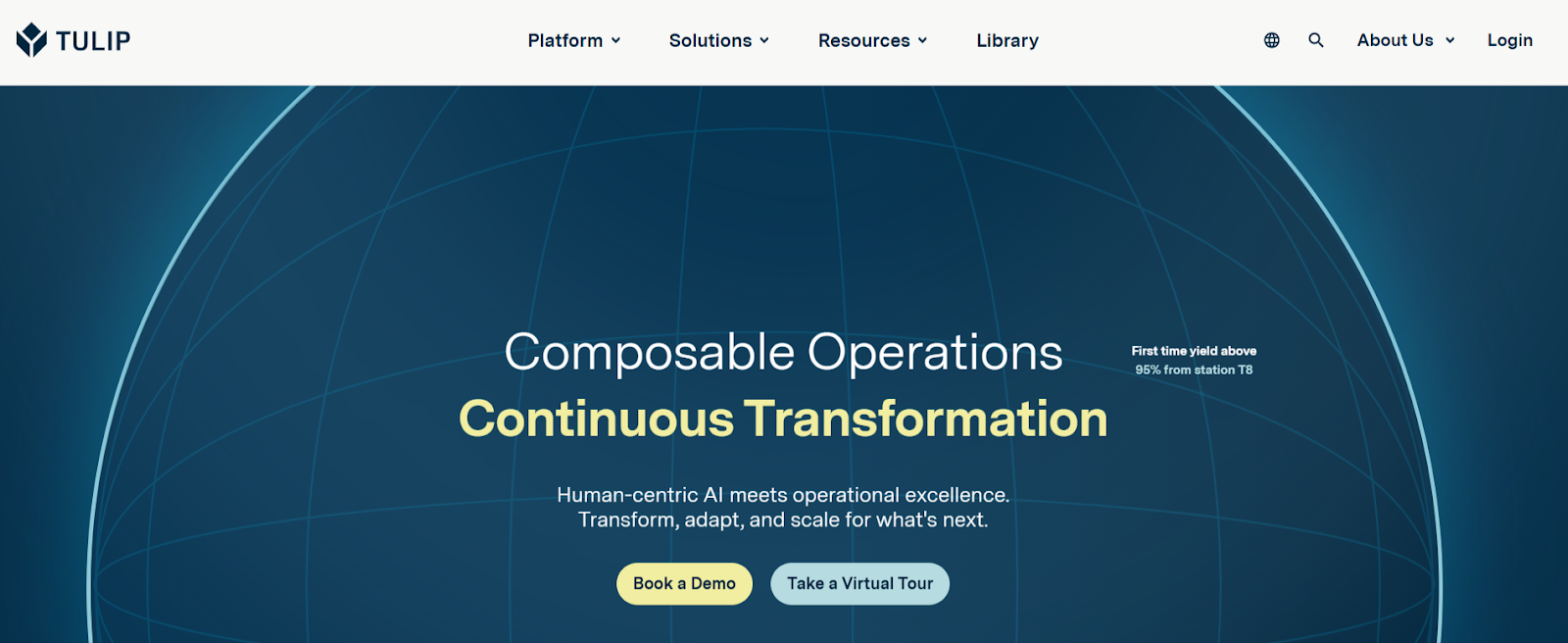
Tulip is a cloud-based no-code frontline operations platform that helps manufacturers create applications that guide operators, collect data from workers, machines, and devices, and track metrics against KPIs.
Born out of MIT and now backed by a strategic investment from Mitsubishi Electric, Tulip starts with the people on the floor and works outward.
Key Features
- No-code app builder: Tulip's drag-and-drop app editor lets manufacturing engineers build operator-facing applications without coding, featuring a clean interface that makes building and maintaining apps straightforward, even for complex use cases.
- Edge device connectivity: Tulip Edge Devices connect directly to machines, sensors, cameras, and smart tools on the shop floor using GPIOs, ADCs, and integrated Node-RED, making machine data available inside apps without IT involvement.
- AI-powered operations: Frontline Copilot, advanced computer vision, and ML forecasts in analytics give operators and engineers the ability to ask questions, detect anomalies, and generate answers directly inside apps and trigger logic.
- Real-time analytics and OEE tracking: Tulip gives manufacturers a holistic view of quality, process cycle times, OEE, and more, replacing manual floor walks and paper-based reporting with live dashboards accessible from anywhere.
Pricing
Tulip prices per interface, not per user.
Where Tulip Shines
- Speed to deployment: A solution to an ongoing problem, such as collecting 5S or machine inspection reports, can be built, deployed, and users trained on it in less than a few hours, saving time on both the problem and the solution itself.

Image: Tulip G2 review on speed to deployment
- Regulated manufacturing environments: Tulip is a great tool for enabling shop floor transformation without a sizeable upfront investment, with strong IoT capabilities for teams that lack visibility into their assets. Its GxP-ready architecture makes it a natural fit for pharma, biotech, and medical device facilities where compliance is non-negotiable.
- Human-centric Industry 4.0: Where most Industry 4.0 platforms treat operators as data sources, Tulip treats them as the primary users. Apps guide workers through processes, reducing errors without requiring upskilling before deployment.
Where Tulip Falls Short
- Complex logic handling: Expression handling in triggers can feel cumbersome, and Tulip Tables could be more robust when working with larger or more complex datasets.

Source: G2
- Not built for edge infrastructure management: Tulip manages the applications running on factory floor devices. It does not manage the underlying software infrastructure of those devices. Teams running containerized workloads at the edge need a separate tool, such as Portainer, alongside them.
Customer Review
"Tulip is an intuitive, end-user-oriented, easy-to-use "platform to build applications", that allows quick delivery of apps in a controlled and complaint way. I like the range of use cases you can address with it, from simple analytic views to suites of apps to manage complex workflows. If there is a "green field" or "brown field" landscape in an organization, Tulip is a great enabler for a "get-rid-of-paper" Digitalization Program. Jose R.D.
Who Tulip Is Best For
- Manufacturing engineers and operations teams: Teams who need to digitize shop floor processes fast, without waiting on IT or writing a single line of code.
- Regulated industries: Pharma, biotech, and medical device manufacturers who need GxP-ready apps that guide operators through compliant workflows.
PTC ThingWorx: Best for Building Custom Industrial IoT Applications
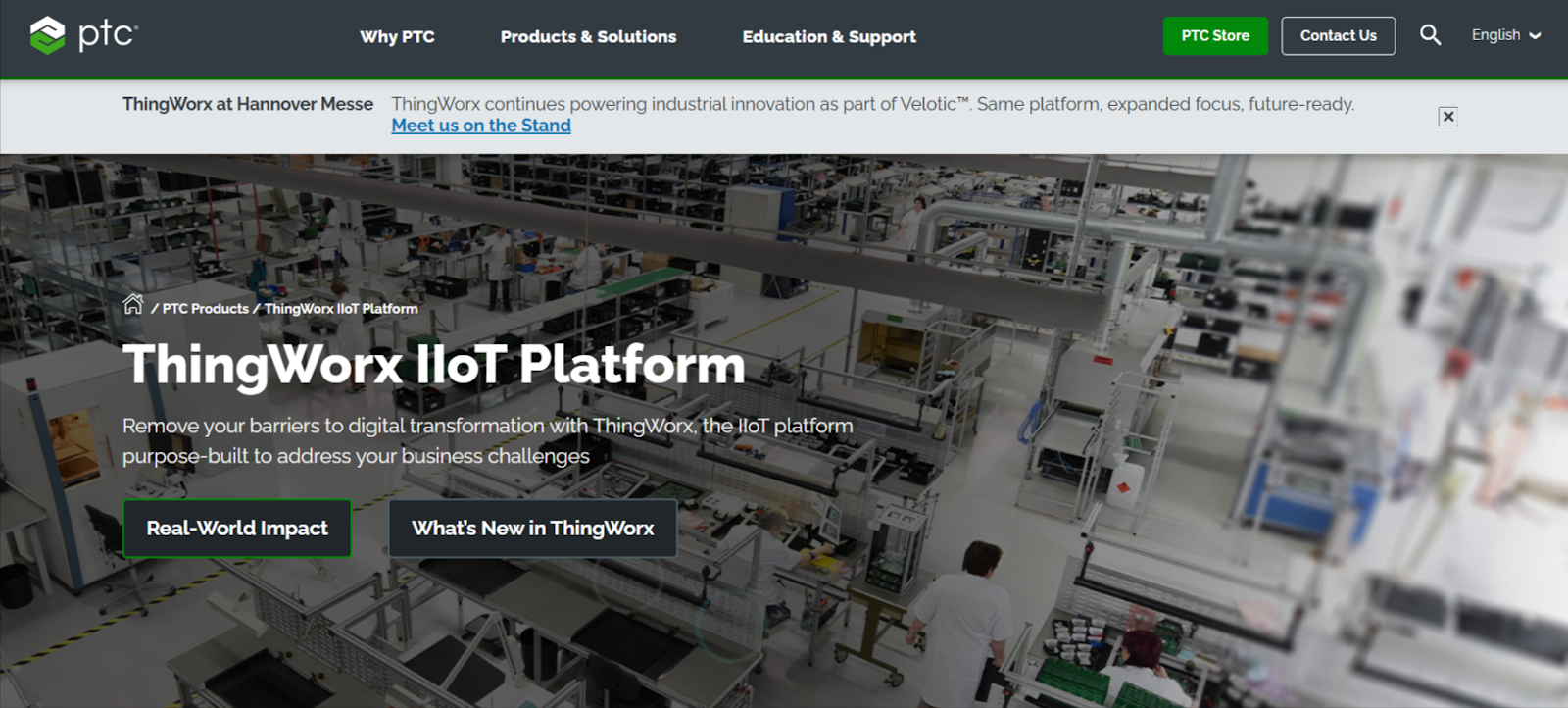
PTC ThingWorx is an industrial IoT and AI platform designed to help organizations build, deploy, and scale industrial applications that connect assets, people, and processes. Rather than focusing solely on connectivity or analytics, ThingWorx emphasizes turning industrial data into practical, application-led workflows that support manufacturing, service, and engineering teams.
PTC ThingWorx combines low-code development tools, native AR capabilities via Vuforia, and deep Kepware connectivity, giving engineering teams a single platform to go from raw machine data to operator-facing applications.
Key Features
- Low-code industrial application development: ThingWorx provides tools to build dashboards, workflows, and role-based industrial applications with less custom development, enabling manufacturing engineers to build production-ready apps without a full software team.
- Industrial connectivity via Kepware: ThingWorx Industrial Connectivity with Kepware is the leading communication platform for integrating industrial controllers and equipment into IoT solutions, covering hundreds of device protocols out of the box.
- Augmented reality with Vuforia: ThingWorx Studio allows you to create and publish AR applications without programming knowledge, enabling rapid integration of 3D digital models for operator guidance and remote service.
Pricing
PTC does not publish ThingWorx pricing. Costs are based on deployment model, scale, and selected capabilities.
Where PTC ThingWorx Falls Short
- Change in Ownership: On March 16, 2026, PTC announced the sale of ThingWorx and Kepware to a private equity firm, TPG. If you are evaluating long-term platform commitments, factor in the change of ownership and what it means for your product roadmap and support continuity.
- High barrier to entry: Getting real value from ThingWorx requires experienced technical teams and time to learn the platform.
Customer Reviews
"This tool allows organizations to keep track of assets and their health by analyzing real-time data. It also helps in understanding the utilization percentage of each asset. They have built this feature in a way that it can track assets along with the measurement of their health." Chirag P.
"It sometimes doesn't help in an abnormal condition of asset. Mostly, it is good at monitoring fixed assets, but not for removable assets. And implementation is a bit complex." Nishant P
Rockwell Automation FactoryTalk: Best for Plants Running Allen-Bradley and Rockwell Automation Hardware
FactoryTalk is Rockwell Automation's umbrella brand for a collection of integrated software products and underlying services, built on a service-oriented architecture that provides common data management, security, diagnostics, and alarm and event services across the Rockwell software ecosystem. For plants already standardized on Allen-Bradley PLCs and Rockwell hardware, this native integration removes the connectivity friction that other industry 4.0 platforms spend months solving.
The suite covers the full manufacturing stack. FactoryTalk DesignSuite handles automation design; FactoryTalk OperationSuite delivers role-based operational data to operators in context; FactoryTalk MaintenanceSuite manages asset versioning and tracking across the facility; and FactoryTalk InnovationSuite brings IIoT, data analytics, AR, and machine learning into one solution.
Pricing is not publicly listed. FactoryTalk is sold modularly, so manufacturers can choose only the capabilities they need or purchase entire suites in one go. Contact Rockwell Automation directly for a quote.
Where FactoryTalk Falls Short
- Steep learning curve: FactoryTalk requires significant training, which can be time-consuming and costly, and is not intuitive for non-technical users, leading to slower adoption across the plant floor.
- High cost of ownership: FactoryTalk's licensing model is widely perceived as expensive, and total cost of ownership must account for software licenses, infrastructure, integration costs, training, and ongoing support, making it difficult to justify outside large enterprise budgets.
- Locked to the Rockwell ecosystem: FactoryTalk's tight integration with ControlLogix is its biggest strength inside a Rockwell environment, but teams running non-Rockwell OT hardware lose that advantage entirely and may find the platform's complexity harder to justify without the native connectivity benefits.
How to Choose the Right Industry 4.0 Platform
Answers to these four questions will help you choose the best Industry 4.0 platform for your team:
You can also consult our comprehensive guide on Industry 4.0 implementation to better understand the deployment hurdles and technical prerequisites before making your final selection.
How Many Devices Do You Need to Manage, and Where Are They?
The scale of your deployment determines which platforms are even worth evaluating. Most Industry 4.0 software tools are built around connecting machines and collecting data. That works fine when everything lives in one facility.
The moment your operation spans multiple sites, the real challenge shifts from connectivity to management: how do you deploy, update, and control software workloads running across dozens or hundreds of remote devices without building a dedicated team around it?
At that point, the question is not just "what data can I see?" but "how do I actually govern what runs on these devices at scale?"
If you run containerized workloads at the edge, Portainer helps you organize edge environments into groups by site, production line, or function, then deploy and update software stacks across those groups from a single interface.
A change that would require individually logging into 50 devices becomes a single group-level operation.
{{article-cta}}
Can You Control How Updates Roll Out Across Your Fleet?
A bad deployment that hits 500 machines at once can take an entire production network offline. The ability to stage rollouts gradually, catch failures early, and stop the spread before it becomes a crisis is not a nice-to-have in manufacturing. It is a basic operational requirement.
Choose a platform that gives you explicit control over update sequencing. Portainer's Edge Stacks helps you see whether updates roll out to all devices at once, in fixed parallel batches, or exponentially. If a deployment fails mid-rollout, you can set the failure action to pause or roll back automatically, containing the impact before it reaches the rest of your fleet.
Can You Recover Quickly When Something Goes Wrong?
Few Industry 4.0 platforms make it easy to undo a deployment that breaks something. In industrial environments, the ability to remotely roll back to a known-good state, without sending a technician to the physical device, directly determines how long a production disruption lasts.
Before committing to any platform, ask specifically how rollbacks work and how long they take. Portainer's Update & Rollback feature lets you schedule agent rollbacks by edge group, select the target version, and apply it remotely across your entire fleet. No on-site visits, no manual intervention per device.
Does it Support Multi-team Access Without Creating Security Gaps?
A platform worth deploying at enterprise scale needs granular, role-based access that reflects how your organization is actually structured.
Portainer's RBAC system scopes permissions by environment, meaning each team sees and controls only what their role permits, across a single instance that might span multiple facilities or business units.
Is it Hardware-Agnostic, or Does it Lock You Into a Vendor Ecosystem?
Several tools on this list deliver strong results inside a specific vendor's ecosystem. Siemens Insights Hub rewards you for standardizing on Siemens hardware. FactoryTalk is most powerful when you are already running Allen-Bradley PLCs throughout your facility. That depth of native integration is genuinely valuable, but it comes at a cost: migrating away or managing a mixed hardware environment becomes significantly harder over time.
If your infrastructure spans multiple hardware vendors, or if you need to retain flexibility as your operations evolve, prioritize platforms that treat hardware as interchangeable.
Portainer manages containerized software workloads regardless of the underlying device manufacturer, making it a practical choice for organizations running heterogeneous edge environments where vendor lock-in is not an option.
Run and Manage Industry 4.0 Infrastructure with Portainer
The right Industry 4.0 platform depends entirely on where your operation's biggest gap sits. If the gap is machine data and analytics, Siemens Insights Hub or PTC ThingWorx may be the right starting point. If it's frontline operator guidance, Tulip is worth a close look. For plants already deep in the Rockwell ecosystem, FactoryTalk is a natural fit.
But if your challenge is managing the software infrastructure running across a growing fleet of industrial edge devices, controlling how workloads deploy, how updates roll out, and who can touch what across multiple sites, that is the problem Portainer is built to solve.
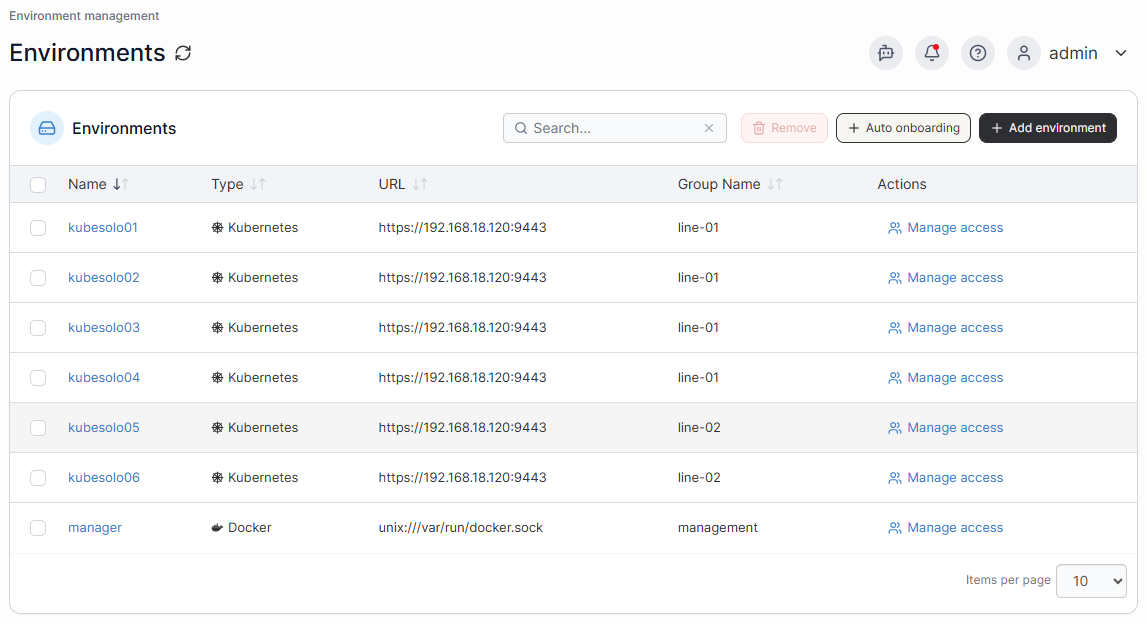
Industry-leading enterprises across manufacturing, energy, automotive, and healthcare trust Portainer to manage containerized workloads at the edge without the operational overhead of device-by-device management.
Book a demo with our sales team to see how the Industrial App Portal brings structure and control to industrial edge operations.