Portainer 2.45 LTS is now available!
Portainer version 2.45 LTS is now available, and includes a number of new fixes and updates, bringing the changes from the previous STS releases into the LTS stream.
Long Term Support (LTS)
Portainer 2.45 is a Long-Term Support, or LTS, release. LTS releases are designed to be production-ready, stable versions of Portainer that you can confidently run on mission-critical infrastructure. They include all the functionality and fixes from the preceding Short-Term Support releases, along with additional hardening to ensure they’re ready for long-term use.
You can learn more about our release process in the Lifecycle Policy documentation.
Portainer Add-ons and Portainer-Run
Probably the biggest change since our last LTS is the introduction of Portainer Add-ons. Add-ons are installable applications that extend what Portainer can do, running directly alongside it in your local Kubernetes cluster. Each one is deployed as a Helm release from the Portainer UI, and shows up as its own tool in the Portainer sidebar switcher, so you can move between Portainer and an add-on without ever leaving the interface.
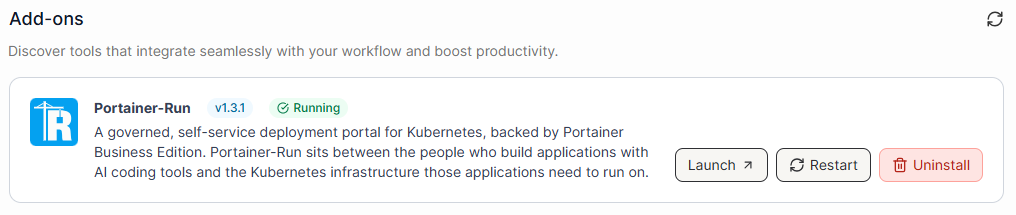
As an admin, you install, upgrade, restart, and uninstall add-ons from a central catalog, you can monitor their health through dedicated Resources, Events, and Logs tabs, and you control which teams get access (and whether they only have access to the add-on).
The first add-on we’ve shipped is Portainer-Run, and this one isn’t really aimed at your developers - it’s aimed at everyone else. Think of the people across your business who are now vibe-coding their own applications and internal tools, but have nowhere safe to actually run them. Portainer-Run lets them deploy straight from a friendly UI, without writing a Dockerfile or a Kubernetes manifest, or even knowing what those things are. For IT, it means vibe-coded apps land somewhere governed, on infrastructure you actually control, instead of on some random laptop or a third-party service. Portainer-Run leverages the same authentication and access control system as Portainer itself, so a user logs in as they normally would.
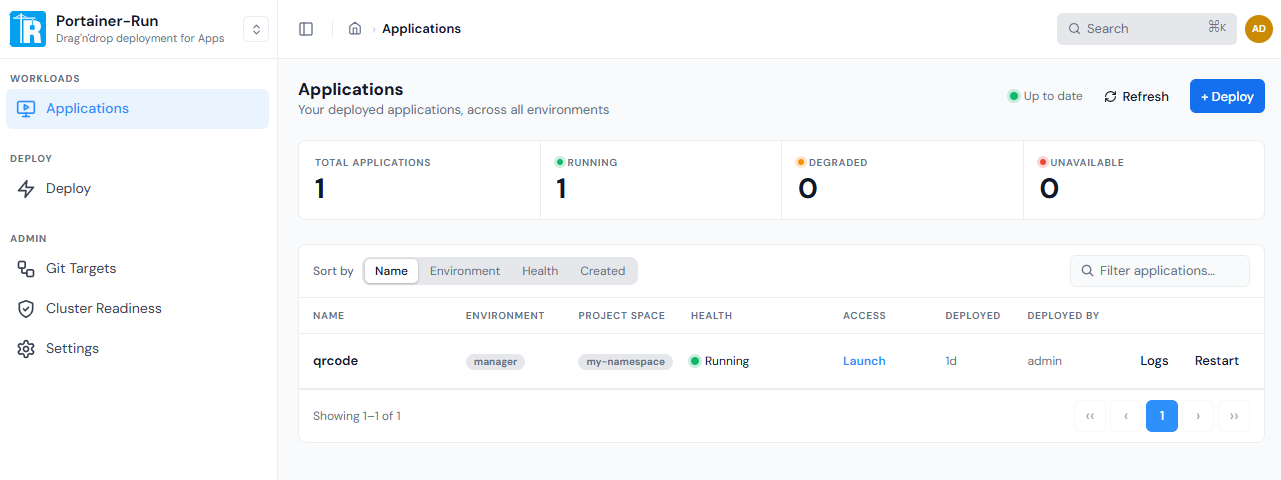
We’ll have more dedicated content on Portainer-Run in the future, so keep an eye out for that - but for now, know that add-ons are how we’ll be extending Portainer’s capabilities going forward, and we’d love your feedback.
Evolving GitOps in Portainer
GitOps has seen a significant amount of change across this STS cycle, and those changes are now available to you in this LTS release. We started by introducing a Workflows dashboard, which gives you a single, unified view of every Docker, Edge, and Kubernetes workload that’s deployed from a Git repository - so you can quickly assess deployment health across all your environments and jump straight to anything that needs attention.
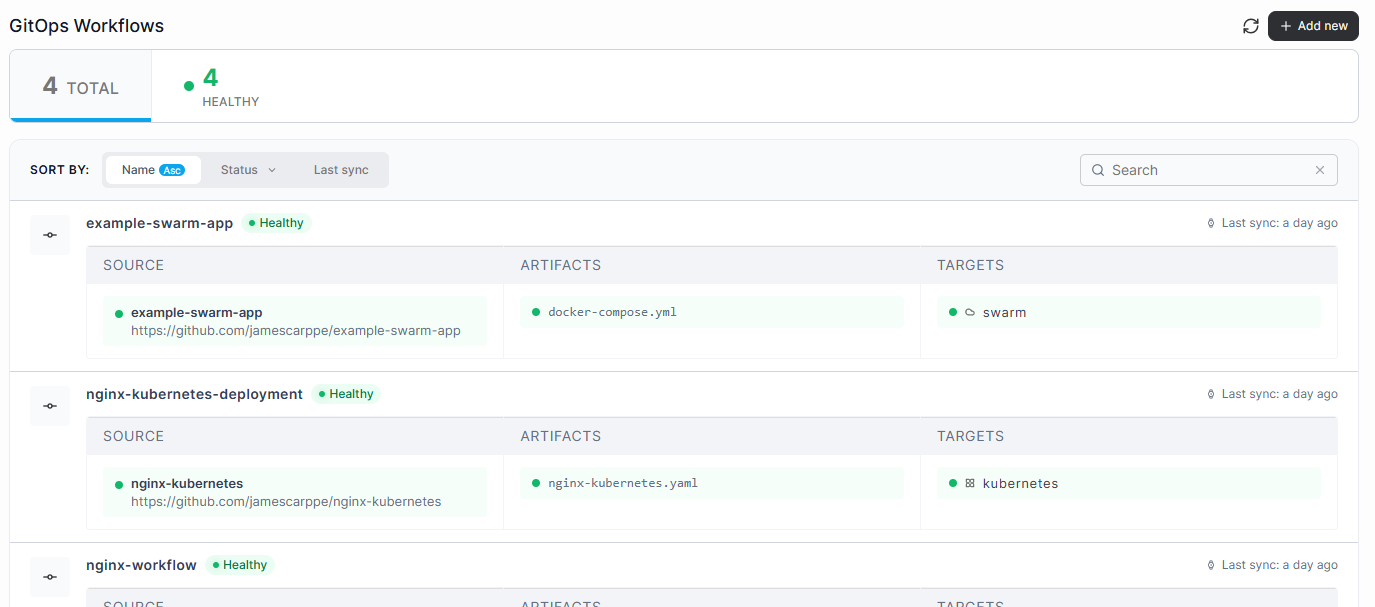
Alongside that, we added a dedicated Sources view - a central place to see every external Git source connected to your Portainer instance, along with how many workflows and environments each one touches. And rather than entering Git credentials individually every time you set up a new workflow, you can now create and edit GitOps sources directly from that view, with connection details, authentication, and access all editable in place.
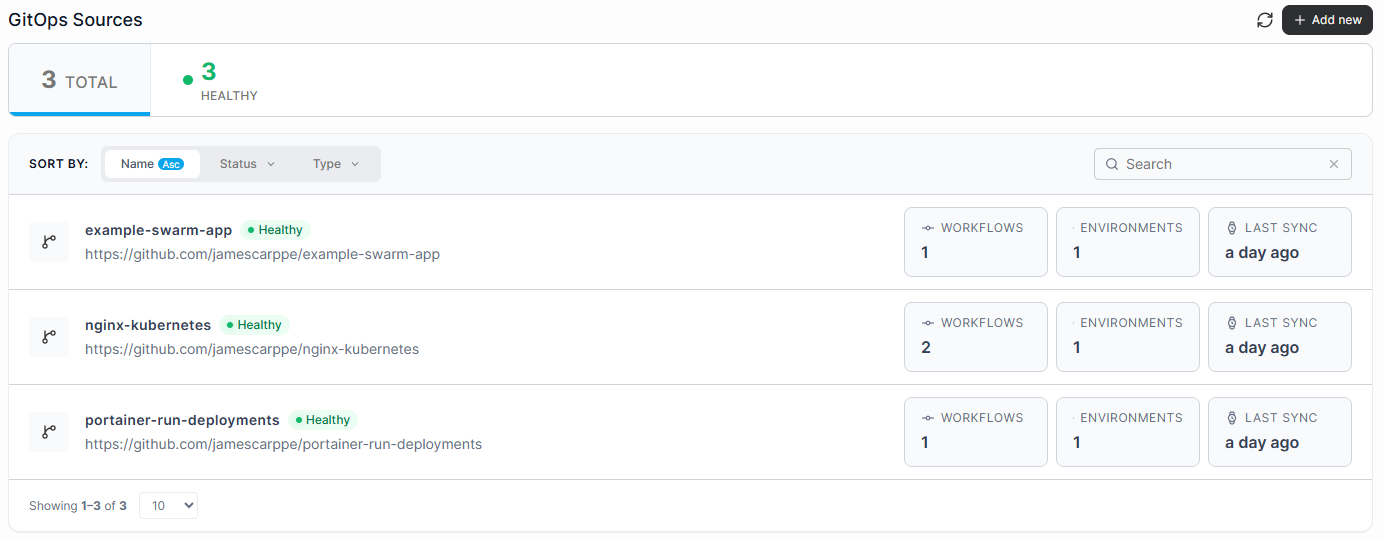
All of that groundwork came together in this release with GitOps workflow creation - a single guided flow that takes you from selecting a source and a stack file, through configuring deployment targets, environment variables, registry settings, and rollout strategy, including parallel batches with automatic pause or rollback on failure. Once you’ve gone through the flow, Portainer creates the workflow, creates the stack, and starts deploying - all in one operation.
Banner and Custom Change Confirmation policy
We introduced Fleet Governance Policies in 2.39 LTS, and we’ve kept building on that policy-based approach to management ever since. The new Banner and Custom Change Confirmation policy lets you display a custom banner, with your own text and color, across a group of environments - so your team can clearly tell environments apart at a glance.
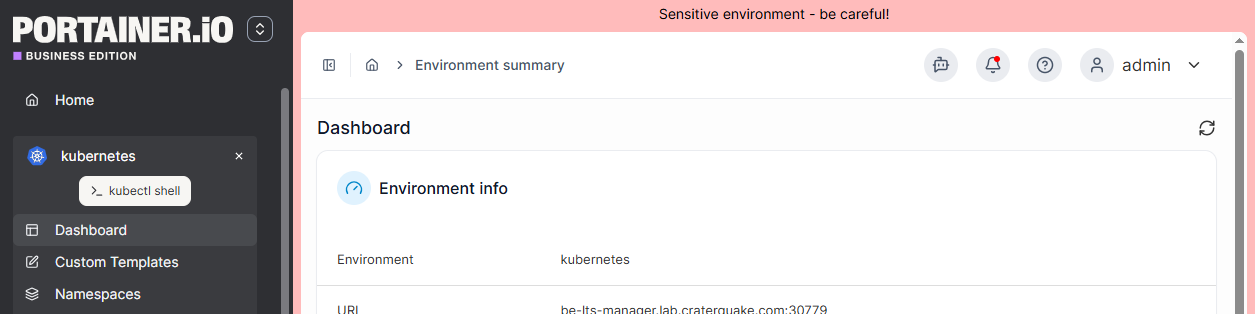
You can also configure a confirmation prompt that appears whenever someone applies a change to those environments, which adds a really useful extra layer of protection for your more sensitive workloads. Combining that visual identification with an enforced confirmation step goes a long way toward reducing the risk of unintended changes.
Kubernetes Security Policies
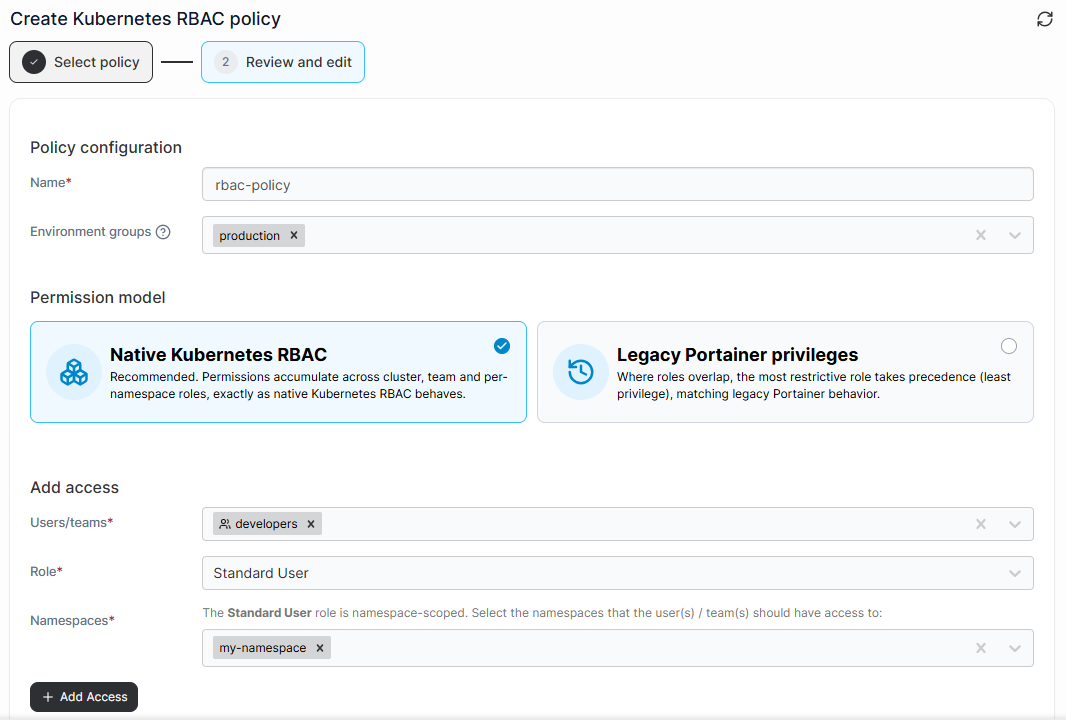
We’ve also added a whole set of new Kubernetes security policies in this release. Kubernetes RBAC policies now support a native Kubernetes permission model as an alternative to our existing Portainer privileges model - permissions accumulate across cluster, team, and namespace roles the way you’d expect from standard Kubernetes, and it’s the option we’d recommend for any new deployment.
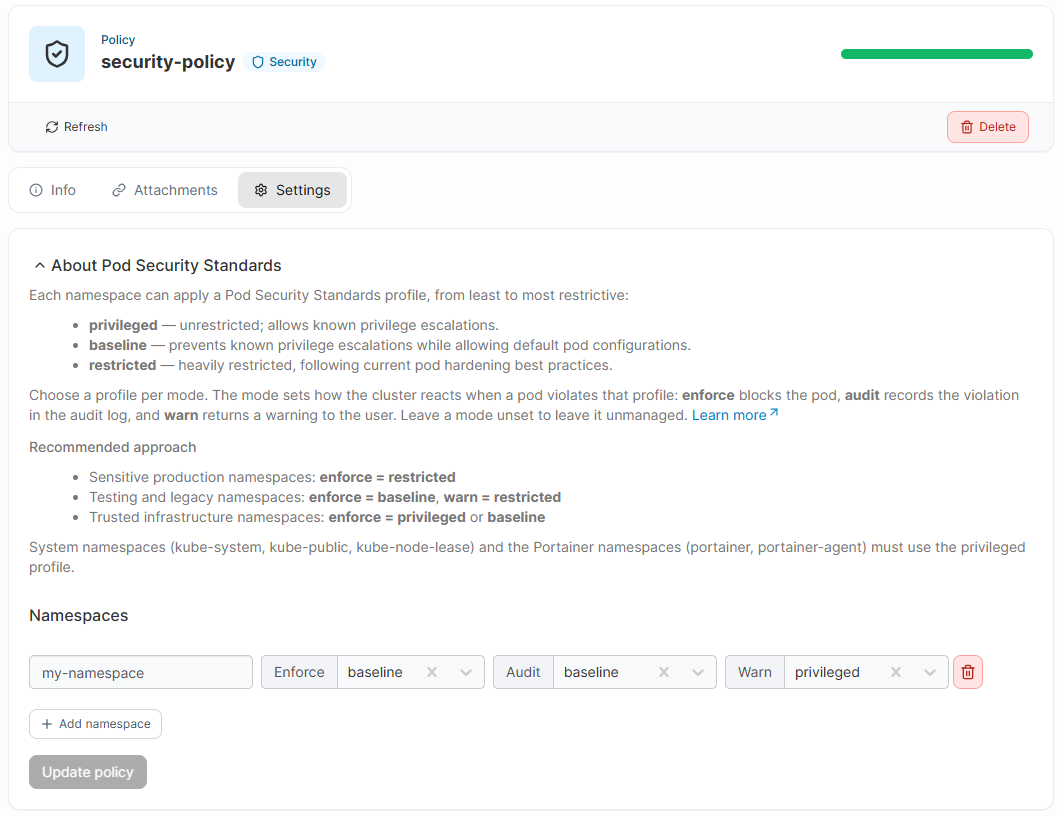
You can now apply Kubernetes’ built-in Pod Security Standards to a namespace directly from Portainer, choosing a privileged, baseline, or restricted profile independently for enforce, audit, and warn modes. There’s also a new Kubernetes network security policy, which lets you define ingress and egress traffic rules for pods without writing a single manifest - you can pick from presets like blocking all inbound traffic or allowing Prometheus scraping, or build custom rules targeting pods by label. And on the platform side, we’ve introduced built-in SSRF mitigation, so you can define an allowlist of permitted proxy destinations and choose whether Portainer blocks, logs, or ignores requests outside of it.
One smaller but handy addition alongside all this: Portainer now automatically keeps the default Service Account’s imagePullSecrets in sync whenever you grant or revoke registry access through a registry policy or the Registries view, so pods can pull from private registries without any manual wiring.
Manage Portainer with Terraform
For anyone managing infrastructure as code, Portainer can now be automated using our official Terraform provider. That means you can create and manage environments, users, teams, stacks, and other Portainer resources through the Portainer API using Terraform, and slot Portainer straight into your existing Infrastructure as Code and CI/CD workflows. If you want to see it in action, we’ve got a full walkthrough of deploying a Docker stack with Terraform in our How-to articles.
Alerting and observability improvements
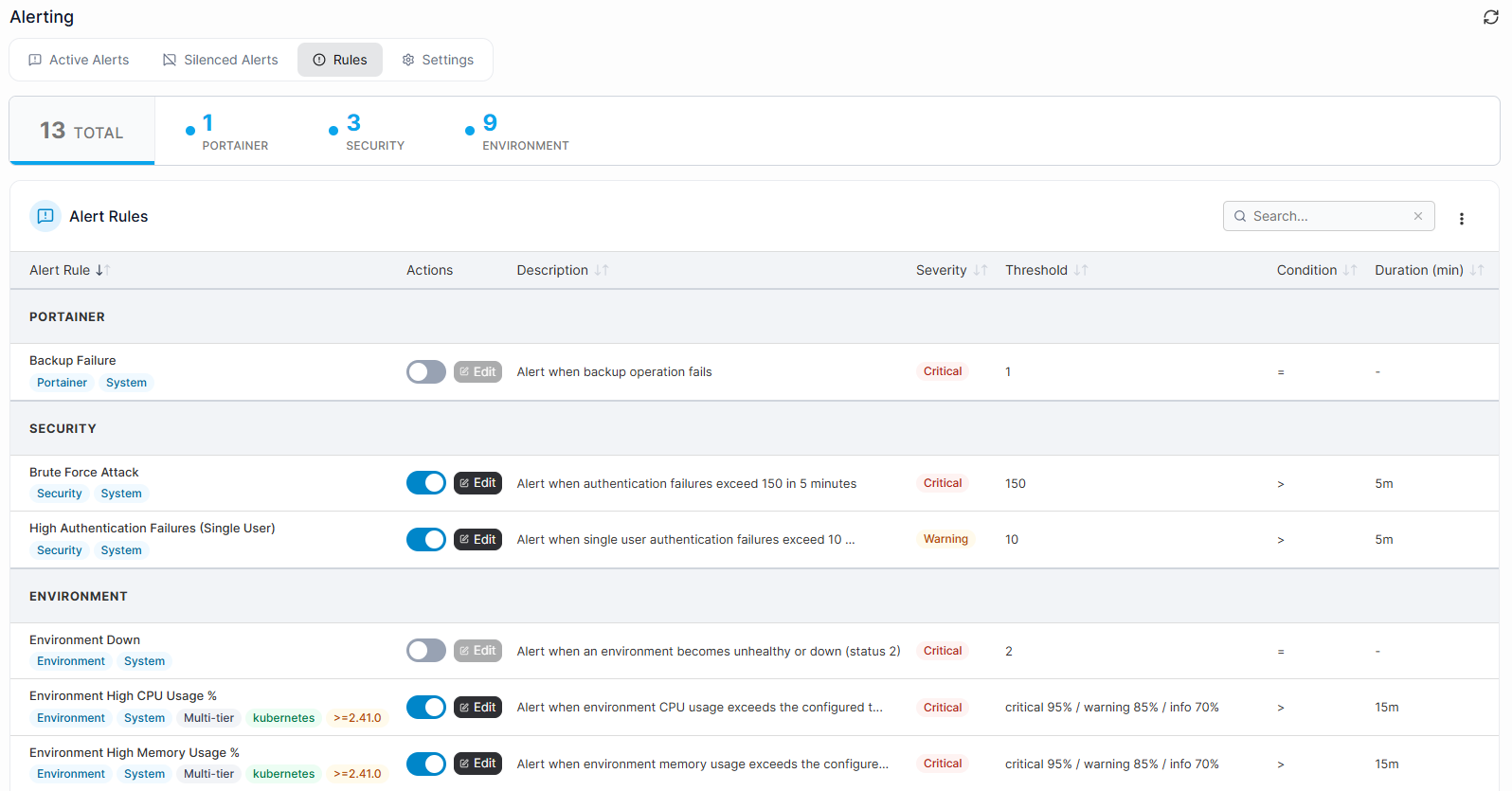
Alerting has come a long way too. Since introducing it as an experimental feature, we’ve refined it release after release, and it’s now generally available with a much richer feature set. Certain alert types support multi-severity thresholds, so you can define critical, warning, and info levels rather than a single trigger point. The Rules view now has category-based grouping and filtering to help you find what you need, and we’ve added new Kubernetes-specific rules covering etcd, the API server, TLS certificate expiry, and nodes that are in the NotReady state. Alert summaries now also surface meaningful per-entity context, so triage is faster. And of course any of these notifications can be sent to Slack, Email, or Microsoft Teams.
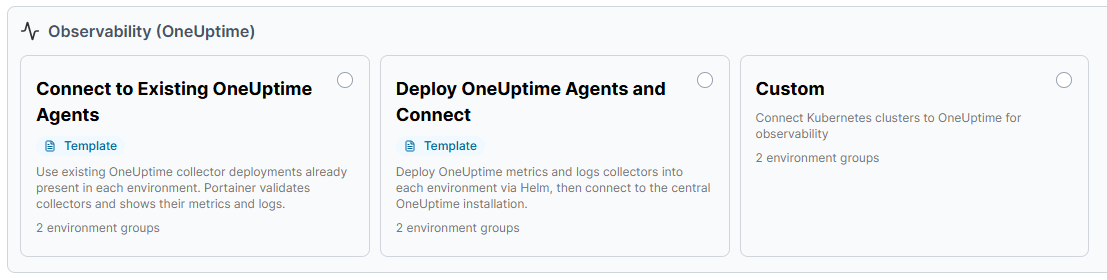
On top of alerting, we’ve introduced a Kubernetes observability policy that connects Portainer directly to a OneUptime instance - either an existing agent or one Portainer deploys for you - bringing logs and metrics straight into the namespace details view. We plan to offer tighter integration with OneUptime in future versions as well as a combined solution to the market, so watch this space if you are looking for an integrated and cohesive observability solution.
A refreshed home page and a new Recommendations view
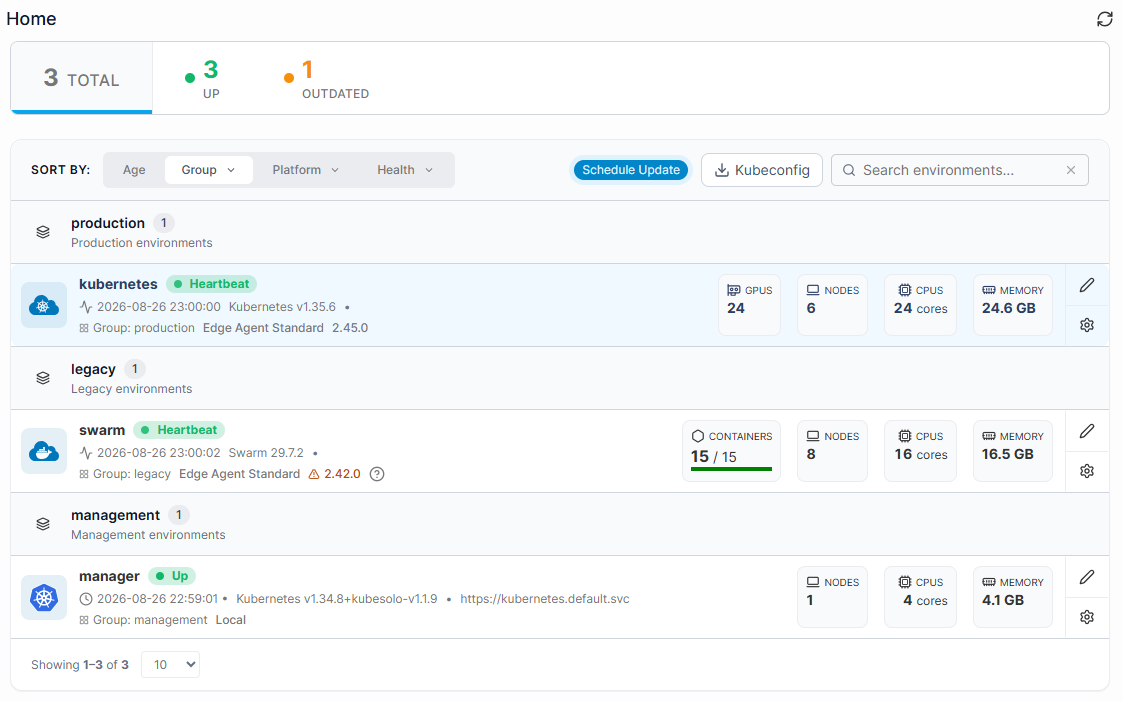
As part of our ongoing UI refresh, the Portainer home page has a new look. Environments are now displayed in helpful groupings, making it much easier to spot anything that’s down or not assigned to a group, and you can sort by group, platform, or health.
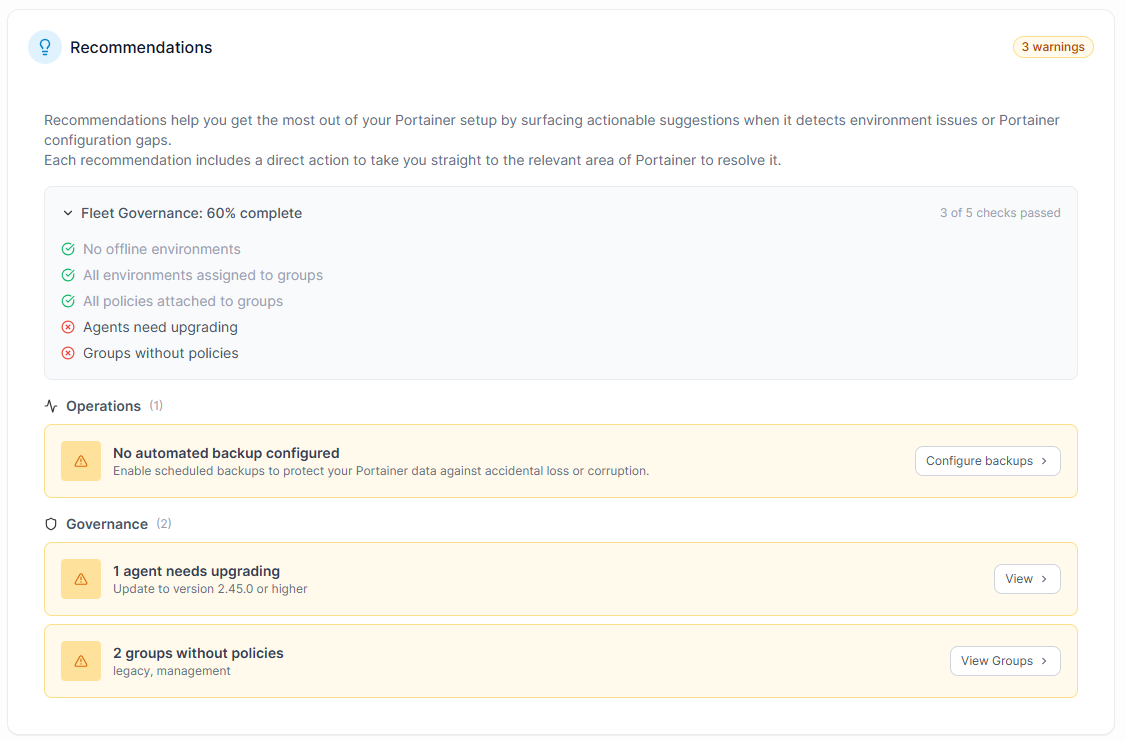
We’ve paired that with a brand new Recommendations view, which surfaces actionable suggestions whenever Portainer detects an environment issue or a configuration gap - and each recommendation links directly to the area of Portainer where you can go and fix it.
GPU visibility
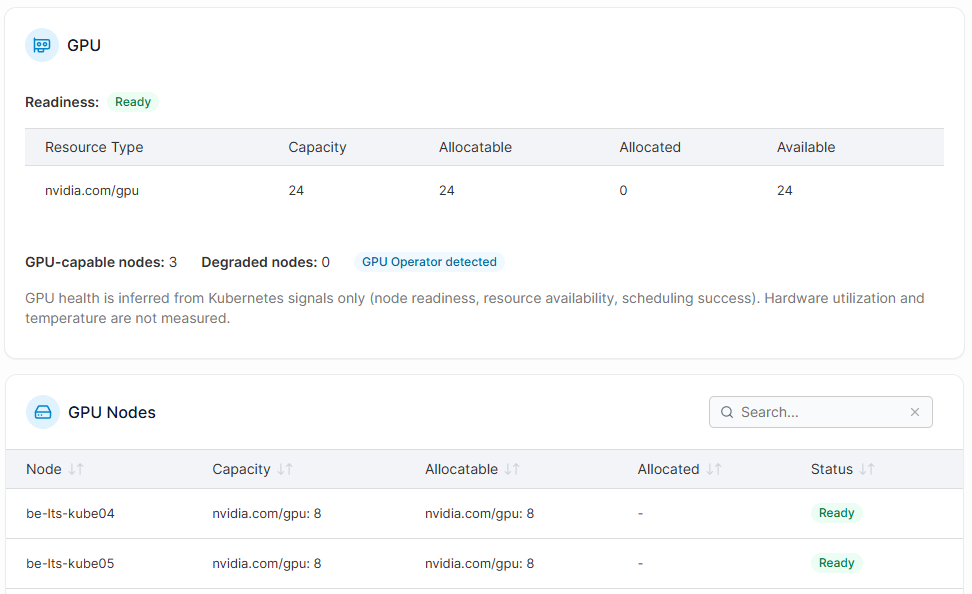
With more and more workloads needing GPUs, Kubernetes environments with detected GPU nodes now get a dedicated GPU view. It’s made up of three tables: one shows node readiness and a breakdown of GPU capacity, allocatable, allocated, and available counts across the cluster; another lists each GPU node individually, with its own capacity and status; and a third shows every GPU workload - the pod, its owner, which node it landed on, and any scheduling issues. It’s a really handy way to get visibility into how your GPU resources are actually being used in your clusters.
Kubernetes volumes page restructure
The Kubernetes volumes page has also been restructured. Instead of the old Volumes and Storage tabs, you now get three dedicated sections - Persistent Volumes, Persistent Volume Claims, and Storage Classes - each with its own focused view.
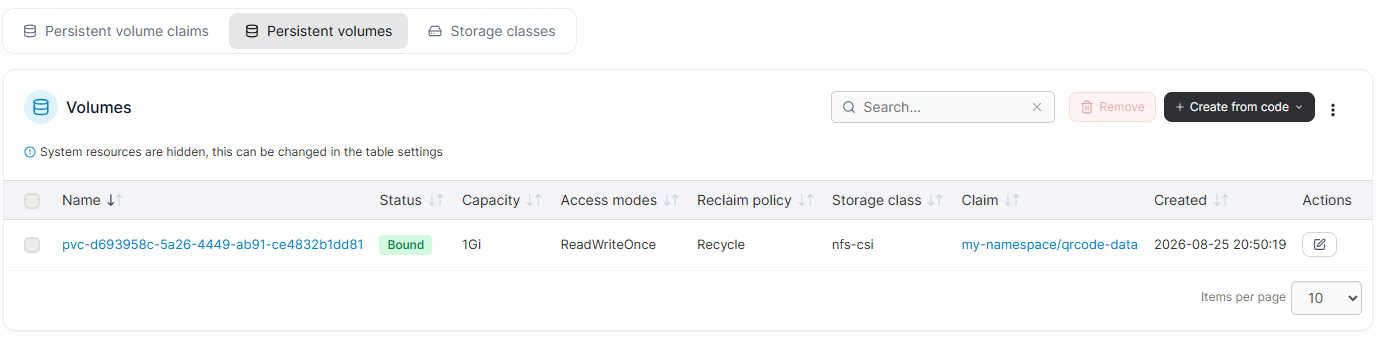
You can edit a volume’s reclaim policy and resize persistent volume claims directly from the Actions menu, and you can set a StorageClass as the cluster default with a single click.
Docker image cleanup
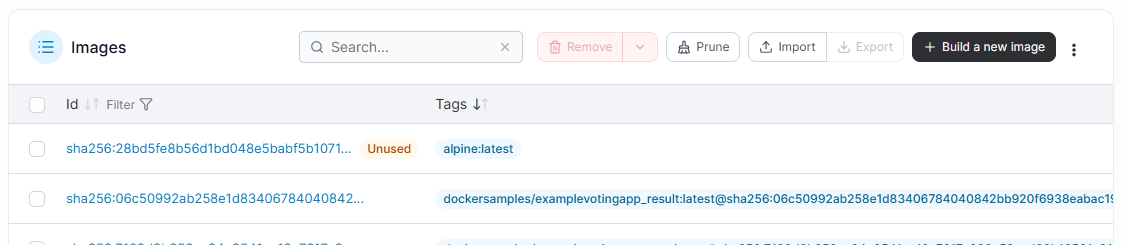
On the Docker side, keeping your environments tidy is a lot easier in this release. You can prune images directly from the Images view, choosing to remove only dangling images or extend the cleanup to everything unused.
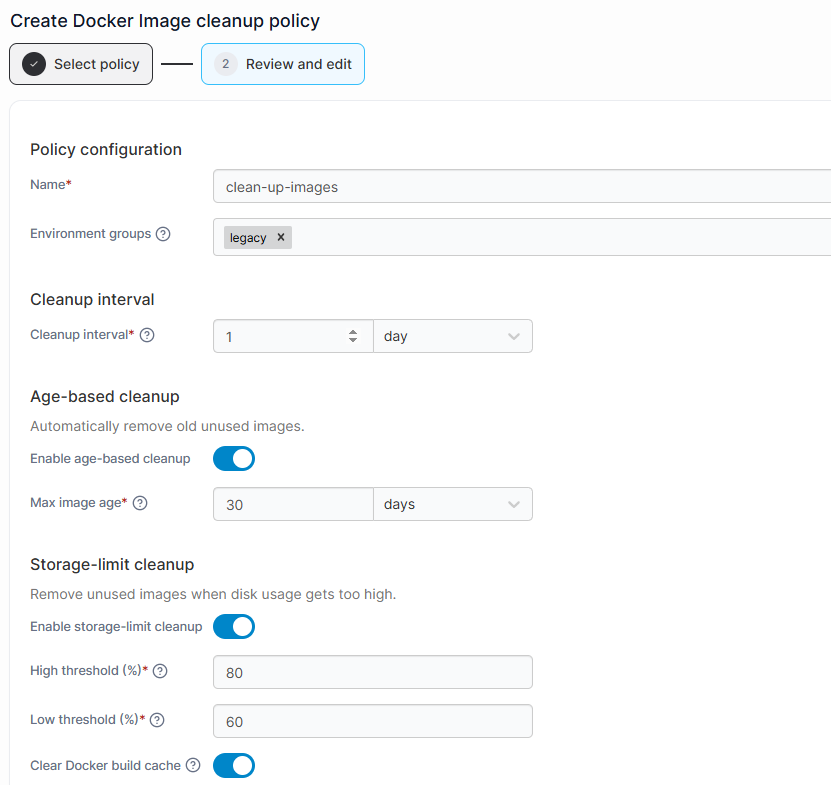
And if you’d rather not think about it at all, you can now set up an automated image cleanup policy that removes old and unused images on a schedule - either age-based or triggered by a storage threshold - while protecting any specific images you want to keep.
New backup options
We’ve also expanded how you can back Portainer up. Scheduled local backup lets admins automatically back up their configuration on a defined cron schedule, with configurable retention and support for custom storage paths. And for Azure users, Store in Azure Blob adds Azure Blob Storage as a backup destination alongside S3, supporting both on-demand and scheduled backups.

KubeSolo edge environments
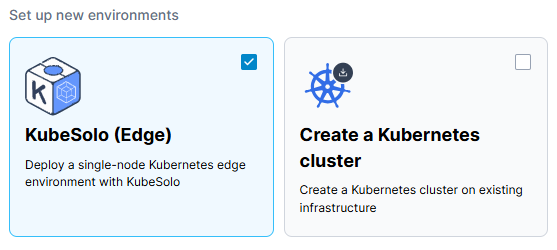
For edge deployments, Business Edition users can now onboard KubeSolo environments directly through the Portainer Environment Wizard. KubeSolo is our lightweight, single-node Kubernetes distribution built for the edge, and the wizard will generate the setup command for you and walk you through deploying the Portainer Edge Agent - whether you’re installing KubeSolo fresh or already have it running and just need to add the agent.
A dedicated node shell
Administrators can now open a root shell directly on any cluster node from the Nodes table, without needing SSH access at all.
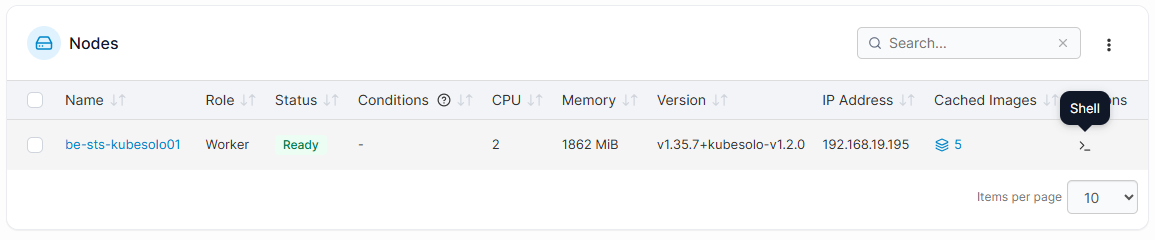
It’s disabled by default, and you can turn it on per cluster in the Cluster Setup, or centrally through a Kubernetes Security Policy.
These are just the major changes in this release - there's a lot more here including a significant amount of CVE fixes. You can find a full list of changes in the release notes in our documentation.
Installation and update instructions are available in our documentation as well, as are instructions for upgrading from CE to BE.